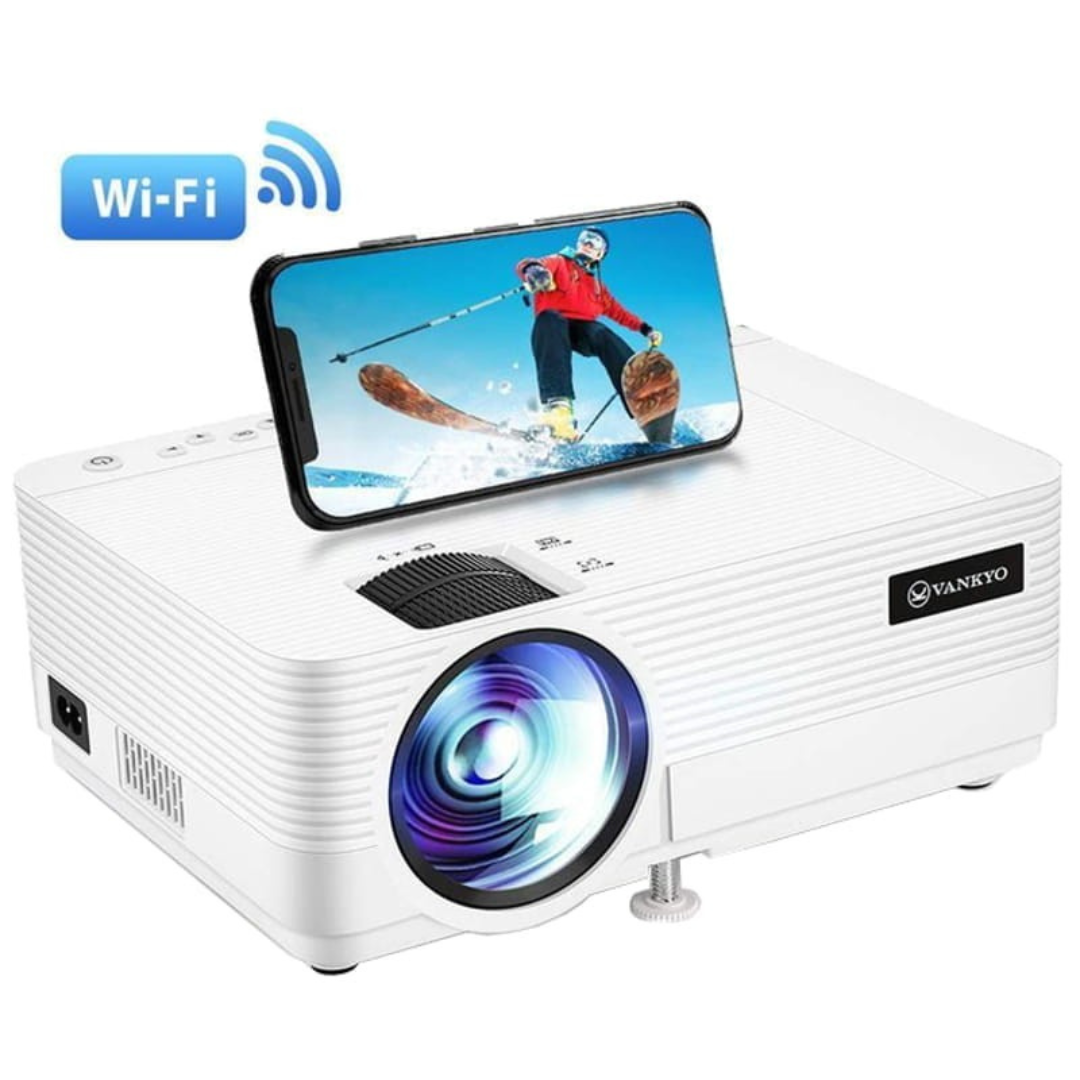
Yes, many projectors have Wi-Fi, but “has Wi-Fi” does not automatically mean the projector can mirror your phone, receive AirPlay, support Google Cast or Miracast, or stream Netflix by itself. Wi-Fi is the network connection. The actual wireless features depend on the projector’s operating system, apps, screen-mirroring protocols, manufacturer software, and sometimes an external streaming receiver.
That distinction matters when buying a projector for a meeting room, classroom, home theater, or portable setup. Two projectors can both advertise Wi-Fi while offering very different wireless capabilities.
BrandLigo has not independently tested every projector or wireless feature discussed here. Always verify the exact model’s current manufacturer specifications and support documentation before relying on wireless projection for a purchase or an important presentation.
What does Wi-Fi on a projector actually do?
At its simplest, built-in Wi-Fi lets a projector participate in a wireless network or create a direct wireless connection. What you can do after that depends on the model.
| Feature | Does Wi-Fi alone guarantee it? | What to look for |
|---|---|---|
| Connect projector to a network | Usually, if built-in Wi-Fi is specified | Wi-Fi/WLAN specifications |
| Mirror an iPhone or Mac | No | Apple AirPlay support |
| Mirror a compatible Windows/Android device | No | Miracast or manufacturer-supported mirroring |
| Cast supported apps | No | Google Cast/Chromecast built-in or compatible receiver |
| Stream Netflix/YouTube directly | No | Smart OS plus supported/certified apps |
| Use a phone projection app | No | Official manufacturer app and model support |
| Remote monitoring/control | No | Network-management features |
A current Epson business example shows why specifications need to be read separately: the PowerLite 1290 lists built-in Wi-Fi 6/6E networking and separately lists screen mirroring through Apple AirPlay, Miracast, and Epson iProjection. In other words, the network hardware and the projection protocols are related features, not synonyms.
Source: Epson PowerLite 1290 specifications.
Wi-Fi vs AirPlay, Google Cast and Miracast
These terms solve different parts of the connection:
- Wi-Fi provides wireless network connectivity.
- AirPlay is Apple’s wireless media and screen-sharing system for supported receivers.
- Google Cast lets supported apps or Android devices send content to compatible Cast receivers.
- Miracast is a wireless display standard supported by some Windows, Android and projector combinations.
- Manufacturer apps such as Epson iProjection can provide model-specific presentation and connection workflows.
A projector therefore may have Wi-Fi but support none, one, or several of these options. Epson’s current PowerLite 994F, for example, explicitly lists Wi-Fi 6/6E plus AirPlay, Miracast, and Epson iProjection. That is much more useful buying information than the word “Wi-Fi” by itself.
Source: Epson PowerLite 994F specifications.
Does a Wi-Fi projector stream Netflix by itself?
Not necessarily. Direct streaming normally requires a smart operating system or integrated streaming platform plus supported apps. A projector can have Wi-Fi only for network projection, device discovery, management, or firmware-related functions without being a standalone streaming device.
A smart projector is different. ViewSonic’s current LX60HD, for example, combines built-in Wi-Fi with Google TV and a native Netflix app. That model can therefore use its own smart platform for streaming. The important buying lesson is to verify the operating system and app support—not assume every Wi-Fi projector offers the same service. If you are specifically comparing Android TV, Google TV and generic Android projectors, use BrandLigo’s Android projector with Wi-Fi buying guide.
Source: ViewSonic LX60HD product specifications.
Protected streaming can also behave differently when you mirror from a phone. BenQ notes that content protection on some subscription services can prevent particular mobile mirroring/casting workflows. If Netflix or another protected app fails while photos and presentations work, do not immediately assume the projector’s Wi-Fi is broken.
Source: BenQ wireless projection support.
Can you connect a phone just because the projector has Wi-Fi?
No. Your phone and projector still need a compatible projection method. An iPhone user should look for AirPlay or an official projector app. An Android user may use Google Cast, Miracast on compatible devices, or the manufacturer’s app. The exact combination varies by projector and phone.
For step-by-step setup, use BrandLigo’s guide to connecting a phone to a wireless projector. It separates AirPlay, Google Cast, Miracast and manufacturer-app workflows rather than treating “Wi-Fi” as one universal connection method.
Does a Wi-Fi projector need internet?
Wi-Fi and internet access are not the same thing. Some local screen-mirroring or manufacturer-app workflows can work over a local network or direct wireless connection without public internet access. Streaming an online service still requires internet connectivity.
The reverse can also happen: your phone and projector may both have internet access but still be unable to discover each other. Corporate, hotel, school and guest networks can isolate devices from one another. If a wireless projector works at home but disappears on a guest network, local network policy may be the cause.
What about Wi-Fi adapters and streaming sticks?
Some projectors without the wireless feature you need can gain it through an approved manufacturer wireless module or an external HDMI streaming/display receiver. However, compatibility should be verified rather than assumed. An older projector’s optional Wi-Fi adapter may only provide network presentation functions, while an HDMI streaming device can add an entirely separate smart platform.
Also distinguish a streaming stick from native wireless projection. A Chromecast, Google TV device, Apple TV, Roku or similar HDMI device is effectively another source connected to the projector. It does not turn every internal projector feature into a wireless feature.
Wi-Fi projectors for business and classrooms
For business buyers, wireless convenience is useful, but it should not be evaluated in isolation. Check whether the projector supports the devices employees actually bring, whether guest presenters can connect without installing unapproved software, whether the network team permits device discovery, and whether HDMI or USB-C remains available as a dependable fallback.
Current Epson meeting-room projectors demonstrate how business models may combine Wi-Fi networking with AirPlay, Miracast and proprietary projection software. Some network projectors can also offer administrative or multi-device collaboration functions that are separate from consumer streaming.
If you are selecting hardware for conference rooms, compare the wider procurement requirements in BrandLigo’s business projector buying guide. Wireless support should be considered alongside brightness, resolution, throw distance, ports, deployment and support.
What to check before buying a Wi-Fi projector
- Wireless standard: confirm the listed Wi-Fi capability, but do not stop there.
- AirPlay: verify it explicitly if Apple screen sharing matters.
- Google Cast: verify built-in Cast support or plan for an external compatible receiver.
- Miracast: confirm both the projector and the source device support it.
- Smart platform: check Google TV or another OS separately from Wi-Fi.
- Streaming apps: confirm the exact services you care about instead of assuming app availability.
- Manufacturer app: confirm the app supports your exact projector model and phone/desktop OS.
- Wired fallback: keep HDMI or another dependable input available for important meetings.
- Network restrictions: consider guest-network isolation, security policies and device onboarding in offices and schools.
Common Wi-Fi projector troubleshooting
- Make sure you are using a wireless feature the projector actually supports.
- Check whether the projector is on the same network when the protocol requires it.
- Confirm the projector is in the correct network/screen-mirroring input mode.
- Temporarily rule out VPNs or isolated guest Wi-Fi when device discovery fails.
- Update projector firmware and official projection apps where appropriate.
- Test local photos or a presentation before blaming Wi-Fi for protected-video playback restrictions.
- Use a direct wired connection to isolate whether the problem is wireless-specific.
If you instead see an explicit HDMI No Signal or No Source message, use the Projector Says No Signal troubleshooting guide; that is a different problem from wireless discovery.
FAQs
Do all modern projectors have Wi-Fi?
No. Many current smart, portable, business and classroom projectors include Wi-Fi, but others remain primarily wired. Check the exact model specification rather than assuming Wi-Fi is standard.
Does Wi-Fi mean the projector supports AirPlay?
No. AirPlay must be supported by the projector or an attached receiver. Wi-Fi only provides the wireless networking layer.
Does Wi-Fi mean the projector has Netflix?
No. Direct Netflix playback depends on the projector’s smart operating system and app support. A Wi-Fi-only network projector may have no built-in streaming apps at all.
Can a projector work wirelessly without internet?
Sometimes. Local mirroring, direct wireless modes or manufacturer apps may work without public internet access. Online streaming services still need internet.
Is Bluetooth the same as Wi-Fi projection?
No. Bluetooth is commonly used for speakers, headphones, remotes or accessories. Do not assume it can carry full-screen video unless the manufacturer explicitly documents that capability.


Leave a Reply