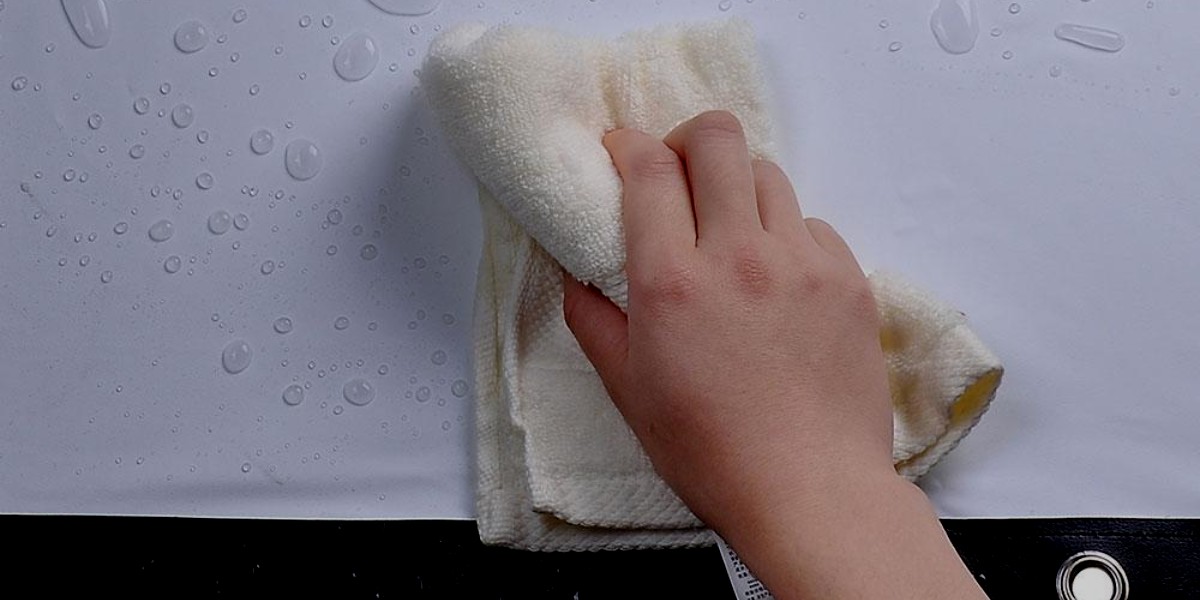
Updated August 29, 2026. Can you wash a projector screen? Sometimes—but “washable” depends on the exact screen material. Many matte-white PVC/vinyl screens can be cleaned with mild soap and water, while coated ALR/CLR, UST, high-gain and acoustically transparent surfaces may require a different liquid, wiping direction or minimal-contact method. Do not soak, hose down or scrub a projector screen unless its manufacturer explicitly says the material supports that treatment.
If you need the full dust-removal and spot-cleaning process, use our How to Clean a Projector Screen Safely guide. This page answers the narrower question: which types of projector screens can be wet-cleaned, and how should you decide?
BrandLigo has not independently tested every screen material. The examples below use current care instructions from Elite Screens, Stewart Filmscreen and Screen Innovations. Always prioritize the care sheet for your exact product.
Which Projector Screens Can Be Washed?
Matte white PVC or vinyl screens: often yes
Several common matte-white materials are explicitly washable. Elite Screens states that MaxWhite and CineWhite UHD 2 can be cleaned with mild soap and water; CineWhite UHD 2 also specifies a soft microfiber cloth. That is a good example of a screen that permits wet cleaning—but the permission belongs to the named material, not to every white projector screen.
ALR, CLR and UST screens: only with the exact care method
Ambient-light-rejecting and UST/CLR screens can use structured optical layers. Stewart’s BlackHawk UST instructions, for example, allow a damp lint-free cloth with a very dilute dish-soap solution but require cleaning in the direction of the screen’s linear structure. Elite Screens gives similar directional guidance for StarBright CLR. A circular scrubbing motion that is harmless on one material could damage another.
For screen/projector geometry and why UST screens are different, see our Ultra Short Throw Projector Guide and Projector Screen Size Guide.
Acoustically transparent screens: use caution
Woven and perforated materials should not be saturated. Cleaning liquid can affect the weave, perforations or backing if the material is not designed for wet cleaning. Screen Innovations publishes separate instructions for its Maestro surfaces rather than one rule for every acoustically transparent screen.
High-gain and specialty coated screens: minimize contact
Specialty optical coatings can be more sensitive to rubbing and solvents. Do not assume that mild soap, alcohol or household cleaner is safe just because another screen maker allows it on a different material. When the care sheet is unavailable, the conservative choice is to remove loose dust gently and contact the screen manufacturer before wet cleaning.
What Does “Wash” Mean for a Projector Screen?
For most projection screens, “wash” should mean controlled surface cleaning, not immersion or soaking. A typical approved process may involve a lightly damp microfiber cloth or soft sponge, a manufacturer-approved diluted cleaner, very light pressure and air drying. Apply liquid to the cloth—not directly to the screen—unless the manufacturer says otherwise.
Do Not Use Alcohol as a Universal Projector-Screen Cleaner
Older projector-screen articles often recommend a 50/50 water-and-isopropyl-alcohol mix. That is not safe as universal advice. Elite Screens warns against alcohol and organic solvents for multiple materials, and Stewart warns against alcohol-based cleaners on its WallScreen materials. Use alcohol only if the care instructions for your exact surface explicitly approve it.
Can a Motorized Projector Screen Be Washed?
The viewing material may permit wet cleaning, but keep moisture away from the roller and electrical housing. Extend the screen fully and allow it to dry for the manufacturer’s specified time before retracting it. Screen Innovations, for example, publishes drying-time guidance for some motorized-compatible materials.
When You Should Not Wash the Screen
- You cannot identify the material or coating.
- The manufacturer says dry-clean only or warns against liquid.
- The screen has a damaged, flaking or delaminating optical coating.
- The stain is paint, ink, adhesive or another substance requiring aggressive solvent removal.
- The screen is under warranty and the proposed cleaning method could conflict with its care requirements.
Quick Decision Checklist
- Find the screen brand and material name.
- Open the manufacturer’s current care instructions.
- Confirm whether liquid cleaning is allowed.
- Use the least aggressive approved solution.
- Test a small, inconspicuous area when the manufacturer recommends testing.
- Use minimal pressure and the specified wiping direction.
- Let the screen dry fully before retracting or using it.
Manufacturer References
- Stewart Filmscreen — General Screen Cleaning Instructions
- Stewart Filmscreen — BlackHawk UST Cleaning Instructions
- Screen Innovations — Fixed Screen Cleaning & Troubleshooting
- Elite Screens — CineWhite UHD 2
For room planning after your screen is clean, see the Projector Throw Distance Guide. If ambient light is the bigger problem, use our Bright-Room Projector Guide.


Leave a Reply