iPad
by Apple ·Cupertino, United States
- Page last updated
- 15 August 2026
About iPad
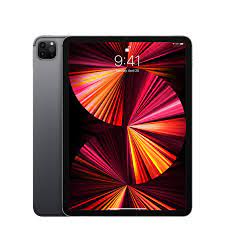
iPad is Apple's tablet line, running from a tablet you can hold in one hand to a machine using the same silicon family as a Mac. Apple's own comparison page lists four families: iPad Pro at 11 and 13 inches on the M5 chip, iPad Air at 11 and 13 inches on M4, the standard iPad at 11 inches on A16, and iPad mini at 8.3 inches on A17 Pro. Every one takes a stylus and every one takes a keyboard, but not the same stylus and not the same keyboard, and that detail catches more buyers than the chip does.
Accessory support, which is the trap
Start here rather than with the processor. Apple's comparison page lists Apple Pencil Pro support on iPad Pro, iPad Air and iPad mini, while the standard iPad supports Apple Pencil with USB-C instead. Keyboards split three ways: Magic Keyboard for iPad Pro on the Pro, Magic Keyboard for iPad Air on the Air, Magic Keyboard Folio on the standard iPad, and on the mini, Bluetooth keyboards rather than a fitted Apple one. Creative Bloq makes the practical point about the cheaper stylus: it lacks the magnetic storage of the newer one, which is the sort of thing that sounds minor until the third time you lose it.
Screen, size and what each model is actually for
iPad Pro is the only model with the Ultra Retina XDR display, which Creative Bloq describes as tandem OLED, and it is the one that handles high-resolution video comfortably. iPad Air uses a Liquid Retina panel at the same two sizes and covers most of the same ground more cheaply. The standard iPad is the browsing, streaming and homework tablet. iPad mini is the one-handed model, and Creative Bloq is blunt about its two limits: a 60Hz screen rather than the 120Hz ProMotion of the pricier models, and difficulty exporting 4K video. Pick the size first. Almost nobody regrets the screen size they chose, and plenty regret the chip they paid for.
Where the money is worth spending
MacRumors puts the iPad Air forward as the best value in the range, offering a lot of what the Pro does for meaningfully less, and calls the Pro over-specified for most buyers, a view Creative Bloq shares in stronger words. Its advice on extras is worth repeating: storage is the upgrade power users should take, because deleting files to make room is a permanent tax, and the Magic Keyboard is a real upgrade for real work while also being one of the more expensive accessories Apple sells. Apple Pencil Pro earns its place for artists and note takers and almost nobody else.
What to check before buying the cheapest one
Two things. MacRumors advises against the base iPad for anyone who wants Apple Intelligence features, so if that matters to you it changes the shortlist immediately. And it flags iPad mini as the oldest model in the range at the time of writing, suggesting patience for anyone who can wait. Neither is a reason to avoid those models outright. Both are reasons to check where each sits in its update cycle before paying full price, because a tablet bought at the end of a cycle stays with you for years.
Who should buy something else
Anyone expecting a laptop replacement should try the workflow before committing. iPadOS has improved at multitasking, but file handling, some professional software and window management still favour a Mac, and adding a keyboard and stylus to a Pro can cost more than a capable laptop. Anyone who mainly wants a cheap screen for video and reading will find Android tablets and dedicated e-readers cheaper. And if the tablet is for a child or a shared house device, the standard iPad is almost always the sensible answer rather than the model with the better chip.
Products (5)
iPad (standard model)
No reviews yetiPad mini
No reviews yetiPad Air
No reviews yetiPad Pro
No reviews yetiPad Air (next generation)
No reviews yetReviews
No reviews for this brand yet.