About SmartThings Find
SmartThings Find is the lost-item and lost-device network in Samsung's smart home family. Of the four pieces people mean by SmartThings, it is the one with the least to do with the home: the app is the control surface, the hub is the radio bridge, Energy watches what the house draws, and Find is a crowd-sourced location service that happens to have been born inside the same app. Samsung launched it on 30 October 2020, describing a service that uses Bluetooth Low Energy and ultra-wideband to locate Galaxy phones, tablets, watches and earbuds, and that can find a device that is offline. It is not a product you buy. It is a network you are already part of if you own a Galaxy device and opted in, and its usefulness depends entirely on how many other people did the same.
How the finding network works
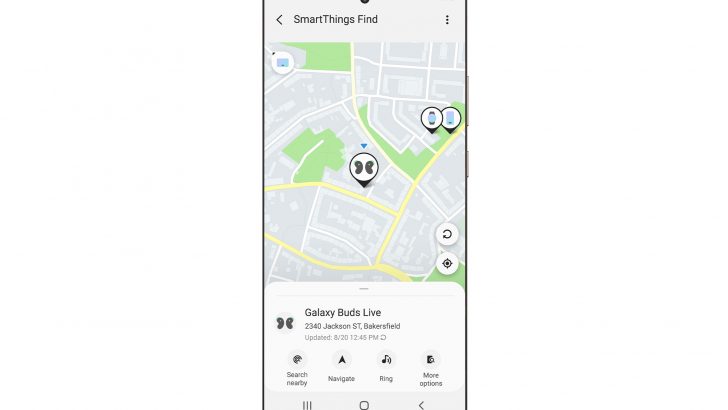
The mechanism is the interesting part. Samsung's launch announcement in October 2020 set it out: when a registered device has been offline for thirty minutes it starts emitting a Bluetooth Low Energy signal. Any nearby Galaxy phone or tablet that is enrolled in the network picks that signal up and reports the location to Samsung's servers, where only the owner can see it. Your phone is therefore both a thing that can be found and a thing that finds other people's property, which is why participation is opt-in.
That design means the service is only as good as its density. Samsung publishes the number, and it has grown steadily. SamMobile's reporting traces 100 million find nodes in September 2021, 200 million by July 2022, and 300 million by May 2023, the last of those confirmed by Samsung Global Newsroom on 3 May 2023, which described the third hundred million as arriving in ten months. Node counts more recent than that are not something this page can verify, so treat 300 million as a floor rather than a current figure.
What it can find
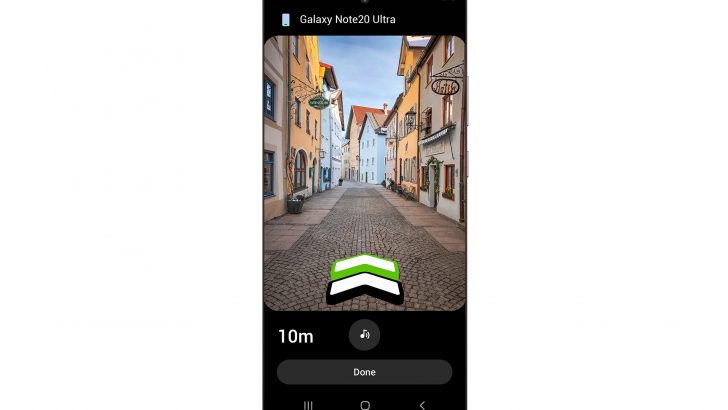
Galaxy phones, tablets, smartwatches and earbuds are the core. Samsung's May 2023 announcement named Galaxy SmartTag and SmartTag+ trackers as well, the small Bluetooth tags you attach to keys or luggage, and described augmented reality finding on SmartTag+ for phones with ultra-wideband radios, listing the Galaxy S23 Plus and Ultra, S22 Plus and Ultra, S21 Plus and Ultra, Note20 Ultra and the Z Fold2, Fold3 and Fold4 as the compatible handsets at that time. Ultra-wideband is what turns a rough Bluetooth proximity reading into a direction and a distance, which is the difference between knowing your keys are in this room and knowing they are under that cushion.
The thing it cannot find is anything that is not a Samsung device or a Samsung tag. This is a closed network, not a general purpose one.
The move from SmartThings Find to the Samsung Find app
The name is now slightly out of step with the software. Android Authority reported on 18 January 2024 that Samsung had taken the finding feature out of the SmartThings app and given it a standalone home, the Samsung Find app, preloaded on devices shipping with One UI 6.1 and downloadable from the Galaxy Store for phones upgrading to it. The report noted that the notify-when-left-behind feature was missing at launch and expected later.
The underlying network did not change. If you read SmartThings Find in a Samsung document written before 2024 and Samsung Find in one written after it, you are reading about the same set of devices reporting the same Bluetooth signals. Anyone searching for SmartThings Find today should expect to end up in the Samsung Find app.
Privacy and unwanted tracking
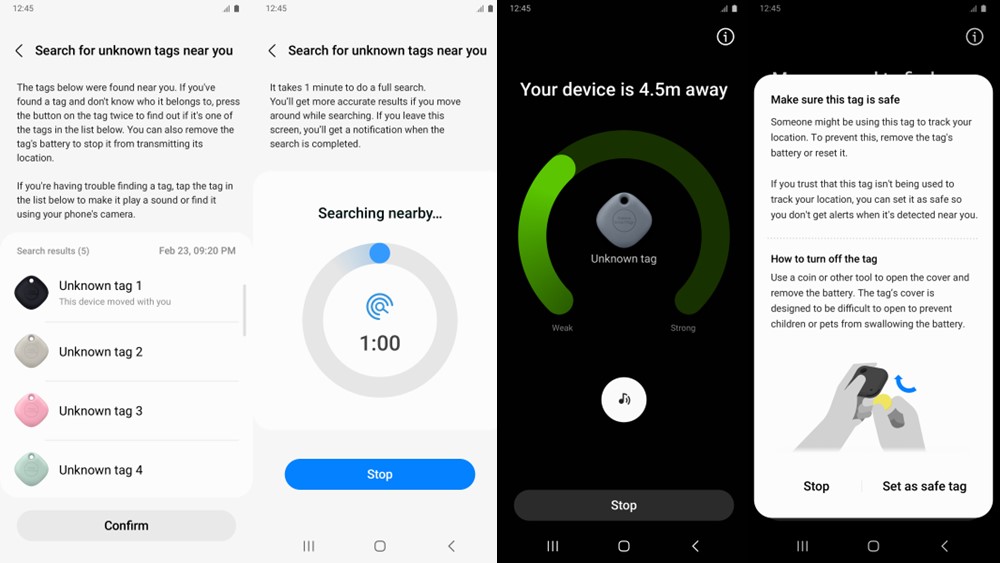
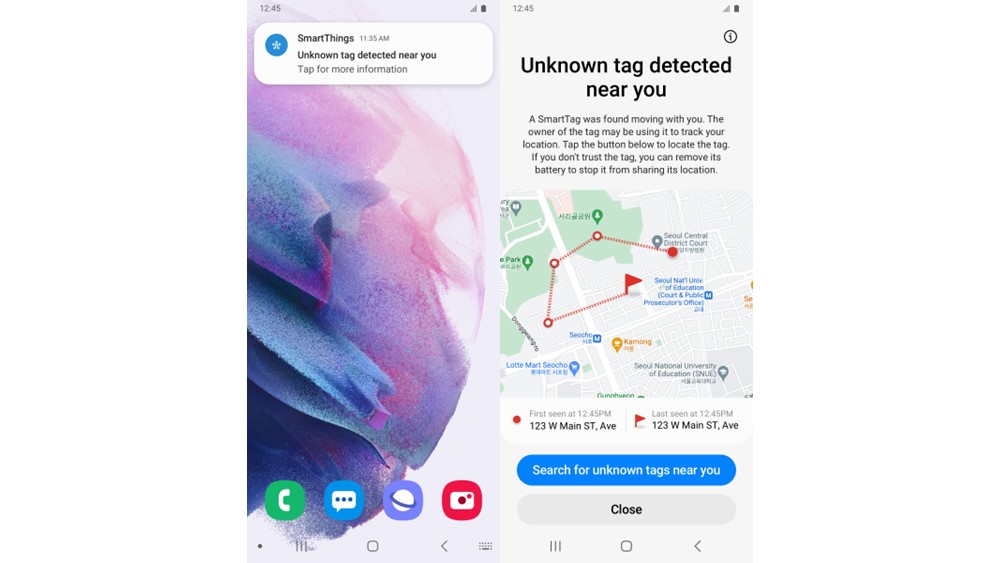
Crowd-sourced finding networks have an obvious dark side: a cheap tracker slipped into a bag turns a helpful network into a stalking tool. Samsung's own claims on this, from the May 2023 Newsroom post, are that user data is encrypted and protected by Knox, that device identifiers rotate every fifteen minutes and are stored anonymously, and that location is not revealed to anyone but the owner. It also describes two countermeasures: unknown tag alerts, which notify you when a tag that is not yours appears to be travelling with you, and a manual search for unknown tags with a signal strength gauge to help you find it.
Those are Samsung's descriptions of its own system rather than an independent audit, and this page has not seen one. If unwanted tracking is a live concern for you, read the current in-app settings rather than a press release.
How it compares with Apple Find My and Google's Android network
The comparison that matters is not features but coverage, because the whole service is a density problem. Apple's Find My network runs on iPhones and Apple's own trackers, and Google's Find My Device network runs across Android devices generally rather than one manufacturer's. Samsung's runs on Galaxy hardware alone. In a country where Galaxy phones are everywhere, that is a strong network; in a market where they are a minority, a lost item in a quiet street may sit unseen for a long time. Apple and Google do not publish node counts in a form directly comparable to Samsung's, so a like-for-like number is not available here.
The second difference is scope. Because Find is Galaxy-bound, a household that mixes iPhones and Galaxy phones ends up with two finding networks and two apps, and neither will see the other's tags.
Who should use something else
If you do not own Galaxy hardware, this is not available to you in any meaningful form, and Apple AirTags with Find My or a Google Find My Device compatible tracker such as those from Tile, Chipolo or Pebblebee are the right answer instead.
If your household mixes platforms, think about standardising on one tracker ecosystem rather than running both. Two finding apps that cannot see each other's tags is worse than one network with slightly thinner coverage.
If you travel mostly in places where Samsung phones are uncommon, weigh the coverage question seriously. A finding network is a bet on the phones of strangers, and that bet pays differently in different countries.
If what you actually want is to track a person, a pet or a vehicle in real time, none of these networks is the right tool. They report a location when a stranger's phone happens to pass by, which is fine for a bag left in a taxi and unfit for anything that needs continuous tracking. A dedicated GPS tracker with its own cellular connection is the honest choice there.
And if your interest in SmartThings is the home automation part, note that Find has essentially left. It is a separate app now, and nothing about it depends on owning a SmartThings hub.
Reviews
No reviews yet
Nobody has reviewed SmartThings Find here yet.