About SmartThings app
The SmartThings app is the control surface for Samsung's smart home platform. It is where devices are added, sorted into rooms, and wired into the automations Samsung calls Routines. It is one of four things people mean when they say SmartThings: the app is the interface, the hub is the radio bridge to gear that does not speak wifi, SmartThings Find is the network that locates lost hardware, and SmartThings Energy is the dashboard for what the house draws. The app is the only part every user touches. Samsung's pitch on samsung.com/us/smartthings, read in August 2026, is that you can connect, control and automate a home from one app, and that it works with hundreds of devices and brands. Versions exist for Android and iOS: Samsung's October 2025 release notes quoted iOS 1.7.37.x and Android 1.8.37.x as the builds needed for a then new Thread feature.
How the app relates to the hub, Find and Energy
Treat the app as the head and the hub as the hands. Wifi devices and cloud-connected brands reach the app over the internet with no hub involved, which is why plenty of people run SmartThings for years without owning one. The moment you want Zigbee, Thread or a local Matter fabric, you need a hub, and since 2025 Samsung has argued that most buyers already own one. Its April 2025 Newsroom post on hubs going everywhere lists built-in hubs across Samsung TVs, Smart Monitors, several soundbars, Family Hub refrigerators, The Freestyle projectors and the Music Frame, alongside the standalone SmartThings Station and the older V2 and V3 hubs.
SmartThings Energy is not a separate download; it is a section inside this app, fed by compatible Samsung appliances and third-party energy meters. Find is the odd one out. Android Authority reported on 18 January 2024 that Samsung had spun the finding feature into a standalone Samsung Find app, preloaded on One UI 6.1 devices and downloadable from the Galaxy Store. The underlying network is still SmartThings Find; the front door moved.
What the SmartThings app actually does
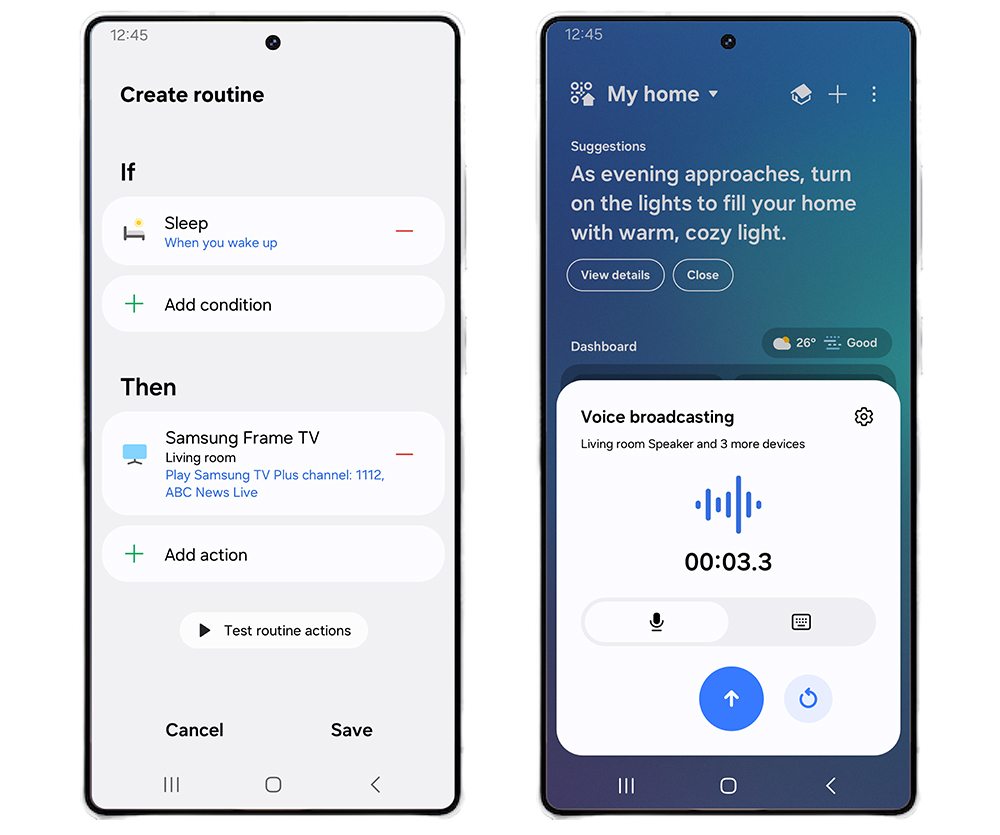
Device control is the least interesting part. The work happens in Routines, which fire on a schedule, on a sensor, on someone arriving home, or on a device changing state. Samsung's July 2024 Newsroom post on app updates describes Routines you can hand to another person by QR code, a Hub Manager with Hub Groups and a Hub Backup option so a second hub can stand in if the primary fails, room-based navigation tabs, and Matter 1.2 device types covering refrigerators, dishwashers, robot vacuums and air quality sensors. That post also describes the gamified side of Energy, with badges and Samsung Rewards points for cutting consumption. In an independent review published on Matter Alpha on 19 March 2025, Christian Cawley called setting up the hub for Matter devices very straightforward, with enrolment by QR code or network scan, and put the time to build an automation at roughly thirty seconds.
Matter and Thread support, as of August 2026
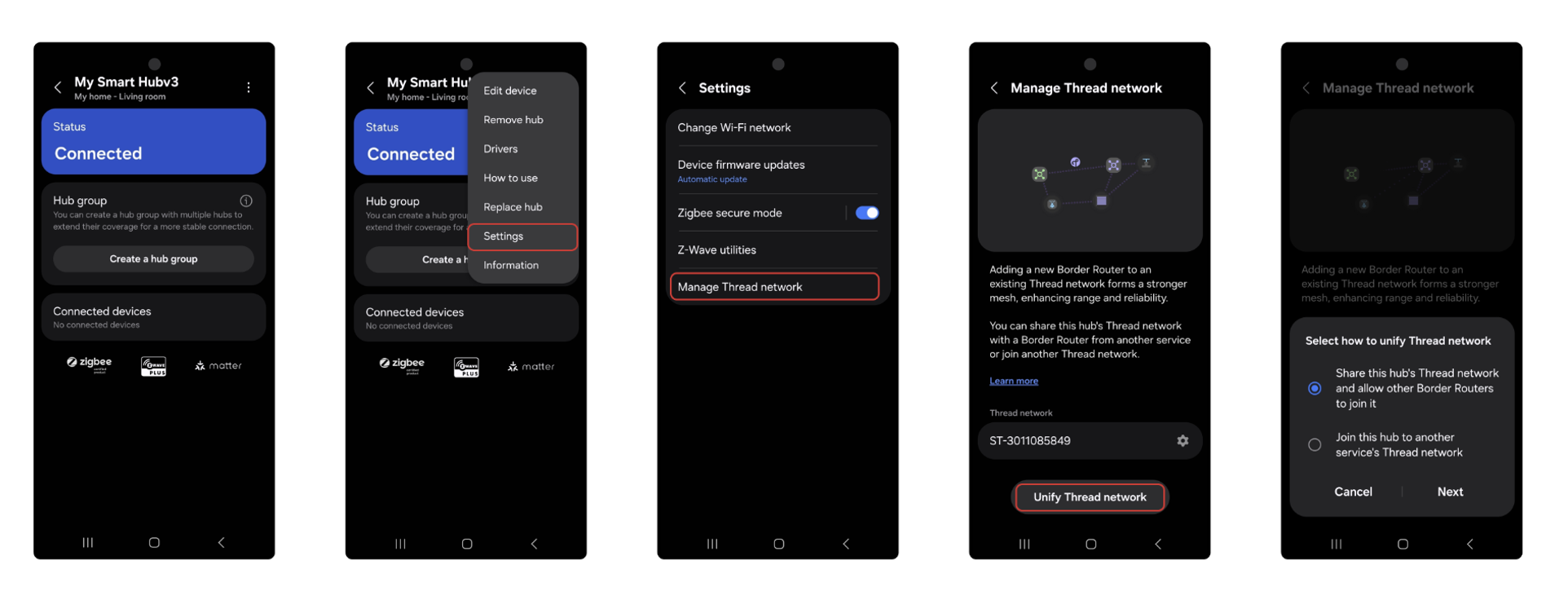
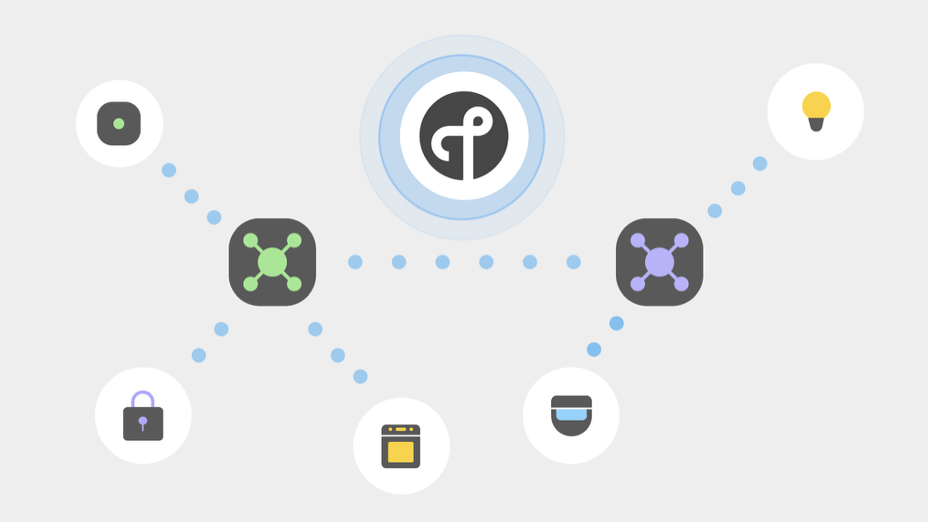
This is the part that dates fastest, so treat every claim here as carrying a timestamp. On 1 October 2025 the SmartThings blog announced two-way Thread network unification, built on Thread 1.4 credential sharing. It lets a SmartThings hub join a Thread network another vendor already created, or lets a third-party border router join the SmartThings one, so the border routers in a house behave as a single mesh. At launch it was limited to the Aeotec Smart Home Hub and Aeotec Smart Home Hub 2 and needed hub firmware in the 0.58.x range. SamMobile's write-up the next day put the case plainly: you can join a SmartThings hub to a Thread network created by a Google Nest Hub or an Apple HomePod. Matter has been in the app since 2022 and Samsung keeps adding device types, including Matter cameras, which Samsung Newsroom claimed as an industry first. Support changes with each release, so check current release notes before trusting a year-old compatibility claim.
Who it is for, and how it compares with Apple Home, Google Home and Alexa
The app suits someone already inside Samsung's hardware. If you own a recent Samsung TV, a Family Hub fridge, a Samsung washer or a Galaxy phone, it gives appliance-level control that rival platforms do not get. It suits tinkerers less well than it once did, having moved toward Matter and away from the custom device handlers that made early SmartThings a hobbyist favourite.
Against Apple Home, SmartThings wins on device breadth and appliance control, and loses on privacy posture and on phone and watch integration if the household is on iPhones. Against Google Home and Alexa, the honest difference is less about capability than about which speakers and screens you already own; all three speak Matter and all three will control the same bulbs. The caveat to carry into those comparisons is reliability. The Matter Alpha review was positive on setup and interface but negative on stability, reporting unexplained disconnections needing a power cycle after an initially stable period, with other users reporting the same on Reddit and Samsung's forums. That is one reviewer's experience in early 2025, not a measured failure rate, but it is the criticism raised most often.
SmartThings app versus Home Assistant
These solve different problems. Home Assistant is local-first, open source, and will do things SmartThings will not, at the price of you maintaining it. SmartThings is cloud-first, maintained by Samsung, and asks almost nothing beyond a Samsung account.
The two are often run together, and that is changing. Home Assistant's own SmartThings integration documentation classifies the integration as Cloud Push, meaning it leans on Samsung's servers rather than talking to your hub locally. It also carries a notice that free access to the SmartThings API is being phased out from October 2026, after which access requires a paid Personal Plan at 4.99 US dollars a month. Android Authority reported the same change on 26 June 2026: a personal tier at that price, separate commercial tiers, free access through the third quarter of 2026, and usage limits arriving in October. If your plan was to use SmartThings as a cheap bridge into Home Assistant, price that in first.
Who should use something else
If you want local control that keeps working when your internet does not, SmartThings is the wrong choice and Home Assistant or Hubitat is the right one. The SmartThings model routes a great deal through Samsung's cloud, and the Home Assistant bridge into it is cloud based too.
If you have a large investment in Z-Wave, look carefully. SamMobile reported on 4 September 2025 that the Aeotec Smart Home Hub 2 drops the Z-Wave radio every previous SmartThings hub carried, and that owners of Z-Wave gear need to stay on the previous-generation hub, said to be phased out by the end of 2026. A Z-Wave heavy house is better served by Hubitat or Home Assistant with a Z-Wave stick.
If your household runs on iPhones and you care most about privacy, Apple Home is the better fit. If you are building around Nest cameras and doorbells, Google Home gives a less awkward result. And if you own no Samsung hardware at all, the strongest argument for SmartThings disappears: its real advantage is the depth of control it has over Samsung TVs and appliances, which is worth nothing in a house without them.
Reviews
No reviews yet
Nobody has reviewed SmartThings app here yet.