About Azure Fluid Relay
Azure Fluid Relay is Microsoft's managed cloud service for applications built with the open-source Fluid Framework. It gives development teams a hosted Fluid service for low-latency shared state, coauthoring and real-time synchronization between connected clients without operating their own Fluid server infrastructure. The service is specialized for Fluid Framework applications: it sequences collaborative operations, distributes them to connected participants and stores the container data needed to rebuild collaborative state. It is not a general database, queue or finished collaboration application. Buyers should evaluate it around Fluid Framework compatibility, session limits, data residency, authentication design, offline behavior, encryption requirements and the cost impact of fan-out to connected participants.
What is included
Service model
| Framework | Managed cloud service for Fluid Framework clients |
|---|---|
| Plans | Standard and Basic |
Collaboration
| Session concurrency | Up to 100 simultaneous users per session |
|---|---|
| Operation size limit | 700 KB per operation |
| Incremental summary limit | 28 MB |
| Document size behavior | Client load or join can fail above 95 MB |
| Signals | Not currently supported by Azure Fluid Relay |
Security
| Service authorization | JSON Web Tokens signed for the Azure Fluid Relay tenant |
|---|---|
| Customer-managed keys | Supported at resource creation with Key Vault or Managed HSM and a user-assigned managed identity |
| CMK key rotation | Versionless key URLs can automatically track the latest Key Vault key version with a daily check |
Resilience
| Standard plan | Cross-region resiliency, session routing and 99.9 percent SLA |
|---|---|
| Basic plan | Single-region offering in selected regions with no SLA |
Connectivity
| Protocols | HTTP and WebSockets, with HTTP long-polling fallback when WebSockets are blocked |
|---|---|
| Offline behavior | Extended offline mode beyond about 1 minute is not supported |
Mobility
| Region move | Direct move between Azure regions is not supported |
|---|
Pricing
| Billing model | Pay as you go by operations in, operations out, connectivity minutes and storage |
|---|---|
| Message metering | Messages larger than 2 KB are counted as multiple 2 KB messages |
Developer tooling
| Client package | @fluidframework/azure-client |
|---|
What is Azure Fluid Relay best used for?
Azure Fluid Relay is best suited to applications where multiple users need to view or change shared state at the same time. Typical patterns include collaborative canvases, planning tools, whiteboards, dashboards, structured editors and custom line-of-business applications with live multiuser interaction. Microsoft positions the service around Fluid Framework clients, so the primary buyer is a software team building collaboration into its own application rather than an end user looking for a ready-made productivity suite.
The service should not be treated as the system of record for every part of an application. Fluid Framework synchronizes collaborative state through distributed data structures, while Azure Fluid Relay provides the managed relay and storage layer for those Fluid containers. Durable business records, large files, analytics data and other non-collaborative application data may still belong in separate services.
How does Azure Fluid Relay work with Fluid Framework?
Fluid Framework client libraries let each participant work with shared data structures through application code. When a client changes shared state, the Fluid runtime sends an operation to the Fluid service. Azure Fluid Relay sequences those operations and broadcasts ordered results to connected clients so participants can converge on the same state.
Applications connect through the @fluidframework/azure-client package. Microsoft documents that AzureClient configuration includes a tenant ID, service endpoint and token provider. The container abstraction remains separate from the hosting service, but teams still need to design the collaborative data model, permissions and user experience around Fluid Framework concepts.
What are the Standard and Basic service plans?
Microsoft currently offers Standard and Basic plans. Standard adds cross-region resiliency, session routing and a service-level agreement. Microsoft's current Azure product page states a 99.9 percent availability SLA for Fluid Relay running in a customer subscription. Basic is a single-region offering, has more limited regional availability and does not include an SLA.
The plan choice affects more than price. Standard is intended for production scenarios that need higher availability and cross-region resiliency. Basic can be useful when a single-region deployment is acceptable or when data should remain in the same region in supported locations. Microsoft states that customer data is replicated to the paired region by default, while Basic can keep it within the same region in selected regions where the paired region is outside the primary country or region boundary.
How is Azure Fluid Relay priced?
Pricing was checked on August 31, 2026 using Microsoft's current Azure Fluid Relay pricing page. Azure Fluid Relay uses pay-as-you-go meters instead of a fixed per-user subscription. Microsoft lists separate meters for operations in, operations out, client connectivity minutes and stored data. Public rates vary by region, currency, agreement and selected plan, so there is no single universal price to quote safely.
Microsoft also explains how the meters behave. An incoming message from a client counts as an operation in. After the service processes it, each message sent to each connected participant counts as an operation out, so fan-out can materially affect cost. Messages larger than 2 KB are counted as multiple 2 KB messages. Client connectivity minutes are charged per connected user, and stored session artifacts are billed per GB per month. Teams should model concurrency, message frequency, message size and fan-out rather than estimating cost from registered-user count alone.
What service limits should developers plan around?
Microsoft currently documents several limits that can affect application design. A Fluid session supports up to 100 simultaneous users. An individual Fluid operation is limited to 700 KB. Incremental summaries cannot exceed 28 MB, and Microsoft states that client load or join requests can fail when a document grows beyond 95 MB. Azure Fluid Relay also does not support experimental distributed data structures under the @fluid-experimental package namespace.
Microsoft's service limits also state that Azure Fluid Relay does not currently support Fluid Signals. This matters for applications that planned to use transient signal-style communication alongside persisted collaborative operations. Teams should validate the exact Fluid APIs they depend on before choosing the managed service.
These limits make the service a better fit for collaborative application state than for transferring large files or embedding large binary payloads inside operations. Large assets should generally live in an appropriate storage service while Fluid synchronizes references or shared state. Teams should load-test realistic collaboration patterns before launch, especially when documents grow over time or sessions approach the concurrency ceiling.
How does authentication and authorization work?
Azure Fluid Relay uses JSON Web Tokens for service authorization. Each Fluid Relay resource has a tenant ID and tenant secret key, and requests must carry a valid signed token. Microsoft requires applications to provide a token provider and warns that InsecureTokenProvider is for development only because it exposes the tenant secret in client-side code.
For production, teams should issue tokens from a trusted backend. Microsoft documents an Azure Functions based token-provider pattern as one option. Application developers must also connect their own user authentication and permission model to the Fluid access claims they issue. Fluid Relay authorization is therefore one part of the application's security design, not a replacement for end-user identity management.
What should teams know about customer-managed keys?
Microsoft supports customer-managed keys for Azure Fluid Relay encryption, but the design has important deployment constraints. CMK can use Azure Key Vault or Azure Key Vault Managed HSM, and Fluid Relay requires a user-assigned managed identity for key access. The key must be RSA rather than EC, and Microsoft requires the Key Vault, user-assigned identity and Fluid Relay resource to be in the same region and the same Microsoft Entra tenant.
CMK must be enabled when a new Fluid Relay resource is created. Microsoft states that CMK cannot be enabled or disabled later on an existing resource, although the selected key, key version and identity can be updated after creation. Microsoft also notes that CMK configuration is not currently available through the Azure portal, so teams that require customer-controlled encryption should plan the resource creation workflow before deployment.
How should CMK rotation and deletion be handled?
Microsoft's current CMK guidance adds an important operational choice around key versions. If the encryption key URL includes a specific version, Azure Fluid Relay continues using that exact version until the resource is updated. If the key URL omits the version, the service's storage dependency checks the Key Vault daily and can automatically move to the latest key version. Microsoft notes that switching to this automatic behavior can fail because of resource limitations, in which case teams should specify a version and update it manually when rotating keys.
The key, Key Vault and managed identity must remain available for the lifetime of the Fluid Relay resource. Microsoft warns that deleting or disabling the key or vault first can make the Fluid Relay resource unusable. For the same reason, when a CMK-enabled Fluid Relay resource and its dependencies share a resource group, Microsoft says the Fluid Relay resource should be deleted before the encryption key, Key Vault or user-assigned identity. This makes key lifecycle planning part of the service's availability design, not only a compliance setting.
What are the practical deployment and operating considerations?
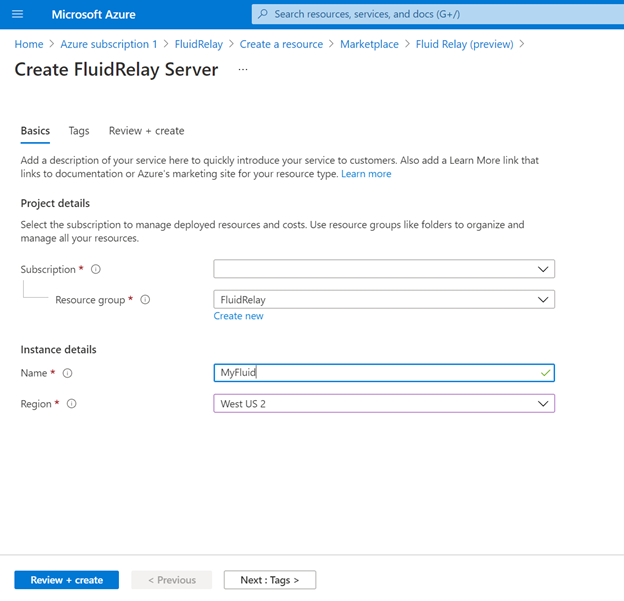
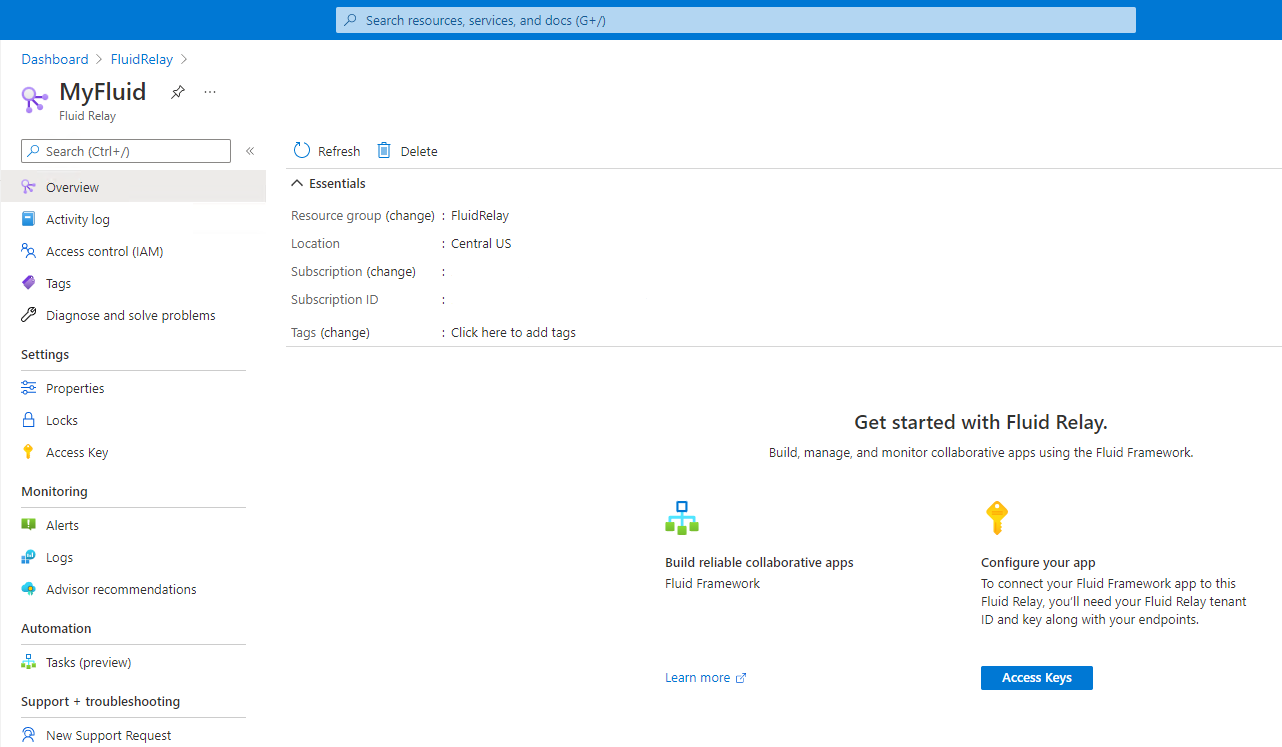
A team provisions an Azure Fluid Relay resource and then configures its application to connect through AzureClient with the resource endpoint, tenant information and a secure token provider. Package compatibility also matters. Teams should use supported versions of @fluidframework/azure-client and Fluid Framework rather than mixing versions without checking compatibility.
Microsoft's current FAQ states that Fluid Relay uses HTTP and WebSockets. When WebSockets are blocked, Fluid Framework can fall back to HTTP long-polling. The same FAQ says extended offline operation beyond about one minute is not supported. Fluid clients can accumulate operations while disconnected, but Microsoft recommends reacting to disconnect events because a long backlog can be lost rather than assuming the service behaves as an offline-first synchronization engine.
Resource mobility also has boundaries. Microsoft says a Fluid Relay resource can move between resource groups and between subscriptions, but it cannot be moved directly between Azure regions. Teams with regional migration or residency changes should plan for a replacement resource and application transition rather than expecting an in-place region move.
How does Azure Fluid Relay differ from Azure SignalR Service or Azure Web PubSub?
Azure Fluid Relay is specialized for Fluid Framework's shared-state collaboration model. It sequences Fluid operations and works with Fluid distributed data structures so connected clients can converge on shared application state. Azure SignalR Service and Azure Web PubSub are broader real-time messaging services for application events and bidirectional communication, but they do not provide Fluid Framework's collaborative data model.
A team already using Fluid Framework and wanting a managed Fluid backend has a direct reason to choose Fluid Relay. A team that only needs chat delivery, server notifications, generic WebSocket messaging or a custom event protocol should compare SignalR Service or Web PubSub instead. The choice should follow the synchronization model the application needs.
Who should choose something else?
Choose another service if the application does not need Fluid Framework's collaborative shared-state model. Azure Web PubSub or Azure SignalR Service may fit better for generic real-time communication. A database, change feed, event broker or Azure Service Bus may be more appropriate when the core problem is durable application data, event processing, queues or enterprise messaging rather than simultaneous collaborative editing.
Azure Fluid Relay may also be a poor fit when a single session must exceed the documented 100 simultaneous-user limit, when operation payloads are very large, when the design depends on Fluid Signals, when extended offline use is a core requirement, or when application requirements depend on experimental Fluid distributed data structures that the service does not support. Teams with those requirements should validate another architecture before committing to the service.
Reviews
No reviews yet
Nobody has reviewed Azure Fluid Relay here yet.