About HyperX keyboards
HyperX keyboards are the input half of HP's gaming peripheral brand, and the range is wider than the shorthand suggests. Most of it is mechanical, built around HyperX's own switches, but the line also carries membrane boards at the budget end, so mechanical is not a safe assumption across every model. The families divide roughly into Alloy Origins, the long-running aluminium mechanical range in sizes from full size down to 60 percent; Alloy Rise, the gasket-mounted and heavily modular boards; Origins 2, the newer generation with hot-swap sockets and much higher polling rates; and Alloy Core and Eve, the membrane options. Layouts, switch types and connectivity differ enough between those families that the family name matters more than the brand does.
Key specifications
Software
| Configuration software | HyperX NGENUITY |
|---|
Lighting
| RGB lighting | Across the range, per-key on mechanical models and zoned on membrane models |
|---|
Input
| Key rollover | N-key rollover with anti-ghosting |
|---|
How the HyperX keyboard families divide up
Alloy Origins is the range most people mean by a HyperX keyboard. It runs from a full-size board through a tenkeyless Core, a 65 percent and a 60 percent, with an aluminium body and HyperX's own linear or tactile switches, and a PBT keycap variant at the top.
Alloy Rise is the enthusiast line. It is gasket mounted, hot-swappable, and built to be taken apart: the top plate, the keycaps, the switches, the volume control and a magnetic badge can all be changed. It comes as a full-size board and as a 75 percent, with a wireless version of the latter.
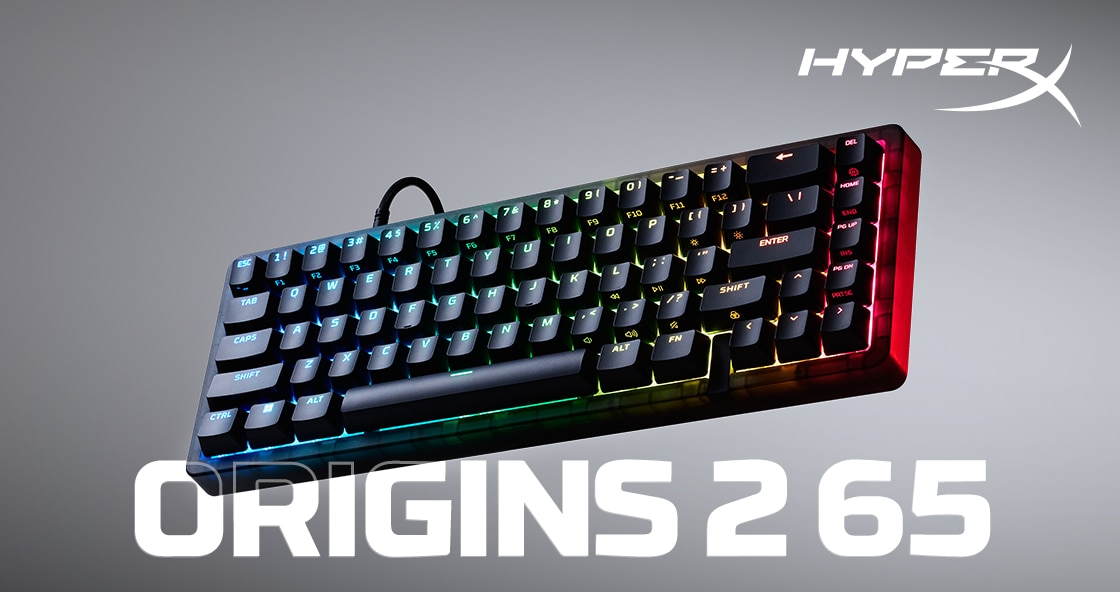
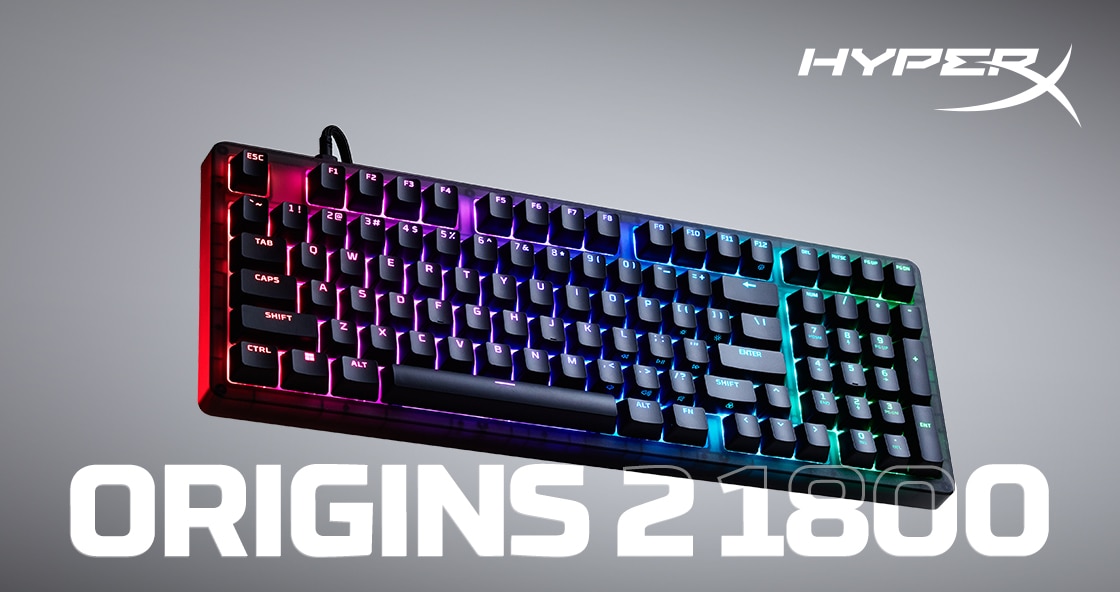
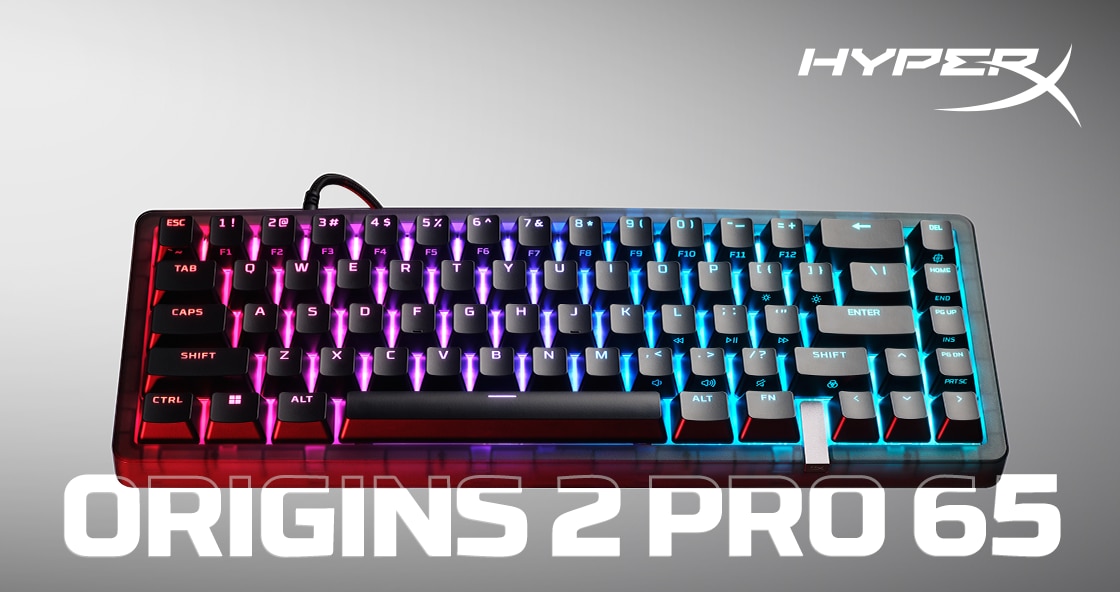
Origins 2 is the newest generation, offered in an 1800 compact layout and at 65 percent, with hot-swap sockets, interchangeable housings and polling up to 8kHz. The Pro 65 in that family uses magnetic linear switches with adjustable actuation.
Alloy Core RGB and Eve 1800 are membrane boards. They share the software and the lighting but not the switch feel, and they exist to hit a price.
Switches, hot-swap and what you can actually change
The useful dividing line inside the range is not size but whether the sockets are hot-swappable. On Alloy Origins the switches are soldered, so the board you buy is the board you keep. On Alloy Rise and Origins 2 they are not, and a socket that accepts third-party switches turns a single purchase into something a buyer can retune later without replacing anything.
The second dividing line is the mount. Alloy Rise uses a gasket mount with layered foam, and reviewers rate the result highly. Tom's Hardware put its typing feel level with Keychron's Q series, and noted the foam damping brings the sound down close to a membrane board, which is unusual for a mechanical keyboard and welcome in a shared room.
Magnetic Hall effect switches, with the adjustable actuation and rapid trigger behaviour competitive players ask for, appear only on specific Pro models. Buyers who want that should check the model rather than the family.
Polling rates and what they are worth
HyperX quotes polling up to 8kHz on the Origins 2 family, against the 1kHz that remains standard elsewhere in the range, including on the Alloy Rise 75 Wireless. The gap sounds large and is mostly theoretical. Eight thousand reports per second shortens the worst-case input delay by a fraction of a millisecond over one thousand, which is below what almost anyone perceives and well inside the noise of a monitor refresh.
It is a genuine specification and worth having if it is free, but it is a poor reason to choose one HyperX board over another. Switch type, layout, and whether the sockets are hot-swappable will all affect a buyer more than the polling figure will.
NGENUITY is the consistent weak point
Every HyperX keyboard is configured through NGENUITY, and it is the part of the package reviewers criticise most consistently. Tom's Hardware called it barebones, with remapping, macros and lighting spread across two tabs, no ability to relocate the Fn key, and a stability problem during macro recording.
How-To Geek hit a worse case on the Alloy Rise 75 Wireless, where the software initially locked the board's settings and refused to recognise changes. The same review noted that NGENUITY does not work over Bluetooth at all, so configuring a wireless board means plugging it in or switching to the 2.4GHz dongle. None of this makes the hardware bad, but a buyer choosing on software should know it is the thinnest part of the offer.
How HyperX compares with its nearest rivals
The hardware is competitive and the pricing is not aggressive. Tom's Hardware pointed to the Drop CSTM80 offering swappable cases for less, and to the ASUS ROG Strix Scope II 96 delivering a similar typing experience with better programmability and wireless connectivity for less money than the full-size Alloy Rise. How-To Geek made the same point against Keychron's Lemokey P1 Pro, which it put at roughly a hundred dollars below the Alloy Rise 75 Wireless at the time of review.
What HyperX offers against those is retail availability, a warranty from a company the size of HP, and a modularity story that is genuinely well executed. Against Razer and Corsair the comparison is closer, and comes down to which software a buyer would rather live with.
Who should buy something else
Anyone whose main interest is the software layer should look at Razer or Corsair, or at open firmware. NGENUITY is the least developed part of the HyperX package, and buyers who expect deep per-key programming, layered profiles or Fn relocation will be frustrated. A board running QMK or VIA gives all of that and does not phone home.
Anyone buying on price per feature should compare against Keychron, Drop and ASUS before ordering, because reviewers repeatedly found equivalent or better boards below HyperX's asking price. Anyone who wants a keyboard to work the moment it is plugged in and never be configured again is overpaying for modularity, and the membrane Alloy Core or a plain office board will do the same job. Finally, anyone who needs Hall effect switches should confirm the exact model carries them, since most of the range does not.
Where to buy
Links go to the seller, not through us. We take no commission and these are not affiliate links, so the order below says nothing about who pays what. Prices and stock change constantly, so check on the day.
Reviews
No reviews yet
Nobody has reviewed HyperX keyboards here yet.