About HP Pro desktops
HP Pro desktops are the middle tier of HP's business desktop range: better built and better supported than anything on the consumer shelf, and a step below the Elite line that HP sells to large managed fleets. Think of it as the desktop that goes on the desk of somebody who runs a browser, a spreadsheet and a line-of-business application all day, in an organisation that cares whether the machine is still working in year four. The line spans three shapes rather than one product, generations are numbered with a G suffix and refreshed on Intel's cycle, and the number in the middle of the name tells you which tier you are in. Nothing here is exciting. That is the point of it.
The three shapes a Pro desktop comes in
Every Pro generation ships in the same three form factors, and the choice between them is almost always about the desk, not the workload.
The Pro Tower is the full-size box. It is the only one with real expansion room: HP's own listing for the Pro Tower 400 G9 shows two DIMM slots, two M.2 sockets and a PCIe x16 slot alongside a PCIe x1 and a legacy PCI slot. If a graphics card, a capture card or a serial card has to go in at some point, this is the only version that will take it.
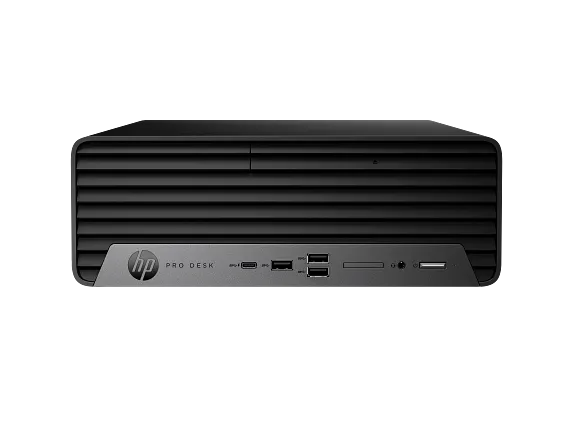
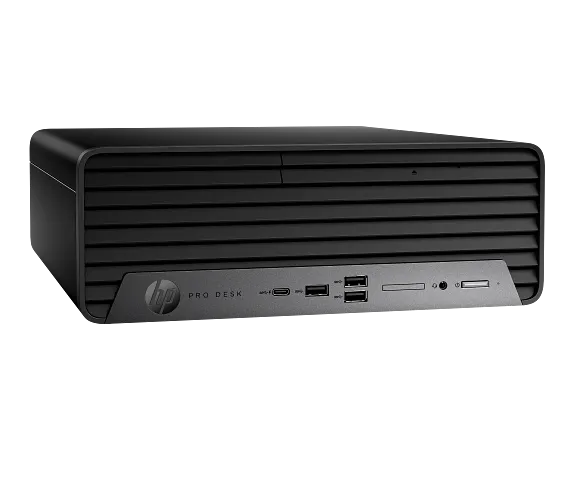
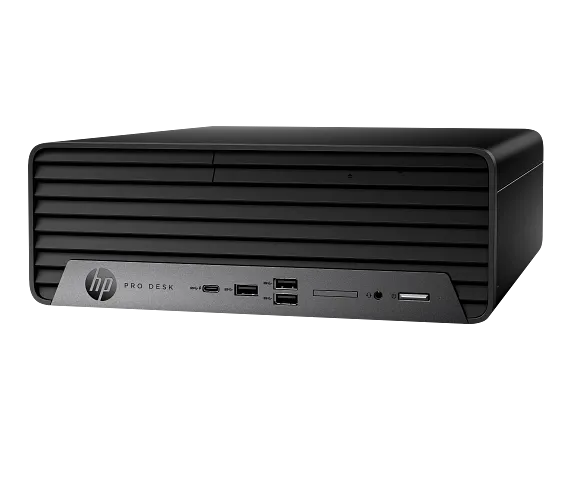
The Pro Small Form Factor is the same machine squashed. It slides under a monitor or stands on its edge in a cupboard. You keep most of the desktop-class processor options, HP configures it with parts like the Core i5-14500, and you give up most of the expansion.
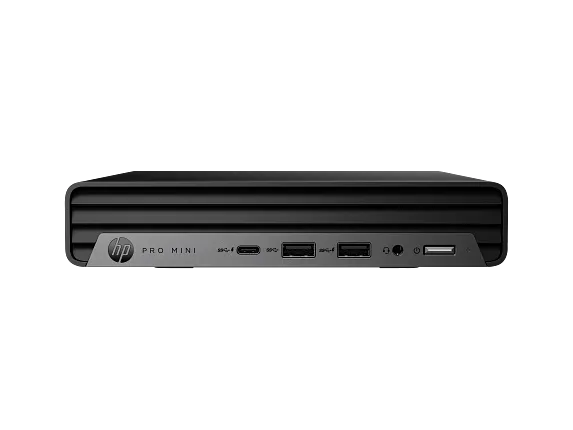
The Pro Mini is a book-sized box that hides behind the screen on a VESA bracket. It is the one most offices actually deploy now, because it takes up no desk and can be swapped by anyone in about ninety seconds.
The number in the name is the tier. The 400 series is the better-equipped one, with the newer chipsets and the vPro options; HP also sells lower-numbered 200-series Pro towers for buyers who want the same case and support at a thinner specification.
What you are actually paying for
On raw components a Pro desktop rarely beats a similarly priced consumer machine. The gap is everywhere else.
Security is built into the firmware rather than bolted on. HP's Pro Tower 400 G9 listing includes Sure Start Gen7, which restores a tampered BIOS on its own, Sure Sense for malware detection, Sure Click for isolating risky browser tabs and attachments, TPM 2.0, secure erase, and a year of the Wolf Pro Security Edition licence in the box. For a business with no dedicated security team, that bundle is a real part of the value.
The warranty is the other half. HP quotes a one-year limited warranty on that model that includes parts, labour and on-site repair, with longer care packs sold separately. On-site is the phrase worth noticing: somebody comes to the machine rather than the machine going into a box.
Then there is the boring stuff that matters at scale. Stable image cycles, published datasheets with real part numbers, business channel supply so you can order the same configuration in eight months, and management hooks that work with whatever the IT team already runs.
What independent testing found
The Pro Mini is the model reviewers have actually put on a bench, and the picture is consistent.
Notebookcheck tested a Pro Mini 400 G9 with a Core i5-13500T and liked the engineering: a sturdy metal chassis, a modular layout where the memory and SSD come out without tools, and standard rather than proprietary parts. Wi-Fi 6E performed well. The criticisms were about limits, not defects: weak integrated graphics, a noticeable drop in performance under sustained load, and a single M.2 slot with only single-channel DDR4 in the review configuration. It landed at about 870 euros.
PCWorld reached a similar verdict on a Core i5-12500T version, praising the port selection and steady office performance while calling out the fan noise at medium load, the limited upgrade room and the value at roughly 956 US dollars.
Read both together and the summary writes itself. These machines are quiet, well made and dependable at the work an office actually does, and they run out of headroom quickly if you push them past it.
Pro against Elite, and how to choose
The Elite desktops sit above these and cost more for reasons that only show up in bigger deployments: broader vPro and remote management coverage, longer platform stability commitments, more configuration options and a deeper accessory ecosystem.
If you are buying five machines for an office, the Pro line is almost certainly the right answer and the Elite premium buys you very little. If you are buying five hundred across three countries and an IT team has to image, patch and remote-manage every one of them, the calculation flips, because management overhead costs more than hardware over four years.
The crossover point is roughly where you start caring about identical images and remote out-of-band access. Below it, Pro. Above it, look at Elite before you commit.
Who should buy something else
Anyone doing creative or engineering work. The integrated graphics in these are for driving two monitors, not for rendering, CAD or video timelines. HP's own Z workstations exist for that, and buying a Pro tower and adding a card later is a worse outcome than buying the right machine once.
Gamers, obviously. The tower will physically take a card, but the power supply and cooling in a business chassis are sized for office loads.
Home buyers who want the most computer for the money. You are paying for the on-site warranty, the firmware security stack and the supply consistency, and none of the three does anything for you at home. A consumer desktop or a Pavilion will give you more components per pound.
And anyone whose workload has grown past a mini but who is buying a mini anyway because it fits the desk. Both independent reviews found the same wall under sustained load. If the work is genuinely heavy, take the tower and the noise that comes with it.
Where to buy
Links go to the seller, not through us. We take no commission and these are not affiliate links, so the order below says nothing about who pays what. Prices and stock change constantly, so check on the day.
Reviews
No reviews yet
Nobody has reviewed HP Pro desktops here yet.