
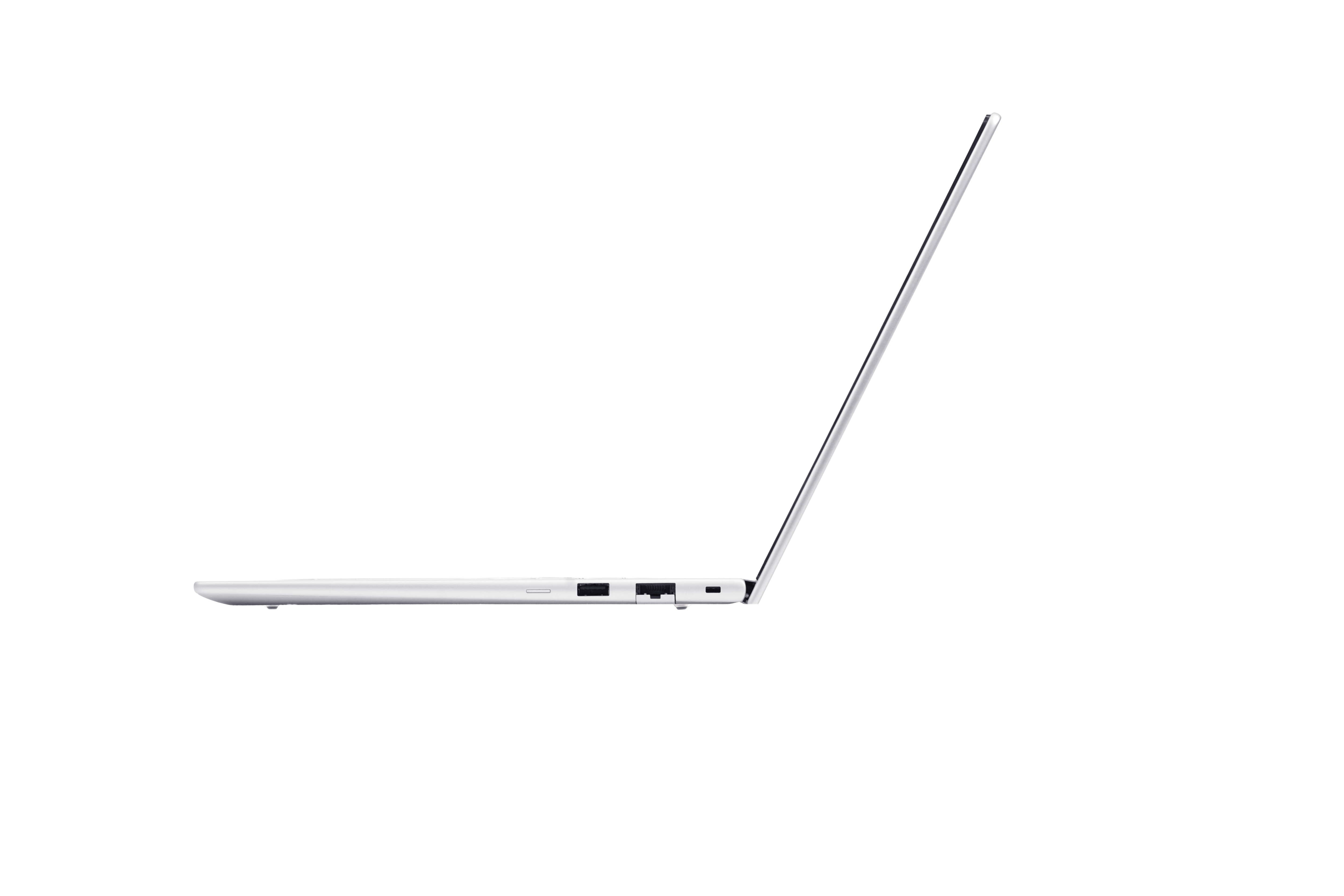
About HP EliteBook 6
The HP EliteBook 6 is the entry tier of HP's commercial notebook range, and the one most organisations end up standardising on. It arrived with the naming scheme HP adopted when it retired Spectre, Envy, Pavilion and Dragonfly and split the portfolio in two: OmniBook for consumers on odd numbers, EliteBook for business on even ones, rising through 6 and 8 to X and Ultra. In practice the EliteBook 6 absorbed the ground the ProBook and the cheaper end of the old EliteBook 800 series used to hold. HP's own description of the tier is ultra configurable, cost effective and practical, and that is a fair summary. It is the widest tier in the range rather than the best one: two screen sizes, three processor families, the ports older equipment still needs, and enough configuration choice that a company can put one model number on a purchase order and cover most of its staff.
Key specifications
Range
| Screen sizes | 14 inch and 16 inch |
|---|---|
| Processor families offered | Intel, AMD and Snapdragon |
| Camera options | 5MP, plus infrared for Windows Hello |
| Ports | Legacy port support retained alongside USB-C |
Software
| Operating system | Windows 11 Pro |
|---|---|
| Security | HP Wolf Security for Business, with full enterprise manageability |
Where the EliteBook 6 sits in HP's commercial range
HP publishes four commercial notebook tiers and they are easy to tell apart once you know what each is optimised for.
EliteBook 6 is the volume tier. HP lists it with the broadest model range, 14 and 16 inch screens, Intel, AMD and Snapdragon processor options, support for legacy ports, and 5MP plus infrared cameras.
EliteBook 8 is the premium business tier, described by HP as premium, secure and scalable, spanning 13 to 16 inches with optional Flip convertible models and a 5MP camera.
EliteBook X is the mobility tier, with configurations under one kilogram and the longest battery life in the range, in 14 inch clamshell and Flip forms.
EliteBook Ultra sits at the top, a 14 inch ultra thin machine with a 9MP webcam, offered with Intel or Snapdragon silicon.
Read down that list and the EliteBook 6 is defined less by what it has than by what it does not give up. It is the tier that still has the sockets.
What varies inside the line, and why there is no single specification
The EliteBook 6 is a line, not a machine, and the suffix on the model number is where the real decision lives. Recent generations split by silicon: the G2 models take Intel and AMD parts, while the G2q is the Snapdragon version. HP put the AMD and Intel EliteBook 6 G2 series into the market in June 2026 and the Snapdragon G2q in July 2026, and it claims up to 85 TOPS of NPU performance, up to 28 hours of battery life and a chassis up to 15 percent thinner than the previous generation for the G2q.
One shipping configuration shows the shape of the middle of the line. HP's UK store lists an EliteBook 6 G2a 14 inch with an AMD Ryzen AI 5 430, 16 GB of DDR5-5600 in one of two SODIMM slots, a 512 GB PCIe Gen5 NVMe drive, a 14 inch WUXGA IPS panel at 400 nits covering 100 percent of sRGB, two Thunderbolt 4 ports, two USB Type-A, HDMI 2.1, RJ-45, a 68 Wh battery and a starting weight of 1.4 kg, at 1223.63 pounds including VAT.
Treat that as one point on a wide curve rather than as the specification of the line. A 16 inch Intel model with a different panel and a different battery is the same product name.
Why IT teams pick the 6 over the thinner tiers
The single most common reason is the port selection. An EliteBook 6 still carries RJ-45 Ethernet, HDMI and USB Type-A alongside its USB-C. That matters more than it sounds. A wired network port is what firmware level recovery and PXE imaging expect, meeting rooms are still full of HDMI cables, and a large estate has a drawer of USB-A peripherals that nobody has budget to replace.
The second reason is the two SODIMM slots on the AMD and Intel models. Soldered memory sets the machine's useful life at purchase. Sockets let a refresh cycle be extended by a year when budgets slip, which is a decision most IT managers would rather keep open.
The third is that a wide tier can be standardised. Buying one model name across 14 and 16 inch, across two or three silicon vendors, keeps one image, one dock story and one support contract.
Security and management on the EliteBook 6
Every EliteBook tier ships under HP Wolf Security for Business with what HP calls full enterprise manageability, and Windows 11 Pro. On the machines themselves that means the firmware level protections HP has built up over several generations: Sure Start for BIOS integrity, Sure Recover for reinstalling the operating system from a repository rather than from the damaged drive, Sure Click for browser and document isolation, Sure Sense and Sure Run.
Some EliteBook 6 SKUs are sold as Wolf Pro Security Edition and include a one year software licence in the box. That licence is worth checking on the specific configuration quoted rather than assumed across the line, because it is a per SKU inclusion and the renewal is a real line item afterwards.
A fingerprint sensor and an infrared camera for Windows Hello are available across the tier, which is the practical baseline most access policies now require.
Who should buy something else
Anyone who carries the machine all day. If weight is the deciding factor, the EliteBook X is the tier built for it, with configurations under a kilogram, and the difference is felt in a bag rather than read on a page.
Anyone doing sustained creative or engineering work. The 6 is the value tier. Heavier workflows belong on the EliteBook 8, or above that on HP's Z workstations, where the thermals and the graphics options exist.
Anyone who wants a 13 inch machine or a pen. Those live in the EliteBook 8 range, not here.
Anyone buying for a household. This is commercial hardware with commercial support pricing and management features a home user will never configure. The OmniBook side of the portfolio is where consumer models went.
Anyone who needs one frozen specification. The strength of this line is how far it stretches, which is also the reason two machines bearing the same name can differ in silicon vendor, panel, memory and battery. If a compliance process requires an identical build across a fleet, pin the exact SKU in the contract and do not order against the line name.
Where to buy
Links go to the seller, not through us. We take no commission and these are not affiliate links, so the order below says nothing about who pays what. Prices and stock change constantly, so check on the day.
Reviews
No reviews yet
Nobody has reviewed HP EliteBook 6 here yet.