About HP OmniBook 5
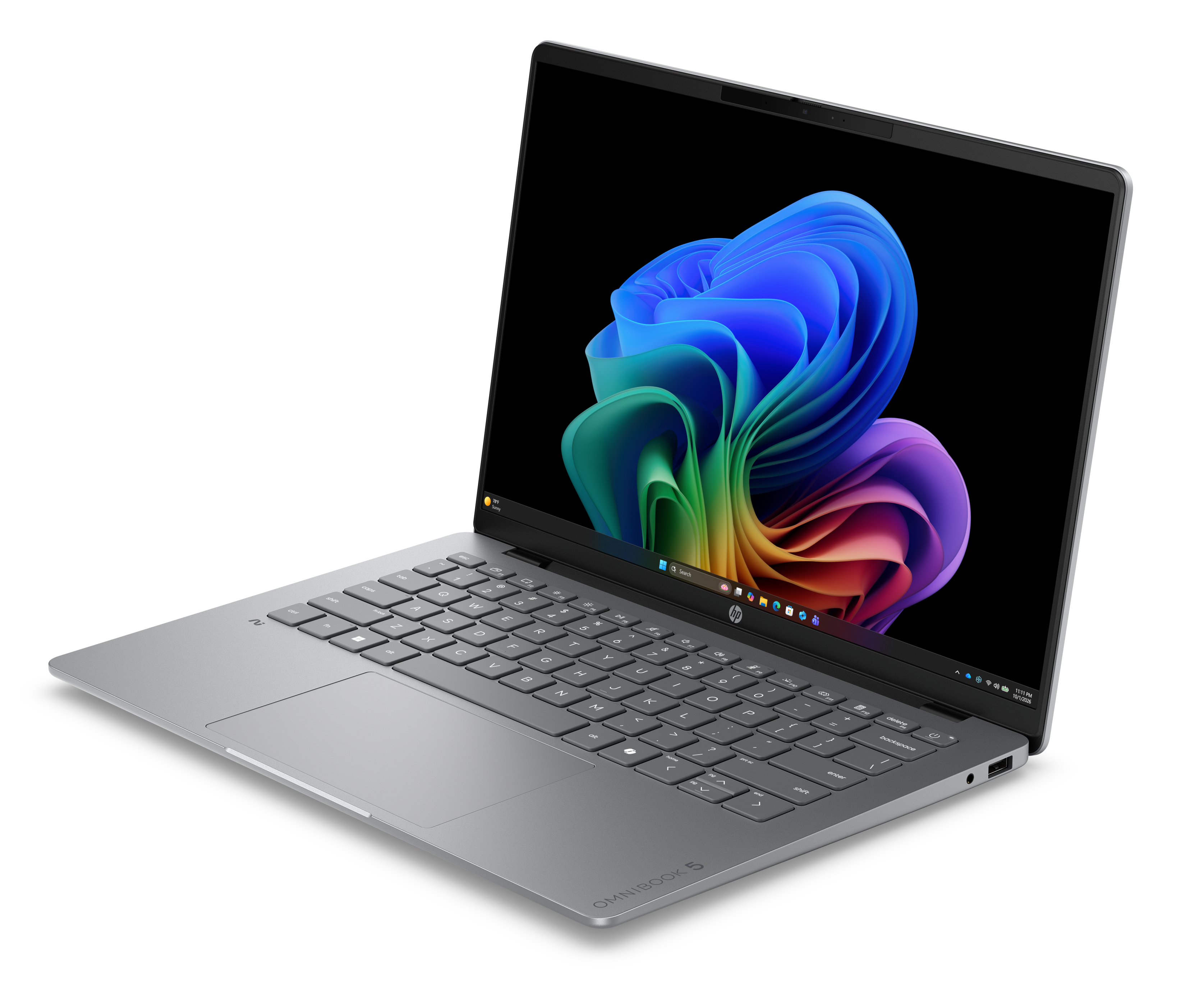
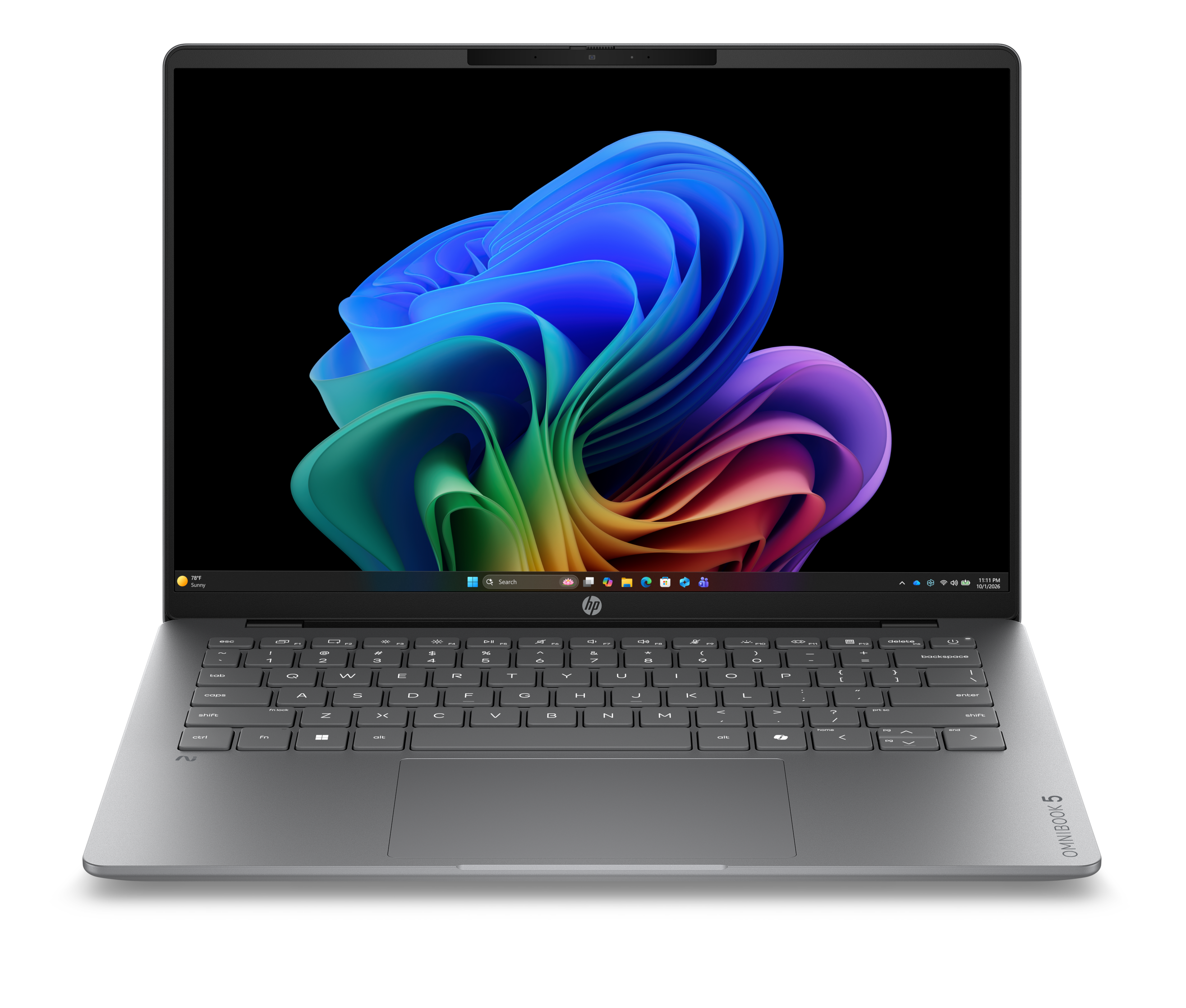
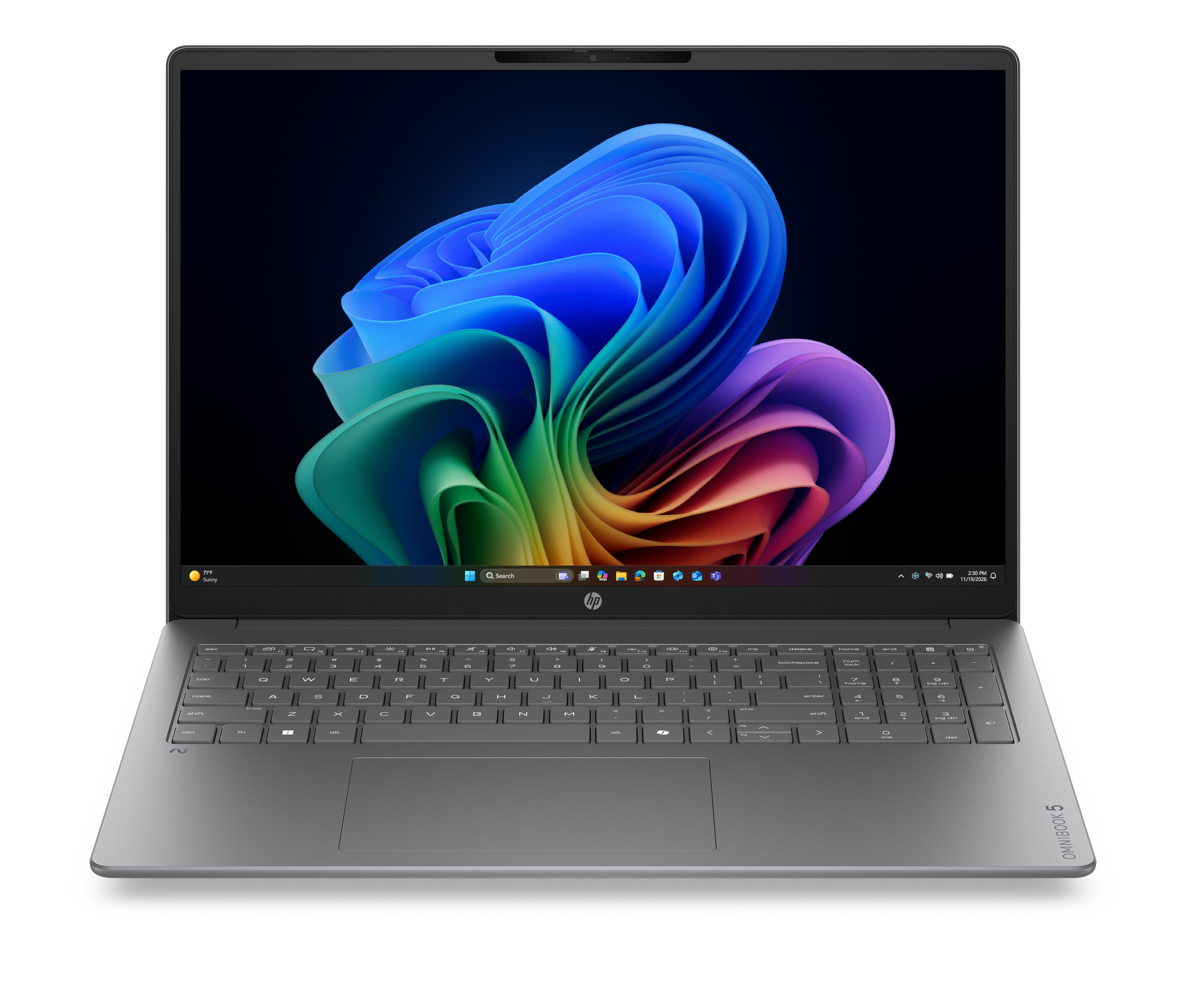
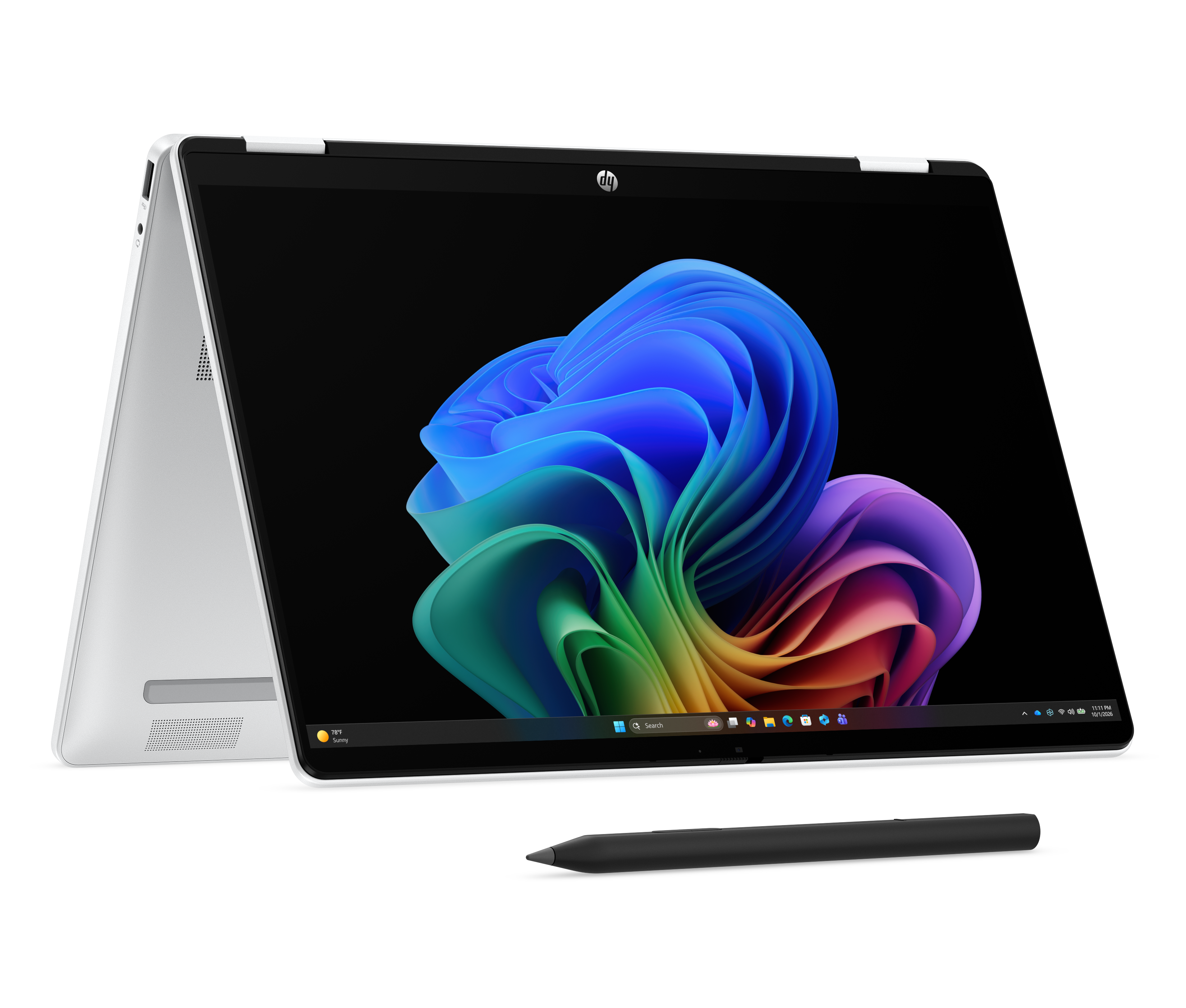
HP OmniBook 5 is the middle of the OmniBook consumer range: a step above the entry OmniBook 3, well below the OmniBook 7, X and Ultra tiers. HP sells it in 14 and 16 inch sizes plus a 14 inch Flip convertible, and offers it with Qualcomm Snapdragon X Plus, AMD Ryzen AI and Intel Core Ultra silicon, so two machines wearing the same name can behave very differently. HP aims it at families, university students and professionals who want one laptop for coursework, documents, browsing and calls, and who would rather have a long day away from a socket than a fast frame rate. The number on the lid tells you the tier. It does not tell you the chip, the panel or the price.
Key specifications
Range
| Position in the OmniBook family | Middle tier, above OmniBook 3 and below OmniBook 7, X and Ultra |
|---|
Sizes
| Screen sizes offered | 14 inch and 16 inch, plus a 14 inch Flip convertible |
|---|
Battery
| HP battery claim | Up to 34 hours, and up to 50 percent charge in 30 minutes |
|---|
Where the OmniBook 5 sits in the HP range
HP's consumer ladder runs OmniBook 3, 5, 7, X and Ultra. The 3 is the value entry, bought on price. The 7 moves up to 16 and 17.3 inch bodies with optional discrete graphics for people doing creative work. The X is the business-leaning tier with enterprise security features, and the Ultra sits at the top on premium materials. The 5 is the volume machine in the middle, and it is the one most buyers should look at first, because it is where HP puts the OLED panel option and the long battery claims without asking for the money the upper tiers want. HP describes the audience as modern families, university students and professionals, which is a fair description of who ends up with one.
The battery claim and what reviewers actually measured
HP quotes up to 34 hours of battery life for the OmniBook 5, along with fast charging it rates at up to 50 percent in 30 minutes. Independent testing lands lower, and how much lower depends on the configuration and the test. IT Pro ran a 14 inch Snapdragon X model to 20 hours 40 minutes in its rundown test and described near two day use on Wi-Fi in normal work. Thurrott, testing a 16 inch Snapdragon model, reported around 9.5 hours of real world mixed use, rising towards 10 hours after the machine had settled in. Both are good results for the money. Neither is 34 hours. Treat the headline figure as the best case for the most efficient configuration on the gentlest workload, and budget for something between a long working day and two of them.
Display and build
The panel is where the 5 earns its place over the 3. HP offers an OLED option, and IT Pro measured the 14 inch OLED at 299 cd/m2 peak brightness with 99 percent DCI-P3 coverage and an average Delta E of 1.63, which is accurate enough for photo work and far beyond what the entry tier manages. Brightness is the limitation rather than colour: under 300 cd/m2 is workable indoors and difficult in direct sun. Build is solid rather than luxurious. IT Pro found a sandblasted matte silver metal frame at 1.3 kg and 13 mm thick, with some flex in the base and lid. Thurrott described the 16 inch aluminium chassis as close in feel to HP's business machines. Buyers should confirm which panel a given configuration carries, because the OLED is an option and not the default.
What to weigh against its nearest rivals
IT Pro put the 14 inch against the Dell XPS 13 9345, the 15 inch MacBook Air and Lenovo's Chromebook Plus 14, and the pattern is consistent: the OmniBook 5 competes on battery life, screen quality and price, and loses on graphics. Its integrated GPU trailed rivals by between 45 and 80 percent in that testing. Within HP's own range the comparison is simpler. Against the OmniBook 3 the 5 buys a better panel and a lighter chassis. Against the OmniBook 7 it gives up the option of discrete graphics and the larger 17.3 inch body. If the work is documents, browsers, mail and calls, the 5 is the right rung. If it involves timelines, renders or games, the money is better spent one tier up or on a different kind of machine entirely.
The Snapdragon question
Many OmniBook 5 configurations run Qualcomm Snapdragon X silicon rather than Intel or AMD, and that choice carries a condition. Windows on Arm runs current mainstream software well, and the battery results above are largely a consequence of it. Older or specialised Windows applications run through emulation, which costs performance, and a small number of tools with hardware drivers or anti-cheat components may not run at all. Anyone whose working day depends on a specific legacy application should check that application before choosing a Snapdragon configuration, or pick an AMD or Intel version of the same model instead. Anyone living in browsers and Microsoft 365 will not notice.
Known irritations
Reviewers agree on a short list of things that do not improve with price. The webcam is a 1080p unit that IT Pro found oversaturated, so anyone on camera all day will want an external one. Speakers fire downwards and lack refinement. Thurrott flagged 256 GB of storage on the base 16 inch configuration as too little, no fingerprint reader on the unit tested, and both USB-C ports on the same side of the chassis, which is a nuisance depending on where the socket is. None of these is a reason to avoid the machine. All of them are worth knowing before ordering rather than after.
Who should buy something else
Gamers and anyone doing 3D or sustained video work should skip this tier: the graphics deficit measured against rivals is the single clearest weakness of the line. People who present or take calls for a living should look at machines with better cameras and speakers, or plan to buy both separately. Anyone who needs a bright screen outdoors should look for a panel rated well above 300 cd/m2. Anyone tied to legacy Windows software should avoid the Snapdragon configurations. And anyone whose real requirement is the cheapest workable laptop for mail and browsing should buy the OmniBook 3 and keep the difference, because the things the 5 does better are things they will not use.
Reviews
No reviews yet
Nobody has reviewed HP OmniBook 5 here yet.