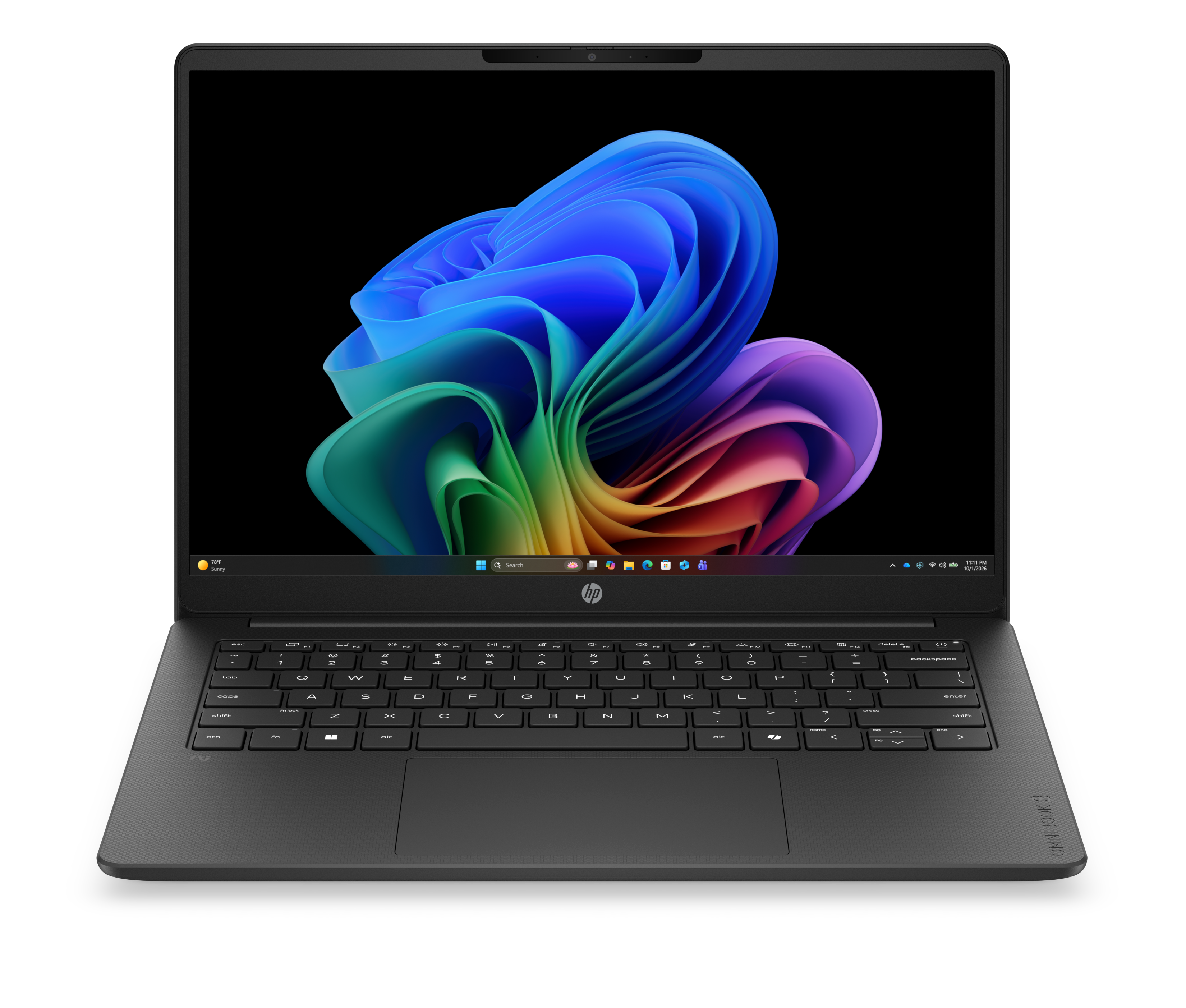
About HP OmniBook 3
HP OmniBook 3 is the entry rung of the OmniBook family, the consumer laptop brand HP brought back in May 2024 to take over from Pavilion, Envy, Spectre and Essential. It is the machine HP points at people who want a full size Windows laptop for mail, browsing, documents and video calls, and who care more about what the total comes to than about how quickly it renders. The number is a tier, not a specification. Reviewers have tested OmniBook 3 models with 16 inch and 17.3 inch screens, on Qualcomm Snapdragon X and on AMD Ryzen silicon, at as-tested prices ranging from under 500 US dollars to over 1,100 US dollars. Read the configuration before you read the badge.
Key specifications
Range
| Position in the OmniBook family | Entry tier, below OmniBook 5, 7, X and Ultra |
|---|---|
| Replaces | HP consumer lines sold as Pavilion, Envy, Spectre and Essential |
| Brand revived | May 2024 |
Where the OmniBook 3 sits in the HP range
The OmniBook ladder runs 3, 5, 7, X and Ultra. HP's own tier comparison guide covers the 5, 7, X and Ultra and leaves the 3 out of the table, which is a useful signal in itself: the 3 is the value entry, sold on price rather than on a feature story. Above it, HP puts the OmniBook 5 in front of students and home users on 14 and 15.6 inch screens, the OmniBook 7 in front of power users on 16 and 17.3 inch screens with optional discrete graphics, the OmniBook X in front of business buyers on Snapdragon X with enterprise security features, and the OmniBook Ultra at the top with OLED panels and premium materials. Battery claims and security features quoted for those tiers do not carry down to the 3, and HP does not claim they do.
Who the OmniBook 3 is for
HP names students, remote workers and families, and says plainly that the machine is not aimed at heavy video editors, 3D modellers or high end gamers. Independent reviewers land in the same place. Notebookcheck recommends the 17 inch version as a pure office laptop at its moderate price. PC Varge, testing the 17.3 inch AMD model, calls it enjoyable for routine computing and directs anyone needing workstation performance elsewhere. The common thread is that this is a competent machine for text, browsers and calls on a large screen, bought by someone who would rather spend the difference on something else.
What varies across the line
More varies here than the shared name suggests, so a single figure quoted anywhere should be treated as belonging to one configuration. Notebookcheck measured the matte 1920x1080 panel on its 17 inch review unit at 374 cd/m2 against a 300 cd/m2 rating, which is better than advertised, but recorded only 62 percent sRGB coverage, so colour reads as pale. PCWorld's 16 inch Snapdragon X review unit shipped with an OLED panel, and that review notes the same configuration was then on sale only with an IPS panel. Notebookcheck also found soldered memory, a single M.2 slot and an unlit keyboard on its unit. None of those points is constant across the line, so check them against the exact configuration in front of you rather than against the tier.
How to weigh it against the nearest alternatives
The most useful comparison is not with another brand but with the tier immediately above it. A discounted 17.3 inch OmniBook 3 near 500 US dollars is doing what the tier exists to do. A configuration approaching 1,100 US dollars is a harder case, because at that money the OmniBook 5 and 7 tiers are in reach, along with rival entry machines carrying newer silicon. Notebookcheck makes the performance gap concrete: the chip in its test unit is a rebadged earlier generation part, and competitors running current AMD mobile processors measured roughly 60 to 70 percent faster. PCWorld separately noted its unit lacked Thunderbolt 4 and Wi-Fi 7. Neither point matters much at the bottom of the price range. Both matter a great deal near the top of it.
What to check before ordering
Five things decide whether a given OmniBook 3 is a good buy. First, the exact processor, since some configurations use rebadged older architecture that current parts outrun by a wide margin. Second, whether the memory is soldered and how many storage slots the chassis has, which decides whether the machine can be upgraded later. Third, which panel the configuration carries, and its measured brightness and colour coverage rather than the marketing figure. Fourth, whether the keyboard is backlit. Fifth, the port and wireless generation. A retailer listing that answers all five is worth more than the tier name on the lid.
Who should buy something else
Anyone who edits video, works in 3D or games should look at a different tier or a different maker, and HP says as much itself. Colour critical work is ruled out by the panel coverage measured on the 17 inch model. Anyone who depends on older Windows software should be careful with the Snapdragon X configurations, where PCWorld found that legacy applications run through emulation and lose performance doing it. Frequent travellers are poorly served by a 17 inch chassis weighing around 2 kg. And anyone looking at a configuration priced near the tiers above should buy one of those tiers instead, because the OmniBook 3 earns its place at the bottom of the range and stops making sense once it leaves it.
Reviews
No reviews yet
Nobody has reviewed HP OmniBook 3 here yet.