About HP OfficeJet
HP OfficeJet is the middle of HP's inkjet range: too much printer for a household that prints a form a week, not enough for a department. HP positions the current OfficeJet Pro models as its fastest colour inkjet all-in-ones and aims them at home offices and small businesses. In practice the line is defined by four things a DeskJet does not have: an automatic document feeder, automatic two sided printing, a paper tray you are not refilling every other day, and a colour system with separate cartridges. Those are office conveniences rather than office luxuries, and they are the reason an OfficeJet costs several times what the cheapest HP printer does.
Key specifications
Printing
| Print technology | Thermal inkjet |
|---|---|
| Two sided printing | Automatic across the current Pro line |
| Print resolution | 1200 by 1200 dpi black, 4800 by 1200 dpi colour |
Scanning
| Automatic document feeder | 35 pages |
|---|
Paper handling
| Input tray | 225 to 250 sheets depending on model |
|---|
Controls
| Display | 2.7 inch colour touchscreen |
|---|
Support
| Ink subscription | Eligible for HP Instant Ink |
|---|
Where the OfficeJet sits in HP's printer range
Below the OfficeJet, the DeskJet covers occasional family printing on a small tray with no feeder and no duplexing. Beside it, Smart Tank trades cartridges for refillable bottles and wins on cost per page at high volume, while HP's LaserJet range wins on text quality and on tolerance of long idle periods. The OfficeJet is the general purpose choice: it prints colour well enough for a brochure, text well enough for a contract, and it scans and copies without you standing over it. HP splits the current Pro line by size of user. The 8120 and 8130 series are aimed at a home office. The 9120 and 9130 series are aimed at businesses of roughly two to ten people.
What every OfficeJet Pro shares
Across the current Pro models HP lists automatic two sided printing, a 35 page automatic document feeder, an input tray holding between 225 and 250 sheets, and a 2.7 inch colour touchscreen. Print resolution is the same across the range at 1200 by 1200 for black and 4800 by 1200 for colour, so the difference between models is throughput rather than output quality. All of them run on the HP Smart app, all are eligible for Instant Ink, and HP bundles its Wolf security software for device and data protection. Some models take the feeder further with duplex scanning, which halves the time spent on two sided originals.
Choosing between the models
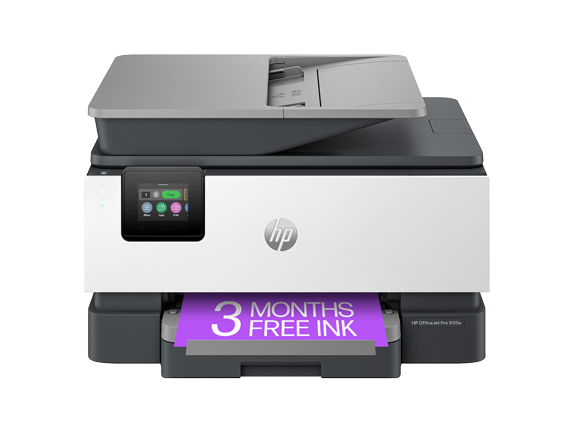
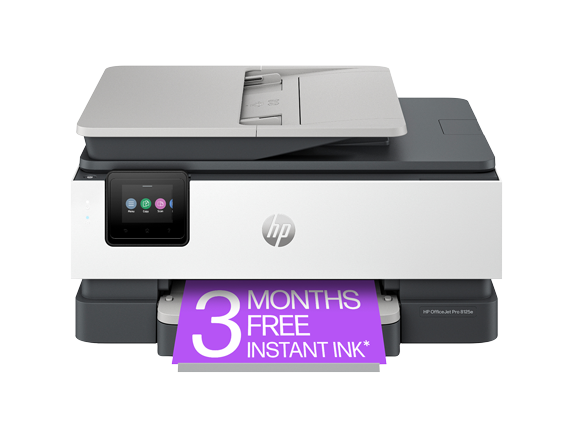
The gap between the two most common models is instructive. On the 8125e, HP quotes 20 pages per minute in black and 10 in colour. On the 9125e it is 22 and 18, and the colour figure is where the money goes. SelectEnd reports first page out at 10 seconds black and 11 seconds colour on the 9125e against 15 and 18 on the 8125e, puts the input tray at 250 sheets against 225, and the monthly page ceiling at 25,000 against 20,000. The other separator is fax. The 9125e has a physical fax port. The 8125e can only send a fax through the app. If a client or a clinic still expects a fax line, that single detail decides the model.
Running costs and the HP+ condition
Cost per page is the OfficeJet's advantage over the DeskJet and its disadvantage against a Smart Tank. Device Diary puts text printing on the 9125e at roughly 3.4 cents per page with a standard black cartridge around 35 dollars, a fraction of what the cheapest DeskJet costs to run. Instant Ink lowers it further, with plans starting near 1.79 dollars a month. The condition attached is HP+. Enrolling brings three months of free ink and an extended warranty, and in exchange the printer must stay connected to the internet and will only accept genuine HP cartridges. That is a real constraint rather than fine print, and it is worth deciding on before the printer is out of the box, because the choice is made during setup.
What to weigh against the nearest rivals
The direct competition is Epson's WorkForce Pro range and Brother's business inkjets, both of which compete on cost per page and neither of which ties cartridge choice to a subscription. Against those, the OfficeJet's arguments are setup, the app and colour speed. Within HP's own range the honest comparison is against a colour LaserJet at similar money: the laser is faster on long text runs, sharper on small type and does not clog when left alone for a month, but it is worse at photographs and larger on the desk. Noise is worth checking too. Device Diary recorded 61 decibels from the 9125e, which is noticeable in a room where someone is on a call.
Who should buy something else
A household printing a few pages a week is overpaying here and should buy a DeskJet. An office printing several thousand pages a month should price a Smart Tank or a laser, because cartridges stop making sense well before the OfficeJet runs out of capacity. Photographers should pass on the line entirely: reviewers describe photo output as acceptable on photo paper and short of the detail a dedicated photo printer produces. Anyone who cannot keep a printer online, or who wants the freedom to buy third party cartridges later, should decline HP+ at setup or choose a brand that does not ask. And anyone whose scanning is both high volume and precision sensitive should note the recurring complaint that pages fed through the automatic feeder can come out slightly skewed, while the flatbed stays accurate.
Reviews
No reviews yet
Nobody has reviewed HP OfficeJet here yet.