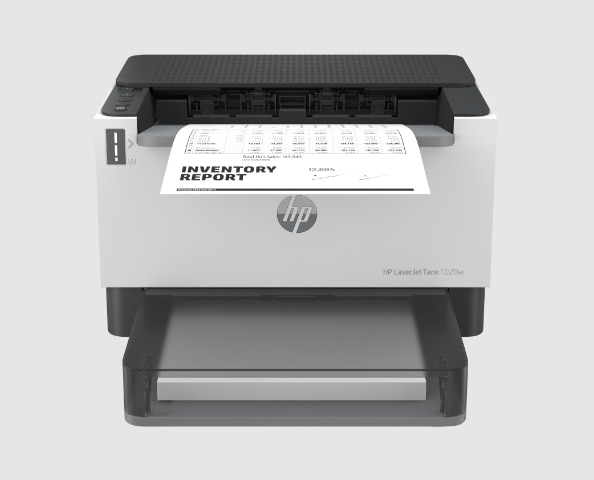
About HP LaserJet Tank
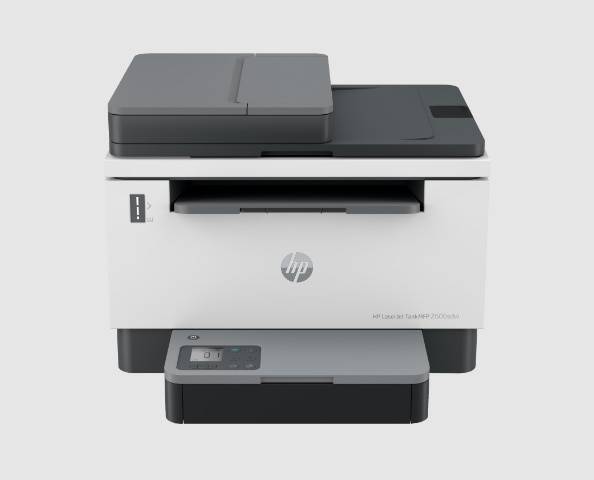
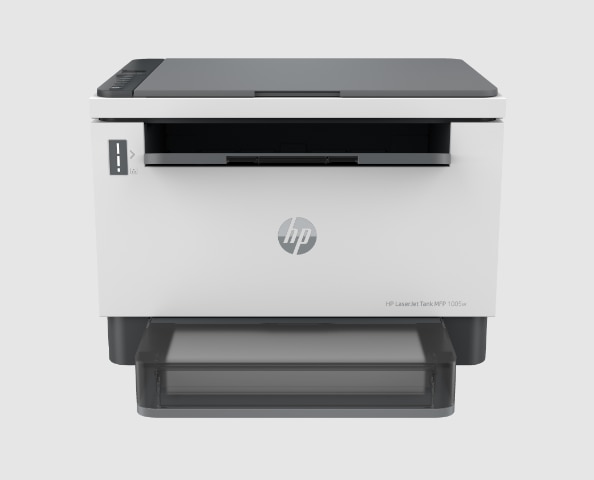
HP LaserJet Tank is HP's monochrome laser range built around refillable toner rather than swappable cartridges. HP announced it in February 2022 and described it as the first laser tank printer, applying to toner the idea its Smart Tank inkjets apply to ink: buy the hardware once, then top it up from a reload kit instead of paying cartridge prices for the rest of the machine's life. Every model prints black and white only. The line covers single-function printers and all-in-one models with a scanner and document feeder, sold under names such as LaserJet Tank 1020w, MFP 1005, MFP 2600s and MFP 2606dn, and the exact model list changes from one country to the next.
Key specifications
Printing
| Print technology | Monochrome laser |
|---|---|
| Colour output | None, black and white only |
Supplies
| Toner system | Refillable tank, filled from an HP Toner Reload Kit |
|---|---|
| Reload time | About 15 seconds, per HP |
| Imaging drum life | Up to 50,000 pages, per HP |
Line
| Announced | February 2022 |
|---|
How the toner tank actually works
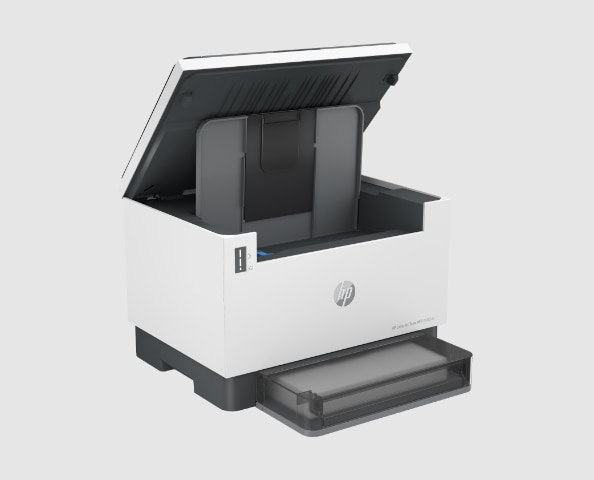
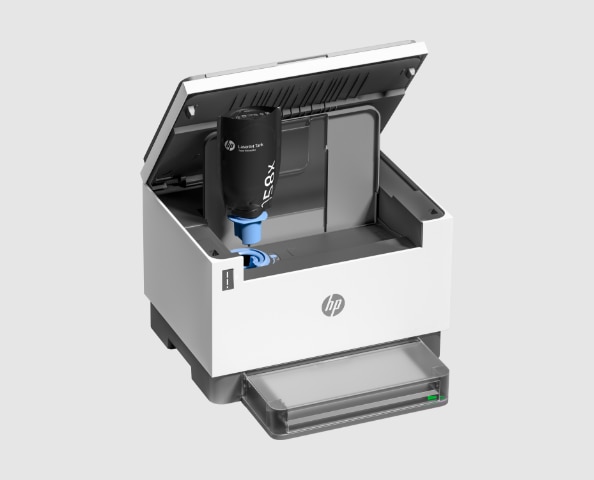
Instead of a cartridge you pull out and replace, a LaserJet Tank printer holds its toner in a reservoir inside the machine. When it runs low you attach an HP Toner Reload Kit and empty the powder in, a job HP times at roughly 15 seconds and describes as mess free. The imaging drum, which a conventional cartridge bundles in and throws away every time, stays in the printer instead. HP rates that drum for up to 50,000 pages. That split is the whole economic argument for the line: the expensive part stays put, and the thing you keep buying is powder in a bottle.
Where the line sits in HP's printer range
LaserJet and LaserJet Pro sit below it. They use ordinary toner cartridges, cost less to buy, and cost more to feed. HP's Smart Tank inkjets sit alongside it and refill the same way, but with ink, and they print in colour. LaserJet Tank is the option that asks for more money at the till in exchange for the cheapest pages HP sells on a mono laser. HP's own comparison at launch put the cost per page below its LaserJet Pro M15 and MFP M28 models. In India, where the line launched heavily, HP told Business Today that a page costs about 30 paise against roughly 2 rupees on a standard laser, with the range starting at 15,963 rupees at the time. Treat both figures as launch-era and local; pricing and model availability vary by region, and HP says so.
Who the LaserJet Tank is for
This is a printer for places that print a lot of plain black text and know it. Small offices, clinics, schools, workshops, letting agents, anyone running off invoices, forms, contracts and reports by the hundred every week. The value only appears at volume, because you pay for it up front. HP ships the printers preloaded with toner it rates at up to 5,000 pages, so the first stretch of ownership costs nothing beyond paper, and reload kits are sold in 2,500 and 5,000 page sizes after that. If your monthly output runs to a couple of reams, the arithmetic works quickly. If it runs to a dozen sheets, it never does.
What to weigh against the nearest rivals
The closest fight is with Brother's mono lasers, which stay cheaper to buy and use high-yield cartridges that narrow the running-cost gap without closing it, and with refillable ink tank machines such as Epson's EcoTank, which can cost less per page again and print in colour, but are inkjets and behave like inkjets on speed, smudging and long idle periods. Inside HP's own catalogue the real rival is a Smart Tank inkjet: cheaper hardware, colour output, and the trade-offs that come with liquid ink. Speed is the LaserJet Tank's soft spot. Gadget Review measured the MFP 2604sdw at 12.85 pages per minute and called it below average for a laser, while praising the running costs and the 600 dpi text output. Check the rated speed of the specific model rather than assuming laser means fast.
Who should buy something else
Anyone who needs colour should stop here, because no LaserJet Tank prints it. Anyone who prints occasionally should too: the premium on the hardware is repaid in consumables you will not buy for years, so a cheap cartridge laser or a basic inkjet is the better deal, and toner sitting unused is money parked. Offices that need output measured in tens of pages a minute should look at a heavier workgroup laser instead. And if you want photographs, graphics work or anything where tonal shading matters, a mono laser at 600 dpi is the wrong tool whatever it costs to run.
What changes from model to model
The name covers a wide spread of machines, so the badge tells you less than the number after it. The 1000-series models are the simple end: smaller, slower, single function or basic all-in-one, some wired only, some with Wi-Fi. The 2600-series models are where the office features live, including automatic two-sided printing, a 40-sheet automatic document feeder and dual-band wireless on the higher trims. Automatic two-sided scanning is not standard across the line even where two-sided printing is. Confirm the individual model's speed, duplex behaviour, feeder and connectivity on HP's site for your country before ordering, because the range is not sold identically everywhere.
Reviews
No reviews yet
Nobody has reviewed HP LaserJet Tank here yet.