About HP DeskJet
HP DeskJet is the cheapest way into an HP printer, and the line has held that position for decades. These are compact inkjet all-in-ones built for a household that prints in short bursts: a school form, a boarding pass, a batch of holiday photographs, a return label. HP itself frames the line as being for simple, everyday family printing, and that framing is honest about both the ambition and the limits. A DeskJet is quiet about its own specification because there is not much specification to talk about. What matters when choosing one is not the numbers on the box but whether your printing pattern suits a machine that is cheap to buy and expensive to feed.
Key specifications
Printing
| Print technology | Thermal inkjet |
|---|---|
| Ink system | Black cartridge plus a single tri-colour cartridge |
Connectivity
| Wireless | Wi-Fi, set up and managed through the HP Smart app |
|---|
Support
| Ink subscription | Eligible for HP Instant Ink |
|---|
Where the DeskJet sits in HP's printer range
HP sells four broad families of home and small office printers, and they are separated by volume rather than by print quality. DeskJet is the floor. Above it, Envy adds better photo output and a more finished chassis for households that print pictures often. OfficeJet moves up to business speeds, a larger paper tray, an automatic document feeder and two sided printing as standard. Smart Tank drops cartridges entirely for refillable ink bottles, which costs more at the till and much less per page. Choosing between them is really a question of how many pages leave the machine in a year. Under a few hundred, the DeskJet's low purchase price wins. Past a couple of thousand, it is the worst value in the range.
What the line is good at
Setup is the strongest part of the product. Current DeskJets are configured through the HP Smart app on a phone rather than through a driver installation, and reviewers rate this as the easiest part of owning one. The machines are small and light enough to live on a shelf rather than a desk, and HP builds them around Wi-Fi that reconnects on its own after a router restart, which removes the most common reason a household printer stops working. Colour output is better than the price suggests. TechGearLab found photographs from a DeskJet vivid and detailed enough to hold up at normal viewing distance, and rated graphics well above what it expected for the money.
What a DeskJet costs to run
This is where a DeskJet stops being cheap. The line pairs a black cartridge with a single tri-colour cartridge, so exhausting one colour means replacing all three. TechGearLab measured roughly 15 cents per page in black and 19 cents in colour on the DeskJet 4155e, close to double the average of the printers it tested alongside, and calculated that a full ream of colour prints costs about 95 dollars. HP's answer is Instant Ink, a subscription that ships cartridges automatically and prices printing by the page rather than by the cartridge. For a household printing regularly it does lower the cost. For one that prints twice a month it is another bill. Work out your monthly page count before deciding, because the running cost is the whole argument.
How the current DeskJet models differ
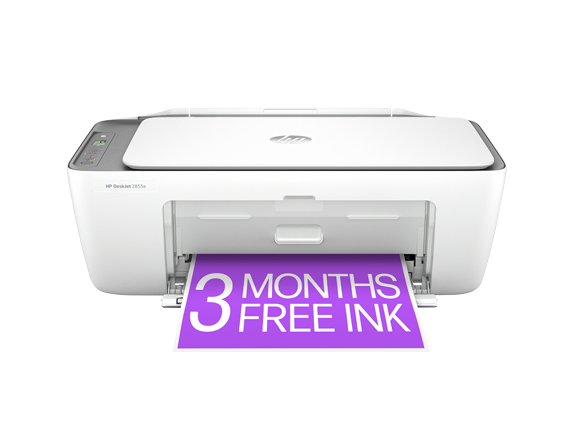
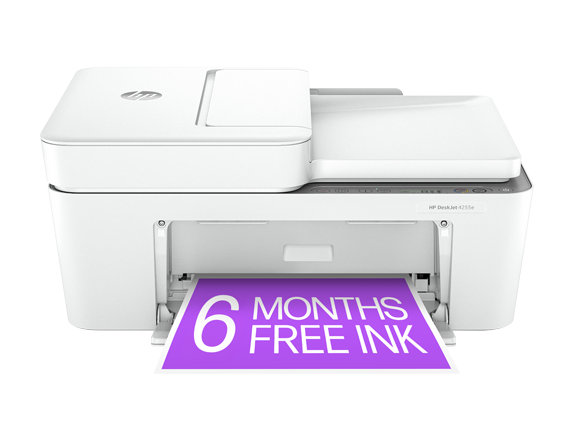
HP currently lists two DeskJets on its line page: the 2855e and the 4255e. The 2855e is rated at 7.5 pages per minute in black and 5.5 in colour. The 4255e is rated at 8.5 and 5.5, and adds a 35 page automatic document feeder, which is the one feature worth paying the difference for if you ever scan or copy multi page documents. Neither prints on both sides of a sheet without you turning the paper over. Input trays across the line are small: the 4155e, a recent model in the same family, holds 60 sheets. Speed is modest on paper and slower in practice. TechGearLab needed 3 minutes 45 seconds to finish a mixed document test.
What to weigh against the nearest rivals
The DeskJet's closest outside competition is Canon's entry PIXMA models and Epson's cheapest Expression range, which sit at similar prices with similar compromises. The more useful comparison is inside HP's own catalogue. If your objection to the DeskJet is text quality or speed, the OfficeJet answers both. If it is ink cost, the Smart Tank answers that and nothing else in the range does. Reviewers reaching for an alternative tend to name the Epson WorkForce Pro WF-4820 for lower running costs and the HP OfficeJet 8015e for sharper text and faster output. Both cost more to buy. Both cost less to keep.
Who should buy something else
Anyone printing text they will be judged on should look elsewhere. TechGearLab described DeskJet text as blurry and soft at the edges, which is fine for a homework sheet and not for a document going to a client. Anyone printing more than about fifty pages a month should price a Smart Tank instead, because the cartridge economics turn against the DeskJet quickly. Home offices that scan contracts, print double sided or want a tray they are not refilling constantly should be looking at an OfficeJet. Households that print in bursts and then leave the machine idle for weeks should know that inkjet nozzles dry out when unused, and a small laser printer is more forgiving of that pattern. What is left, and it is a large group, is the family that prints a little of everything a few times a month and does not want to spend much on the machine. That is exactly who the DeskJet is for.
Reviews
No reviews yet
Nobody has reviewed HP DeskJet here yet.