About HP business monitors
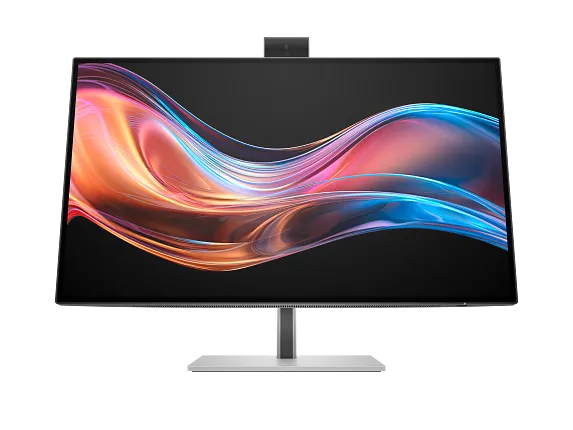
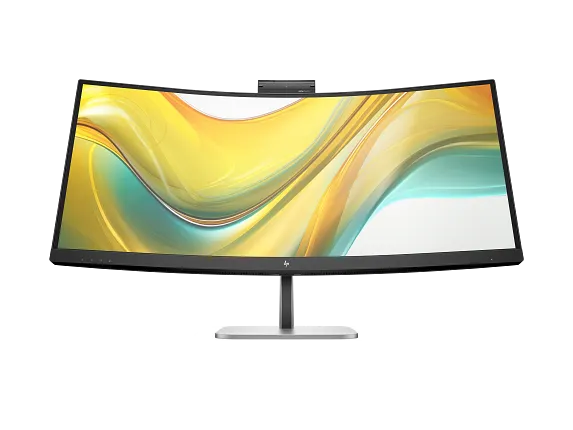
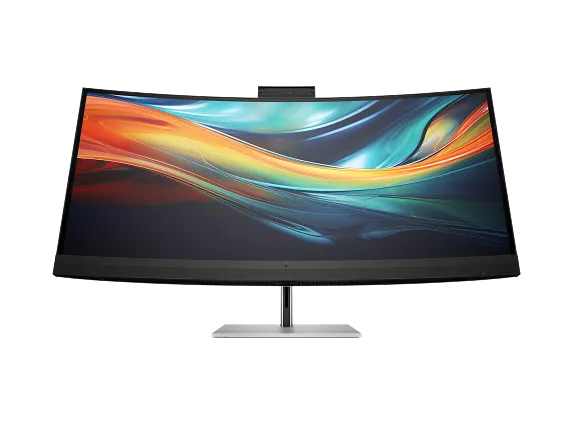
HP business monitors are the displays HP sells to sit alongside its commercial PCs, and the range is organised around a premise that has little to do with picture quality: the monitor is the dock. One USB-C or Thunderbolt cable carries video, data, wired network and enough power to charge the laptop, so a desk runs on one cable instead of five. Panels, cameras, microphones and KVM switching are arranged around that idea. The line runs from roughly 24 inches to 34, from FHD to 4K, with and without a camera built into the bezel, so no single screen size, resolution or price describes it. What is consistent is the intent. These are fixed-desk monitors that a laptop is docked into, specified by an IT department and bought by the dozen rather than chosen by the person who ends up sitting in front of one.
How the range is named
Current models are tiered as Series 3, Series 5 and Series 7, with Pro marking the commercial variants. The model code carries more information than the tier does. On current units the leading digits track panel size, so a 524 is a 23.8 inch panel, a 527 is 27 inches and a 534 is a 34 inch curved one. The trailing letters separate the variants. Among the Series 5 Pro monitors HP has announced, the pm models carry the pop-up camera, speakers and microphone, while the pu models are docking monitors without the conferencing hardware.
Older stock still carries the previous E-series and P-series names. An organisation refreshing a fleet will be reading both schemes off asset lists for years yet, and the older names do not map cleanly onto the new tiers, so a like-for-like replacement has to be worked out from the specification rather than from the badge.
The docking is the actual product
The reason to pay commercial prices for one of these is the connectivity behind the panel. HP's Series 5 Pro docking models offer 100 W of USB-C power delivery, enough to run and charge a business laptop from the monitor, together with a KVM switch so one keyboard and mouse can serve two machines.
The Series 7 Pro 727pm shows how far this goes at the top of the range. In TechRadar's review it carries two Thunderbolt 4 ports at 100 W and 15 W, USB-C at 65 W, DisplayPort in and out for daisy-chaining a second screen, HDMI, wired ethernet and a built-in KVM. That combination is what turns a monitor into a docking station a fleet can standardise on, and it is where the money goes.
It is worth being clear about the trade this involves. A monitor is typically kept far longer than the laptop plugged into it. Building the dock into the display couples a long-lived asset to a connector standard and a power budget set today.
Conferencing monitors and the camera question
The conferencing models put the camera, microphones and speakers into the panel so a meeting needs no accessories and no separate USB webcam to go missing. HP's Series 5 Pro 527pm uses a Poly Studio 5 MP pop-up camera that tilts back out of sight when it is not in use, with four 3 W speakers and a microphone with noise reduction. The Series 7 Pro 727pm uses a 5 MP pop-out camera with Windows Hello sign-in and head tracking, which TechRadar rated well above the usual built-in webcam.
Generation matters more here than anywhere else in the range. The E24d and E27d G4 conferencing monitors launched in 2020 with 720p pop-up cameras at $369 and $499. Those are still in service and still perfectly good monitors, but a 720p camera and a current 5 MP one are not the same purchase. Anyone buying refurbished or clearing old channel stock should check the camera specification rather than the model family.
The pop-up mechanism is also the privacy control. The camera is physically retracted rather than switched off in software, which is easier to explain to staff and to auditors than a driver setting.
What to weigh against the alternatives
Dell UltraSharp and Lenovo ThinkVision cover the same ground with the same single-cable pitch, and the comparison usually comes down to which vendor already supplies the laptops and who gives the better fleet pricing, not to the panels.
The honest criticism of the range is that the panel is rarely the strong part. Reviewing the Series 7 Pro 727pm at a starting price of $747.20, TechRadar called it expensive, noted the 60 Hz refresh rate feels dated, flagged that HDR support stops at DisplayHDR 400, and questioned whether the IPS Black panel really improves on ordinary IPS. The verdict was still positive, but on the strength of the connectivity rather than the image.
That sets up the real test. If the KVM, the daisy-chaining, the ethernet and the 100 W charging are all going to be used, the price is reasonable and the cable count on each desk drops sharply. If they are not, a cheaper panel and a separate dock will usually cost less and can be replaced independently when the connector standard moves on.
Who should buy something else
Anyone doing colour-critical work should look at HP Z displays instead. These are office monitors, and the tolerances that matter for print, grading or photography are not what this range is built to hold.
Anyone who wants high refresh rates should look at the gaming range. A 60 Hz business panel is a deliberate choice for text and video calls, not an oversight.
An organisation that has already standardised on separate docking stations should think carefully before paying for the dock twice. The same applies to teams already issued with good headsets and external cameras: buy the docking variant without the conferencing hardware rather than the pm model, and keep the peripherals that staff already know.
And a small business buying two or three screens for a home office should compare against HP's consumer monitors before paying the commercial premium, which is mostly for fleet management, warranty terms and consistency across a large order. None of those are worth much when the order is three units.
Where to buy
Links go to the seller, not through us. We take no commission and these are not affiliate links, so the order below says nothing about who pays what. Prices and stock change constantly, so check on the day.
Reviews
No reviews yet
Nobody has reviewed HP business monitors here yet.