About Mac mini
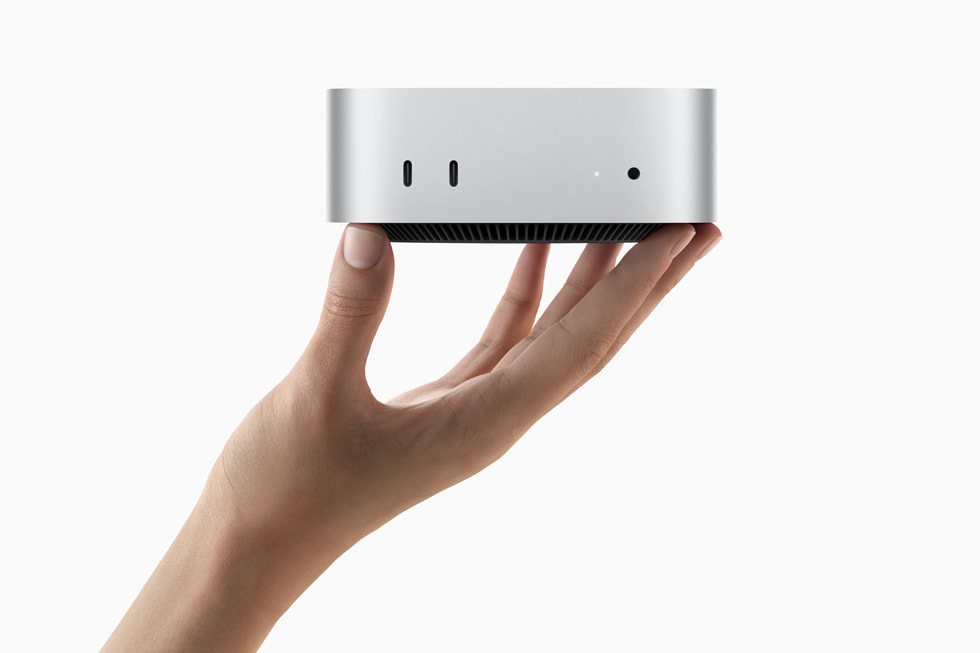
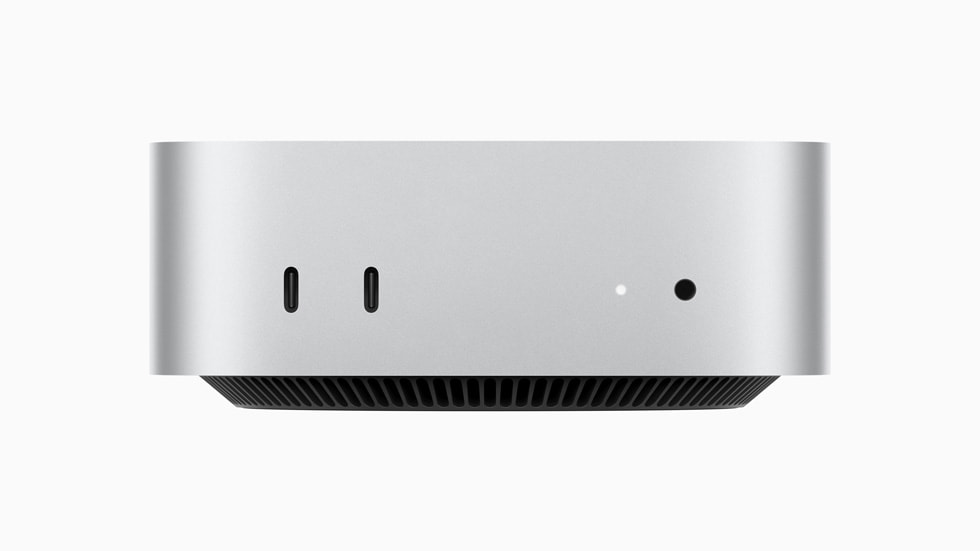
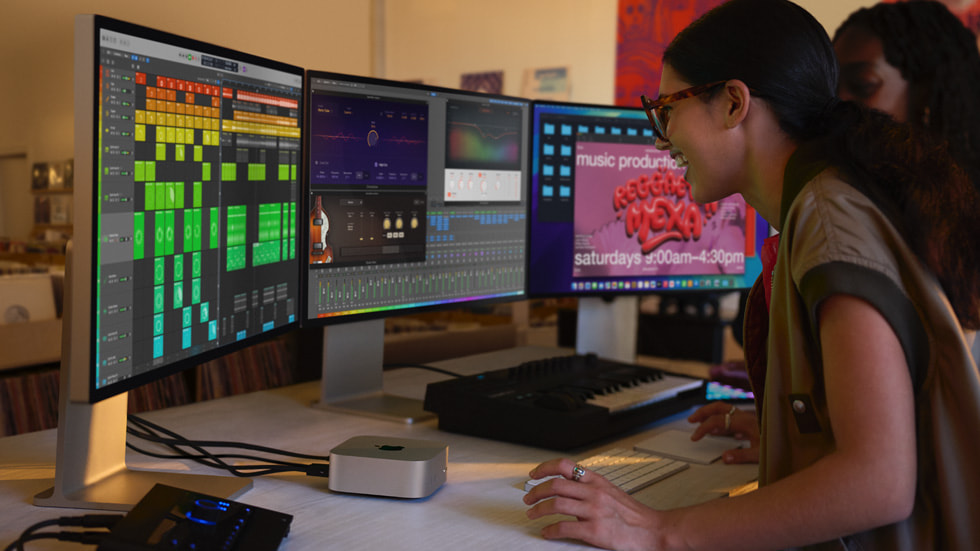
Mac mini is the Apple desktop that arrives without a screen. Open the box and there is a small square aluminum unit and a power cable, and you supply the display, the keyboard and the mouse. That is the whole argument for the line: the same Apple silicon Apple puts in its laptops, in the least expensive Mac body it sells, for people who already own a monitor or want to pick their own. Apple currently builds it around two chips, the M4 and the M4 Pro. The 2024 revision cut the case to five inches square and about a pound and a half, down from a footprint near seven and three quarter inches, and moved two USB-C ports and the headphone jack to the front where a hand can reach them.
Key specifications
Design
| Form factor | Square desktop unit sold without display, keyboard or mouse |
|---|
Platform
| Processor family | Apple silicon |
|---|---|
| Operating system | macOS |
Connectivity
| Display output | HDMI and Thunderbolt |
|---|---|
| Wired networking | Ethernet port |
Memory and storage
| Upgradeability | Unified memory and storage are fixed at purchase |
|---|
Where the Mac mini sits in Apple's desktop range
Apple's desktops split by how much of the computer you are buying. The iMac bundles the screen and the accessories and settles the question of what your desk looks like. The Mac Studio and the Mac Pro are aimed at people whose work pays for the machine. Mac mini is the one that assumes you have already solved the display problem and only need the computer. It is the cheapest way into macOS on a desk, and because the chip inside it is the same family Apple ships in the MacBook Pro, the gap between the entry Mac and the expensive ones is much narrower than the price gap suggests.
Who buys a Mac mini
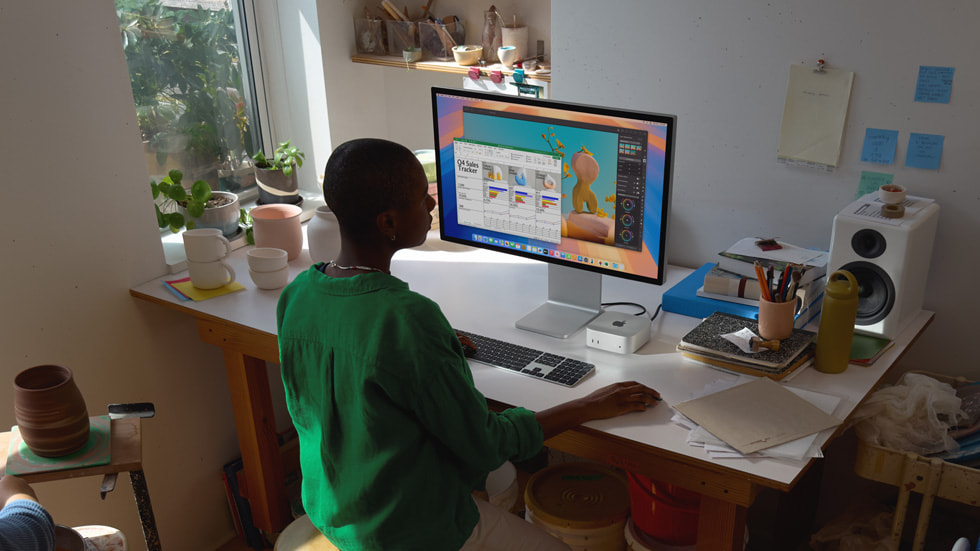
Three groups keep this line alive. The first is anyone switching to macOS who already owns a perfectly good monitor and does not want to pay for a second one. The second is developers, sysadmins and small studios who buy them by the handful and run them headless in a rack or a cupboard, because a machine this size and this quiet can live anywhere there is power and Ethernet. The third is the household that wants a quiet box under a television or behind a monitor arm for mail, spreadsheets, photo work and light video.
M4 or M4 Pro: which tier to take
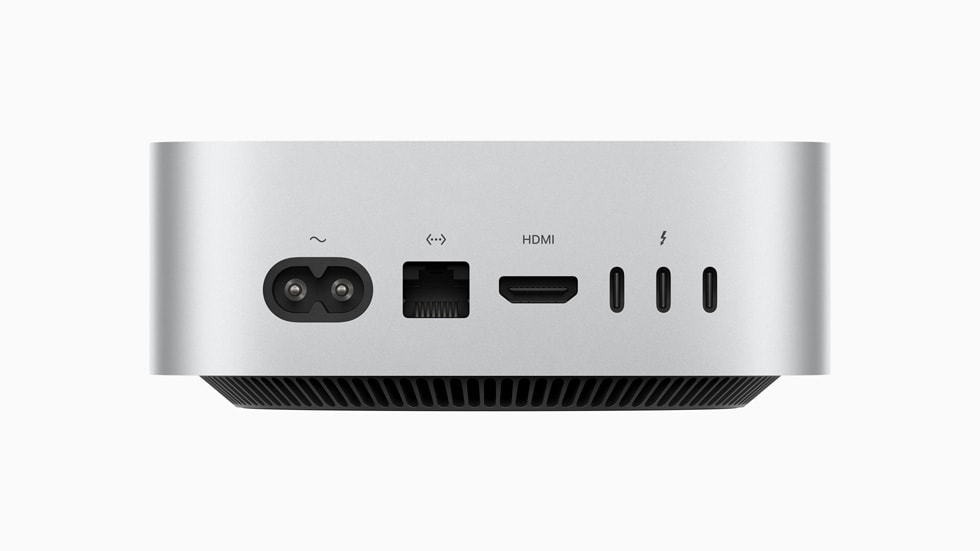
The two tiers are further apart than the naming implies. MacRumors records the M4 configuration as a ten core CPU with a ten core GPU, taking up to 24GB of unified memory and up to 2TB of storage, with three Thunderbolt 4 ports at the back. The M4 Pro goes up to a fourteen core CPU and a twenty core GPU, up to 48GB of memory and up to 8TB of storage, and its three rear ports are Thunderbolt 5 rather than Thunderbolt 4. Apple states the display ceiling differs too: two 6K displays plus one 5K on the M4, three 6K displays on the M4 Pro. If your work is mail, web, office documents and photo editing, the base chip is not the constraint. If you are pushing many streams of video, compiling large projects, or driving three high resolution panels, the Pro tier is what you are actually buying, and the memory ceiling matters more than the core count.
What to weigh against a Mac Studio
The Mac Studio is the machine most Mac mini buyers should at least price out. It is larger, louder under load and considerably more expensive, and it exists because sustained work and very large memory configurations need more thermal headroom than a five inch box has. The honest test is duration. A Mac mini with the Pro chip will finish almost any single task a Studio will finish. What it will not do as comfortably is hold that load for hours at a time, day after day. If your renders are minutes long, take the mini. If they are hours long, or if your project files will not fit in the memory the mini can be configured with, the Studio is the cheaper machine in the end.
What to weigh against a Windows mini PC
Small desktop PCs from Intel, Asus, Beelink and others compete on the same desk, usually at a lower price and with something Apple does not offer: memory and storage you can replace yourself. That is a real advantage, because Apple's memory and storage are fixed at the moment of purchase and cannot be changed later. What the Windows boxes have not matched is the combination of performance and noise. TechRadar's review calls the Mac mini the small form factor PC to get and says no Windows mini PC comes close on that pairing. Buy the PC if you want to upgrade the machine over five years. Buy the Mac if you want it silent and you want macOS.
The complaints reviewers keep making
Two design decisions draw consistent criticism. The power button sits on the underside of the case, so turning the machine on means lifting it, which is awkward once it is mounted behind a monitor or wedged into a shelf. The two front USB-C ports also run slower than the rear ones, at 10Gb per second against 40Gb per second according to TechRadar, so a fast external drive belongs at the back even though the front sockets are the convenient ones. Neither is a reason to avoid the line, but both are worth knowing before you plan your cable runs.
Who should buy something else
Gamers should look elsewhere. TechRadar measured Shadow of the Tomb Raider at 44 frames per second and Total War: Warhammer 3 at 22 frames per second on Ultra settings, which is the honest picture of a machine with integrated graphics and no upgrade path. Anyone who wants to add a graphics card, swap memory or fit their own drives later should buy a tower or a Windows small form factor machine, because none of that is possible here. People who need the computer to be portable are buying the wrong shape. Anyone who needs a screen, a keyboard and a mouse in the same purchase will spend less on an iMac than on a mini plus the parts. And if you are buying late in a cycle, note that MacRumors expects Apple to refresh this line with newer chips before the end of 2026, so a buyer who can wait may want to.
What to settle before you order
Two choices are permanent. Unified memory is soldered and storage is fixed at purchase, so the configuration you pick is the one you own for the life of the machine. Favour memory over storage, because an external Thunderbolt drive is easy to add later and a memory upgrade is not possible at all. The other thing to plan is the display cable. The mini has an HDMI port and Thunderbolt ports at the back and nothing in the box to plug into them.
Reviews
No reviews yet
Nobody has reviewed Mac mini here yet.