About Samsung SSDs
Samsung SSDs is not a single product but a range that runs from the drive in a gaming PC to the ones filling racks in a data centre, all built on flash memory Samsung makes itself. That vertical integration is the thing to understand about the line. Samsung designs the controller, fabricates the V-NAND and, in most cases, supplies the DRAM cache as well. Few competitors own the whole stack, which is why Samsung drives tend to arrive early on each new interface generation, and why the brand carries a reliability reputation that individual models do not always earn on their own. The range is wide enough that no single verdict covers it, so the useful question is not whether Samsung SSDs are good but which tier you are actually buying.
How the consumer range is tiered
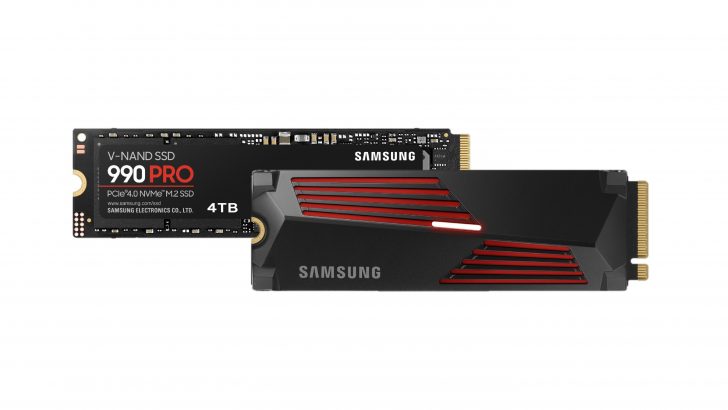
Internal consumer drives sit in numbered families, and the numbers hide more than they reveal. Dong Knows Tech maps the current tiers: the 9100 PRO is the PCIe Gen 5 flagship, the 990 PRO is the top Gen 4 drive, the 990 EVO and 990 EVO Plus sit in the middle as hybrid Gen 5 and Gen 4 parts, and the plain 990 is the entry Gen 4 option, described there as an all-purpose drive balancing performance, capacity and value. TechPowerUp reports that plain 990 as a QLC, DRAMless design, which explains its position better than its name does.
That is the trap in the naming. A 990 PRO, a 990 EVO and a 990 are three different classes of drive sharing one number. Buying on the number alone is how people end up disappointed by a drive that is performing exactly as designed.
Portable drives are a separate decision
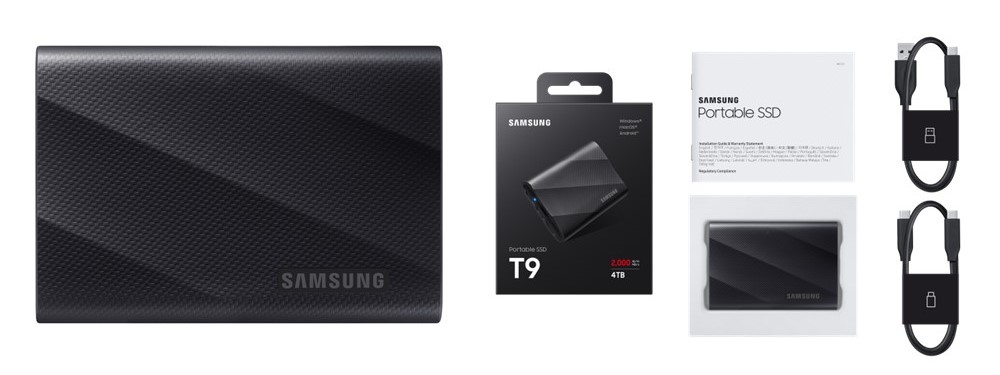
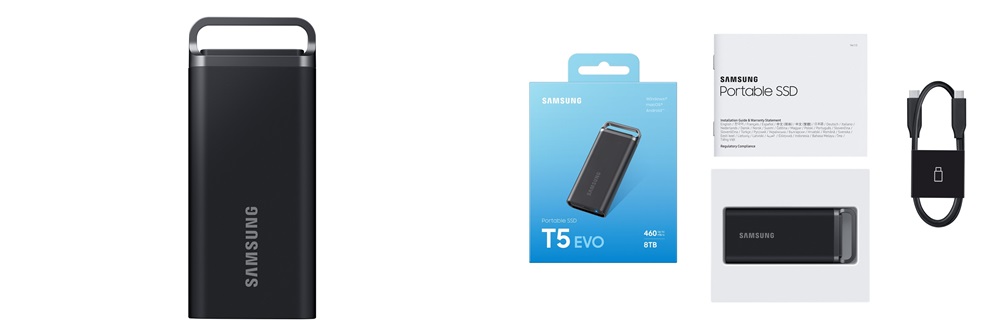
The T series is external storage over USB-C, and it is chosen on different grounds from an internal drive. OveReview's comparison puts the T7 Shield as the durable pick, rated IP65 with a rubberised casing, at read speeds around 1050 MB/s, and the T9 as the fast one, using USB 3.2 Gen 2x2 for around 2000 MB/s.
The caveat attached to the T9 matters more than its headline figure. Those speeds only appear if the host port supports 20 Gbps. On a machine without a Gen 2x2 port, a T9 performs like a drive costing considerably less, and the money spent on the faster controller buys nothing.
The enterprise and data centre lines
Samsung's semiconductor site lists a separate enterprise range that shares almost nothing with the consumer drives beyond the flash inside them. The families listed there include the PM1763 on PCIe Gen 6, the PM1753, BM1743 and PM1743 on Gen 5, the PM1733a on Gen 4, and the PM1653 on a 24 Gbps dual-port SAS interface. Form factors reach well beyond the M.2 stick most buyers picture, covering 2.5 inch, E1.S and E3.S.
These are not sold at retail and they do not compare with consumer parts on price per terabyte. They are specified for endurance, for sustained write behaviour once a cache is exhausted, and for power loss protection, none of which a consumer drive promises.
What to weigh against the nearest rivals
Against Western Digital, SK hynix, Crucial and SanDisk, Samsung's argument has been consistency rather than a decisive lead on any one figure. Reviewers regularly find rival drives matching or beating Samsung on peak sequential numbers for less money. Dong Knows Tech's read on the plain 990 is blunt: it offers nothing of note over previous models and reads as a scheduled release rather than a step forward.
Where Samsung still tends to win is the parts that show up after the purchase. Samsung Magician for firmware updates and health monitoring, wide availability in most markets, and a support record that matters on a component you intend to leave in a machine for five years.
Who it is for
Somebody who wants a drive to fit and then forget about, and who values predictable firmware support and warranty handling over the last few hundred megabytes per second. Also anybody buying at volume, because consistency between units is worth far more at ten drives than at one.
On the portable side, the T series suits people moving working files between machines, and the T7 Shield in particular suits anybody working outdoors or on site where a drive will get knocked about.
Who should buy something else
Price-driven buyers. Samsung rarely competes at the bottom of a category, and a rival drive one tier down usually costs less for the same everyday result, because most desktop workloads never reach the speeds any of these drives advertise.
Anybody choosing on peak sequential throughput alone should shop the current reviews rather than the brand. The leader on that number changes with each generation, and Samsung is not always the one holding it.
Anybody buying for a particular machine should check the port before the drive. A Gen 5 internal drive in a Gen 4 slot, or a T9 on a 10 Gbps port, is money spent on headroom that machine cannot reach.
And anybody who needs enterprise guarantees, meaning rated endurance under sustained write and power loss protection, should not buy a large consumer drive and hope. The enterprise families exist for exactly that, and they are sold through different channels.
What the model number does not tell you
Two drives in the same family can use different NAND, different controllers and different cache arrangements, and parts have been revised within a family without the name changing.
Capacity changes the drive as well. The smallest capacity in a family is usually the slowest and the least durable, because it has fewer NAND dies to write across in parallel. A review of the 2 TB version is not a review of the 500 GB version. Check the exact capacity you intend to buy.
Where to buy
Links go to the seller, not through us. We take no commission and these are not affiliate links, so the order below says nothing about who pays what. Prices and stock change constantly, so check on the day.
Reviews
No reviews yet
Nobody has reviewed Samsung SSDs here yet.