About Microsoft Planner
Microsoft Planner is Microsoft's task and project management application in the Microsoft 365 family. It brings together lightweight team task planning and more advanced project controls in one Planner experience across the web and Microsoft Teams. Basic Planner capabilities are included with eligible Microsoft 365 subscriptions, while paid Planner plans add functions such as Timeline view, dependencies, workload views, goals, milestones and more advanced project management. Buyers should compare the exact plan they need because Microsoft now uses Planner as the main web destination for both everyday task management and many capabilities that previously sat in Project for the web.
What it does
Task management
| Basic plans | Task creation, assignments, labels, checklists and Grid, Board, Schedule and Charts views are available in supported basic Planner plans. |
|---|
Project planning
| Premium plans | Premium Planner plans add features such as Timeline view, dependencies, goals, milestones, custom fields, sprints and workload views depending on license. |
|---|
Microsoft 365
| Teams and Loop integration | Planner is available in Microsoft Teams and can surface assigned work from supported Microsoft 365 sources including Loop. |
|---|
AI
| Planner Agent and Copilot | Eligible users can access Planner Agent and Copilot-assisted planning features subject to Microsoft 365 Copilot and Planner licensing. |
|---|
Pricing
| US annual-billing prices checked August 24, 2026 | Planner Plan 1 is $10/user/month and Planner and Project Plan 3 is $30/user/month, paid yearly; basic Planner is included in eligible Microsoft 365 plans. |
|---|
What is Microsoft Planner used for?
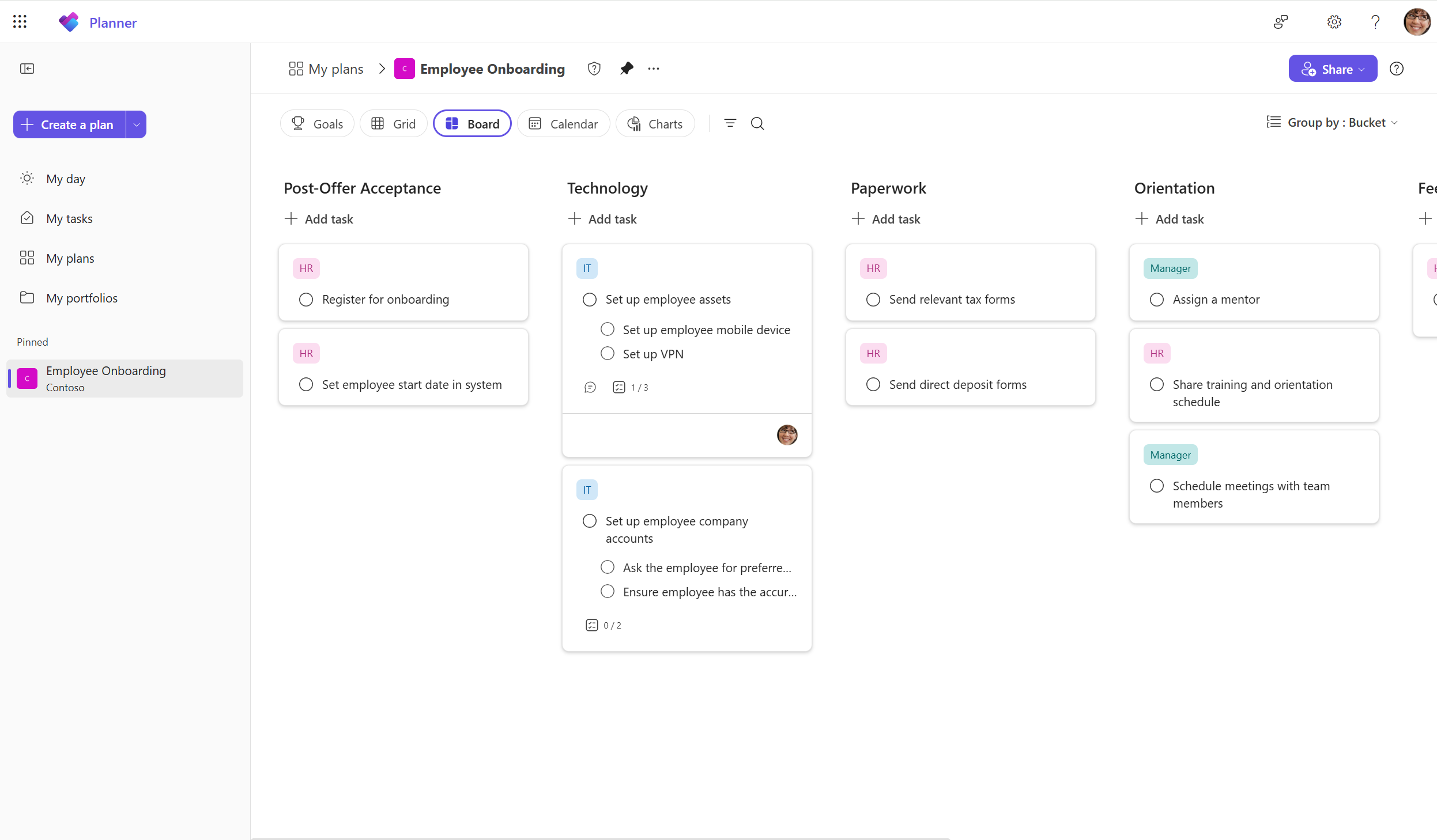
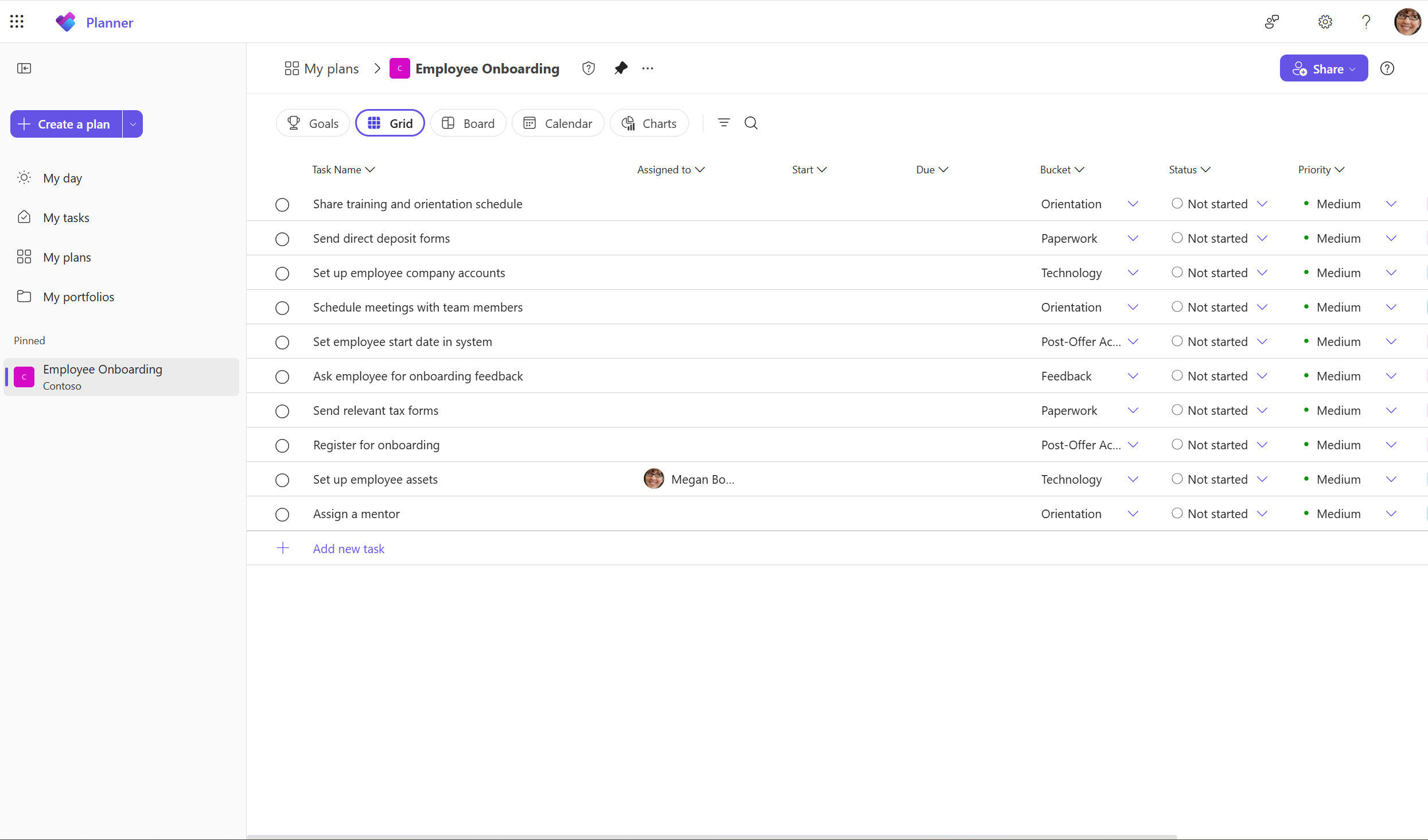
Planner is used to organize team work into plans, tasks and assignments. Basic plans support common task management needs such as creating tasks, assigning owners, adding due dates, labels, files and checklists, and viewing work in Grid, Board, Schedule and Charts views. It works well for campaign planning, department task boards, onboarding checklists, event preparation, recurring team work and small projects that do not need a full project management system.
The main attraction is that Planner sits inside Microsoft 365 rather than operating as a separate collaboration island. Users can access Planner from the web and Microsoft Teams, see assigned work in My Day or My Tasks, and connect task workflows with Microsoft apps such as Loop, Outlook and Power Automate. This makes Planner especially relevant for organizations already using Microsoft 365 identities and collaboration tools.
What is the difference between basic and premium Planner plans?
Microsoft currently separates Planner plans into basic and premium experiences. Basic Planner supports task creation, Board, Grid, Schedule and Charts views, filtering, grouping, labels, checklists and common collaboration features. Premium plans add capabilities intended for more structured project management, including Timeline or Gantt view, People view, task dependencies, goals, milestones, custom fields, task history, critical path, sprints and other advanced planning features depending on the subscription.
The distinction matters because a user may be able to participate in a plan without having every premium control. Microsoft states that access to premium views and advanced functions depends on the user's subscription. Teams should decide which roles need to create or manage premium project structures and which users only need to update tasks before buying licenses for everyone.
How much does Microsoft Planner cost?
Microsoft's United States pricing page, checked on August 24, 2026, lists Microsoft Planner basic capabilities as included with eligible Microsoft 365 plans. Planner Plan 1 is listed at $10 per user per month when paid yearly. It adds premium project planning features including Timeline view, dependencies, backlogs and sprints, goals, milestones, custom fields and additional views.
Microsoft also lists Planner and Project Plan 3 at $30 per user per month when paid yearly. That tier includes Planner Plan 1 capabilities plus features such as task history, assignments view, portfolio creation, baselines, critical path, advanced dependencies, the Project desktop app and Project Online. Pricing and packaging can change, and regional pricing may differ, so buyers should recheck Microsoft's current plan page before purchasing.
What happened to Project for the web?
Microsoft retired Project for the web on August 1, 2025 and directed users toward Planner for the web for most of those capabilities. This is important for organizations that still think of Planner as only a simple Kanban-style task board. The current Planner product now spans both basic work management and premium project planning, so the correct comparison depends on which Planner plan and features are being evaluated.
Existing Project users should still review migration and licensing details rather than assuming every legacy Project workflow is identical in Planner. Microsoft continues to offer Project desktop and Project Online through Planner and Project Plan 3, while Planner for the web carries forward many cloud project-management capabilities.
How does Planner work with Teams, Loop and other Microsoft 365 apps?
Planner is available as a web application and inside Microsoft Teams. Teams users can open plans without leaving their collaboration workspace, while assigned tasks can surface through Planner views that bring together work from multiple sources. Microsoft also connects Planner with Loop: supported Loop task lists can synchronize assigned tasks with Planner, which helps teams move from flexible collaborative notes into a more structured task-management view.
Microsoft's current pricing page also lists integrations with Outlook, Teams, Loop, Microsoft 365 Copilot and Power Automate. These integrations can reduce duplicate task entry, but they also make governance more important. Organizations should define where a task is created, who owns the plan, how completed work is archived and which automation flows are allowed to update task data.
What can Copilot and Planner Agent do?
Microsoft is actively adding AI features to Planner. Current documentation describes Copilot in Planner for generating plans, tasks, buckets and goals, answering questions about plan status and helping users work with premium plans. Microsoft also documents Planner Agent, which can generate tasks from goals, assist with plan updates, create status reports and, in supported scenarios, execute assigned work based on plan context.
AI access is licensing-dependent. Microsoft's current guidance says a Microsoft 365 Copilot license is required to interact with Planner Agent, while additional premium Planner licenses can unlock more advanced project features. Copilot in Planner has also been documented as preview functionality in some experiences. Buyers should therefore verify the exact feature, client and license rather than assuming every Planner user receives the same AI capabilities.
What are Planner's main limitations and deployment considerations?
Planner is easier to adopt than a heavyweight project management platform, but basic plans are not designed for every complex project. Teams that need baselines, advanced dependencies, resource analysis, portfolios or formal project controls may need premium Planner licensing. Organizations should also understand that basic and premium plans do not expose every feature in exactly the same way, and Microsoft notes that applications or workflows built against basic plans may need changes to work with premium plans.
Governance is another consideration. Too many plans without naming, ownership and lifecycle rules can make work difficult to find. Teams should decide who can create plans, when a plan should be archived, how guest access is handled and whether Planner is the system of record or simply a team execution layer connected to another portfolio or ticketing system.
Who should choose something else?
Teams that only need personal reminders may find Microsoft To Do simpler than creating shared Planner plans. Organizations that require detailed financial management, complex resource scheduling, advanced portfolio reporting or industry-specific project controls should compare dedicated project-management platforms rather than assuming Planner replaces every enterprise project system. Companies centered on another productivity ecosystem may also reduce complexity by choosing a task tool that integrates more naturally with their existing identity and collaboration stack.
Planner is a stronger fit when teams already use Microsoft 365 and want shared task boards that can scale into more structured project planning without adopting a completely separate platform. The best choice depends on whether the work needs lightweight coordination, premium project controls or a broader portfolio system.
Reviews
No reviews yet
Nobody has reviewed Microsoft Planner here yet.