About Microsoft Outlook
Microsoft Outlook is the email, calendar, contacts and scheduling application in the Microsoft 365 family. It brings communication and time management into one workspace across supported Windows, Mac, web and mobile experiences. Outlook can work with Microsoft 365 work or school accounts as well as several third-party email services. Buyers should distinguish between new Outlook for Windows and classic Outlook because Microsoft documents meaningful feature differences between them.
What it does
Communication
| Compose, receive, organize and search email across supported Outlook experiences. |
Scheduling
| Calendar | Create appointments and events, organize meetings and work with shared availability in supported Microsoft environments. |
|---|
Accounts
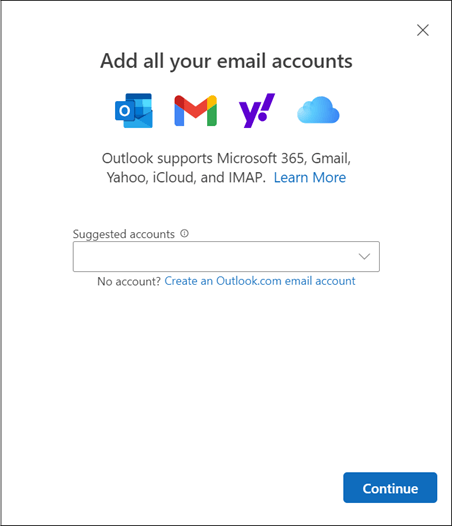
| Account support | Supported Outlook experiences can add Microsoft 365, Outlook.com, Gmail, Yahoo, iCloud and Exchange accounts. |
|---|
AI
| Copilot | Eligible experiences can summarize threads, draft and coach email, assist with inbox work and answer questions about mail and calendar data. |
|---|
Windows
| New and classic Outlook | Microsoft maintains new Outlook and classic Outlook for Windows with documented differences in feature coverage. |
|---|
What is Microsoft Outlook used for?
Outlook combines email with calendar, contacts and meeting scheduling. Users can compose and organize messages, manage appointments and events, invite people to meetings, search communications and keep contact information available alongside their inbox. Microsoft also supports adding several types of accounts, including Microsoft 365 work or school accounts and services such as Gmail, Yahoo and iCloud in supported Outlook experiences.
This combination is useful for people whose email and schedule are closely connected. A meeting request can move directly into the calendar, while contacts and organizational directories can support addressing and scheduling. Outlook is less about document creation than Word or spreadsheet analysis than Excel; its role inside Microsoft 365 is communication and personal work coordination.
New Outlook vs classic Outlook: what is different?
Windows users need to know that Microsoft currently maintains both new Outlook for Windows and classic Outlook. Microsoft says new Outlook for Windows is generally available, but its own feature comparison shows that the two applications do not yet have identical coverage.
Examples matter for migration planning. Microsoft's April 2026 comparison lists network-share file access and custom forms as available in classic Outlook but not supported in new Outlook, while offline support and PST support are only partially available in new Outlook. Other mail, calendar, people, security and extensibility features also vary. Organizations with established classic Outlook workflows should therefore check Microsoft's current comparison against the exact functions and add-ins they depend on before switching users.
How does Outlook calendar and meeting scheduling work?
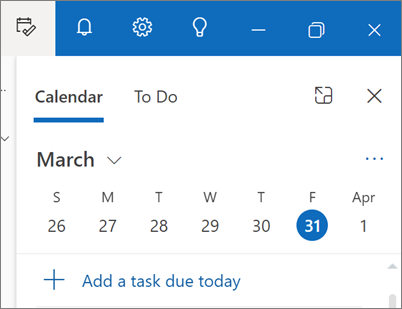
Calendar is integrated with Outlook email and contacts. Microsoft documents support for appointments, events, meeting requests and group schedules. Outlook can help users find times when invitees are available, which makes it useful for internal scheduling where calendar availability is shared through the organization's Microsoft environment.
The experience varies by account type and Outlook version, so teams should test delegation, shared calendars, room booking and any specialized scheduling workflow they rely on. A simple personal calendar requirement may be served by many alternatives, while organizations already using Microsoft 365 may value the closer relationship between Outlook identity, mail, calendar and Teams meetings.
What can Copilot do in Outlook?
Microsoft documents Copilot features in Outlook for inbox and calendar work. Depending on account, license and supported experience, capabilities can include summarizing email threads, drafting messages, coaching a draft for tone and clarity, prioritizing mail, working with inbox rules, asking questions about inbox and calendar information, and helping schedule meetings or events.
Copilot availability should not be treated as identical for every Outlook user. Microsoft says capabilities vary according to account and whether an administrator has assigned a Microsoft Copilot add-on license. Some features also have content restrictions. Buyers considering Outlook specifically for AI assistance should verify their Microsoft 365 plan, Copilot entitlement, client and organizational settings rather than assuming every advertised Copilot function is included.
What are Outlook's main limitations?
Outlook's biggest practical complication is that the name covers several experiences. New Outlook, classic Outlook, Outlook for Mac, Outlook on the web and mobile Outlook can differ in interface and feature support. This can make documentation, migration and support more complicated for organizations with mixed devices.
Outlook can also be more application than a user needs if the requirement is only basic email. Organizations dependent on classic Windows features, local data files, custom forms, specialist add-ins or unusual account configurations should test new Outlook carefully. Microsoft continues to update its comparison matrix, so a limitation documented today may change and should be rechecked before a large deployment.
Who should choose something else?
People who need only lightweight personal email and calendar may prefer the mail application already tied to their existing account ecosystem. Organizations centered on Google Workspace may find Gmail and Google Calendar simpler because identity, administration and collaboration are already standardized there. Teams with specialist email workflows should compare Outlook's current add-in, offline, archive and account support with their requirements before migrating.
Outlook is a stronger fit when email, calendars, contacts, Microsoft 365 identity and Microsoft collaboration tools need to work together. The decision should be based on the exact Outlook client and account type the organization will deploy, not just the Outlook name.
Reviews
No reviews yet
Nobody has reviewed Microsoft Outlook here yet.