About Microsoft Excel
Microsoft Excel is the spreadsheet and data analysis application in Microsoft 365. It is used to organize structured data, build formulas, create charts, summarize information, collaborate on workbooks and support reporting or planning workflows. Excel is available across desktop, web and mobile experiences, but advanced capabilities can depend on platform, subscription and update channel. Within Microsoft 365, shared workbooks can connect with OneDrive and SharePoint for storage, co-authoring and version history.
What it does
Collaboration
| Co-authoring | Supported workbooks can be edited by multiple people in real time when stored in supported Microsoft 365 cloud locations. |
|---|
Analysis
| PivotTables and charts | Excel supports PivotTables, charts and other tools for summarizing and visualizing structured data. |
|---|
AI
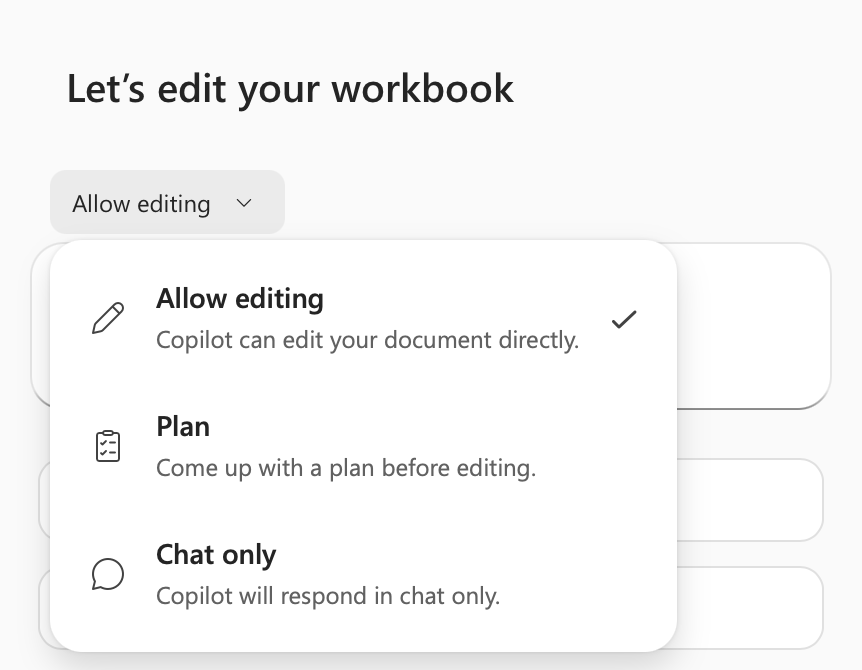
| Copilot | Eligible users can use Copilot to help edit workbooks, generate formulas, create charts or PivotTables and identify data insights. |
|---|
Advanced analysis
| Python in Excel | Qualifying Microsoft 365 users can run Python formulas in supported Excel environments, with platform and licensing limits. |
|---|
What is Microsoft Excel used for?
Excel is commonly used for budgets, forecasts, financial models, lists, schedules, operational tracking, data cleaning, dashboards and repeatable calculations. Users can structure information in rows and columns, apply formulas and functions, sort or filter records, create tables and summarize results with PivotTables and charts.
Its flexibility is one of its main strengths. The same application can support a personal expense sheet, a team planning workbook or a detailed analytical model. That flexibility also creates risk when important business processes grow inside poorly documented workbooks. Organizations using Excel for critical workflows should define ownership, validation and review practices rather than treating every spreadsheet as an informal file.
How does collaboration work in Excel?
Microsoft supports real-time co-authoring for Excel workbooks when the workbook and user environment meet the required conditions. Microsoft documents OneDrive, OneDrive for Business and SharePoint Online as supported cloud locations for co-authoring. In supported versions, several people can work in the same workbook and see changes without sending separate file copies by email.
AutoSave and version history can make this workflow easier, especially when the workbook is stored in Microsoft 365 cloud services. Compatibility still matters. File format, application version and administrator settings can affect the experience, so teams that depend on simultaneous editing should test their real workbook types before making co-authoring part of a business process.
What can Copilot do in Excel?
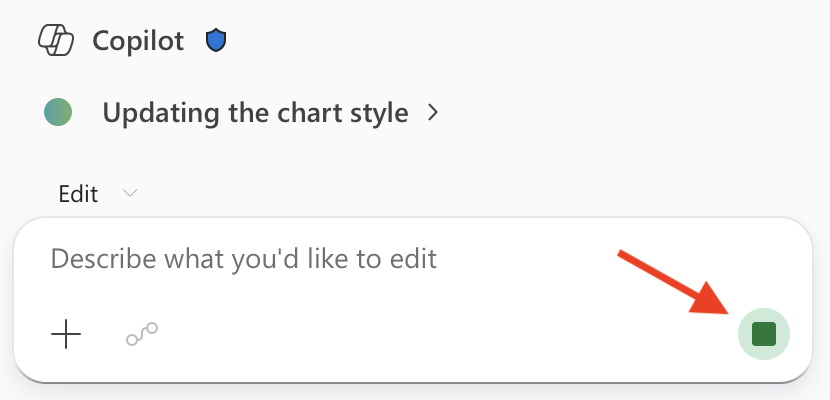
For eligible users, Copilot in Excel can help build and edit workbooks using natural-language instructions. Microsoft documents capabilities that include generating formulas, working with worksheet values and ranges, creating charts and PivotTables, applying formatting, sorting or filtering data and identifying insights such as summaries, trends and outliers.
Copilot does not remove the need to review results. Microsoft advises users to check AI-generated content, and access depends on subscription, license and organizational settings. This matters for buyers because two people using Excel may not have the same Copilot capabilities even when both have Microsoft 365 accounts.
What is Python in Excel and who can use it?
Python in Excel lets supported users write Python formulas in the Excel grid and run the calculations in the Microsoft cloud. Microsoft positions it for advanced analysis, visualizations and workflows that benefit from Python libraries while keeping the results inside an Excel workbook.
Availability is not identical across platforms or subscription types. Microsoft currently documents support for qualifying Microsoft 365 users on Windows, the web and Mac, with important differences by subscription and update channel. Mobile platforms do not currently support recalculating Python cells. Teams evaluating Python in Excel should therefore check platform support and licensing before designing a workflow around it.
Where does Excel fit inside Microsoft 365?
Excel is one product within the broader Microsoft 365 family rather than the whole suite. Workbooks can be stored in OneDrive or SharePoint, shared through Microsoft 365 identities and used alongside products such as Teams, Outlook, Word and PowerPoint. This can be useful when spreadsheet work is part of a larger collaboration or reporting process.
The integration can also increase dependency on Microsoft storage, identity and administration. A team moving from local files or another cloud platform should consider permissions, sharing rules, retention, version history and user training instead of viewing the migration as only an Excel installation.
What limitations should buyers consider?
Excel is powerful for structured calculation and analysis, but it is not a database, enterprise planning platform or business intelligence system in every scenario. Very large or highly governed data workflows may be easier to manage in a database, data warehouse, dedicated planning platform or analytics service. Complex spreadsheets can also become difficult to audit when formulas, manual inputs and business rules are spread across many sheets.
Platform differences matter as well. Some advanced features are stronger or only available in certain desktop versions, while browser and mobile experiences can have different capabilities. Macros, add-ins, external connections and specialized models should be tested on the exact platforms an organization intends to support.
Who should choose something else?
A user who only needs a simple shared list may be better served by a lightweight table or collaborative database tool. Teams with high-volume transactional data, strict relational data requirements or many simultaneous operational users should consider a database-backed application instead of using one workbook as a system of record. Organizations that need governed enterprise dashboards may also prefer a dedicated analytics platform for distribution and access control.
Excel remains a strong fit when users need familiar spreadsheet calculations, flexible analysis, charting and Microsoft 365 collaboration. The best choice depends on whether the work is genuinely spreadsheet-shaped or whether a more structured system would reduce risk and maintenance.
Reviews
No reviews yet
Nobody has reviewed Microsoft Excel here yet.