About Microsoft Loop
Microsoft Loop is a collaborative workspace product in the Microsoft 365 family. It combines portable Loop components, flexible pages and shared workspaces so teams can plan, draft, track tasks and organize project information together. A Loop component can stay synchronized when it is shared across supported Microsoft apps, while Loop pages and workspaces provide a larger canvas for ongoing team work. Loop is most useful when a group needs live, modular collaboration rather than a traditional document or spreadsheet.
What it does
Collaboration
| Loop components | Portable collaborative content such as lists, tables, notes and task lists can stay synchronized across supported Microsoft 365 apps. |
|---|
Organization
| Pages and workspaces | Loop pages provide flexible canvases, while shared workspaces group project pages and related collaborative content. |
|---|
Storage
| Microsoft 365 storage | Loop content can be stored in OneDrive, SharePoint or SharePoint Embedded depending on the experience and configuration. |
|---|
Tasks
| Planner integration | Supported Loop task lists can synchronize with Microsoft Planner so assigned tasks can be managed in both experiences. |
|---|
AI
| Copilot | Eligible work or school users can use Copilot features in Loop, subject to Microsoft 365 Copilot licensing and supported configuration. |
|---|
What is Microsoft Loop used for?
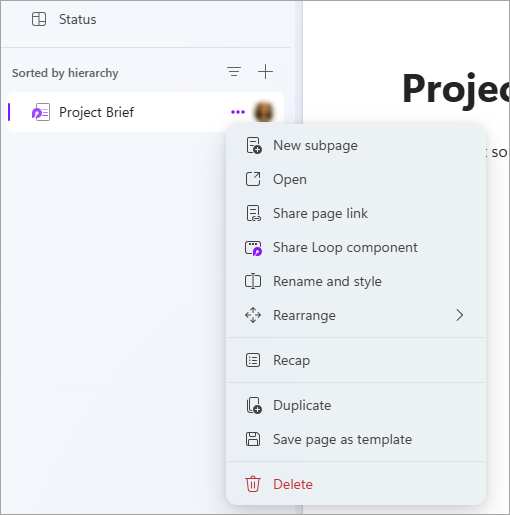
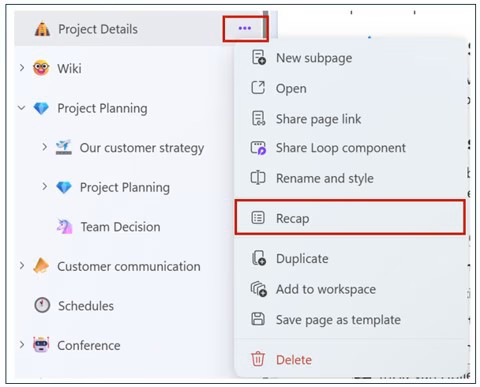
Loop is designed for collaborative work that changes frequently and needs contributions from several people. Microsoft describes three core building blocks: components, pages and workspaces. Components can be lists, tables, notes, task lists and other pieces of content that remain synchronized wherever they are shared. Pages are flexible canvases that can combine components, links, tasks and other information. Workspaces group related pages and project material so a team can keep an initiative together.
This structure works well for brainstorming, project planning, meeting preparation, shared notes, lightweight task tracking and collaborative drafting. It is less suited to highly formatted final documents, complex spreadsheet analysis or formal records that need rigid structure. Word, Excel, SharePoint or a specialist project-management system may be a better fit for those needs.
How do Loop components work across Microsoft 365?
Microsoft says Loop components are portable pieces of content that stay synchronized across the places where they are shared. Supported Microsoft 365 experiences include Teams, Outlook, OneNote and Whiteboard, and Microsoft also documents Loop components across other supported apps. A team can update the same component from different locations without creating separate copies that drift apart.
This is useful for work that already happens in chats, meetings and email. Instead of sending a static checklist or table, a user can share a live component and let participants update it in place. The tradeoff is that Loop depends on Microsoft 365 storage, permissions and supported app integrations. Organizations should understand where the underlying Loop file is stored and who can access it before using components for sensitive or business-critical information.
What should buyers know about Loop licensing and storage?
Loop access depends on account type, Microsoft 365 services and the feature being used. Microsoft currently states that Loop components require OneDrive or SharePoint licensing for full access, while some Loop workspace capabilities depend on eligible Microsoft 365 service plans. Microsoft also says a OneDrive site is required for some personal workspace and Copilot page scenarios, while shared Loop workspaces can use other supported storage arrangements.
Storage is not separate from the rest of Microsoft 365. Microsoft documents Loop components as .loop files stored in OneDrive, SharePoint or SharePoint Embedded depending on context, and storage can count against organizational quotas. Full work or school functionality can also depend on Exchange Online for features such as mentions and workspace sharing. Buyers should therefore evaluate Loop together with Microsoft 365 identity, storage and mailbox requirements rather than as a standalone collaboration app.
How does Loop compare with OneNote, Word and Planner?
Loop overlaps with several Microsoft 365 products but serves a different collaboration pattern. OneNote is notebook-centered and works well for notes that grow over time. Word is better for formal documents with stronger layout and review controls. Planner is more structured around task and plan management. Loop is strongest when teams want a flexible shared canvas and portable live components that can move through everyday collaboration tools.
Microsoft also connects Loop task lists with Planner. Tasks created in supported Loop task lists can synchronize with Planner, allowing a lightweight collaborative list to become visible in a more dedicated task-management experience. That relationship can reduce duplicate task entry, but teams should still decide which system is the source of truth for deadlines, ownership and reporting.
What are Loop's main limitations and deployment considerations?
Loop's flexibility can create governance problems if teams create many workspaces and components without naming, ownership or lifecycle rules. Content can appear across several Microsoft 365 surfaces, which is convenient for users but can make administration and troubleshooting less obvious. Organizations should understand storage location, retention, sensitivity labels, external sharing and account lifecycle before adopting Loop broadly.
Availability also varies by cloud environment and integration. Microsoft's current requirements documentation says some Loop experiences are unavailable in certain government, sovereign or air-gapped cloud environments. Real-time collaboration also relies on Microsoft 365 network connectivity, including supported WebSocket traffic. Organizations with strict network controls, regulated environments or hybrid Exchange dependencies should review those requirements before deployment.
What can Copilot do in Microsoft Loop?
Microsoft documents Copilot features in Loop for eligible work or school users. Depending on licensing and supported experience, Copilot can help summarize page content, generate or refine material, identify action items and work with collaborative information. Microsoft also distinguishes Loop from Copilot Pages and Copilot Notebooks: Loop is the broader real-time collaboration environment, while those newer Copilot experiences focus more heavily on AI-generated pages or context-grounded notebook workflows.
Copilot is not automatically included for every Loop user. Microsoft states that a qualifying Copilot for Microsoft 365 plan is required for Copilot features in the Loop app for work or school accounts, while personal Microsoft 365 subscriptions do not by themselves enable Copilot in Loop. Buyers should verify both Microsoft 365 and Copilot entitlements before treating AI features as part of the base Loop experience.
Who should choose something else?
Teams that mainly create polished reports, contracts or long-form documents should usually use Word rather than making Loop the final publishing system. Organizations that need formal project schedules, portfolio reporting or complex dependencies may prefer Planner Premium, Project or a dedicated project-management platform. Companies with a mature knowledge base may also prefer SharePoint or a specialist wiki when navigation, governance and publishing structure matter more than fluid collaboration.
Loop is a stronger fit when work is highly collaborative, changes often and benefits from live components that can appear in several Microsoft 365 apps. The decision should be based on how teams collaborate, where content should live, how tightly Microsoft 365 is already adopted and whether the organization is prepared to govern shared workspaces and component storage.
Reviews
No reviews yet
Nobody has reviewed Microsoft Loop here yet.