About iCloud+
iCloud+ is what iCloud becomes once you pay for it. Every Apple Account comes with 5GB of storage free, which is smaller than a single modern phone backup. Paying converts the account to iCloud+, which raises the storage ceiling and switches on a set of privacy features the free tier does not carry at all. That second half is the part most buyers overlook. They subscribe because a phone stopped backing up, and only later notice they also bought a browsing relay, disposable email addresses, a custom mail domain and encrypted camera recording. The line spans five storage tiers, so where it sits in Apple's range depends entirely on which one you pick.
The storage tiers
Apple lists five: 50GB at 0.99 US dollars a month, 200GB at 2.99, 2TB at 9.99, 6TB at 29.99 and 12TB at 59.99. The jumps between them are uneven, and that shapes the buying decision more than the headline prices do. Going from 50GB to 200GB quadruples the storage for two dollars, which is the best value move in the range and the one most people should make rather than deleting photographs to stay under a limit. The step from 200GB to 2TB is a much larger commitment for storage most households will not fill. The 6TB and 12TB tiers exist for people with substantial photo and video libraries, and they are priced accordingly. Prices quoted are the US figures from Apple's own page, and every market is priced locally. Storage on any tier can be shared with a family group.
What paying switches on, at every tier
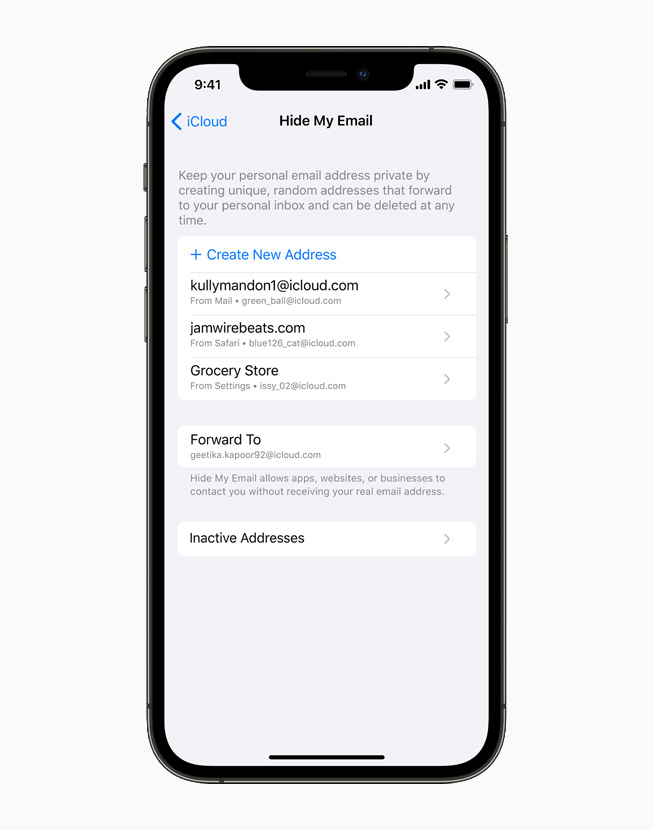
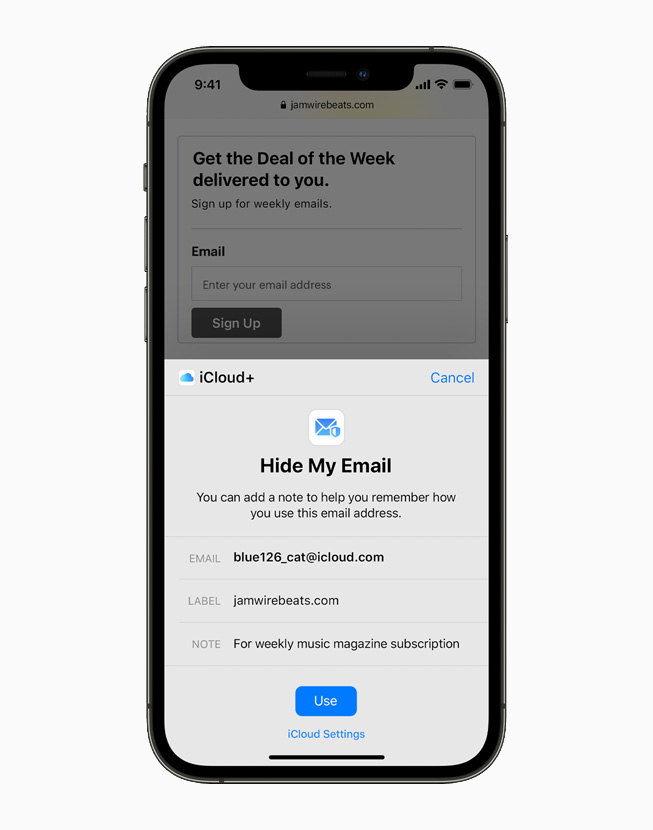
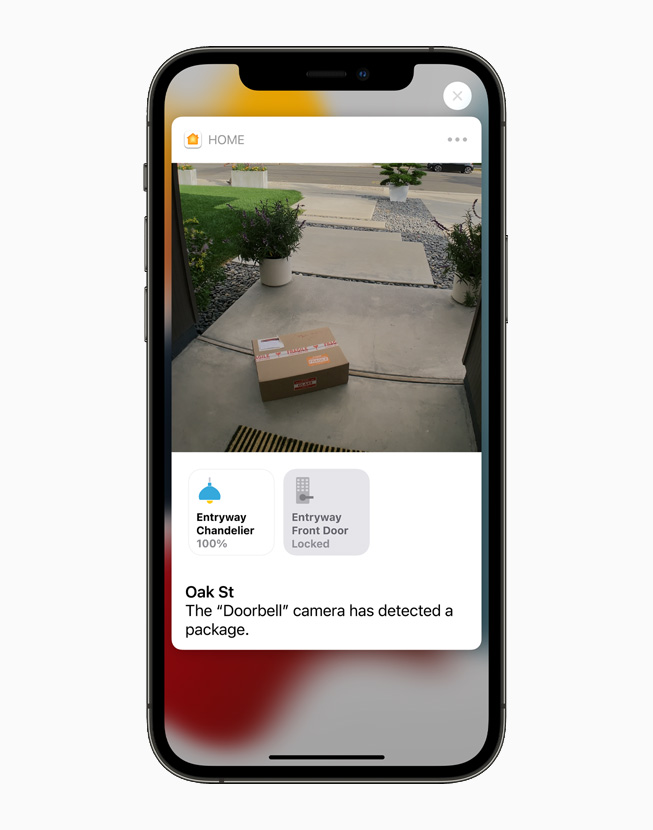
Every iCloud+ tier includes the same features, so the cheapest plan carries all of them. iCloud Private Relay hides your address and browsing history when you browse in Safari, so that neither the sites you visit nor your network provider can build a profile from them. Hide My Email generates unique random addresses that forward to your real inbox, which is the practical answer to shops that want an email before they will sell you anything. Custom Email Domain lets you use your own domain on an iCloud mail address. HomeKit Secure Video lets supported cameras record and upload encrypted footage for viewing in the Home app. Apple also lists Apple Invites, an invitation tool, as part of the subscription. For a household already running Apple cameras, the video feature alone can justify a tier upgrade.
Who it is for
The clearest case is a person whose devices are all Apple and whose backups have outgrown 5GB, which is nearly everybody after a year or two. At 0.99 a month the entry tier costs less than the annoyance it removes. The second clearest case is a family: one subscription covers a group, so a 200GB or 2TB plan spread across several people is cheaper per head than any of them buying storage alone. The third is anyone running HomeKit cameras, because secure video recording is only available to iCloud+ subscribers, and camera storage otherwise means another subscription to another company. Photographers and videographers who shoot on iPhone and want the full library on device are the natural buyers for the largest tiers.
What to weigh against Google One and Dropbox
The honest comparison depends on how much of your life runs on Apple hardware. On raw price iCloud+ is competitive: Cloudwards puts its entry tier at 0.99 a month against Dropbox starting at 9.99 for 2TB. Where it loses is everything around the storage. Cloudwards notes that iCloud is significantly limited on non-Apple platforms, while Dropbox ships full applications for Windows, macOS, Linux, iOS and Android. Sharing is thinner too: no password protection or expiry dates on shared links, and no connections to the third party applications Dropbox integrates with. On sync, Cloudwards points out that iCloud uploads a whole file for every change rather than syncing only the changed blocks, which matters if you work on large files daily. Internxt adds that iCloud lacks file versioning and WebDAV support. Apple's counterweight is Advanced Data Protection, which extends end to end encryption across more of your iCloud data than Dropbox offers by default.
Choosing a tier without overbuying
Check what you are actually storing before you pick. Open the storage breakdown in your device settings and look at the split between photos, backups and messages, because those three account for most of it in most accounts. If the total sits under 200GB, buy the 200GB plan and stop. Very few households need 2TB, and the ones that do usually know it because they shoot video. Note also that the tier you already hold may be included in something else: the Apple One bundle carries 50GB, 200GB or 2TB depending on which tier you subscribe to, so anyone on Apple One should check what they already have before buying storage on top. Storage bought separately can be added to what a bundle includes, but paying twice for the same capacity is a common and quiet mistake.
Who should buy something else
If you work across Windows, Android or Linux as much as you work on Apple hardware, buy Google One or Dropbox instead. The storage is the easy part and iCloud+ does it well, but the surrounding tools are built for people already inside Apple's software, and the reviewers are consistent on that point. If you share files with clients or collaborators and need password protected links, expiry dates or version history, iCloud+ does not offer them and Dropbox does. If you edit very large files that change a little at a time, the absence of block level syncing will cost you upload time every day. And if all you want is somewhere to park an archive you rarely touch, general purpose cloud storage or an external drive will be cheaper than any of the larger tiers here. Buy iCloud+ for backups, photos and the privacy features, not as a general filing cabinet.
Reviews
No reviews yet
Nobody has reviewed iCloud+ here yet.