About One UI
One UI is Samsung's software layer over Android, and it runs on far more than phones. Samsung ships versions of it on Galaxy tablets, on Galaxy Watch as One UI Watch, and on Galaxy Book laptops, which is the point of the name: one interface idea stretched across a hardware range. On a phone the foundation underneath is ordinary Google Android, so the Play Store, Google's apps and normal Android app compatibility work as they do anywhere else. What changes is the shell around it: the launcher, the settings tree, the notification and quick settings design, the camera app, the keyboard, the multitasking model, and a large set of Samsung applications that sit alongside or in place of Google's. Buying a Galaxy phone means buying One UI, so anyone weighing a Galaxy against a Pixel or a OnePlus is comparing software at least as much as hardware.
Where One UI sits against stock Android and other Android skins
Pixel software is the reference point for most people: close to what Google ships, few extra apps, the plainest version of Android's own design. One UI is the opposite end. Android Authority's comparison of OxygenOS and One UI sets out the trade clearly. One UI carries much deeper customisation through the Galaxy Themes store; it includes Samsung DeX, which drives a desktop interface on an external monitor and which OxygenOS does not offer at all; and it supports split screen and pop-up windows straight from the recent apps menu, which OxygenOS does not. The cost, in the same comparison, is that OxygenOS ships close to a stock set of apps while One UI bundles Samsung, Microsoft and Google software that in many cases cannot be uninstalled, only disabled or hidden. One UI gives you more capability than any other mainstream Android skin and asks you to live with more software you did not choose.
How many years of updates does Samsung promise for One UI?
This is the single number most buyers should care about, because it decides how long the phone stays safe to use. Samsung states in its own sustainability documentation for the Galaxy S26 series that the line supports seven generations of OS upgrades and seven years of security updates from the initial global launch date. Samsung attaches a caveat: the timing of OS upgrades and security updates may vary by device model, network provider and market.
That commitment is not new and it is not growing. 9to5Google reported in January 2025 that the Galaxy S25 series carried the same seven generations of One UI or Android and seven years of security updates, matching rather than beating the promise Samsung had already made for the Galaxy S24 and Google had made for the Pixel 9, and putting those phones in support into 2032.
Coverage is not universal across the range. Android Authority's running list of eligible devices notes the seven-year guarantee began with the Galaxy S24 series and now covers recent S-series flagships, recent Z Fold and Z Flip foldables and the Tab S10 tablets, while Samsung phones from 2019 onward were promised at least four years of security updates. Mid-range models sit in between: Android Authority reports the Galaxy A16 5G as the first Samsung phone given six major updates, with support running to October 2030. Check the specific model, not the brand.
What One UI adds over plain Android
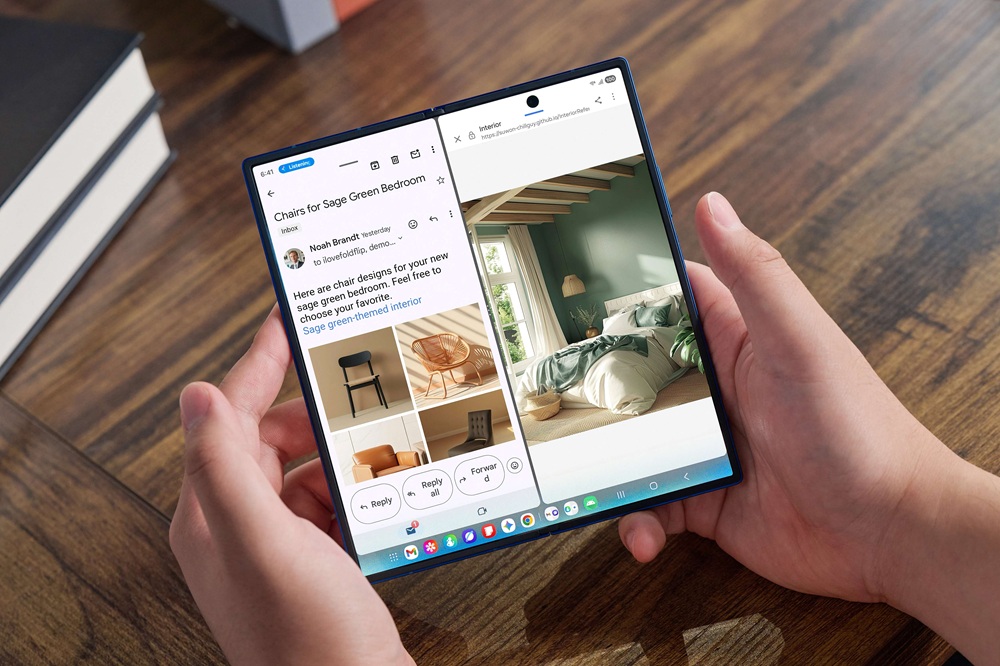
Samsung DeX is the standout, because nothing equivalent ships on a Pixel. Plug a Galaxy phone or tablet into a monitor and you get a windowed desktop rather than a stretched phone screen. Multi-window and pop-up view are more mature here than on most rivals, and on foldables One UI splits the larger screen properly rather than scaling a phone layout up.
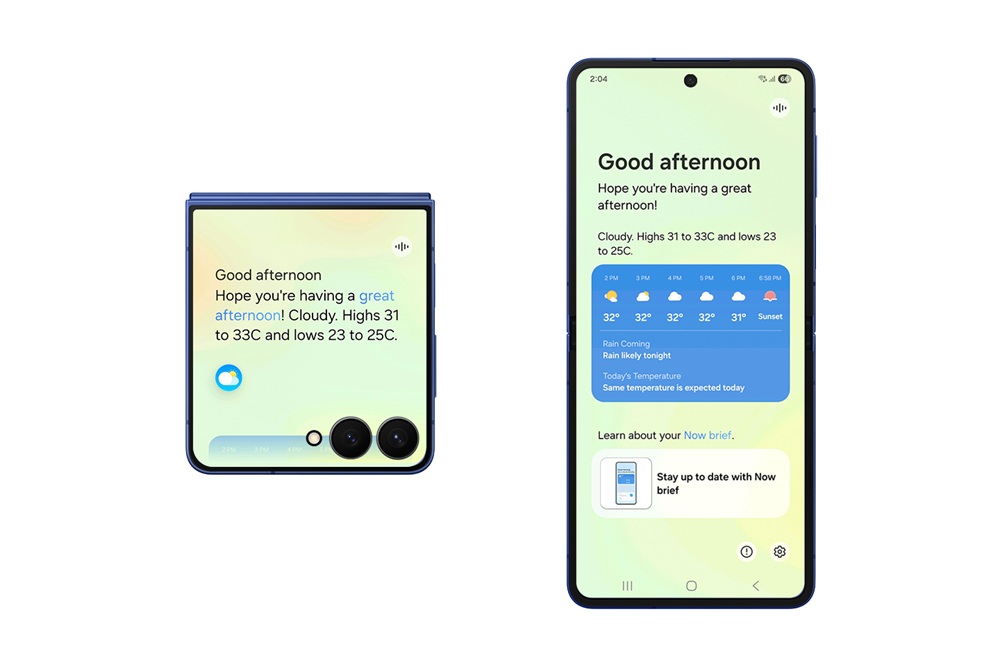
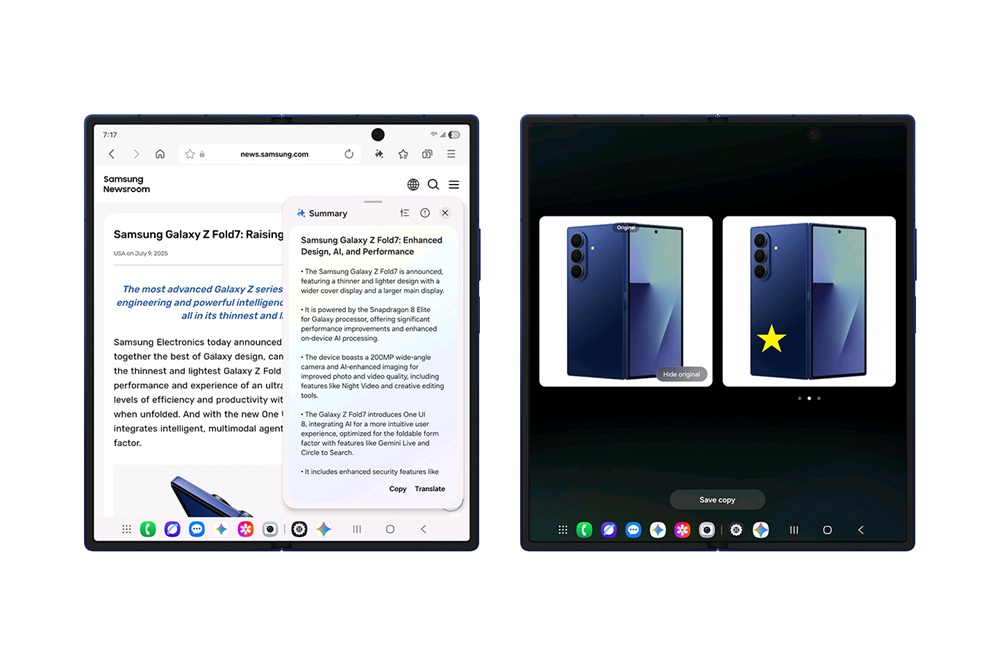
Samsung's announcement of the One UI 8 rollout describes three pillars: personalised suggestions through Now Bar and Now Brief alongside Knox Enhanced Encrypted Protection, multimodal AI including Gemini Live and Circle to Search with Google, and interface work tuned per form factor. Knox is the other real differentiator, and it is why One UI appears on corporate device lists where other Android skins do not.
One UI 8 and One UI 8.5: where the line stands now
Samsung Newsroom said the One UI 8 rollout began with the Galaxy S25 series and then reached the Galaxy S24 series, Galaxy Z Fold6, Galaxy Z Flip6 and Galaxy S24 FE. Android Authority reports that stable One UI 8.5 arrived on 25 February 2026 alongside the Galaxy S26 series and is still built on Android 16 rather than a new Android release, adding a more conversational Bixby, Perplexity integration for complex searches, photo editing driven by text prompts, notification summaries, customisable quick settings and a Finder search tool. Eligibility, per the same report, reaches back to the Galaxy S23 series, Galaxy Z Fold 5 and Z Flip 5, and the Tab S9 line.
Pre-installed apps and notification ads
Android Authority's criticism of One UI is worth reading before you buy. The complaint is duplication and permanence: on a Galaxy S24 Ultra you cannot remove Samsung's own Phone, Messages, My Files and Gallery apps even though Google's equivalents are also present, and the phone additionally ships Microsoft OneDrive, OneNote and LinkedIn plus a set of third-party apps. That article counts more than 50 pre-installed apps on the Galaxy S24 and argues the trend has moved the wrong way since the Galaxy S20.
Advertising inside first-party apps is the related complaint. TechRadar reports that One UI 8.5 adds a Device Care option that blocks apps Samsung has already identified as sending frequent ad notifications, or analyses your notifications to spot advertising and puts offenders into deep sleep. TechRadar notes that second method may not always be accurate.
Who is better served elsewhere
Buyers who want the smallest possible software footprint should look at a Pixel. If undeletable duplicate apps irritate you, One UI will keep irritating you for the life of the phone, and no setting removes them. Pixels also get new Android versions first, and as One UI 8.5 shows, a Samsung point release does not necessarily bring a new Android version with it.
Anyone who will not use the Samsung-specific parts is paying for weight they do not need. If DeX, Samsung Health, Samsung Wallet, SmartThings and Galaxy Themes are all things you would ignore, the case for One UI over a lighter skin such as OxygenOS largely collapses, and you are choosing on camera and hardware instead.
Owners of older Galaxy phones should not assume the seven-year promise applies to them. It began with the Galaxy S24 series, so a Galaxy bought before that generation, or a lower-cost model, sits on a shorter commitment. Look up the exact model before deciding whether to keep it or replace it.
If your organisation already runs Knox, if you want desktop output from a phone, or if you want the longest mainstream Android support commitment attached to the widest hardware range, One UI remains the strongest answer on Android.
Reviews
No reviews yet
Nobody has reviewed One UI here yet.