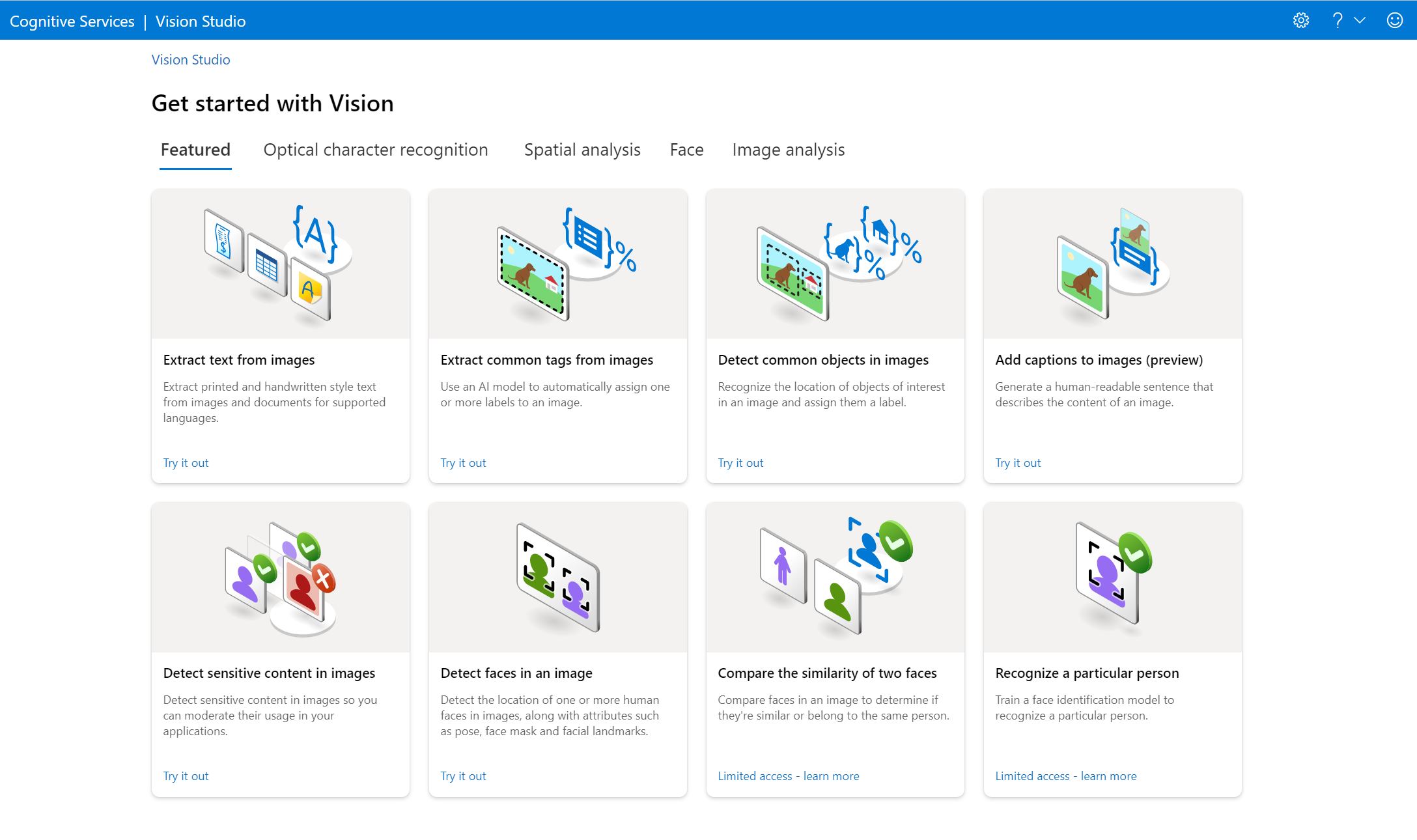

About Azure Vision
Azure Vision is Microsoft's computer vision service for analyzing images and extracting visual information through Azure and Microsoft Foundry. It can support image tagging, object and people detection, optical character recognition, image captioning, smart crop, face-related scenarios, and other visual AI workflows depending on the API and model selected. Buyers should treat Azure Vision as a service family with an important lifecycle consideration: Microsoft has deprecated Image Analysis 4.0 and says that API will retire on September 25, 2028, so new projects should confirm which capabilities remain strategic before committing to an implementation.
What is included
Core capabilities
| Image analysis | Tags, objects, people, captions, dense captions, smart crop, and other visual features depending on API version. |
|---|---|
| OCR | Printed and handwritten text extraction for supported image scenarios. |
Lifecycle
| Image Analysis 4.0 retirement | September 25, 2028. |
|---|
Limits
| General image formats | JPEG, PNG, GIF, and BMP. |
|---|---|
| Read image dimensions | 50 x 50 to 10,000 x 10,000 pixels. |
Throughput
| Free tier | 20 transactions per minute. |
|---|---|
| S1 default | Up to 20 transactions per second. |
Security
| Authentication | API keys or Microsoft Entra ID, with Entra ID preferred for stronger access control. |
|---|
What can Azure Vision do today?
Microsoft currently positions Azure Vision for visual AI scenarios such as image analysis, OCR, face-related analysis, and digital asset management. Image Analysis can return information such as tags, objects, people, captions, dense captions, smart crops, and text depending on the API version and feature selected. Azure Vision can also support searchable asset libraries where images need machine-generated descriptions or metadata.
The current service documentation separates capabilities by API generation. Image Analysis 4.0 includes features such as Read text, captions, dense captions, tags, object detection, people detection, and smart crop. Older 3.2 capabilities cover a wider legacy set including descriptions, brands, colors, landmarks, celebrities, adult content, and other features. Teams should not assume that every feature has the same lifecycle or migration path.
How does OCR work in Azure Vision?
Azure Vision OCR is intended for extracting printed or handwritten text from general images such as labels, signs, posters, and photos. Microsoft distinguishes this from document-heavy OCR. For scanned or digital documents such as reports, forms, invoices, and books, Microsoft recommends the Read model in Azure AI Document Intelligence instead of building new workflows around legacy Azure Vision OCR.
Current Azure Vision documentation warns against starting new work on the legacy OCR v3.2 and RecognizeText v2.1 APIs. The Read API supports mixed printed and handwritten text and can return lines, words, locations, and confidence information. This distinction matters because a buyer choosing between Azure Vision and Document Intelligence should base the choice on the content type, not only on the need to extract text.
What are the current input and throughput limits?
For the general Azure Vision service overview, Microsoft states that supported image formats include JPEG, PNG, GIF, and BMP, with image files under 4 MB and dimensions above 50 by 50 pixels. For the Read API, image dimensions must be between 50 by 50 and 10,000 by 10,000 pixels. Other API versions can have different size limits, so production integrations should validate the exact endpoint they use.
Microsoft's current FAQ says the free tier allows 20 transactions per minute, while the S1 tier supports up to 20 transactions per second by default. Customers that need more throughput can request a higher limit through Azure support. The same FAQ notes that most 3.2 features have a 4 MB file limit, while Image Analysis 4.0 supports larger inputs than that legacy limit.
How is Azure Vision priced?
Pricing was checked on August 29, 2026. Microsoft uses a transaction-based model for Azure Vision rather than one fixed subscription price. Each operation called directly or through an Analyze request can count as a transaction, and the monthly bill depends on the type and number of operations used. Microsoft notes that multipage Read documents count per page for billable feature usage.
Actual rates vary by operation, region, agreement, and currency, so this page does not invent one universal dollar price. Buyers should use the Azure pricing calculator or the Azure Vision pricing page for their region and estimate volume by operation type. Custom Vision is a separate product with its own billing dimensions and should not be treated as the same pricing model.
What should teams know about the 2028 retirement?
The most important planning issue is lifecycle. Microsoft has deprecated the Azure Vision Image Analysis API and says it will retire on September 25, 2028. After that date, calls to that API will fail. Microsoft supports existing Image Analysis customers until retirement but recommends planning migration before then.
Microsoft's migration guidance points customers toward alternatives based on scenario rather than a single one-for-one replacement. Options can include Microsoft Foundry models for flexible vision workflows and Azure Content Understanding for managed multimodal extraction. Teams using Azure Vision for production should inventory their specific endpoints, features, regions, latency requirements, and downstream dependencies now so migration is a controlled project rather than an emergency near the retirement date.
How should Azure Vision be secured?
Azure Vision supports API-key authentication, but Microsoft recommends Microsoft Entra ID for stronger access control where supported. Entra authentication uses Azure role-based access control and requires a custom subdomain endpoint rather than a regional endpoint. Microsoft also advises organizations that standardize on Entra authentication to disable local key authentication where appropriate.
For applications that still use keys, Microsoft recommends storing them securely, avoiding hard-coded credentials, and using services such as Azure Key Vault. Managed identities can reduce the need to place secrets in application configuration. As with other cloud AI services, teams should also review data handling, regional deployment, logging, and network controls against their own compliance requirements.
How does Azure Vision differ from Document Intelligence, Custom Vision, and Content Understanding?
Azure Vision is best understood as prebuilt computer vision and OCR capabilities for images. Azure AI Document Intelligence is better suited to structured extraction from documents such as invoices, forms, and reports. Azure AI Custom Vision is for training custom image classifiers or object detectors around a customer's own labeled image set.
Azure Content Understanding targets broader multimodal extraction across images, documents, audio, and video and is one of the alternatives Microsoft points to as Image Analysis moves toward retirement. These products can overlap at the edges, but buyers should map the workload to the service that Microsoft is actively positioning for that use case rather than choosing Azure Vision simply because it is familiar.
Who is Azure Vision best suited for?
Azure Vision can still make sense for existing applications that already depend on its APIs, for workloads that need supported capabilities during the remaining lifecycle, and for teams that can plan a defined migration path. It is also useful as a reference point when evaluating Microsoft visual AI options because its current APIs clearly separate image analysis, OCR, and face-related scenarios.
For a new project, the best fit depends heavily on the feature. Teams should check the retirement notice first, then compare Microsoft Foundry models, Content Understanding, Document Intelligence, Face, and Custom Vision where relevant. Choosing a newer strategic service can reduce the risk of rebuilding an integration before 2028.
Who should choose something else?
Choose Azure AI Document Intelligence instead when the core problem is extracting structured information from scanned or digital documents. Choose Azure AI Custom Vision when you need to train a classifier or detector on your own labeled image categories. Consider Azure Content Understanding or Microsoft Foundry models for new multimodal analysis scenarios where Microsoft's migration guidance points away from the retiring Image Analysis API.
Organizations that require a long-lived greenfield computer vision platform should be especially cautious about starting directly on deprecated Image Analysis 4.0. Azure Vision remains usable for supported scenarios today, but the 2028 retirement means architecture decisions should include a documented exit path from day one.
Reviews
No reviews yet
Nobody has reviewed Azure Vision here yet.