About Azure Virtual WAN
Azure Virtual WAN is Microsoft's managed networking service for connecting branch sites, remote users, Azure virtual networks and ExpressRoute circuits through Microsoft-managed virtual hubs. It is designed for larger hub-and-spoke and global transit architectures where centralized routing, hybrid connectivity and security integration can be easier to operate than many separately managed gateways. Virtual WAN is not a replacement for every Azure networking service. It provides a hub framework that can combine VPN, ExpressRoute, VNet transit, routing intent, Azure Firewall and supported network virtual appliances under one managed architecture.
What is included
Architecture
| Network model | Microsoft-managed hub-and-spoke and global transit architecture using Azure virtual hubs. |
|---|
Connectivity
| Supported connectivity | Site-to-site VPN, point-to-site user VPN, ExpressRoute, VNet transit and inter-hub connectivity in Standard Virtual WAN. |
|---|
Tiers
| Virtual WAN types | Basic supports site-to-site VPN only; Standard adds broader transit, ExpressRoute, user VPN, firewall and NVA scenarios. |
|---|
Scale
| Site-to-site connections | Up to 1,000 site-to-site VPN branch connections per virtual hub. |
|---|---|
| S2S gateway throughput | Up to 20 Gbps aggregate throughput per Virtual WAN site-to-site VPN gateway. |
| VPN connection throughput | Up to 2 Gbps aggregate per Virtual WAN VPN connection using two tunnels, with up to 1 Gbps per IPsec tunnel. |
| Point-to-site users | Up to 100,000 point-to-site users per virtual hub depending on gateway scale. |
| P2S gateway throughput | Up to 200 Gbps aggregate throughput per Virtual WAN user VPN gateway. |
| ExpressRoute gateway throughput | Up to 20 Gbps aggregate throughput per Virtual WAN ExpressRoute gateway. |
| ExpressRoute circuit connections | Up to 8 ExpressRoute circuit connections per virtual hub. |
Routing
| Hub router throughput | Up to 50 Gbps aggregate hub-router throughput with the maximum 50 routing infrastructure units; default is 2 units and 3 Gbps. |
|---|---|
| Accepted routes | A virtual hub can accept up to 10,000 routes from connected resources. |
| VNet connections without routing intent | Up to 500 minus the total number of hubs in the Virtual WAN. |
| Routing intent VNet address spaces | Up to 600 directly connected virtual network address spaces per hub with private routing policies enabled. |
Preview
| Connection policies | Public preview for applying common routing configuration across groups of Virtual WAN VNet connections. |
|---|---|
| Virtual Network Manager integration | Public preview for connecting Azure Virtual Network Manager network groups to a Virtual WAN hub and applying connection policies. |
Lifecycle
| Azure VPN Client for Linux | Preview client retired August 31, 2026; Microsoft recommends supported Linux alternatives such as OpenVPN or strongSwan. |
|---|
What is Azure Virtual WAN used for?
Azure Virtual WAN is used to build managed hub-and-spoke and global transit networks across Azure regions. A Virtual WAN can contain one or more virtual hubs, and those hubs can connect branch offices, remote users, Azure virtual networks and ExpressRoute circuits. In Standard Virtual WAN, Microsoft provides hub-to-hub connectivity across its backbone so traffic can move between connected networks without customers building and operating their own transit virtual networks.
The service is most useful when an organization has many branches, several Azure regions, mixed VPN and ExpressRoute connectivity, remote users or a need to centralize routing and security policy. Smaller single-region environments with only a few spokes may find a traditional hub virtual network easier to understand and less expensive to operate.
Basic vs Standard Virtual WAN: what is the difference?
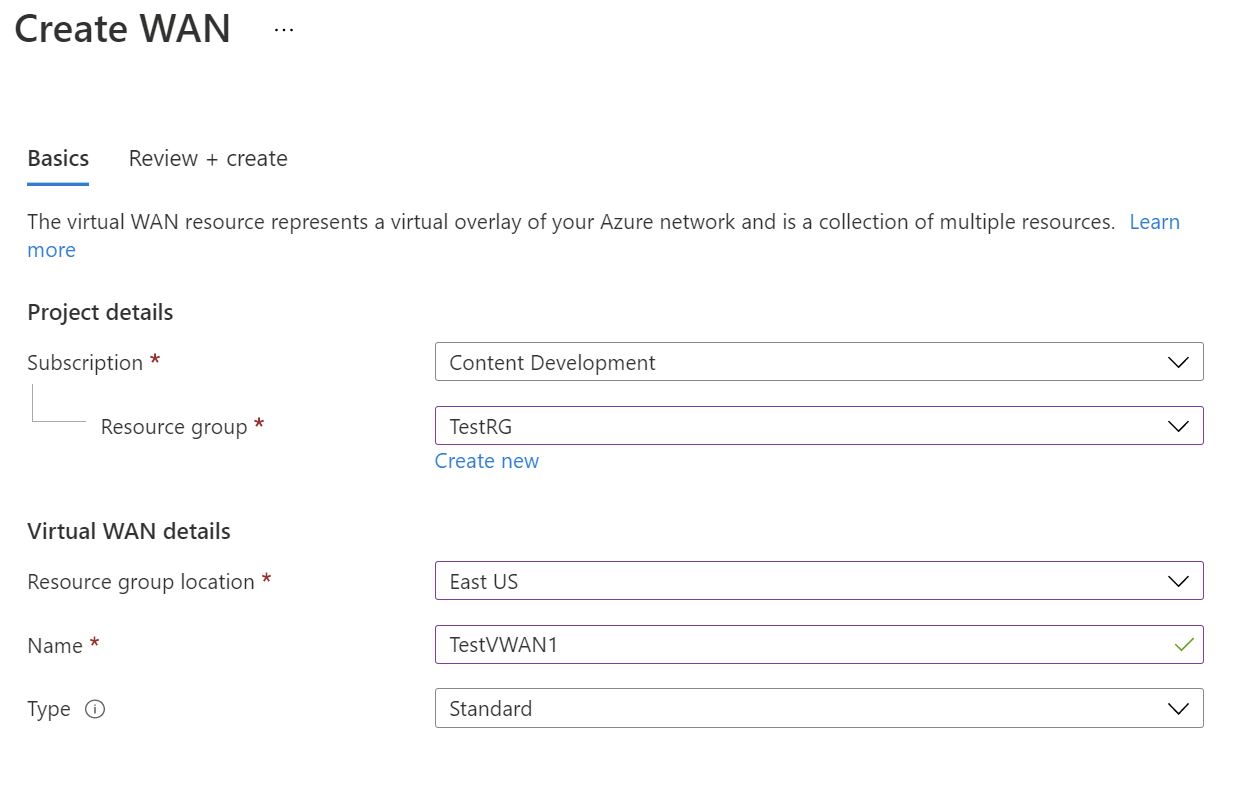
Microsoft offers Basic and Standard Virtual WAN. Basic is limited to site-to-site VPN connectivity. Standard adds point-to-site user VPN, ExpressRoute, VNet-to-VNet transit through the hub, inter-hub transit, Azure Firewall and supported network virtual appliances.
A Basic Virtual WAN can be upgraded to Standard, but Microsoft states that the change cannot be reversed. Teams that expect to add remote users, ExpressRoute, transitive VNet connectivity or secured virtual hubs should account for that before choosing Basic.
How do virtual hubs and routing infrastructure units work?
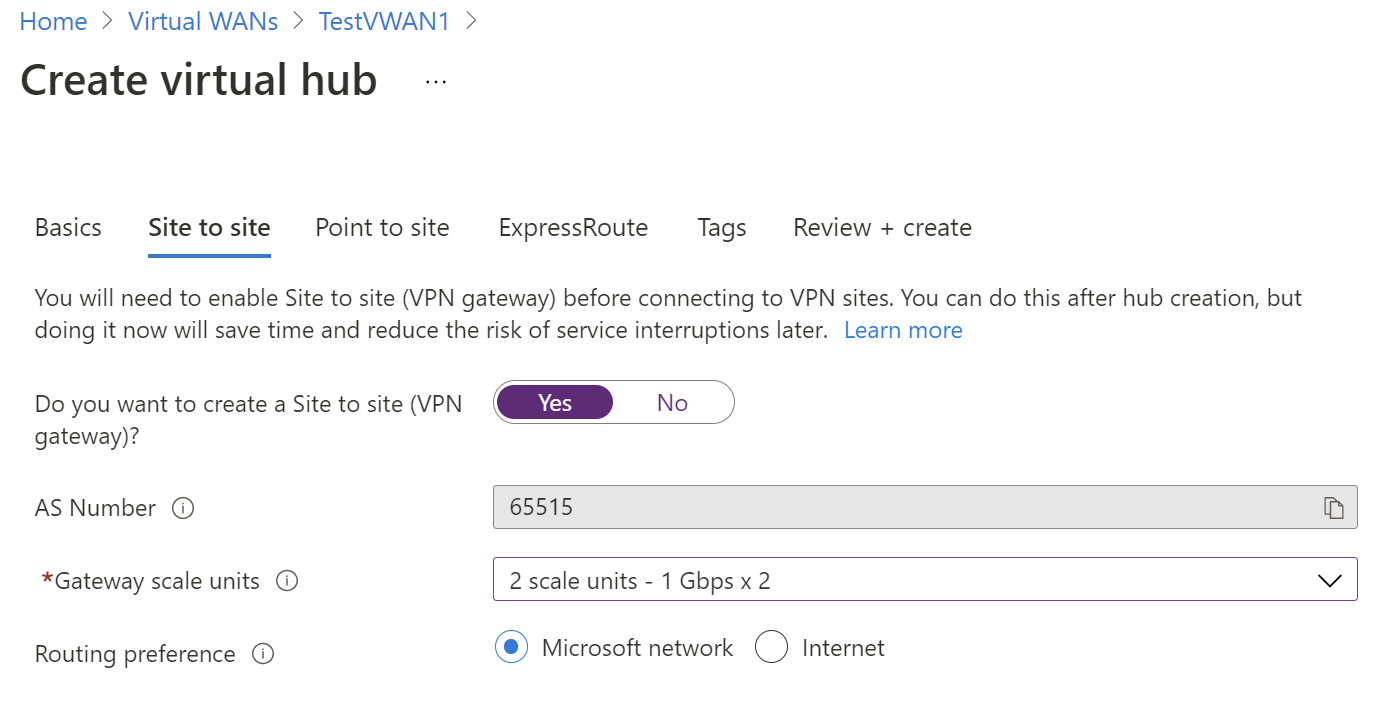
A virtual hub is a Microsoft-managed virtual network that hosts routing and connectivity services. Site-to-site VPN, point-to-site VPN and ExpressRoute gateways are separate resources inside the hub and can be scaled independently. The virtual hub router manages traffic between connected virtual networks, branches, gateways and other hubs.
Microsoft currently documents a default virtual hub capacity of two routing infrastructure units, supporting 3 Gbps aggregate hub-router throughput and about 2,000 connected VM workloads across attached virtual networks. Customers can increase routing infrastructure units, and Microsoft documents up to 50 Gbps aggregate hub-router throughput at the maximum 50 routing infrastructure units.
What are the current VPN and ExpressRoute scale limits?
Microsoft's current service limits show that a single Virtual WAN hub can support up to 1,000 site-to-site VPN branch connections. Aggregate throughput for the Virtual WAN site-to-site VPN gateway can reach 20 Gbps, while one Virtual WAN VPN connection uses two tunnels and is documented at up to 2 Gbps aggregate, with up to 1 Gbps per IPsec tunnel.
For remote users, Microsoft documents up to 100,000 point-to-site users per hub and up to 200 Gbps aggregate throughput for the Virtual WAN user VPN gateway, depending on gateway scale and configuration. The Virtual WAN ExpressRoute gateway is documented at up to 20 Gbps aggregate throughput, with up to 8 ExpressRoute circuit connections per hub. These are service ceilings, not guarantees for every workload, connection or region.
What changed with routing intent and forced tunneling?
Routing intent lets customers declare that private traffic, internet traffic or both should be sent through a security solution deployed in the Virtual WAN hub. Microsoft then manages the associated routing instead of requiring customers to maintain every route-table association manually.
Forced tunneling is generally available for secured hubs using Azure Firewall, supported next-generation firewall network virtual appliances and supported software-as-a-service security solutions. In forced tunnel mode, internet-bound traffic is first inspected by the security solution in the hub and then sent to a configured 0.0.0.0/0 next hop learned from on-premises, an NVA or a supported static route. If the default route is unavailable, internet traffic is blocked.
Microsoft documents important limitations. DNAT on security solutions in the hub is not supported with forced tunnel mode, and a default route learned from one ExpressRoute circuit cannot be advertised to another ExpressRoute circuit for internet egress.
What are Virtual WAN connection policies and Virtual Network Manager integration?
Virtual WAN connection policies are in public preview. They let administrators group multiple Virtual WAN virtual network connections and apply common routing configuration as one operation. The policy can control routing configuration, route maps and whether the default route for internet security is advertised to connected spokes. This is useful in large estates because administrators can update routing behavior for a group instead of editing every VNet connection independently.
Azure Virtual Network Manager integration with Virtual WAN is also in public preview. Virtual Network Manager can use a Virtual WAN hub as the hub for a hub-and-spoke connectivity configuration, dynamically group virtual networks into network groups and connect those groups to the hub through a connection policy. Microsoft warns that the preview has no service level agreement and is not recommended for production workloads that require preview-free support.
The integration can also create direct connectivity between virtual networks in a network group. That mesh path can bypass the Virtual WAN hub router for VNet-to-VNet traffic, which can reduce inspection overhead for selected high-throughput or latency-sensitive workloads. Buyers should understand that direct connectivity can take precedence over routing intent or routing settings that would otherwise send VNet-to-VNet traffic through a hub security appliance.
What Virtual WAN routing and VNet limits matter?
Microsoft currently documents up to 10,000 routes accepted by a virtual hub from connected resources such as virtual networks, branches and other hubs. Without routing intent enabled, the number of VNet connections per hub is limited to 500 minus the total number of hubs in the Virtual WAN.
When routing intent with private routing policies is enabled, Microsoft documents up to 600 address spaces across all virtual networks directly connected to one hub. That 600 limit cannot be increased. Microsoft recommends planning additional hubs before the environment reaches the ceiling.
There is also an important Private Link scaling consideration in the current Virtual Network Manager integration documentation. Microsoft warns that when more than 4,000 private endpoints exist across virtual networks connected to a single Virtual WAN hub, Private Link connectivity transiting the hub can be affected. Large private endpoint estates should therefore be included in hub-capacity and topology planning.
What happened to the Azure VPN Client for Linux?
The Azure VPN Client for Linux preview retired on August 31, 2026. This affects Linux users who used Microsoft's preview client for Virtual WAN point-to-site connections. The retirement does not remove the Virtual WAN VPN gateway itself, site-to-site VPN, point-to-site gateway configuration, or the generally available Azure VPN Client applications for Windows and macOS.
Microsoft states that existing Linux client installations may continue to function for some time, but they no longer receive support, bug fixes or security patches, and the package has been removed from the Microsoft Linux repository. Microsoft recommends supported alternatives such as an OpenVPN client with certificate authentication or strongSwan with IKEv2 and supported certificate or RADIUS authentication. Organizations using Microsoft Entra ID-only authentication for Linux users may need to add an authentication method supported by the replacement client.
How does Azure Virtual WAN pricing work?
Azure Virtual WAN does not have one fixed monthly price. Pricing was checked on September 5, 2026. Microsoft's current pricing model separates charges for Standard virtual hub deployment, Standard hub data processing, site-to-site VPN scale units, site-to-site connection units, point-to-site scale units, point-to-site connection units, ExpressRoute scale units, ExpressRoute connection units and secured virtual hub processing or security services.
The current pricing page lists VPN scale units in 500 Mbps increments and ExpressRoute scale units in 2 Gbps increments. Azure Firewall and third-party security products can add their own charges. Basic Virtual WAN is priced differently from Standard because it does not use the full Standard hub feature set. Inter-region traffic and other Azure data transfer can also add charges depending on architecture.
Buyers should model the number of hubs, regions, branch connections, remote users, gateway scale, routing capacity, security appliances and data flow together. A small environment can pay for more managed network architecture than it needs, while a large branch estate may value the operational savings enough to justify the additional hub and processing charges.
How does Virtual WAN differ from VPN Gateway and ExpressRoute?
Azure VPN Gateway and Azure ExpressRoute are connectivity services for specific network paths. Virtual WAN is a broader managed network architecture that can contain Virtual WAN VPN gateways and Virtual WAN ExpressRoute gateways inside virtual hubs, then provide transit routing between branches, users, virtual networks and hubs.
For a small number of tunnels or one simple hybrid connection, a regular VPN Gateway or direct ExpressRoute design can be easier. Virtual WAN becomes more useful when there are many branches, multiple regions, transitive routing needs, remote users or a requirement to combine several connectivity types under one managed hub model.
What are the main operational limitations?
Virtual WAN reduces some routing work, but it also reduces direct control because the hub is Microsoft managed. Teams that need customer-managed hub subnets, highly customized user-defined-route behavior or freely placed appliances may prefer a traditional hub-and-spoke design.
Routing intent changes route-table associations and propagations automatically, so teams should capture existing routing configuration before enabling it. Microsoft warns that removing routing intent does not automatically restore the previous default route-table configuration. Connection policy and Virtual Network Manager integration features remain preview and should be treated accordingly for production governance.
Microsoft also documents known routing edge cases, including same-region Azure Storage public-IP traffic that can bypass expected Virtual WAN security routing in some scenarios. Private Link is Microsoft's documented mitigation for that storage case.
Who should choose something else?
Choose a simpler Azure networking design if the environment is small, single-region and has only a few branches or virtual networks. A standard hub virtual network with VPN Gateway, ExpressRoute, Azure Firewall or network appliances can give teams more direct control and may be easier to troubleshoot.
Organizations that only need one private circuit should evaluate ExpressRoute directly. Those that only need site-to-site or remote-user VPN may prefer VPN Gateway. Teams that require extensive custom routing inside a customer-managed hub should compare traditional hub-and-spoke designs carefully before adopting Virtual WAN.
Virtual WAN is strongest when the value comes from centralized multi-branch, multi-region and mixed-connectivity management. Buyers should choose something else when that managed transit model adds more cost or abstraction than their topology actually needs.
Reviews
No reviews yet
Nobody has reviewed Azure Virtual WAN here yet.