About Azure Speech
Azure Speech is Microsoft's cloud speech service for applications that need speech recognition, speech synthesis, speech translation, pronunciation assessment, custom speech models and real-time voice experiences. It sits under Microsoft Azure and Microsoft Foundry Tools rather than acting as a standalone productivity product. Buyers should evaluate it by workload because transcription, synthesis, translation, custom models, avatars, embedded speech and Voice Live use different APIs, quotas, regions and billing meters. Microsoft continues to update the service actively, so production teams should also track SDK, API and feature lifecycle notices rather than treating an older integration as permanently static.
What is included
Speech to text
| Transcription modes | Real-time, fast and batch transcription |
|---|
Text to speech
| Synthesis | Neural voices, SSML controls, avatars and approved custom voice options |
|---|
Translation
| Speech translation | Real-time spoken-language translation |
|---|
Voice agents
| Voice Live | Low-latency voice-agent API combining speech and generative AI interaction |
|---|
Customization
| Custom speech | Domain adaptation for specialized vocabulary and recognition |
|---|
Developer access
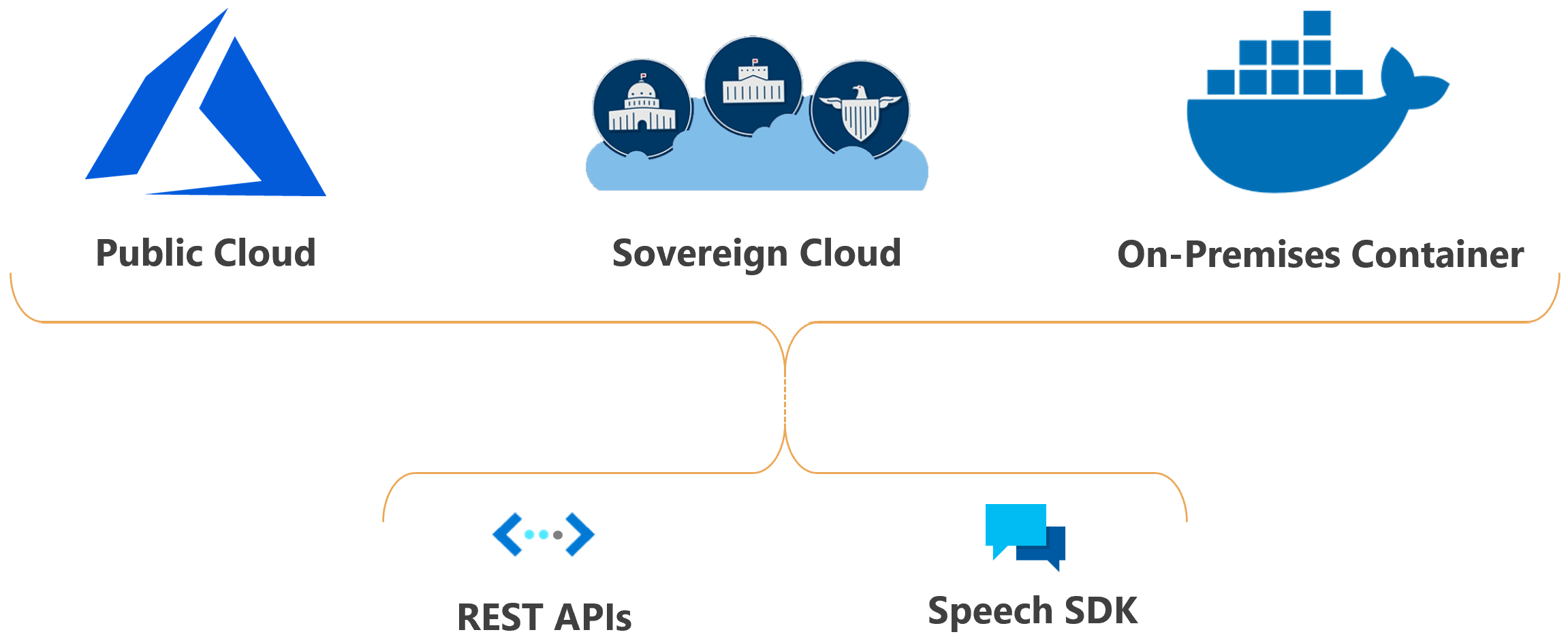
| Integration methods | Speech SDK, Speech CLI and REST APIs |
|---|
Deployment
| Delivery options | Azure cloud plus selected containers and embedded speech capabilities |
|---|
What can Azure Speech do today?
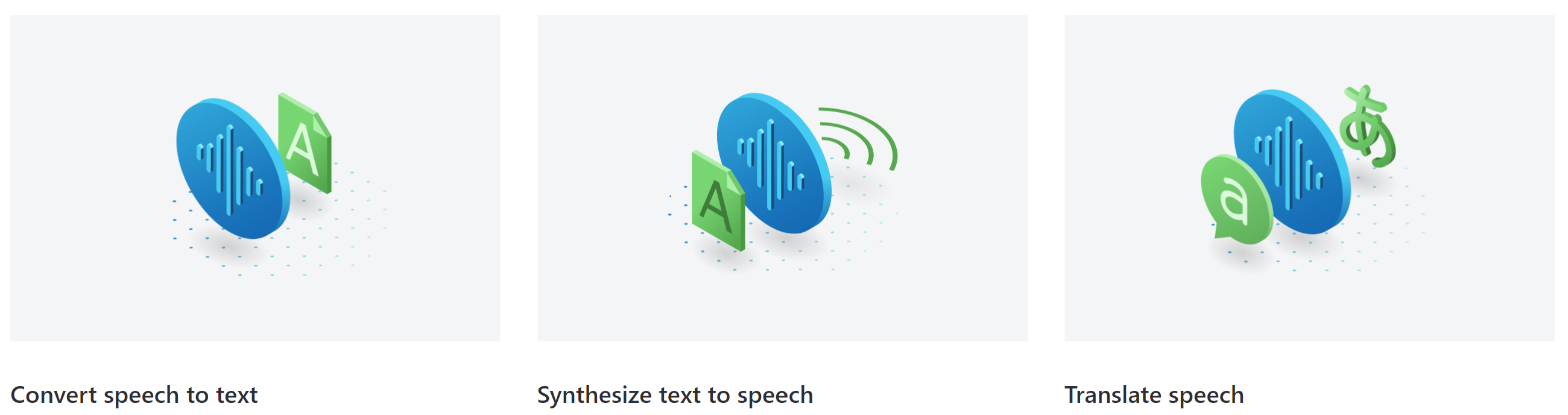
Azure Speech supports real-time, fast and batch speech-to-text transcription, neural text-to-speech, speech translation, language identification and pronunciation assessment. Microsoft also provides custom speech for domain adaptation, restricted custom voice options for approved scenarios, text-to-speech avatars, embedded speech for selected local scenarios, and Voice Live for low-latency conversational voice applications.
These capabilities solve different problems. Real-time transcription fits calls, live captions and interactive applications. Fast transcription targets prerecorded audio where a synchronous result is needed quickly. Batch transcription is intended for larger asynchronous jobs. Text-to-speech turns text into spoken audio, while speech translation handles spoken-language translation. Voice Live combines speech input, generative AI interaction and speech output through one low-latency interface for voice agents.
What changed in Azure Speech during 2026?
Microsoft's July 2026 release notes show continued product and SDK changes rather than a maintenance-only service. Speech SDK 1.51 added multichannel processing for stereo speech-recognition input, custom echo-cancellation model support in C# and C++, embedded speech support for Go and Python, and Swift Package Manager support for iOS and macOS. Speech SDK 1.51.1 followed with a fix for embedded speech initialization when model storage is read-only.
The same release notes also removed ConversationTranslator support because the multi-device conversation service was retired. MeetingTranscriber samples were removed because that feature is reserved for Microsoft first-party applications. Buyers maintaining older Speech SDK applications should check whether they depend on retired or restricted components before updating SDK versions.
What is Voice Live and what is current in 2026?
Voice Live is Microsoft's all-in-one low-latency voice-agent interface that combines speech recognition, generative AI and text-to-speech. Microsoft states that Voice Live API version 2026-07-15 is generally available and is the default service version used by the current Voice Live SDKs.
The July 2026 release added more Azure native real-time voices for the azure-realtime model, parallel tool-call control, echo-cancellation reference-source configuration, streaming text input, hosted-agent invocation pass-through and server-defined session expiration. It also introduced a breaking request-format change for image content where the field name changed from url to image_url. Teams using earlier Voice Live versions should test that payload change before upgrading.
How do developers integrate Azure Speech?
Microsoft provides the Speech SDK, Speech CLI and REST APIs. Speech Studio and Microsoft Foundry provide testing and configuration experiences for several capabilities. REST APIs remain important for fast transcription, batch transcription and custom speech, while the SDK supports many interactive recognition, synthesis and translation patterns.
Microsoft's current Speech SDK guidance recommends modern endpoint-based configuration for many scenarios and supports Microsoft Entra ID authentication in several SDK languages. Selected speech capabilities can also run through containers or embedded speech when locality, latency or offline requirements justify a different deployment model. Capability, language, voice and region support still vary, so teams should confirm the exact combination they need.
How does Azure Speech pricing work?
Pricing was checked on August 29, 2026 using Microsoft's current Azure Speech pricing material already associated with this BrandLigo record. Azure Speech does not have one flat service price. Speech-to-text and speech translation are generally metered by audio duration, standard text-to-speech by characters, and custom models can add training, hosting or endpoint costs. Avatar and Voice Live scenarios have separate meters.
Microsoft's Free F0 allowances have included limited monthly real-time speech-to-text, neural text-to-speech characters and speech translation usage, while paid S0 usage varies by region, agreement and feature. Because Voice Live and newer generative voice scenarios can introduce both speech and model-related costs, buyers should estimate the complete voice workflow instead of comparing only a transcription rate.
What quotas and limits matter in production?
Quota behavior differs by feature and tier. Microsoft's current quotas documentation lists a default Standard S0 concurrent-request limit for real-time speech-to-text and speech translation that can be increased for eligible resources, while Free F0 is much more constrained. Text-to-speech, custom speech, batch transcription and fast transcription each have separate request, duration, file and deployment limits.
For text-to-speech, Microsoft documents request-rate and output-duration limits rather than treating synthesis as unbounded. Custom speech also has separate REST request limits and caps on custom model deployments. Production teams should size around the exact API and feature combination they use, monitor throttling responses, and request quota increases before expected traffic spikes.
What API and SDK lifecycle issues should teams track?
Microsoft currently lists Speech to text REST API version 2025-10-15 as the latest generally available version. Older v3.0, 3.2-preview.1 and 3.2-preview.2 versions retired on March 31, 2026, while 2024-05-15-preview has a future retirement date still to be announced.
The July 2026 Speech release notes also carry an important SDK security and connectivity notice. Microsoft says Speech SDK 1.48.2 and later contain a critical Certificate Revocation List partitioning fix for Linux and Android. Customers using those platforms with CRL checking enabled were instructed to upgrade before July 1, 2026. Long-lived integrations should therefore track both REST API versions and minimum safe SDK versions.
Where does Azure Speech have practical limitations?
Speech quality depends on audio conditions, microphones, accents, background noise, vocabulary, codec quality and language support. A base transcription model may not be enough for specialist terminology, which is one reason Microsoft offers custom speech. Text-to-speech voices and SSML behavior also vary across locales and voice types.
Custom voice and personal voice are not unrestricted self-service capabilities for every scenario. Microsoft applies access controls, consent requirements and responsible AI policies to synthetic voice features. Some older Speech capabilities have also been retired or narrowed, so teams should not assume a class name or sample found in an older SDK remains supported. Testing against representative production audio is more useful than judging recognition quality from a short clean demo.
How does Azure Speech differ from Azure Translator, Azure OpenAI and Azure AI Video Indexer?
Azure Speech is centered on spoken audio input and output. Azure Translator is the more direct fit for text-to-text and document translation. Azure OpenAI and broader Foundry models are a better fit when the main requirement is reasoning, generation, summarization or conversational orchestration. Voice applications often combine Speech with one of those model layers rather than using a general model as a direct replacement for all speech processing.
Azure AI Video Indexer is better suited when the requirement is synchronized analysis of longer video and audio assets, including scenes, shots, OCR, objects and media-level insights. Azure Speech is the better fit for applications whose primary interaction is transcription, synthesis, speech translation or live voice.
Who is Azure Speech best suited for?
Azure Speech is a strong fit for contact-center transcription, live captions, accessibility features, meeting and media transcription, voice assistants, language-learning applications, narration, speech translation and other systems where audio is a first-class input or output. Voice Live makes the service especially relevant for teams building real-time voice agents that need low-latency speech and model interaction through a Microsoft-managed interface.
It is also attractive to organizations already using Azure identity, networking, monitoring and Foundry services, because the speech layer can be governed alongside the rest of the Azure environment. Teams should still benchmark real audio, supported locales, expected concurrency and total cost before standardizing.
Who should choose something else?
Choose Azure Translator when the workload is mainly text or document translation with no important speech workflow. Choose a general generative AI model when the main problem is reasoning, writing, summarization or agent orchestration and speech is only a peripheral interface. Choose Azure AI Video Indexer when the workload centers on rich media analysis rather than direct speech recognition or synthesis.
A device-local or embedded speech option may be better when an application must function without reliable cloud connectivity or when latency and data-locality requirements outweigh the benefits of a managed cloud service. Organizations that need an unsupported language, voice, region or unrestricted synthetic-voice workflow should compare specialist providers before committing.
Reviews
No reviews yet
Nobody has reviewed Azure Speech here yet.