About Azure Service Fabric
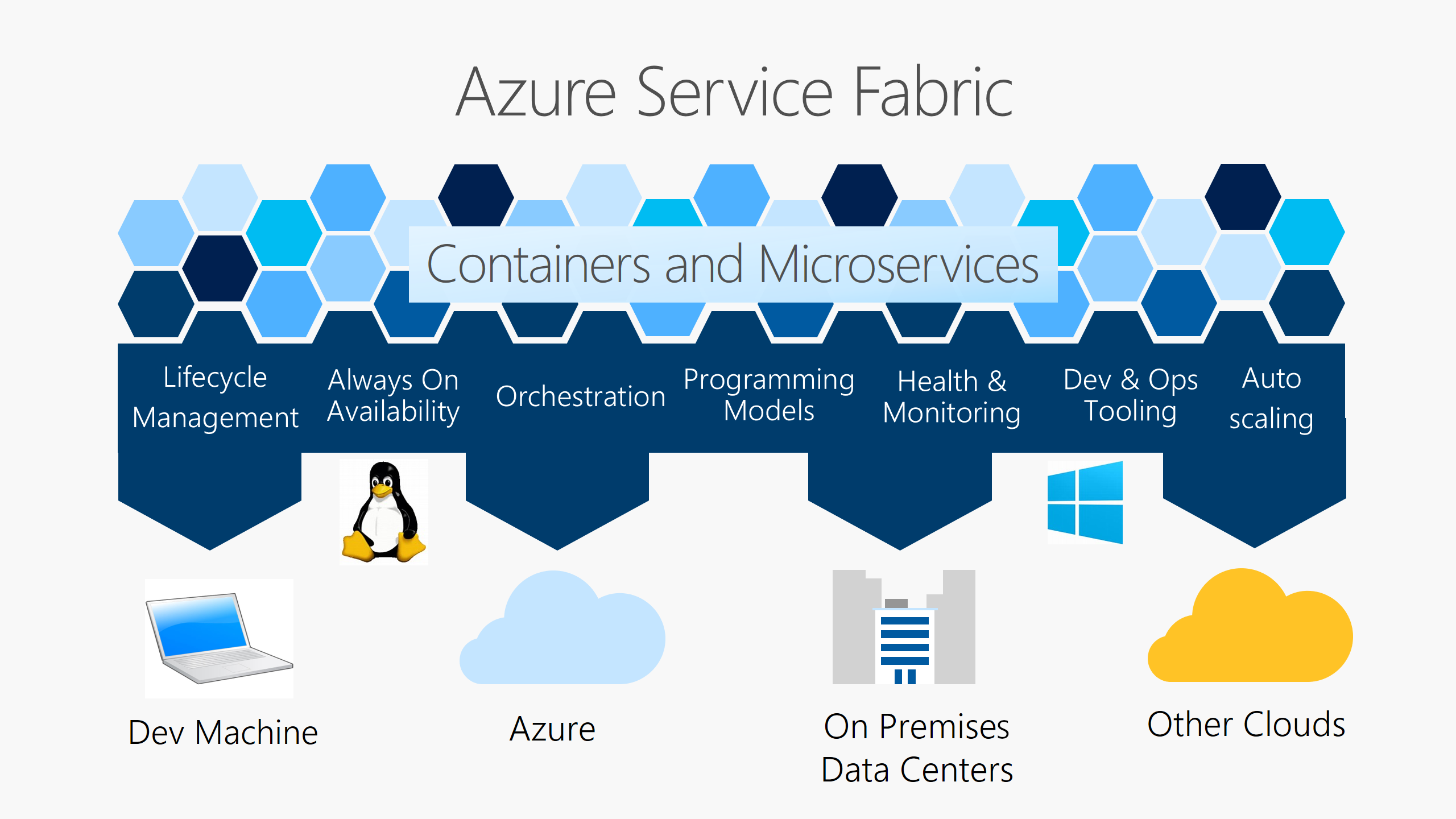
Azure Service Fabric is Microsoft's distributed systems platform for running reliable microservices and containers across clusters of machines. It supports both stateless and stateful workloads, with programming models designed for services that need local state, replication, health management, rolling upgrades, and placement across a cluster. Organizations can run Service Fabric in Azure, on premises, or in other supported Windows Server and Linux environments, which makes it different from Azure services that exist only as a managed cloud control plane.
What is included
Platform
| Workload model | Stateless and stateful microservices, processes, and containers |
|---|
Deployment
| Environments | Azure, Windows Server, Linux, on premises, and other supported public clouds |
|---|
Managed clusters
| Basic SKU | 1 node type, 3 node minimum, up to 100 nodes per node type |
|---|---|
| Standard SKU | Up to 50 node types, 5 node minimum, up to 1,000 nodes per node type |
Lifecycle
| Current release line | Service Fabric 11.x; Microsoft lists 11.6 in the 2026 release sequence |
|---|
Pricing
| Azure Service Fabric platform fee | No separate platform charge for standard or managed clusters; underlying Azure resources are billed |
|---|
What is Azure Service Fabric used for?
Service Fabric is designed for applications that are split into many services and need coordinated deployment, health tracking, scaling, upgrades, and recovery across a cluster. Microsoft documents support for both processes and containers in the same application, and for stateless as well as stateful microservices. It can be useful for systems where a team wants the platform to understand service replicas, partitions, placement, and application health rather than treating every workload as an independent virtual machine.
Typical use cases include long-running backend services, low-latency stateful services, containerized microservices, and applications that need rolling upgrades with health checks. Microsoft also uses Service Fabric technology inside multiple Microsoft services, which gives buyers evidence that the platform is intended for large distributed systems rather than only development labs.
How do Service Fabric managed clusters differ from classic clusters?
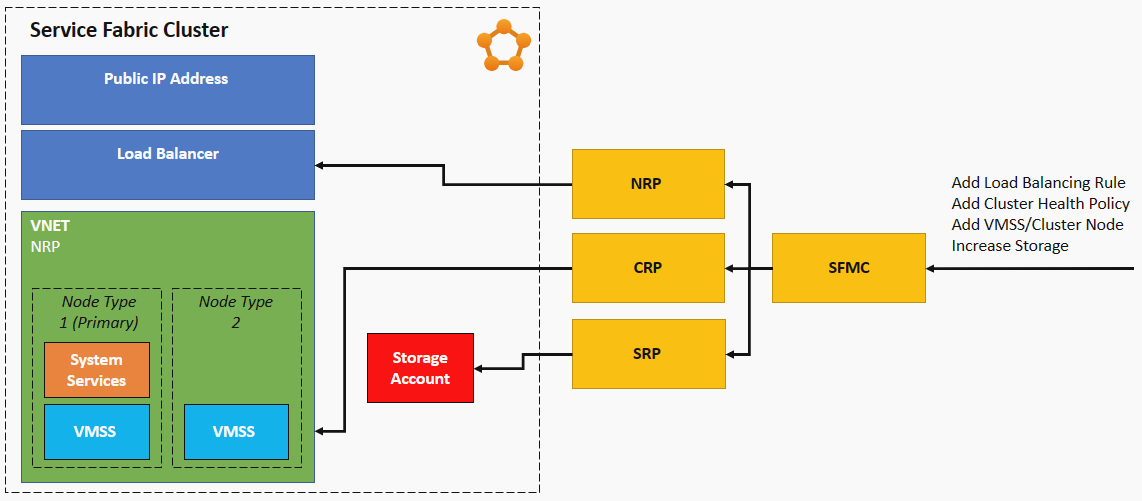
Microsoft positions Service Fabric managed clusters as an evolution of the traditional Azure Service Fabric resource model. A classic cluster requires a Service Fabric cluster resource plus supporting infrastructure such as virtual machine scale sets, load balancers, public IP addresses, storage accounts, and virtual networks. A managed cluster encapsulates that supporting infrastructure behind one managed cluster resource.
Managed clusters reduce the amount of infrastructure configuration the customer must maintain. Microsoft documents automatic cluster certificate management with 90 day autorotation, simplified scaling, automatic OS image upgrade support, and safeguards against unsafe infrastructure changes. Managed clusters are available in Basic and Standard SKUs. Basic supports one node type and up to 100 nodes in that node type, while Standard supports up to 50 node types and up to 1,000 nodes per node type.
How does stateful processing work in Service Fabric?
A major Service Fabric distinction is its support for stateful services. Teams can use Service Fabric programming models such as Reliable Services and Reliable Actors, or run containerized stateful services. The platform can maintain multiple replicas of service state and coordinate placement and failover across cluster nodes.
This model can reduce the need for a separate remote data store in some low-latency workloads, but it also changes how an application is designed and operated. Teams need to understand partitions, replicas, quorum, upgrade domains, fault domains, and Service Fabric health behavior. A conventional stateless application backed by an external managed database may be simpler when the application does not benefit from Service Fabric's stateful programming model.
What deployment and lifecycle options are available?
Service Fabric supports the application lifecycle from packaging and deployment through monitoring, upgrades, scaling, and decommissioning. Microsoft documents integration with CI/CD tools including Azure Pipelines, Jenkins, and Octopus Deploy, while other automation tools can also call Service Fabric deployment interfaces.
Service Fabric can run on Azure, Windows Server, Linux, on-premises infrastructure, and other public clouds. That portability can matter to organizations that need the same runtime model outside Azure. Microsoft states that the local development environment uses the same Service Fabric runtime model rather than an emulator, helping teams test behavior closer to production.
What is the current Service Fabric version and support position?
Pricing and lifecycle information was checked on August 28, 2026. Microsoft is actively shipping Service Fabric 11 updates. Its current release documentation lists Service Fabric 11.6 in the 2026 release sequence, following 11.4 in March 2026 and 11.5 in May 2026. Microsoft's supported versions page was updated in July 2026 and should be checked before upgrades because runtime, SDK, operating system, and .NET support change over time.
Teams should keep clusters on supported runtime and operating system versions rather than treating Service Fabric as infrastructure that can remain unchanged indefinitely. Upgrade planning should include application compatibility, cluster health policies, node operating system support, and the support window for the runtime version in use.
How much does Azure Service Fabric cost?
Microsoft does not charge a separate Service Fabric platform fee for standard Azure Service Fabric clusters. Customers pay for the Azure resources used by the cluster, including virtual machine compute, storage, networking, and IP addresses. Microsoft also states that Service Fabric managed clusters have no extra managed-cluster charge beyond the underlying resources required for the cluster.
The practical monthly cost therefore depends on node count, VM size, operating system, disks, network traffic, load balancers, public IPs, backup or monitoring choices, and any other Azure services attached to the application. Microsoft also offers a free standalone Service Fabric package for Windows Server, but infrastructure and operating costs outside Azure still remain the customer's responsibility. Buyers should model the complete cluster rather than looking for one Service Fabric subscription price.
What are the main operational limitations?
Service Fabric gives teams substantial control, but that control comes with operational responsibility. Classic clusters expose more underlying infrastructure and require more careful coordination of VM scale sets, networking, certificates, durability settings, and cluster upgrades. Managed clusters reduce that burden, but Microsoft states that there is no in-place migration path from an existing classic cluster to a managed cluster. A new managed cluster must be created.
Microsoft also states that customers should not manually modify the underlying resources of a managed cluster. Organizations with established classic clusters need to treat migration as a workload move rather than a simple resource conversion. Teams should also validate application compatibility with current runtime and operating system versions before committing to an upgrade.
How does Service Fabric compare with AKS and Azure Container Apps?
Azure Kubernetes Service is usually the more familiar choice for teams standardizing on Kubernetes, Helm, Kubernetes operators, and the broader cloud-native ecosystem. Azure Container Apps is a higher-level option for containerized applications where the team wants less cluster administration and does not need direct Kubernetes control. Service Fabric is more distinctive when an application already uses Service Fabric APIs or benefits from its stateful programming models, partitioning, replica management, and mixed process/container model.
For a new application, the choice should be based on architecture and operational skills rather than on the fact that all three services can run microservices. Existing Service Fabric applications may have strong reasons to stay on the platform, while greenfield teams with Kubernetes expertise may find AKS easier to hire for and integrate with common cloud-native tooling.
Who is Azure Service Fabric best suited for?
Service Fabric is best suited to engineering teams that need a mature distributed systems runtime, have workloads that benefit from stateful microservices or Service Fabric's placement and health model, and are prepared to operate the platform deliberately. It is also relevant to organizations with existing Service Fabric investments that want to modernize cluster management through managed clusters without rewriting the application runtime model.
Buyers should account for platform expertise as part of the decision. The service can provide powerful lifecycle and reliability features, but teams still need to understand distributed systems behavior, capacity planning, upgrades, networking, certificates, observability, and failure handling.
Who should choose something else?
Choose AKS instead when Kubernetes compatibility, ecosystem tooling, portable Kubernetes workloads, or Kubernetes-native skills are primary requirements. Choose Azure Container Apps when the goal is to run containerized services with less cluster administration and the application does not depend on Service Fabric programming models. Choose App Service for conventional web applications and APIs that do not need a custom microservices orchestration layer.
A team building a new stateless service with an external managed database should not select Service Fabric only because it can run containers. The strongest case is when its stateful services, replica management, application health, or an existing Service Fabric codebase materially reduces application complexity or migration risk.
Reviews
No reviews yet
Nobody has reviewed Azure Service Fabric here yet.