About Azure Kubernetes Service
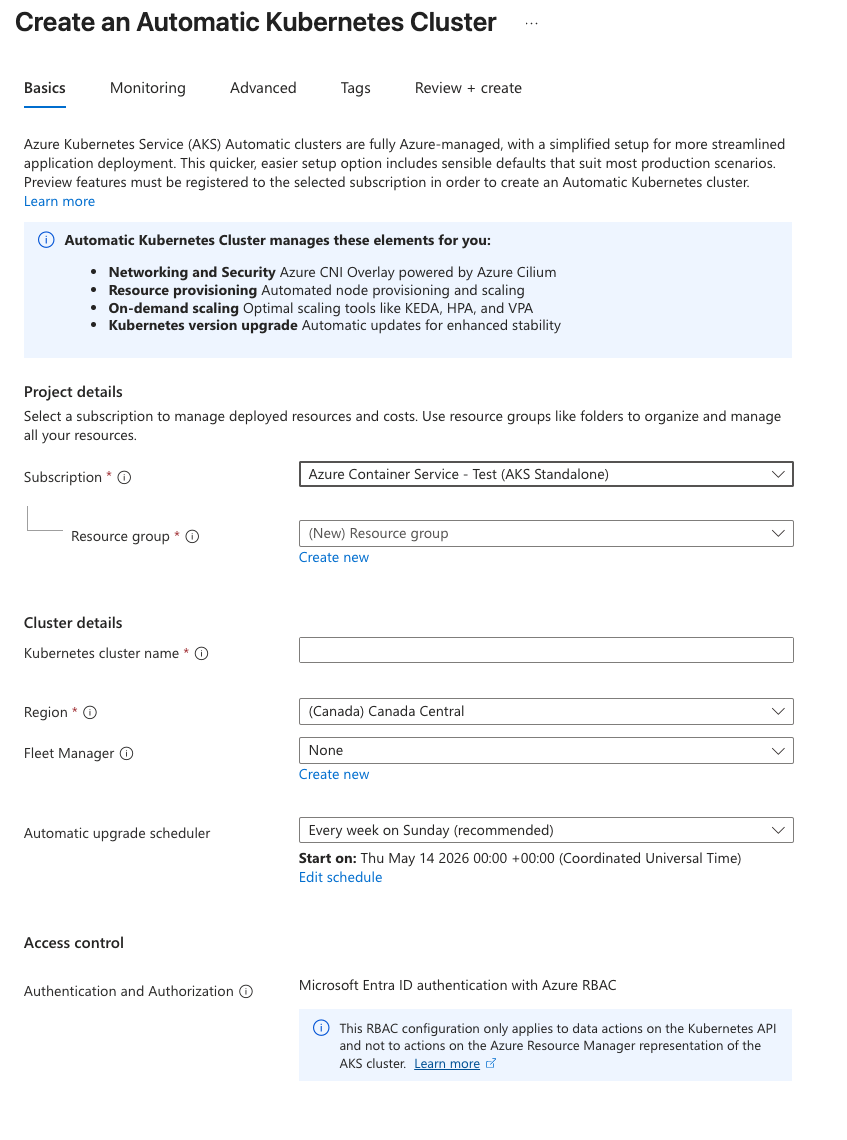
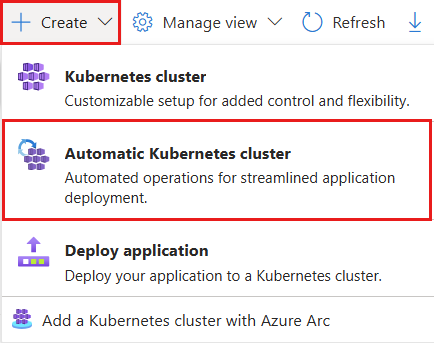
Azure Kubernetes Service (AKS) is Microsoft's managed Kubernetes service in Azure. AKS Automatic applies managed production defaults for node provisioning, scaling, monitoring, upgrades, networking, and ingress. AKS Standard gives platform teams deeper control over node pools, networking, scaling, VM choices, upgrades, cluster configuration, and ingress architecture. The better fit depends on whether a team values lower operational work or deeper infrastructure control.
What is included
Cluster modes
| AKS Automatic | Managed defaults for node provisioning, scaling, monitoring, upgrades, networking, and ingress. |
|---|---|
| AKS Standard | Direct control over node pools, networking, scaling, VM choices, upgrades, cluster configuration, and ingress architecture. |
Ingress
| Automatic ingress | AKS Automatic includes managed NGINX ingress with Azure DNS and Key Vault integration preconfigured. |
|---|---|
| Standard ingress | AKS Standard leaves ingress optional; teams can bring their own ingress controller or use the application routing add-on. |
Support
| Node image age | Microsoft does not support AKS node images that are older than 90 days. |
|---|
Upgrades
| Automatic node OS channel | AKS Automatic uses the NodeImage auto-upgrade channel with node-image fixes applied on a weekly cadence. |
|---|
Lifecycle
| Kubernetes support | AKS follows a 12-month support policy for generally available Kubernetes versions; Premium can extend eligible versions with Long Term Support. |
|---|
What is Azure Kubernetes Service used for?
AKS is used to deploy and operate containerized applications that benefit from Kubernetes scheduling, rolling deployments, service discovery, autoscaling, namespaces, policy, and workload isolation. Common uses include microservices, APIs, internal platforms, event-driven services, batch jobs, and applications that need to scale across multiple worker nodes.
Microsoft manages the AKS control plane, while customer workloads run on worker nodes and connected Azure resources. This reduces part of the infrastructure burden compared with operating Kubernetes entirely on your own. It does not remove responsibility for application operations, capacity planning, networking, storage, observability, upgrades, or cost control.
AKS Automatic vs AKS Standard: which should you choose?
Microsoft positions AKS Automatic for new workloads and production applications that benefit from managed defaults. Automatic uses node auto-provisioning and automates cluster and node-image upgrades through Microsoft-managed channels.
Microsoft's current comparison also distinguishes ingress behavior. AKS Automatic includes managed NGINX ingress with Azure DNS and Key Vault integration preconfigured. AKS Standard leaves ingress optional, so teams can bring their own ingress controller or use the application routing add-on. AKS Standard is aimed at platform teams that require more infrastructure control.
Microsoft separates cluster mode from the Free, Standard, and Premium management pricing tiers, so buyers should not confuse AKS Standard mode with the Standard pricing tier.
How do scaling and node pools work in AKS?
In AKS Standard, application pods run on worker nodes organized into node pools. Teams can design different pools for workload requirements and use the cluster autoscaler to add or remove nodes when pods cannot be scheduled or nodes become underused. Kubernetes workload scaling can also use Horizontal Pod Autoscaler, KEDA, and supported vertical scaling options.
AKS Automatic reduces this node-pool work by using node auto-provisioning and managed system nodes. Scaling still affects cost, so teams should monitor demand, node utilization, scheduling failures, and scaling behavior.
What cluster scale limits should AKS buyers know?
Microsoft's current AKS guidance says Standard-tier clusters can scale to as many as 5,000 nodes, subject to supported configuration and service limits. AKS Automatic is also listed with a cluster node limit of up to 5,000 nodes. The Free tier is different: Microsoft lists a 1,000-node limit, but also states that Free-tier clusters are not intended to run at scale above 10 nodes or support workloads that require high availability.
A numeric maximum should not be treated as a recommended operating target. Large clusters require planning around API server load, networking, pod density, quotas, upgrade behavior, observability, regional capacity, workload placement, and failure domains.
How does AKS pricing work?
AKS does not have one all-inclusive price. Microsoft's current documentation was rechecked in September 2026. Management tiers are Free, Standard, and Premium. Free is intended for experimentation and development and does not include a financially backed uptime SLA. Customers still pay for Azure resources consumed by the cluster.
Standard is intended for production workloads and adds uptime SLA coverage. Premium adds Long Term Support for eligible Kubernetes versions beyond the normal support window. Compute, storage, networking, monitoring, container registry, backup, and other attached Azure services are billed separately.
What reliability commitments apply to AKS?
Microsoft states that Standard and Premium pricing tiers include uptime SLA coverage for the Kubernetes API server, while Free does not include a financially backed uptime SLA. AKS Automatic also includes uptime SLA by default.
Microsoft also documents a 99.9 percent pod readiness SLA for qualifying AKS Automatic clusters, with qualifying pod readiness operations completing within five minutes. Application availability still depends on replica design, zones, node placement, ingress, storage, databases, dependencies, backups, and disaster recovery.
Which Kubernetes versions are supported in AKS in September 2026?
Microsoft follows a 12-month support policy for generally available Kubernetes minor versions in AKS. Microsoft's current schedule shows Kubernetes 1.34, 1.35, and 1.36 as generally available. Version 1.34 is scheduled to reach end of life in November 2026, version 1.35 in March 2027, and version 1.36 in June 2027. Kubernetes 1.37 is scheduled for AKS preview in September 2026 and general availability in October 2026.
Premium can extend eligible versions through AKS Long Term Support. Regional rollout can vary, so teams should confirm the release tracker and regional availability before selecting or upgrading a production cluster version.
Which AKS node operating systems need migration planning?
Node operating-system lifecycle is separate from Kubernetes version support. Microsoft states that Azure Linux 2.0 stopped receiving AKS support and updates on November 30, 2025. Beginning March 31, 2026, Microsoft removed Azure Linux 2.0 node images, so affected node pools can no longer scale normally.
Microsoft states that starting March 17, 2027, AKS will no longer support Ubuntu 20.04, and existing images will be removed. The default Ubuntu OS SKU moves to Ubuntu 24.04 when a cluster upgrades to Kubernetes 1.35 or later.
Windows Server 2019 node pools have been unsupported since March 1, 2026, with remaining node images scheduled for removal April 1, 2027. Windows Server 2022 support ends June 30, 2028, is not supported with Kubernetes 1.37 and later, and remaining node images are scheduled for removal June 30, 2029.
How fresh must AKS node images be to remain supported?
Microsoft's AKS support policy states that node images older than 90 days are not supported. This is separate from whether the Kubernetes minor version itself is still supported. A cluster can therefore be on a supported Kubernetes version while its nodes have drifted outside the supported node-image window.
AKS provides node OS auto-upgrade channels to help keep images current. In AKS Automatic, Microsoft preconfigures the NodeImage channel and applies node-image fixes on a weekly cadence, subject to supported maintenance scheduling. AKS Standard teams need to choose and operate the upgrade approach that matches their change-control requirements.
What should teams plan before adopting AKS?
AKS works best when organizations treat Kubernetes as a platform rather than only as a deployment target. Teams should decide who owns the cluster, how identity and secrets are managed, which network model is appropriate, where images are stored, how workloads are monitored, how ingress is managed, how upgrades are tested, and how policy is enforced.
Kubernetes minor versions, Azure Linux, Ubuntu, Windows Server, and node images all have independent support windows. AKS also rolls out service and image updates by region, so teams should use Microsoft's release tracker, upgrade tooling, and planned maintenance capabilities instead of treating a cluster as static infrastructure.
What are the main limitations and tradeoffs of AKS?
AKS reduces control-plane work, but Kubernetes remains operationally complex. Teams can still face networking issues, scheduling problems, upgrade planning, configuration drift, storage constraints, noisy-neighbor behavior, and unexpected infrastructure cost. A managed Kubernetes service is not the same as a fully managed application platform.
AKS can also be excessive for applications that do not need Kubernetes portability, orchestration flexibility, or platform-level control. A simple web application may be easier to operate on Azure App Service. Event-driven code may fit Azure Functions. Container workloads that need less Kubernetes administration may fit Azure Container Apps.
Who should choose something else?
Teams without Kubernetes experience, organizations with only a few simple applications, and buyers that mainly want to deploy code without managing cluster concepts should compare higher-level Azure services before choosing AKS. AKS is also a weaker fit when the organization cannot dedicate ownership to upgrades, observability, networking, node OS lifecycle, ingress, and cost control.
AKS is strongest for teams that deliberately want Kubernetes and need a managed Azure implementation with a choice between managed defaults and deeper infrastructure control. The decision should be based on application architecture, operational skills, portability needs, governance, and total platform cost rather than Kubernetes popularity alone.
Reviews
No reviews yet
Nobody has reviewed Azure Kubernetes Service here yet.