About Azure Firewall
Azure Firewall is Microsoft Azure's managed cloud-native network firewall for inspecting and controlling traffic across Azure virtual networks. It provides stateful Layer 3 through Layer 7 filtering, network and application rules, NAT, threat intelligence, centralized policy management, and built-in high availability. Microsoft currently offers Basic, Standard, and Premium SKUs. The right choice depends on required throughput, threat protection, inspection depth, policy scale, and whether features such as DNS proxy, web categories, TLS inspection, IDPS, URL filtering, explicit proxy, or prescaling are required.
What is included
SKUs
| Basic, Standard, Premium | Basic targets smaller environments, Standard adds enterprise filtering and threat intelligence, and Premium adds TLS inspection, IDPS, and URL filtering. |
|---|
Availability
| Built-in high availability | All Azure Firewall SKUs include built-in high availability and support Availability Zone deployment. |
|---|
Proxy
| Explicit proxy | Supports explicit outbound HTTP and HTTPS proxying through Firewall Policy, with manual proxy settings or a PAC file. |
|---|
Policy
| Rule processing order | DNAT rules are processed before network rules, and network rules before application rules; parent policy groups take precedence over child policy groups. |
|---|
Performance
| Aggregate throughput | Microsoft documents up to 250 Mbps for Basic, 30 Gbps for Standard, and 100 Gbps for Premium when inspection settings do not lower effective throughput. |
|---|---|
| Single TCP connection | Microsoft documents up to 1.5 Gbps for Standard and up to 9 Gbps for Premium; Premium with IDPS alert or deny can be around 600 Mbps for one TCP connection. |
Scaling
| Prescaling capacity | Standard and Premium can prescale between 2 and 50 capacity units; fixed capacity uses the same minimum and maximum value. |
|---|
Policy scale
| Network rule combinations | Microsoft documents a limit of 20,000 unique source and destination combinations in Azure Firewall network rules. |
|---|
Pricing
| Fixed plus variable billing | Billing combines an hourly deployment charge with per-GB data processing; prescaling can add Capacity Unit Hour charges. |
|---|
Premium security
| TLS inspection and IDPS | Premium adds outbound TLS inspection and managed intrusion detection and prevention for deeper traffic inspection. |
|---|
What is Azure Firewall used for?
Azure Firewall is used to centralize network traffic inspection and policy enforcement in Azure. Common scenarios include filtering outbound internet access from application subnets, controlling inbound traffic through DNAT rules, inspecting east-west traffic between networks, enforcing organization-wide network rules, and routing traffic through one managed firewall in a hub-and-spoke design.
The service is fully stateful, so it tracks connections rather than treating every packet independently. Microsoft documents application rules for FQDN and HTTP or HTTPS scenarios, network rules for IP, port, and protocol filtering, and NAT rules for address translation. This makes Azure Firewall broader than a Network Security Group, but it also introduces more cost and design complexity than simple subnet-level filtering.
How do Basic, Standard, and Premium differ?
Microsoft currently offers Azure Firewall Basic, Standard, and Premium. Basic is intended for smaller environments and Microsoft documents throughput up to 250 Mbps. It includes core stateful filtering, NAT, logging, built-in high availability, and centralized management. Threat intelligence is available in alert mode.
Standard adds enterprise filtering features including network-level FQDN filtering, threat intelligence alert and deny, DNS proxy, custom DNS, and web categories. Microsoft documents Standard scaling up to 30 Gbps. Premium adds TLS inspection, managed intrusion detection and prevention, URL filtering, and higher performance. Microsoft currently documents Premium aggregate throughput up to 100 Gbps when TLS inspection and IDPS constraints do not reduce the effective rate.
How should organizations deploy Azure Firewall?
Microsoft commonly documents Azure Firewall in a central hub virtual network with application or spoke networks routed through it. The firewall uses a dedicated AzureFirewallSubnet, and workload route tables direct selected traffic to the firewall for inspection. This pattern can simplify centralized policy management across many networks and subscriptions.
Hub placement does not remove network architecture work. Teams still need to plan address spaces, routes, DNS, public and private IPs, peering, forced tunneling where required, availability zones, and how traffic returns from the destination. All Azure Firewall SKUs include built-in high availability and support Availability Zone deployment, and Microsoft states there is no additional Azure Firewall charge for spreading the service across multiple zones.
How does Azure Firewall explicit proxy work?
Azure Firewall operates in transparent proxy mode by default, where a user-defined route sends traffic through the firewall. Microsoft's current explicit proxy capability gives applications another option for outbound HTTP and HTTPS traffic. Instead of relying on a UDR, a browser or application can be configured to send proxy traffic directly to the firewall private IP address.
Explicit proxy is configured in Firewall Policy rather than directly on the firewall resource. Microsoft supports manual proxy configuration or a proxy auto-configuration file. The firewall can host the PAC file after it is stored in Azure Storage. Hosting the PAC file requires a user-assigned managed identity with the required Blob Storage data roles on the storage account. Application rules are still required to allow the proxied traffic.
This mode is useful when organizations need application-level proxy control for web traffic or want to provide selected Azure Arc-enabled resources with controlled access to Azure services. It should not be treated as a replacement for all routing because the feature is centered on HTTP and HTTPS rather than arbitrary network protocols.
How do Firewall Policy and rule processing work?
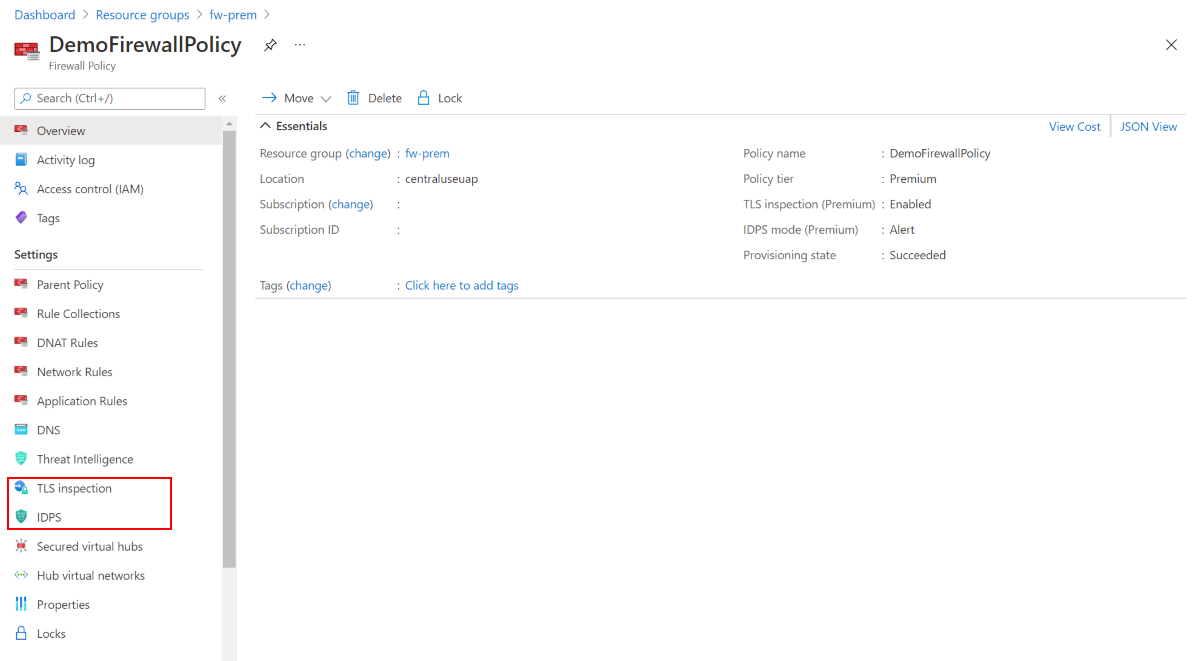
Azure Firewall Policy separates rule configuration from the firewall resource and can be reused across supported firewall deployments. Policies can contain DNAT, network, and application rule collections, along with SKU-specific settings such as DNS, threat intelligence, web categories, Premium inspection features, and explicit proxy configuration.
Microsoft processes rule collection groups by priority, then rule collections by priority inside each group. DNAT rules are processed before network rules, and network rules are processed before application rules regardless of collection priority. If a child policy inherits from a parent policy, parent rule collection groups take precedence. Teams should document policy inheritance and rule ownership because a technically valid rule can still appear ineffective when a higher-priority parent or earlier rule type decides the traffic first.
What security features matter most in Premium?
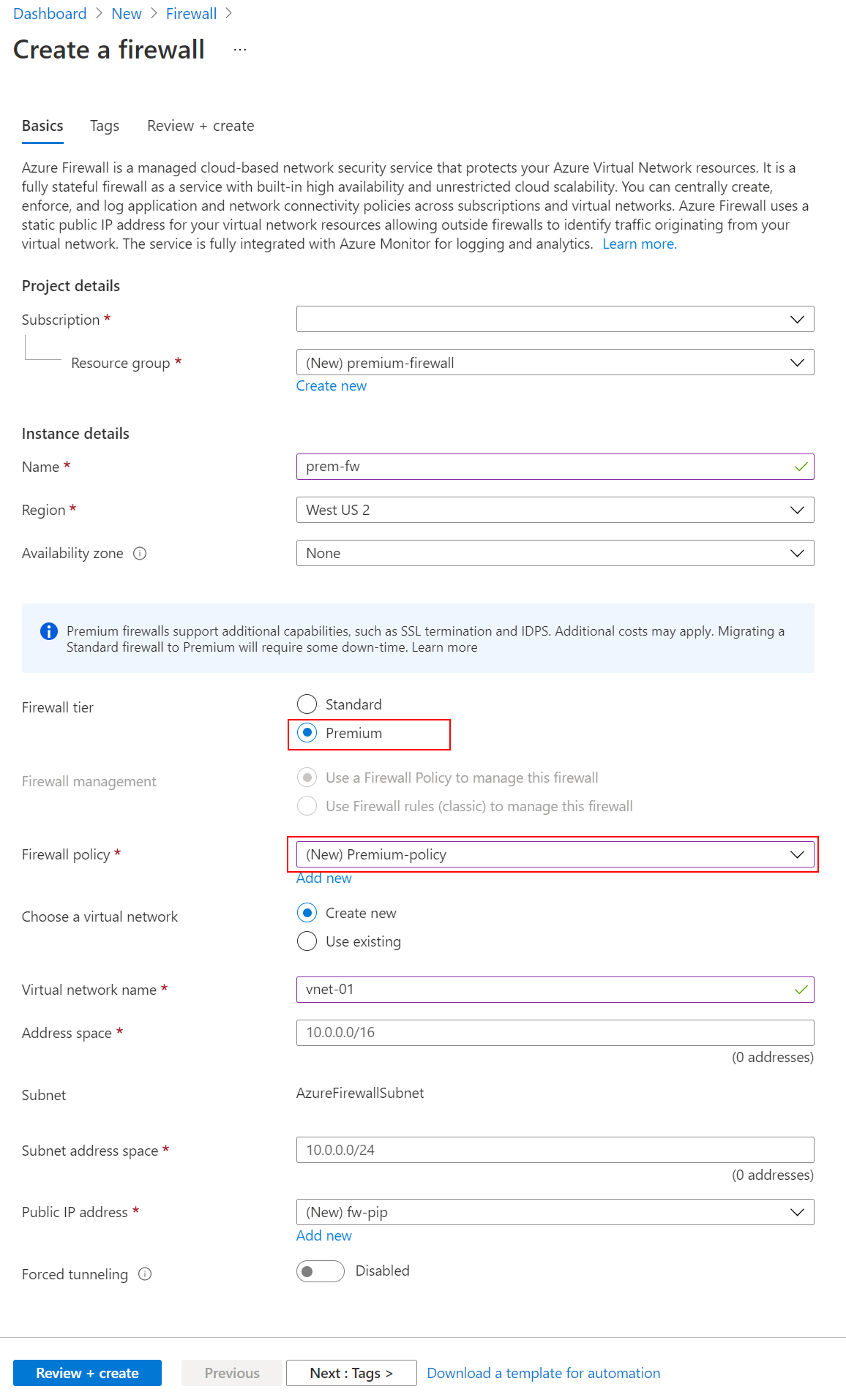
Azure Firewall Premium is designed for organizations that need deeper inspection than domain and network filtering alone. Microsoft currently documents TLS inspection for outbound traffic, a managed IDPS, URL filtering, and web categories. TLS inspection decrypts supported encrypted traffic, inspects it, and then re-encrypts it before forwarding.
These capabilities add security depth but also increase operational responsibility. TLS inspection requires certificate planning and can affect applications that use certificate pinning or uncommon TLS behavior. IDPS signatures can generate false positives and should be tuned. Teams should test Premium inspection with representative applications and monitor denied or alerted traffic before enabling broad blocking policies.
How does Azure Firewall scaling and prescaling work?
Azure Firewall Standard and Premium autoscale as utilization rises, but Microsoft documents that scale-out is gradual rather than instant. The current performance guidance says scaling can take roughly five to seven minutes after throughput, CPU, or connection thresholds are reached. Microsoft recommends performance tests that run for at least 10 to 15 minutes and create new connections so newly added firewall nodes can participate.
Prescaling is available when predictable baseline capacity is more important than relying only on reactive autoscale. Microsoft allows a minimum and maximum capacity from 2 to 50 capacity units. Setting the same minimum and maximum runs the firewall at fixed capacity without autoscaling. If the values differ, the difference must be greater than one. Prescaling adds a Capacity Unit Hour billing meter, so it should be used for workloads that can justify paying for reserved headroom rather than as a default setting.
What performance limits should buyers understand?
Microsoft's current performance documentation lists aggregate throughput of about 250 Mbps for Basic, up to 30 Gbps for Standard, and up to 100 Gbps for Premium in configurations where advanced inspection does not reduce effective throughput. Premium with TLS inspection and IDPS in deny mode can have materially lower throughput, so buyers should not treat the 100 Gbps figure as universal.
Single-connection performance is also lower than aggregate throughput. Microsoft currently documents up to 1.5 Gbps for one TCP connection on Standard and up to 9 Gbps on Premium. With Premium IDPS in alert or deny mode, a single TCP connection can be limited to around 600 Mbps. Azure Firewall also has policy scale constraints, including a documented limit of 20,000 unique source and destination combinations in network rules. Large enterprises should monitor policy size and firewall latency rather than assuming every rule set scales without operational cost.
How does Azure Firewall pricing work?
Azure Firewall does not have one flat monthly price. Microsoft's current pricing page describes a fixed hourly deployment charge plus a variable data processing charge per gigabyte for Basic, Standard, and Premium. Standard and Premium can also incur Capacity Unit Hour charges when prescaling is explicitly configured. Partial deployment hours are billed as full hours.
Pricing was checked on September 4, 2026. Exact rates depend on region, agreement, currency, SKU, traffic volume, and whether prescaling is used. Buyers should also include adjacent Azure costs such as public IPs, logging, Log Analytics ingestion, network bandwidth, routing, and any complementary security services. A centralized firewall can simplify operations, but sending every flow through it can also increase both latency and cost.
What are the main limitations and operational tradeoffs?
Azure Firewall is managed, but it is still a central network dependency. Routing mistakes, overly broad deny rules, DNS misconfiguration, insufficient testing, or unexpected application behavior can affect many workloads at once. Current Microsoft known-issues documentation also lists regional and zonal capacity constraints that can temporarily block new deployments in specific locations, so region and zone availability should be checked during deployment planning.
The service is not a replacement for every security control. Network Security Groups remain useful for subnet and network-interface segmentation, Web Application Firewall is designed for web application attacks, and identity or application authorization still needs to be enforced separately. Premium inspection can also reduce effective throughput when features such as IDPS deny mode and TLS inspection are active.
Who is Azure Firewall best suited for?
Azure Firewall is a strong fit for organizations that need centralized Azure-native network inspection across multiple virtual networks, subscriptions, hubs, or security zones. It is particularly useful for platform teams that want managed high availability, centralized policy, Microsoft threat intelligence, native logging, Azure Firewall Manager integration, and a progression from basic stateful filtering to deeper Premium inspection.
It also fits environments where operations teams want to reduce the maintenance burden associated with self-managed network virtual appliances. Buyers should still model traffic paths, logging volume, scale behavior, and policy ownership before adoption because a managed service does not remove architecture decisions.
Who should choose something else?
Small environments that only need simple allow and deny rules between subnets may be adequately served by Network Security Groups and platform routing without the cost of a managed firewall. Web applications that mainly need protection from SQL injection, cross-site scripting, and other HTTP attacks should evaluate Azure Web Application Firewall on Application Gateway or Front Door rather than relying on a network firewall alone.
Organizations that require a specific third-party firewall ecosystem, specialized inspection engine, or existing vendor policy framework may prefer a network virtual appliance. Teams that need only a lightweight outbound web proxy should also compare dedicated proxy options rather than introducing a full managed network firewall. Azure Firewall is strongest when centralized network policy, Azure integration, and managed operational ownership are more important than appliance-specific customization.
Reviews
No reviews yet
Nobody has reviewed Azure Firewall here yet.