About Azure Elastic SAN
Azure Elastic SAN is Microsoft's managed cloud-native storage area network service for organizations that want shared block storage in Azure without operating their own SAN appliances. It presents storage to supported clients over iSCSI, pools capacity and performance at the SAN level, and lets teams divide that capacity into volume groups and volumes. It is most relevant for storage-heavy databases, VMware-related scenarios, clustered applications, and estates that need many block volumes with centralized capacity management rather than one managed disk per virtual machine.
What is included
Storage model
| Protocol | iSCSI block storage |
|---|
Capacity
| Minimum SAN base capacity | 1 TiB |
|---|
Performance
| Base unit performance | 5,000 IOPS and 200 MB/s per 1 TiB base unit |
|---|
Scale
| Maximum SAN performance | 500,000 IOPS and 20,000 MB/s |
|---|---|
| Volume size | 1 GiB to 64 TiB |
| Maximum volume performance | Up to 80,000 IOPS and 1,280 MB/s |
Management
| Volume groups | Up to 200 per Elastic SAN |
|---|---|
| Volumes per volume group | Up to 1,000 |
Resilience
| Redundancy | LRS or ZRS in supported regions |
|---|
Networking
| Connectivity | Private endpoints or Azure Storage service endpoints with virtual-network rules |
|---|
Data protection
| Snapshots | Supported |
|---|
Security
| Encryption at rest | Azure Storage service encryption |
|---|
How does Azure Elastic SAN work?
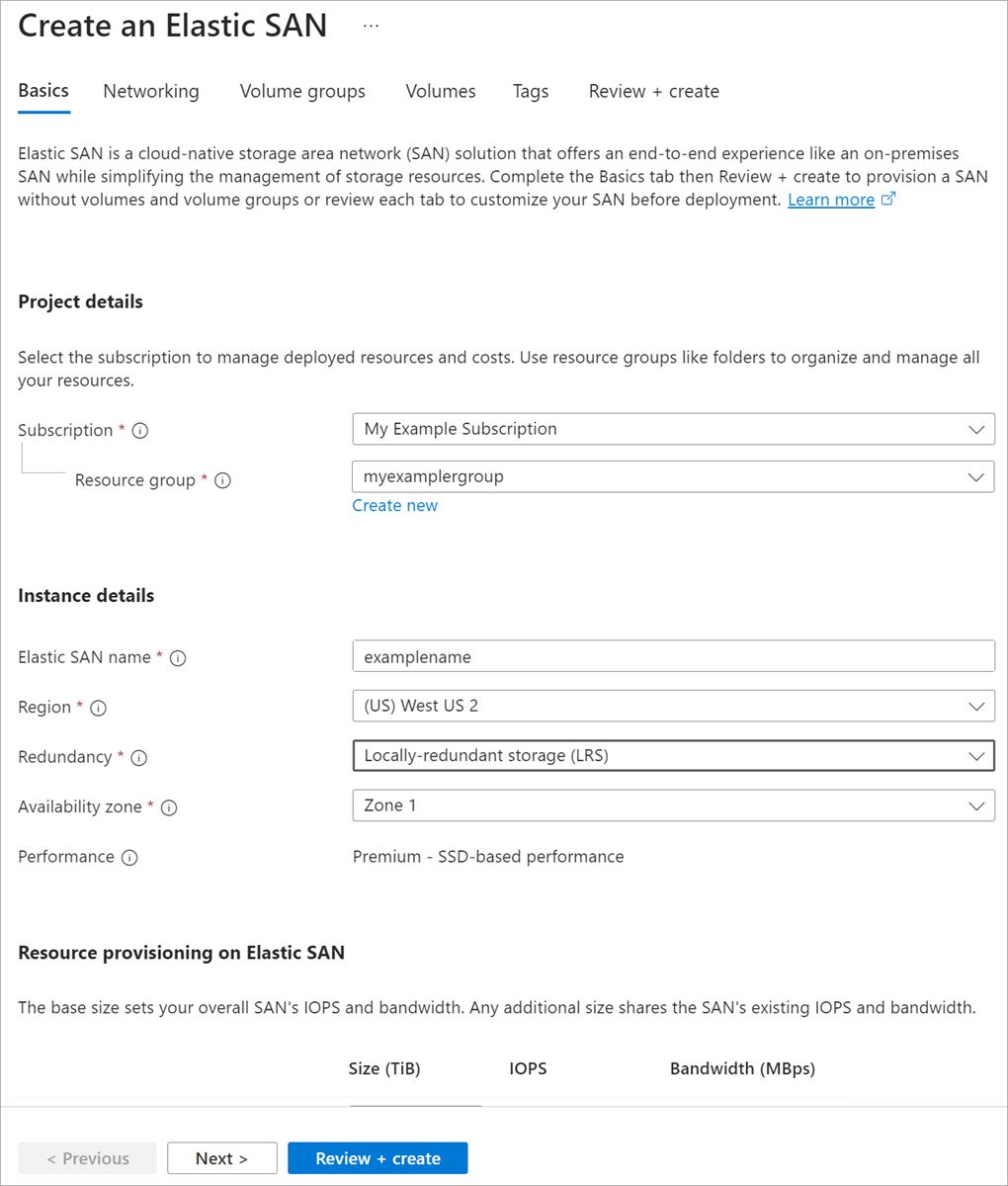
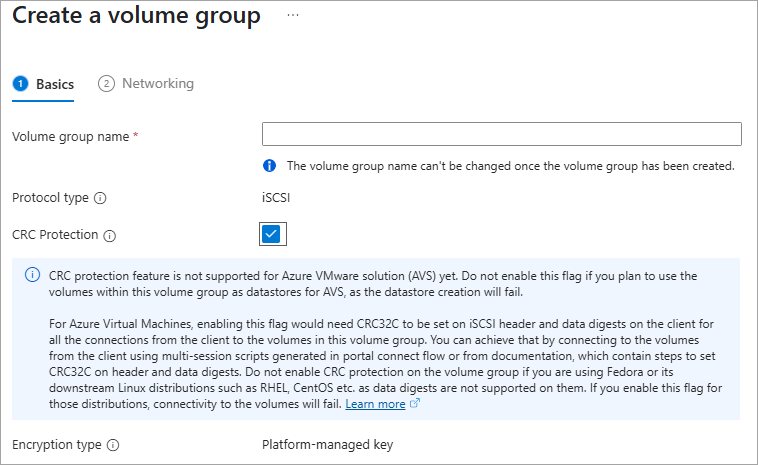
An Elastic SAN starts with a SAN resource that owns the provisioned capacity and performance budget. Administrators then create volume groups for management and network policy, and create individual volumes inside those groups. Applications mount the volumes through iSCSI, so the storage can be managed separately from the compute that consumes it.
This model is different from Azure Managed Disks. Managed Disks normally attach storage directly to individual virtual machines, while Elastic SAN pools storage centrally and shares the SAN's performance across many volumes. That can simplify consolidation when a workload estate has many block-storage consumers or when storage capacity needs to be managed independently from VM lifecycle.
How are capacity and performance provisioned?
Azure Elastic SAN separates base capacity from capacity-only expansion. Each Premium base unit adds 1 TiB of capacity together with 5,000 IOPS and 200 MB/s of provisioned throughput. Capacity scale units add another 1 TiB without increasing the SAN's provisioned IOPS or throughput. This lets buyers add lower-cost capacity when storage growth outpaces performance demand.
Microsoft currently requires at least one 1 TiB base unit. The SAN-level performance pool is shared across its volumes, so sizing should consider total workload demand rather than treating every volume as an isolated performance purchase. Microsoft also supports autoscaling rules that can increase capacity-only units when unused SAN capacity falls below a configured threshold.
What are the current scale limits?
Microsoft currently documents up to five Elastic SAN resources per subscription per region, up to 100 TiB of base units and 200 TiB of capacity-only units per SAN, and maximum SAN performance of 500,000 IOPS and 20,000 MB/s. A SAN can contain up to 200 volume groups, with as many as 1,000 volumes in each volume group.
Individual volumes can range from 1 GiB to 64 TiB. Their potential performance scales with volume size up to 80,000 IOPS and 1,280 MB/s per volume, while the combined demand from all volumes remains constrained by the total SAN performance that was provisioned. These limits make capacity and performance planning a shared-storage exercise rather than a simple per-volume calculation.
What redundancy, networking and security options are available?
Elastic SAN supports locally redundant storage and zone-redundant storage in supported regions. Microsoft prices ZRS at a premium over LRS because data is synchronously replicated across availability zones. Region and redundancy availability should be checked before deployment because not every region supports the same options.
For networking, organizations can use private endpoints or Azure Storage service endpoints with virtual-network rules. Private endpoints use private IP addresses and keep traffic on the Azure backbone. Service endpoints use Azure's optimized backbone path but are still public service endpoints, so network rules must explicitly allow the required subnets.
Data is encrypted at rest by Azure Storage service encryption. Microsoft's current Elastic SAN feature table also notes that encryption in transit is not provided by the service itself. Teams with strict in-transit encryption requirements should validate their application and network design rather than assuming iSCSI traffic is encrypted automatically.
How do snapshots and recovery work?
Azure Elastic SAN supports volume snapshots. A snapshot can be created from a volume and later used to create a new volume. Microsoft does not position these snapshots as a full replacement for application-aware backup, retention policy, cross-region disaster recovery, or database-native recovery planning.
The current feature matrix does not list soft delete for Elastic SAN volumes, so accidental deletion protection should be planned carefully. Buyers should define how snapshots, application backups, replication, and recovery testing fit together before moving important storage workloads to the service.
How is Azure Elastic SAN priced?
Pricing was checked against Microsoft's Azure pricing page on August 28, 2026. Azure Elastic SAN is billed hourly according to the provisioned base units and capacity scale units. A Premium base unit provides 1 TiB plus 5,000 IOPS and 200 MB/s, while a capacity-only unit adds 1 TiB without extra provisioned performance. Microsoft currently prices ZRS at a 50 percent premium over LRS.
Actual rates vary by region, agreement and currency, so one fixed dollar figure would be misleading. Buyers should also include any related private endpoint, data-transfer, compute and backup costs in the overall architecture estimate. The main cost advantage appears when centralized SAN capacity reduces overprovisioning across many storage consumers, not simply because one Elastic SAN unit is always cheaper than one managed disk.
How does Elastic SAN compare with Azure Managed Disks and Azure NetApp Files?
Azure Managed Disks are usually simpler when storage belongs directly to a specific VM and independent disk sizing fits the workload. Elastic SAN becomes more attractive when many systems need block storage from a shared capacity and performance pool, or when teams are migrating SAN-oriented operational models to Azure.
Azure NetApp Files serves a different storage model. It provides managed file storage over protocols such as NFS and SMB, while Elastic SAN provides block storage through iSCSI. Azure Files is also file-oriented. Buyers should choose based first on the storage protocol and application architecture, then compare performance, resilience, operational effort and price.
Who should choose something else?
Choose another service if the workload only needs a small number of VM-attached disks, because Azure Managed Disks can be simpler to deploy and understand. Choose Azure Files or Azure NetApp Files when applications require shared file semantics rather than block storage. Object data normally belongs in Azure Blob Storage instead.
Elastic SAN is also a poor fit when the application's required region or redundancy option is unavailable, when mandatory in-transit storage encryption cannot be satisfied by the surrounding design, or when teams do not have the operational skills to manage iSCSI initiators, multipathing, volume groups and shared SAN performance. A managed SAN removes physical array administration, but it does not remove storage architecture work.
Reviews
No reviews yet
Nobody has reviewed Azure Elastic SAN here yet.