About Azure Deployment Environments
Azure Deployment Environments is a Microsoft Azure service for platform engineering teams that want developers to create repeatable application infrastructure from approved templates instead of building each environment from scratch. Platform teams define catalogs, projects, environment types, identities, subscriptions, and infrastructure-as-code templates. Developers then create environments through approved definitions for scenarios such as development, testing, sandbox work, staging, training, and CI/CD workflows. Microsoft placed Azure Deployment Environments in maintenance mode in May 2026, so existing capabilities remain supported but no additional product features are planned. That lifecycle status matters for new buyers because the service can still be useful for existing estates, but teams starting a new platform engineering strategy should compare it with newer Microsoft developer-platform options before standardizing on it.
What is included
Lifecycle
| Current status | Maintenance mode; existing capabilities supported, no additional features planned |
|---|
Architecture
| Top-level resource | Dev center |
|---|---|
| Team scope | Projects associated with a dev center |
Templates
| Catalog sources | GitHub or Azure DevOps Services repositories |
|---|---|
| Infrastructure as code | ARM, Bicep, Terraform, and Pulumi through supported extensibility patterns |
Governance
| Environment types | Preconfigure target subscription, identity, and developer access |
|---|
Access
| Self-service channels | Microsoft developer portal, Azure CLI, Azure Developer CLI, and APIs |
|---|
Pricing
| Service fee | No Azure Deployment Environments service charge; deployed Azure resources are billed separately |
|---|
How does Azure Deployment Environments work?
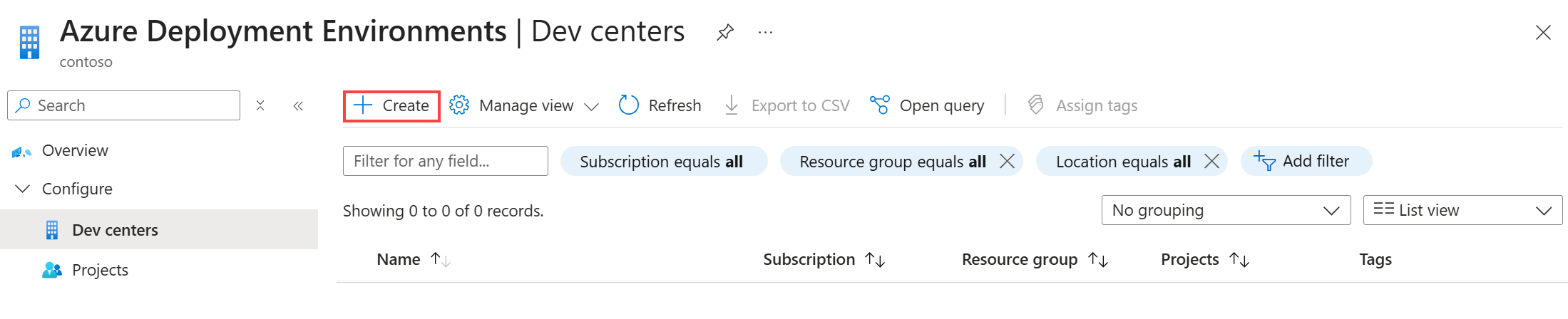
The service is organized around dev centers, projects, environment types, catalogs, environment definitions, and deployed environments. A dev center is the top-level resource that can contain multiple projects. Projects usually represent development teams, applications, or business functions. Platform engineers attach catalogs to a dev center or project and define the environment types that developers may create, such as dev, test, sandbox, preproduction, or production.
An environment definition combines an infrastructure-as-code template with metadata. Developers choose from those approved definitions instead of receiving broad permissions to create arbitrary Azure resources. Deployment Environments uses configured managed identities to perform the deployment into the target subscription on the developer's behalf. That design can reduce one-off infrastructure drift while still allowing self-service provisioning.
What infrastructure templates and catalogs does it support?
Microsoft documents catalogs backed by GitHub or Azure DevOps Services repositories. The catalog stores environment definitions that platform teams curate for developers. Microsoft also provides a quick start catalog with examples that organizations can adapt.
The extensibility model can support Azure Resource Manager templates, Bicep, Terraform, and Pulumi through custom deployment images. This is useful for organizations that already have an infrastructure-as-code standard and do not want a separate proprietary template format. The tradeoff is that platform teams still own the quality, security, testing, versioning, and lifecycle of the templates in those repositories.
How do projects, environment types, and governance fit together?
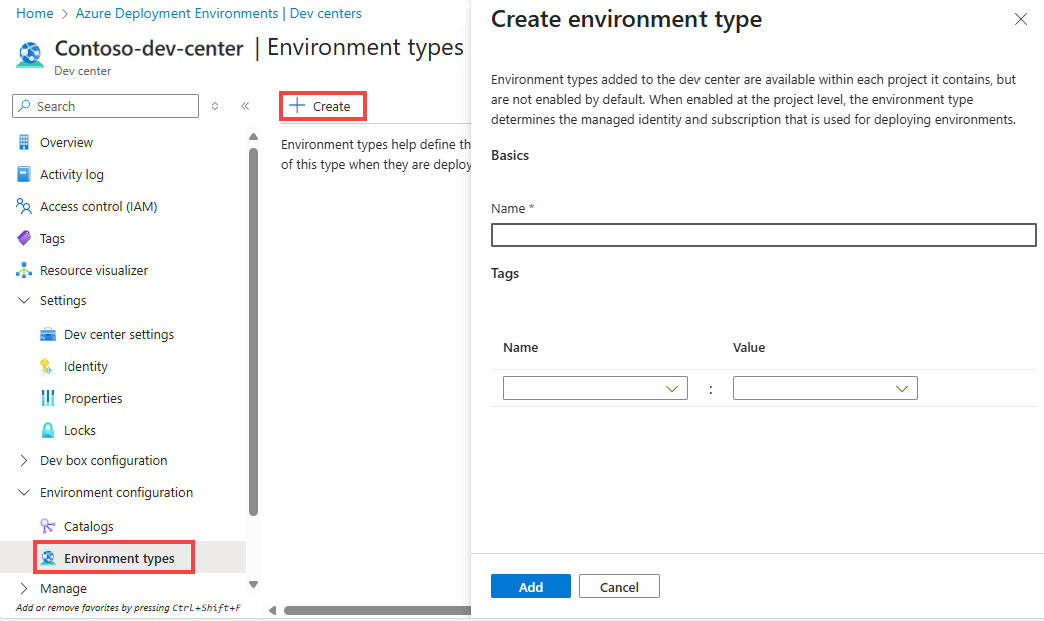
Environment types let a platform team preconfigure where and how environments can be deployed. At the project level, an environment type can specify the target Azure subscription, deployment identity, and the access developers receive after creation. That allows a dev environment and a production environment to use different subscriptions, policies, identities, and access models while keeping the developer workflow similar.
Microsoft documents built-in roles including DevCenter Owner, DevCenter Project Admin, Deployment Environments User, and Deployment Environments Reader. This separation can help platform teams offer self-service without granting every developer direct subscription-wide deployment rights. The underlying subscriptions, role assignments, policies, quotas, and resource costs still need normal Azure governance.
What does Azure Deployment Environments cost?
Pricing was checked on August 27, 2026. Microsoft currently describes Azure Deployment Environments itself as a free service. Customers pay for the Azure resources created inside their environments, such as compute, storage, networking, databases, and other services. Visual Studio subscribers may also qualify for Azure dev/test pricing on eligible resources.
This means the absence of a separate service fee does not make environments free. A poorly governed catalog can still create expensive resources repeatedly. Platform teams should use subscriptions, budgets, policy, tagging, expiration practices, and resource-specific quotas to control the actual spend. Automatic deletion schedules can also help remove temporary environments that are no longer needed.
What quotas and operational limits should teams plan for?
Microsoft documents Azure Deployment Environments quota categories at the subscription level for monthly deployment runtime, runtime per deployment, and storage per environment. Organizations that reach those limits can request quota increases through Azure support. The exact available quota can depend on the subscription and region, so teams should not design capacity around an assumed unlimited deployment service.
The resources created by an environment are also subject to the normal quotas of each Azure service. A deployment can therefore fail even when Deployment Environments itself is healthy if the target subscription has insufficient compute cores, networking capacity, storage limits, or other service quota.
How does it fit into CI/CD and developer self-service?
Developers can create environments through the Microsoft developer portal, Azure CLI, Azure Developer CLI, APIs, and automated workflows. Microsoft documents using environments for CI/CD scenarios where infrastructure is created for development, testing, staging, or other lifecycle stages. Teams can also schedule an environment for automatic deletion, which is useful for temporary branches, training, demos, or test environments.
The service can reduce ticket-driven infrastructure requests when a platform team has a repeatable set of approved environment patterns. It is less useful when every workload requires a unique architecture or when developers already have an established infrastructure-as-code workflow that provides sufficient governance without another service layer.
What does maintenance mode mean in 2026?
Microsoft states that Azure Deployment Environments is in maintenance mode, with no additional features planned. Existing capabilities remain available and supported, and Microsoft continues to maintain the documentation for setup, operations, and troubleshooting. Maintenance mode is not the same as an immediate retirement notice, but it changes the buying decision.
Existing customers can continue operating established environments if the current feature set meets their needs. New customers should be cautious about making it the long-term center of a new internal developer platform. A product with no planned feature expansion may become a weaker fit as platform engineering requirements change, even if the current service remains supported.
What are the main limitations and tradeoffs?
Azure Deployment Environments standardizes provisioning, but it does not remove the need for infrastructure engineering. Someone still has to design and test templates, manage catalogs, configure identities, maintain subscriptions, review policy, control costs, handle quota, and update application infrastructure over time.
The service also shares architectural components such as dev centers and projects with Microsoft Dev Box, which can be useful for organizations using both but can add conceptual overhead for teams that only need environment provisioning. Catalog sync, identity permissions, template errors, downstream service quotas, and failed infrastructure deployments remain operational concerns.
Who should choose something else?
Teams building a new platform engineering strategy in 2026 should compare alternatives carefully because Microsoft has placed Azure Deployment Environments in maintenance mode. If the main requirement is only repeatable Azure infrastructure, a direct infrastructure-as-code workflow using Bicep or Terraform with GitHub Actions or Azure DevOps may be simpler. If the goal is developer workstations, Microsoft Dev Box addresses a different problem and should not be confused with deployment environments.
Organizations that already use Deployment Environments successfully may have little reason to replace it immediately. New adopters should choose it only when its existing self-service, catalog, project, identity, and environment-type model clearly solves a current requirement and the maintenance-mode lifecycle is acceptable.
Reviews
No reviews yet
Nobody has reviewed Azure Deployment Environments here yet.