About Azure Database for PostgreSQL
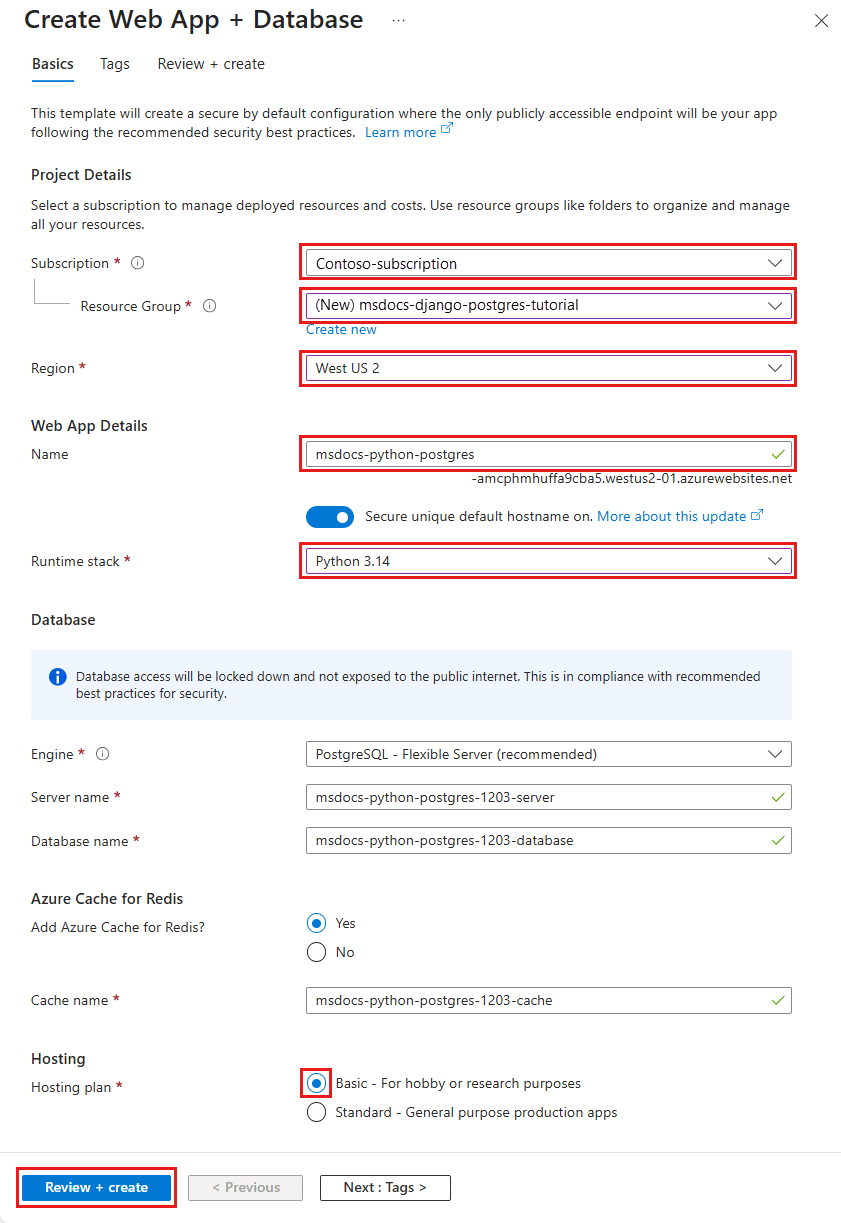
Azure Database for PostgreSQL is Microsoft's managed PostgreSQL service for teams that want the PostgreSQL engine without operating the underlying database host themselves. Flexible Server is the current deployment model and gives buyers control over compute, storage, maintenance, networking, backups and high availability while Microsoft manages platform maintenance and database host operations. It is a strong fit for application teams that want PostgreSQL compatibility with Azure networking, monitoring and resilience controls, but it is not a replacement for self-managed PostgreSQL when unrestricted operating-system access, unsupported extensions or deep host customization are required.
What is included
Database
| Deployment model | Managed PostgreSQL through Azure Database for PostgreSQL Flexible Server. |
|---|
Versions
| Standard support | PostgreSQL 18, 17, 16, 15 and 14 are in Azure standard support as of September 5, 2026. |
|---|---|
| August 2026 minor versions | 18.6, 17.11, 16.15, 15.19 and 14.24. |
Lifecycle
| Extended Support | PostgreSQL 11, 12 and 13 entered Azure Extended Support, with paid billing beginning September 1, 2026 after the grace period. |
|---|
Compute
| Compute tiers | Burstable, General Purpose and Memory Optimized. |
|---|
Storage
| Premium SSD v2 | Generally available for supported Flexible Server deployments. |
|---|
Replication
| Cascading read replicas | Generally available for supported read-replica topologies. |
|---|---|
| Logical slot failover | PostgreSQL 17 and later can use native slot synchronization; older supported versions require the documented failover-slot approach. |
Availability
| High availability | Zonal and zone-redundant high availability use synchronous replication; zone-redundant HA is not supported on Burstable compute. |
|---|---|
| Standby read access | The high-availability standby is not available for read queries. |
| Failover timing caveat | Microsoft notes failover can take longer than 120 seconds for some workloads while the standby recovers before promotion. |
Backup
| Retention | Point-in-time restore uses configurable backup retention from 7 to 35 days. |
|---|
Operations
| Connection pooling | Built-in PgBouncer 1.25.2 is generally available for supported deployments. |
|---|
Upgrades
| Pre-upgrade validation | Major-version pre-upgrade validation checks are generally available as of August 2026. |
|---|
What is Azure Database for PostgreSQL best used for?
Azure Database for PostgreSQL suits transactional applications, web and API back ends, SaaS products, geospatial systems and other workloads that already use PostgreSQL or benefit from its ecosystem. Microsoft bases Flexible Server on the PostgreSQL community engine, so teams can use familiar SQL, drivers, frameworks and supported extensions while moving infrastructure operations into a managed Azure service.
Flexible Server supports configurable compute and storage, public or private connectivity, managed maintenance windows, automated backups and high availability. Built-in PgBouncer is available for supported deployments and can reduce connection-management overhead for applications that create many short-lived database connections. Microsoft lists PgBouncer 1.25.2 as generally available in its July 2026 release notes.
Which PostgreSQL versions are supported in September 2026?
Microsoft currently lists PostgreSQL 18, 17, 16, 15 and 14 in standard support for Azure Database for PostgreSQL Flexible Server. The August 2026 release added the latest supported minor versions 18.6, 17.11, 16.15, 15.19 and 14.24. PostgreSQL 11, 12 and 13 moved into Azure Extended Support after Azure standard support ended on July 31, 2026.
Eligible PostgreSQL 11, 12 and 13 servers were automatically enrolled in Extended Support on August 1, 2026, with a one-month grace period and paid billing beginning September 1, 2026. Extended Support provides security updates, critical bug fixes and technical support, but not new features, performance improvements or minor-version upgrade support. Microsoft recommends treating it as a temporary bridge while teams move to a version still in standard support.
How do compute, storage and scaling work?
Microsoft offers Burstable, General Purpose and Memory Optimized compute tiers. Burstable targets lower or intermittent CPU demand, General Purpose balances compute and memory for common production workloads, and Memory Optimized provides more memory per vCore for workloads with larger working sets or heavier database operations.
Compute and storage are selected independently. Flexible Server also supports stop and start for eligible cost-control scenarios. When a server is stopped, compute billing stops, while provisioned storage and qualifying backup storage continue to incur charges.
Premium SSD v2 storage became generally available for Flexible Server in April 2026. Microsoft's release notes state that it supports online storage scaling, instant snapshot access for read replicas, point-in-time restore, deleted-server restore and customer-managed keys. Buyers should still verify regional availability before standardizing on it.
What changed for replicas and high availability in 2026?
Cascading read replicas became generally available in April 2026. This lets supported architectures create downstream replicas from another replica instead of requiring every replica to connect directly to the primary. It can help distribute read scaling, but teams still need to plan for replication lag, failure behavior and the order of operations when changing a source server and its downstream replicas.
Azure high availability supports zonal and zone-redundant configurations. Both use synchronous replication and automatic failover, but zone-redundant high availability is not supported on the Burstable compute tier. Microsoft also warns that failover can take longer than 120 seconds for some workloads because the standby must recover before promotion. The standby is not available for read queries.
Logical replication also needs version-aware planning. For PostgreSQL 16 and earlier, Microsoft recommends pg_failover_slots plus supporting settings if logical replication slots must survive an HA failover. PostgreSQL 17 and later can use native slot synchronization when the required PostgreSQL settings are enabled.
How does Azure Database for PostgreSQL pricing work?
Pricing was checked against Microsoft's current Azure pricing page on September 5, 2026. Flexible Server is billed through separate compute, storage and backup-storage meters rather than one flat product fee. Network egress can add additional cost, and high availability adds resources that increase the database bill.
Microsoft currently offers pay-as-you-go pricing plus commitment options such as one-year and three-year reservations or savings options for eligible compute configurations. Exact rates vary by region, hardware family, compute tier, storage and commercial agreement, so buyers should estimate the intended deployment instead of reusing one sample price.
Teams running PostgreSQL 11, 12 or 13 must also account for Extended Support charges that began September 1, 2026 unless they upgrade to a version still in standard support.
What backup and recovery options are available?
Flexible Server uses managed backups and transaction logs for point-in-time restore. Microsoft currently allows backup retention from 7 through 35 days. Backup storage up to 100 percent of the provisioned primary storage is included in the documented pricing model, while additional backup consumption is billed separately.
Geo-redundant backup can support recovery in a paired region, but it is configured when the server is created. Cross-region read replicas provide another disaster-recovery pattern and use asynchronous replication, so they can lag the primary and can involve data loss during a regional failure. Buyers with formal recovery requirements should distinguish routine point-in-time restore, geo-redundant backup and replica-based disaster recovery, then test the actual recovery process.
How do networking, security and maintenance work?
Azure Database for PostgreSQL can use public access controlled by firewall rules or private networking for workloads that should stay on private Azure network paths. Microsoft also added virtual-network to Private Endpoint migration capabilities during 2026, including support for high-availability enabled servers in the April release.
TLS protects database connections, but application teams still own database roles, credentials, least-privilege permissions and secure connection handling. Microsoft manages platform maintenance and supports configurable maintenance windows. In June 2026 Microsoft added capabilities to view upcoming maintenance, inspect maintenance history, reschedule maintenance and apply maintenance on demand. Schema design, indexing, query tuning, connection pooling and capacity planning remain customer responsibilities.
Which extensions and newer PostgreSQL capabilities are supported?
Azure Database for PostgreSQL supports an approved extension set rather than every extension in the PostgreSQL ecosystem. Microsoft added Apache AGE and pg_diskANN support for PostgreSQL 18 in the April 2026 release. Its July 2026 maintenance release added RDKit, pg_pointcloud and plpgsql_check for PostgreSQL 14 through 18.
The service also supports pgvector after it is added to the server extension allowlist. This can be useful when a team wants relational data and vector similarity search in PostgreSQL, but buyers should verify exact extension and version support before migration because unsupported extensions remain a common reason to choose self-managed PostgreSQL.
What should teams know about major-version upgrades?
Azure Database for PostgreSQL supports in-place major-version upgrades to versions that Azure currently supports. In August 2026 Microsoft moved pre-upgrade validation checks to general availability. These checks are designed to identify upgrade-blocking problems before a major-version upgrade starts, which makes them useful for reducing avoidable failed upgrade attempts.
Upgrade planning should still include extension compatibility, application-driver support, server parameters, replica topology, maintenance windows and rollback planning. For PostgreSQL 11, 12 or 13, testing an upgrade in non-production can reduce both Extended Support cost and security exposure.
What are the main limitations and migration tradeoffs?
A managed PostgreSQL service provides less host-level freedom than PostgreSQL installed on an Azure Virtual Machine. Teams that depend on unsupported extensions, custom operating-system packages, unusual filesystem access or direct superuser behavior should validate compatibility before migration. Azure Database for PostgreSQL is also the wrong database choice when an application requires SQL Server-specific features or a non-relational data model.
High availability does not remove application design responsibilities. The standby cannot serve read traffic, synchronous replication can increase write and commit latency, and failover can exceed two minutes for some workloads. Migration planning should therefore include PostgreSQL major version, extensions, connection pooling, maintenance windows, network design, backup requirements, storage growth, replica topology and peak compute demand. Buyers should test failover and application reconnection rather than assuming managed failover alone guarantees continuity.
Who should choose something else?
Choose PostgreSQL on Azure Virtual Machines when the team needs operating-system control, unsupported extensions or deeper database-host customization and is prepared to manage patching, backups, high availability and monitoring itself. Choose Azure SQL Database when the application is designed around the Microsoft SQL Server ecosystem. Consider Azure Cosmos DB when the workload needs a distributed NoSQL model instead of PostgreSQL semantics.
A separate vector database may also be a better fit when vector search is the dominant workload and the team needs capabilities beyond what PostgreSQL extensions provide. Very small applications may find a simpler hosted database more economical. Azure Database for PostgreSQL is strongest when PostgreSQL compatibility matters and the organization values managed infrastructure, Azure networking, backup, replicas and availability controls enough to justify ongoing cloud cost.
Reviews
No reviews yet
Nobody has reviewed Azure Database for PostgreSQL here yet.