About Azure Data Share
Azure Data Share is a managed Azure service for governed dataset exchange between organizations. It is designed for teams that need to track who received data, what was shared, and how updates are delivered without building their own FTP process, transfer portal, or sharing API. The service supports snapshot-based sharing, where data is copied into a consumer-owned destination, and in-place sharing for supported Azure Data Explorer scenarios. Buyers should treat Data Share as a controlled data-sharing layer between supported Azure stores, not as a universal integration platform or a replacement for storage, analytics, ETL, messaging, or application APIs.
What is included
Sharing model
| Snapshot sharing | Copies shared data into a supported consumer destination; hourly or daily schedules are available where incremental snapshots are supported. |
|---|---|
| In-place sharing | Available for Azure Data Explorer using follower database behavior without copying the shared dataset into a second store. |
Snapshot behavior
| Incremental support | Supported for Azure Blob Storage, Azure Data Lake Storage Gen1, and Azure Data Lake Storage Gen2. |
|---|---|
| Source deletions | Files deleted from the source are not automatically deleted from the snapshot target. |
SQL sharing
| Incremental snapshots | Not currently supported for SQL-based sources; full snapshots are used. |
|---|
Azure Data Explorer
| Location requirement | Leader and follower clusters used by Data Share must be in the same Azure location. |
|---|---|
| Cross-tenant sharing | Supported across organizations in different Microsoft Entra tenants. |
| Follower behavior | Read-only follower data with typical synchronization lag from a few seconds to a few minutes. |
Access
| Azure subscriptions | Both data provider and data consumer must have Azure subscriptions. |
|---|
Security
| Encryption in transit | TLS 1.2 |
|---|---|
| Data-store access | Uses managed identity for supported data stores so credentials are not exchanged between provider and consumer. |
Pricing
| Snapshot billing | Dataset Snapshot operations plus Snapshot Execution based on vCores and duration; the data provider is currently billed. |
|---|
Management
| Interfaces | Azure portal and REST APIs |
|---|
What is Azure Data Share used for?
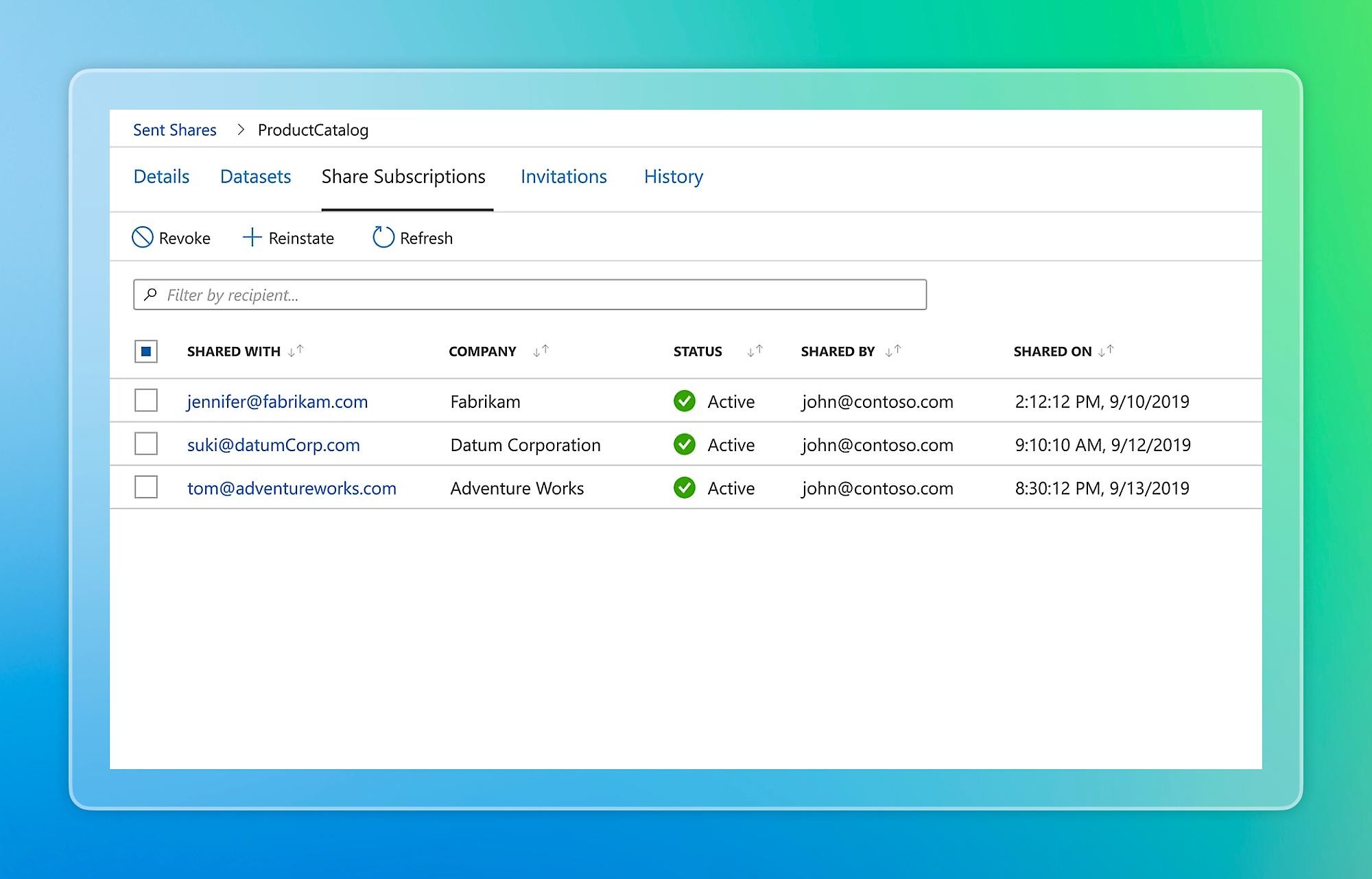
Azure Data Share is useful when one organization needs to provide governed datasets to another organization on a repeatable basis. Microsoft gives examples such as retailers sharing point-of-sale information with suppliers, research institutions exchanging data, and organizations operating data marketplaces or consortia. Providers create a share, add datasets, invite recipients, and can define terms of use that recipients must accept before receiving the data.
Both the data provider and the data consumer must have Azure subscriptions. This makes the service most suitable for business-to-business or partner data exchange where both sides already operate in Azure. It is not intended as a public file-distribution service for anonymous recipients.
How do snapshot and in-place sharing differ?
Snapshot-based sharing moves data from the provider subscription into a destination in the consumer subscription. Consumers can trigger a full snapshot, and providers can offer hourly or daily snapshot schedules where incremental snapshots are supported. This model is useful when the receiving organization needs its own copy for analytics, retention, or downstream processing.
In-place sharing does not create a separate copy. Microsoft currently supports this model for Azure Data Explorer. The sharing relationship creates a symbolic link between the provider and consumer environments so the consumer can query shared data from its own Azure Data Explorer cluster. Changes in the provider data become available to the consumer without a separate snapshot workflow.
Which Azure data stores are currently supported?
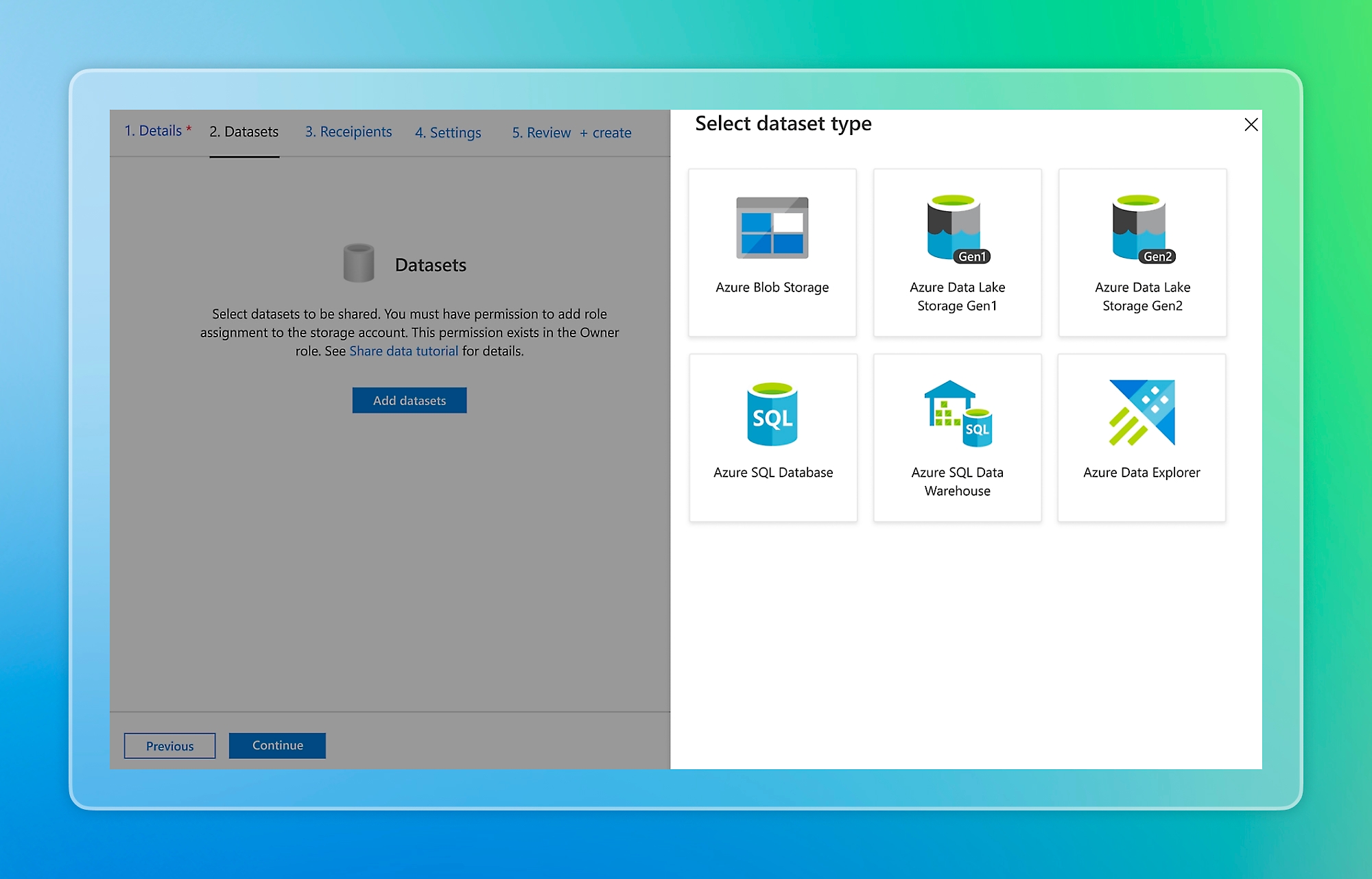
Microsoft currently documents full snapshot sharing for Azure Blob Storage, Azure Data Lake Storage Gen1, Azure Data Lake Storage Gen2, Azure SQL Database, Azure Synapse Analytics formerly Azure SQL Data Warehouse, and Azure Synapse Analytics workspace dedicated SQL pools. Incremental snapshots are supported for Blob Storage, Data Lake Storage Gen1, and Data Lake Storage Gen2. In-place sharing is currently documented for Azure Data Explorer.
Support depends on the exact source and destination pairing. SQL-based sources can deliver to Azure Blob Storage or Data Lake Storage Gen2 as CSV or Parquet, or into supported SQL destinations as tables. Azure Synapse serverless SQL pool is not currently supported as a source. Buyers should verify the current source-to-destination matrix before designing a production exchange.
What happens when snapshot data changes or is deleted?
Snapshot behavior matters for data lifecycle planning. For Blob Storage and Data Lake Storage snapshot workflows, incremental snapshots copy new or updated files based on last-modified time. Existing target files with the same name are overwritten, but files deleted from the source are not automatically deleted from the target.
For SQL-based sources, incremental snapshots are not currently supported. A full snapshot is used instead. If a target SQL table already exists with the same name, Microsoft states that it is dropped and overwritten with the latest snapshot. If a SQL snapshot is interrupted, the next snapshot copies the entire table or view again. These behaviors mean Data Share should not be treated as a bi-directional synchronization system or as a tool that automatically mirrors source deletions.
What should buyers know about Azure Data Explorer in-place sharing?
Azure Data Explorer in-place sharing uses follower database behavior rather than copying the shared database into a separate storage location. The provider cluster acts as the leader and the consumer cluster acts as the follower. Microsoft currently requires the leader and follower to be in the same Azure location for this Data Share workflow.
Azure Data Share can be used across organizations in different Microsoft Entra tenants. The consumer runs queries on its own follower cluster, and those queries use local cache rather than the compute resources of the provider cluster. Microsoft states that follower data is read-only and synchronization lag normally ranges from a few seconds to a few minutes depending on the amount of metadata and other conditions. This can help separate query compute cost and workload impact between provider and consumer, but it is not a zero-lag transactional replication mechanism.
Providers can share a full database or selected tables. Cluster-level sharing can expose all databases in the provider cluster, including databases created later, so buyers should review scope carefully before choosing that model. Revoking the share removes the symbolic relationship and the shared database is no longer available to the consumer.
How does Azure Data Share pricing work?
Pricing depends on the sharing model. Microsoft states that snapshot-based sharing is billed through Dataset Snapshot operations and Snapshot Execution. Snapshot Execution is calculated from the number of vCores used multiplied by the duration of the snapshot operation, with charges prorated by the minute and rounded up. Microsoft dynamically selects vCore capacity based on the source-target pair and data pattern.
Microsoft currently bills the data provider for Dataset Snapshot and Snapshot Execution charges. Network data transfer and charges from the underlying storage or analytics services can also apply. In-place sharing does not use snapshot execution in the same way. Pricing was checked on August 31, 2026; buyers should confirm current rates for their agreement and region in the Azure pricing tools before committing to a recurring sharing schedule.
What security and access controls does Data Share provide?
Microsoft states that Data Share uses Azure security controls for data at rest and in transit. Data in transit uses TLS 1.2, and data at rest is encrypted where supported by the underlying data store. Data Share metadata is also encrypted. Microsoft states that Azure Data Share does not store the contents of the customer data being shared.
Managed identity is used to access supported data stores, so providers and consumers do not exchange storage credentials. Azure role-based access controls who can manage the Data Share resource. Owners and Contributors can create, receive, and modify shares, while Readers can view shares without changing them. For storage accounts behind firewalls, supported workflows can require the Allow trusted Microsoft services setting.
What should teams plan before deployment?
Start with data ownership, recipient identity, source and destination stores, update frequency, retention, region placement, expected snapshot duration, and who will pay the provider-side Data Share charges. Snapshot workflows create separate copies, so the consumer's retention, encryption, access, and deletion policies are as important as the provider's source controls.
Invitation ownership also needs operational planning. Microsoft states that a share does not automatically terminate when the person who created or accepted it leaves an organization; another user with the right resource permissions can continue to manage it. Teams should therefore assign ownership through durable Azure roles rather than relying on one employee's involvement.
How does Data Share compare with Azure Data Factory and APIs?
Azure Data Factory is primarily a data integration and orchestration service for moving and transforming data through pipelines. Azure Data Share focuses on the sharing relationship itself: recipient invitations, governed delivery, update schedules, and visibility into who received which datasets.
An application API is a better fit when consumers need request-driven access, business logic, custom authorization, low-latency application interactions, or a public developer interface. Direct storage permissions can be simpler for a small trusted relationship but move more responsibility for credential management, auditing, and lifecycle controls to the teams involved.
What are the main limitations and tradeoffs?
Azure Data Share supports a defined set of Azure data stores rather than arbitrary databases, SaaS applications, or on-premises sources. Snapshot sharing can add data duplication, transfer time, storage costs, and possible network charges. Incremental support is limited to supported storage sources, and source deletions are not mirrored to snapshot destinations.
In-place sharing is currently limited to Azure Data Explorer and has location requirements for provider and consumer clusters. Follower data is read-only, and consumers should expect a small synchronization delay rather than transactional immediacy. Both sides need Azure subscriptions. These boundaries make Data Share a poor fit when recipients are outside Azure, when teams need transformation-heavy pipelines, or when the main requirement is real-time application integration rather than governed dataset exchange.
Who should choose something else?
Choose another approach if the main requirement is ETL, application integration, event delivery, public data publishing, arbitrary source connectivity, or access for recipients without Azure subscriptions. Azure Data Factory is a better fit for transformation-heavy pipelines. Azure Service Bus or Event Grid fits messaging and event-distribution patterns. An API layer fits application-level access with custom authorization and business rules.
Direct storage sharing may be enough for a small trusted relationship with carefully managed permissions. Azure Data Share is most useful when external organization-to-organization dataset exchange, recipient tracking, controlled updates, explicit terms, and Azure-native governance are central requirements.
Reviews
No reviews yet
Nobody has reviewed Azure Data Share here yet.