About Azure Communication Services
Azure Communication Services is Microsoft's Azure platform for embedding communication into custom applications through APIs and SDKs. It supports voice and video calling, chat, SMS, email, phone-number scenarios, call automation, job routing, and selected Microsoft Teams interoperability. It is aimed at teams that want to build communication directly into their own customer or employee experiences rather than sending users to a separate communications application. The service is broad, but pricing, regional availability, phone-number eligibility, throughput limits, and compliance requirements vary by channel, so buyers should plan each communication workload separately.
What is included
Channels
| Voice and video | Calling APIs and SDKs for custom application experiences |
|---|---|
| Chat | Rich text chat for application users |
| Messaging | SMS plus supported advanced messaging scenarios |
| Application email with domain and sending-quota controls |
Integration
| Microsoft Teams | Supported interoperability for selected voice, video, chat, and screen-sharing scenarios |
|---|
Automation
| Call automation | Server-side calling and interactive voice workflow capabilities |
|---|
Routing
| Job Router | Programmable routing for jobs and workers |
|---|
Security
| Azure integration | Resource management with Azure identities plus controlled keys and endpoints |
|---|
What can Azure Communication Services add to an application?
Microsoft currently describes Azure Communication Services as a multichannel communications platform. Developers can add voice and video calling, rich text chat, SMS, email, advanced messaging, and related communication workflows through REST APIs and client SDKs. The platform can connect custom client applications, backend services, and supported telephone-network scenarios.
This makes it useful for customer support, appointment experiences, remote assistance, notifications, embedded calling, interactive voice response, and other business-to-consumer or consumer-to-consumer scenarios. It is not a finished contact-center application by itself. Teams still design the user experience, identity model, routing logic, monitoring, retention, and business workflow around the APIs they choose.
How do voice, video, chat, SMS, and email fit together?
The service is modular rather than one bundled communication plan. Calling workloads use the calling and call-automation capabilities, chat uses the chat APIs, SMS uses messaging resources and eligible sender types, and email uses Azure Communication Services Email with its own domains, quotas, and sending controls. Phone numbers are also subject to country, subscription, use-case, and regulatory availability.
A team can use only one channel or combine several. For example, an application might send an SMS reminder, start a browser-based video session, and follow up with an email receipt. The important architectural point is that each channel has different pricing meters, throughput limits, sender requirements, and operational responsibilities.
How does Microsoft Teams interoperability work?
Azure Communication Services can be used to create custom experiences that interact with Microsoft Teams users in supported scenarios. Microsoft documents interoperability for voice, video, chat, and screen-sharing scenarios, allowing a custom application experience to connect customers or external users with Teams-based workers.
This is useful when employees already work in Teams but customers should not need a standard Teams client experience. Teams interoperability still introduces dependencies on Teams and Microsoft Graph behavior, meeting configuration, identity choices, and service-specific limits. It should therefore be treated as an integration architecture rather than a free replacement for designing the customer side of the experience.
How is Azure Communication Services priced?
Pricing was checked on August 27, 2026. Microsoft does not publish one universal monthly price for Azure Communication Services. Charges are usage based and vary by communication channel. Calling can be metered by participant or PSTN usage, chat and messaging by message activity, email by messages and data transferred, phone numbers by number type and geography, and Job Router by routed jobs after the included allowance shown on Microsoft's pricing page.
Actual rates vary by agreement, country, destination, number type, and billing currency. Buyers should model each channel separately and include related Azure costs such as monitoring, storage, Event Grid, network transfer, or other services used around the communication workflow. This also means a proof of concept can have a very different cost profile from a production contact or notification workload.
What service limits should buyers plan for?
Azure Communication Services has channel-specific throttles and quotas. Microsoft's current service-limits documentation says requests can receive HTTP 429 responses when limits are reached, so applications need retry and backoff handling. SMS throughput depends on sender type. Email begins with conservative sending limits and higher quotas require support approval for verified custom domains.
For email, Microsoft's current documented default custom-domain limits are 30 sent emails per minute and 100 per hour, with higher limits available by request. Azure-managed email domains have lower limits and cannot request the same higher quotas. Email requests currently support up to 50 recipients and a 10 MB total request size including attachments. Microsoft states that higher email throughput can be enabled for qualified senders, but sender reputation and failure rate matter.
What should teams know about identity, keys, and security?
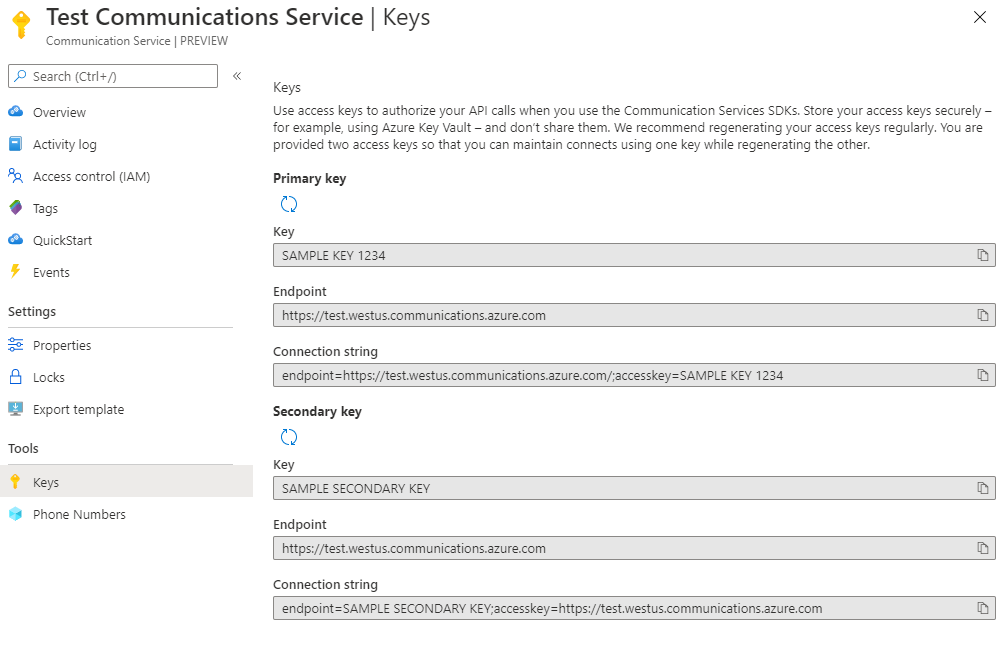
Communication Services resources expose endpoints and access keys, but Microsoft also documents managed identity and service-principal approaches for Azure resource management. Application teams should avoid distributing long-lived connection strings to untrusted clients. Secrets and connection strings should be kept in controlled server-side configuration or a service such as Azure Key Vault.
The communications layer does not remove application security responsibilities. Teams still decide how their users are identified, authenticated, authorized, and mapped to communication identities. They also remain responsible for consent, data handling, abuse prevention, retention, fraud controls, telephone-number compliance, and any industry-specific requirements that apply to their application.
When is Azure Communication Services a strong fit?
The service is a strong fit when communication needs to be part of a custom application and the development team wants Azure-managed communication building blocks instead of operating media, messaging, or telephone infrastructure directly. It is especially relevant for customer-service applications, telehealth-style experiences, financial-service appointments, product support, notifications, dispatch, and applications that need to connect custom users with Teams-based employees.
It can also fit teams already using Azure Functions, App Service, Event Grid, Monitor, or other Azure services because communication events and application logic can be combined with the wider Azure platform. The main benefit is flexibility: developers control the customer experience while Microsoft operates the underlying communications platform capabilities.
What are the main limitations and tradeoffs?
Azure Communication Services is not a single turnkey communications suite. Channel availability differs by country and scenario, phone-number purchasing has eligibility and regulatory requirements, and email deliverability depends on sender reputation and domain configuration. High-volume applications also need quota planning, throttling logic, operational monitoring, abuse controls, and cost monitoring.
Teams should also expect different development effort by channel. Building a simple notification workflow is much easier than building a production contact center, compliant recording workflow, or globally resilient calling application. Microsoft supplies SDKs and APIs, but the application team still owns the end-user product, workflow design, integration logic, and much of the operational experience.
Who should choose something else?
Choose a finished SaaS communications or contact-center product when the priority is rapid deployment with agent desktops, workforce management, reporting, campaigns, and administration already included. Choose Azure SignalR Service when the requirement is mainly real-time application updates rather than voice, video, SMS, email, or telephony. Use Azure Service Bus or Event Grid when the problem is backend messaging or event distribution rather than human communication.
Teams that need only standard internal meetings, chat, and collaboration may be better served by Microsoft Teams itself. Azure Communication Services is most valuable when communication must be embedded into a custom application and the organization is prepared to own the user experience and application-layer operating model.
Reviews
No reviews yet
Nobody has reviewed Azure Communication Services here yet.