About Azure Chaos Studio
Azure Chaos Studio is Microsoft's managed chaos engineering service for testing whether Azure applications and infrastructure can tolerate controlled failures. Teams can use it to inject faults such as virtual machine shutdowns, database failovers, CPU or memory pressure, network disruption, and other supported failure modes, then observe whether recovery, monitoring, failover, and operating procedures behave as expected. It is aimed at resilience testing rather than ordinary performance testing or production monitoring, and it should be used with explicit permissions, bounded scope, and a clear rollback plan.
What is included
Testing model
| Primary use | Managed chaos engineering and controlled fault injection for resilience testing |
|---|---|
| Current models | Workspaces and Scenarios for new development; classic experiments remain available |
Faults
| Fault types | Service-direct and agent-based faults |
|---|
Security
| Access control | Azure Resource Manager permissions, managed identities, and Azure RBAC |
|---|
Pricing
| Billing model | Pay as you go based on experiment action duration |
|---|
Lifecycle
| Workspace status | Public preview as of August 2026 |
|---|---|
| Classic status | Legacy model with critical fixes only; no further feature development |
Integrations
| Related Azure services | Azure Load Testing and Azure Monitor can be used alongside Chaos Studio |
|---|
Automation
| Workspace tooling | Azure portal, Azure CLI, ARM, Bicep, REST, and .NET SDK preview; current Workspace support gaps include PowerShell and Terraform |
|---|
What Azure Chaos Studio is used for
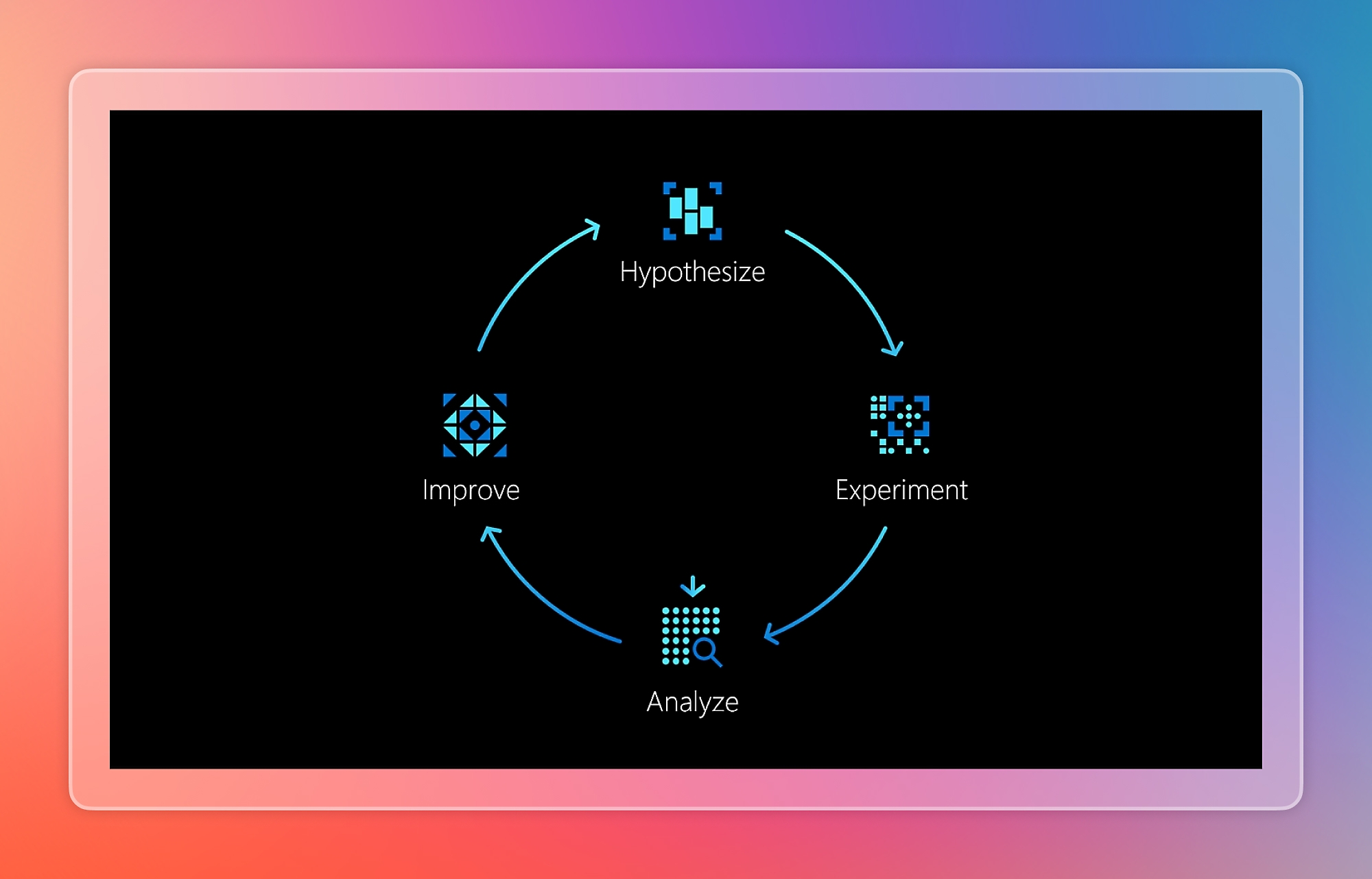
Azure Chaos Studio is designed for planned resilience validation. Common uses include reproducing a past outage, running game days before an important event, testing disaster recovery procedures, validating failover behavior, and adding resilience checks to deployment pipelines. The goal is not to create random outages. A useful chaos test begins with a hypothesis, a defined failure condition, a limited blast radius, and a way to decide whether the system behaved correctly.
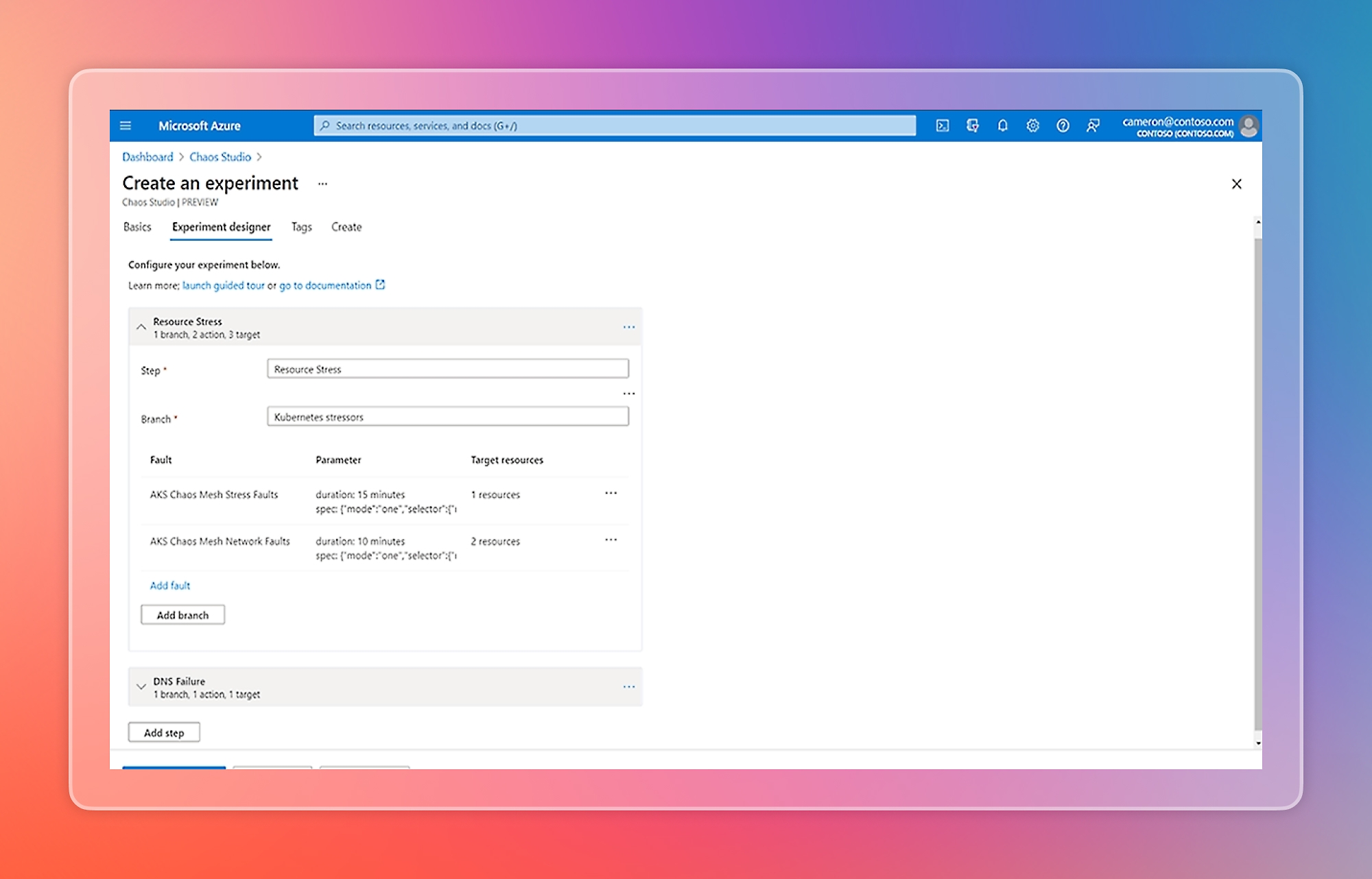
Microsoft currently supports both preconfigured Scenarios through Chaos Studio Workspaces and the original custom experiment model. Scenarios package common outage patterns, while classic experiments give direct control over steps, branches, actions, selectors, targets, and sequencing.
Workspaces and Scenarios versus classic experiments
Chaos Studio now has two operating models that buyers should distinguish. Workspaces and Scenarios are Microsoft's actively developed direction for new resilience testing. A Workspace is scoped to a subscription, resource group, or service group, discovers eligible resources, and can present preconfigured Scenarios that model common disruptions. Workspace identity and scope help control what the test can affect.
The original experiment model remains available and existing experiments continue to work, but Microsoft now describes it as Chaos Studio Classic and says there is no further feature development beyond critical fixes. This matters for new projects because Workspaces and Scenarios are the forward path, but they are still in public preview as of August 2026 and are not covered by an SLA. Teams that require features not yet available in Workspaces may still need the classic model.
What kinds of faults can it inject
Chaos Studio supports service-direct and agent-based faults. Service-direct faults call Azure management APIs and can perform actions such as shutting down a virtual machine, triggering a SQL Database failover, stopping an App Service, or applying another supported service action. Agent-based faults run inside a Windows or Linux virtual machine or scale set instance and can simulate CPU pressure, memory pressure, process termination, network latency, packet loss, DNS failure, and other operating-system-level conditions.
Not every fault works on every resource type or operating system. Supported targets, required roles, operating-system constraints, and parameters vary by fault. Buyers should check the current fault and action library before designing a test rather than assuming a particular outage can be simulated.
Security, permissions, and blast-radius control
Fault injection can interrupt real workloads, so access design is a core part of the product. Chaos Studio uses Azure Resource Manager permissions plus managed identities and Azure RBAC. A Workspace or classic experiment needs permission to operate on each target. Microsoft recommends granting only the permissions needed for the selected faults rather than broad standing access.
Workspace scope also limits what the Workspace can discover and target. Teams should separate production and nonproduction testing where appropriate, exclude resources that must not be disrupted, validate permissions before a run, and combine Chaos Studio with change control, incident response, and monitoring. Chaos engineering should be treated as an operationally privileged activity, not as a general developer permission.
Pricing and cost drivers
Pricing was checked on August 28, 2026. Microsoft currently bills Azure Chaos Studio on a pay-as-you-go basis based on experiment execution. The pricing page describes charging per action-minute or for the duration that experiment actions run. The public page does not expose one stable universal dollar rate without billing context, so buyers should use the Azure pricing calculator or their agreement-specific pricing instead of assuming one fixed figure.
The Chaos Studio charge is only part of the possible cost. A fault can cause another Azure service to consume more resources. For example, a CPU or failure test can trigger autoscaling, additional compute, extra logging, data transfer, or other metered resources. Cost planning should therefore include both the chaos action and any secondary Azure activity caused by the test.
Current limitations buyers should know
Chaos Studio has several limits that affect design. Supported target resources must be in supported configurations, and classic tracked resources such as experiments do not currently support Azure Resource Move. Microsoft also notes that Chaos Studio does not provide least-privileged built-in roles for every fault-injection scenario, so some teams may need carefully designed custom roles.
Workspaces have their own preview limitations. Workspace creation is available only in supported regions, although a Workspace can act on resources in other Azure regions. Workspaces currently do not support customer-managed keys. PowerShell and Terraform do not currently support the Workspace model, and agent-based Workspace scenarios require public outbound connectivity from the target VM. These differences are important for organizations with strict private-networking or infrastructure-as-code standards.
How it differs from Azure Load Testing and Azure Monitor
Azure Chaos Studio, Azure Load Testing, and Azure Monitor answer different questions. Chaos Studio asks whether the system remains resilient when a dependency, resource, network path, or operating condition fails. Azure Load Testing generates application load to measure performance, capacity, and response under traffic. Azure Monitor collects operational telemetry, alerts, logs, metrics, and traces.
They can be used together. Microsoft supports orchestration actions that start or stop Azure Load Testing during chaos experiments, while Azure Monitor can show what happened to the system during the disruption. A mature resilience exercise often combines controlled failure, realistic load, and observability rather than relying on one tool alone.
Deployment and operational guidance
Start with nonproduction or a narrowly scoped production test, define steady-state signals before the run, confirm target permissions, and choose faults that model a real failure the architecture should tolerate. Make sure monitoring and rollback procedures are ready before starting. After the run, review application behavior, infrastructure recovery, alerts, operating procedures, and whether the failure exposed hidden dependencies.
For the Workspace model, Scenario reports show action status, duration, targeted resources, parameters, timelines, and execution flow. These reports can help with game-day reviews, incident follow-up, and evidence for operational resilience processes. Teams should still record their hypothesis and expected outcome separately so a technically successful test can be judged against the actual resilience objective.
Who should choose something else
Choose another tool when the main requirement is not chaos engineering. Use Azure Load Testing when the primary question is throughput, latency, concurrency, or performance under traffic. Use Azure Monitor when the goal is ongoing telemetry, alerting, and production diagnostics. Use Azure Site Recovery when the requirement is disaster recovery replication and failover rather than controlled fault injection.
Teams with very small or low-risk systems may find manual failure drills sufficient. Organizations that require only infrastructure-as-code workflows should also examine the current Workspace automation gaps before standardizing on the preview model. Chaos Studio is most useful when a team already has meaningful redundancy, monitoring, and recovery mechanisms that need to be tested under realistic failure conditions.
Reviews
No reviews yet
Nobody has reviewed Azure Chaos Studio here yet.