About Azure Backup
Azure Backup is Microsoft Azure's managed backup and recovery service for supported Azure and on-premises workloads. It uses Recovery Services vaults and Backup vaults to manage backup policies, recovery points, retention, restores and security controls. The service is designed for organizations that want backup data managed separately from production workloads and controlled through Azure. Buyers should evaluate the exact data source, vault type, region, retention, redundancy, restore objective and security model because Azure Backup capabilities and pricing vary by workload.
What is included
2026 updates
| Cross-subscription Azure VM backup | Preview support allows a Recovery Services vault to protect Azure VMs in another subscription when they are in the same Microsoft Entra tenant and region. |
|---|---|
| Bulk Azure VM restore | Preview capability can coordinate restore of up to 100 protected Azure VMs from a Recovery Services vault in one operation. |
| SAP HANA scale-out streaming backup | Preview support protects a scale-out HANA system as one logical backup unit with full, differential, incremental and log backups across nodes. |
| Azure Cosmos DB vaulted backup | Preview vaulted backup supports scheduled policies and long-term retention of up to 10 years; Microsoft states pricing became effective July 1, 2026. |
Security
| Secure-by-default soft delete | Recovery Services vaults have secure-by-default soft delete generally available across public regions and national clouds; Backup vault support remains preview. |
|---|---|
| Soft-delete retention | Default retention is 14 days and can be extended up to 180 days; Microsoft states the first 14 days add no soft-delete retention charge. |
| Multi-User Authorization | Azure Resource Guard can require separate authorization for selected critical backup and vault operations. |
Reliability
| SLA retry condition | Microsoft states failed backup or restore jobs must be retried at least once every 30 minutes to meet the documented Backup SLA condition. |
|---|
Storage
| Backup redundancy | Supported scenarios can use LRS, ZRS or GRS backup storage, with RA-GRS used in selected cross-region restore configurations. |
|---|
Retention
| Archive tier | Selected long-term backups can move to Archive tier; archive has a 180-day early-deletion period and retrieval charges. |
|---|
Pricing
| Protected instances and storage | Common pricing combines protected-instance charges with backup storage consumption, with workload-specific meters and exceptions. |
|---|
What is Azure Backup used for?
Azure Backup protects supported infrastructure and application data against accidental deletion, corruption, ransomware, operational mistakes and other loss scenarios. Microsoft currently supports protection for workloads that include Azure virtual machines, SQL Server and SAP HANA in Azure VMs, Azure Files, Azure Blobs, Azure Disks, Azure Kubernetes Service, Azure Data Lake Storage and supported on-premises servers, with availability depending on the workload and vault type.
The service creates recovery points according to backup policies and provides restore workflows through Azure. Backup is not the same as high availability or disaster recovery. A highly available application still needs resilient compute, networking and data architecture. Azure Backup provides a separate recovery path when production data or systems need to be restored after data loss or compromise.
What changed in Azure Backup during 2026?
Microsoft's Azure Backup release history shows several material additions in 2026. In April, Azure Backup introduced cross-subscription backup for Azure VMs in preview. A Recovery Services vault can protect VMs from another subscription when the vault and VM are in the same Microsoft Entra tenant and region. Vault-tier recovery points can be restored to other subscriptions when Cross Subscription Restore is enabled, while snapshot-tier recovery points remain limited to the protected VM subscription.
In May 2026, Microsoft added bulk restore for Azure VMs in preview. The current capability can restore up to 100 protected VMs together from a Recovery Services vault in one coordinated operation. Microsoft also introduced vaulted backup for Azure Cosmos DB in preview, with policy-based scheduled backup and retention of up to 10 years. Pricing for the Cosmos DB vaulted backup preview became effective July 1, 2026.
In June 2026, Microsoft increased the Azure Data Lake Storage backup container limit from 100 to 1,000. In July 2026, Azure Backup added preview streaming-backup support for SAP HANA scale-out systems, with full, differential, incremental and log backups managed as one unified chain across nodes. Microsoft also added preview HANA System Replication support for SAP HANA instance snapshot backups.
These additions broaden Azure Backup beyond its older VM and server-centered use cases, but preview features should still be checked for regional support, workload limitations and production suitability before adoption.
What is the difference between Recovery Services vaults and Backup vaults?
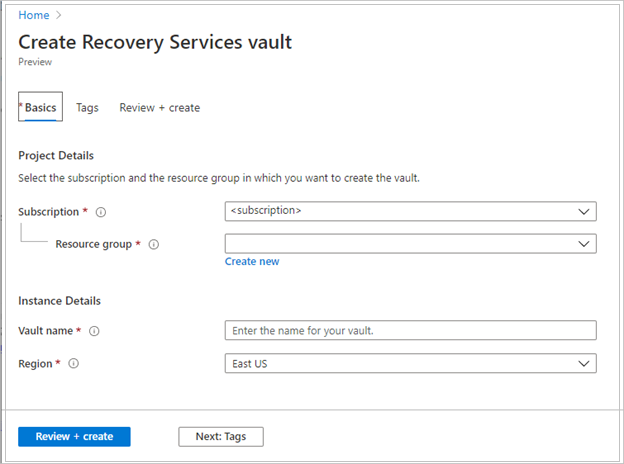
Microsoft uses both Recovery Services vaults and Backup vaults. The correct vault depends on the protected data source. Recovery Services vaults are used for workloads such as Azure VMs, SQL Server and SAP HANA in Azure VMs, Azure File shares and supported on-premises backup scenarios. Backup vaults are used for selected newer Azure data sources and newer backup models.
Buyers should not create one vault type and assume it supports every Azure workload. Microsoft's support matrix should be checked before deployment. Vault location and subscription relationships can also matter. The 2026 cross-subscription VM backup preview reduces one long-standing subscription boundary for supported VM scenarios, but it still requires the vault and protected VM to be in the same tenant and region.
How does Azure Backup storage and redundancy work?
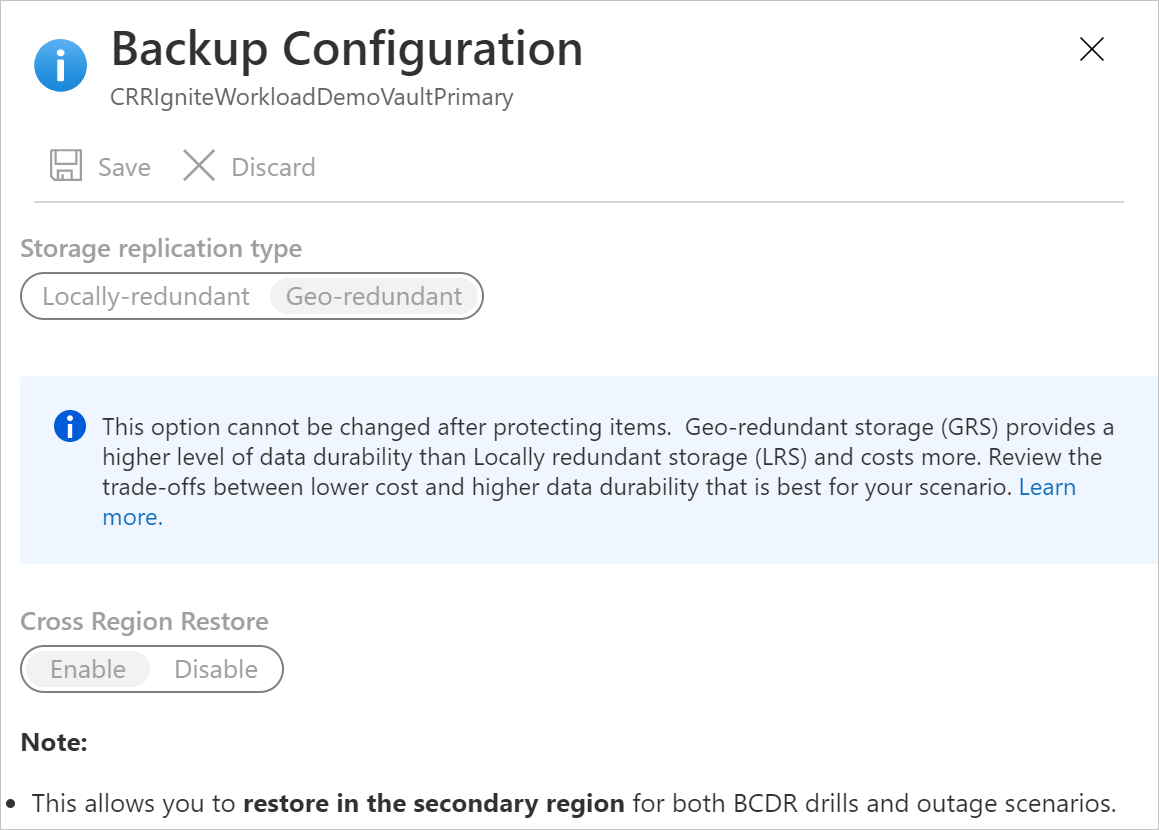
Azure Backup stores vaulted backup data in Microsoft-managed backup storage that is isolated from the customer's production environment. Microsoft documents locally redundant storage, zone-redundant storage and geo-redundant storage options for supported backup scenarios. Some configurations can also use read-access geo-redundant storage when cross-region restore is enabled.
The right redundancy choice depends on recovery requirements, region design, compliance and cost. More redundancy can improve protection against infrastructure or regional failures but also increases storage cost. Backup copies are not a substitute for testing recovery. Teams should confirm that the protected workload supports the chosen redundancy and restore path, then run restore tests instead of assuming that successful backup jobs guarantee usable recovery.
How does Azure Backup pricing work?
Azure Backup does not have one flat monthly price. Microsoft's pricing model commonly combines a protected-instance charge with backup storage consumption. Protected-instance billing depends on workload type and protected size or category. Backup storage is billed separately according to capacity, redundancy and tier. Some workload-specific backup methods have different meters, so teams should verify the current pricing model for each protected data source rather than apply one estimate across the whole estate.
Microsoft offers reserved capacity for supported Azure Backup Storage in the vault-standard tier through one-year or three-year reservations. Current pricing documentation lists reserved-capacity purchase sizes of 100 TB and 1 PB. The reservation discount applies to matching backup storage capacity, not to every other Azure Backup meter. Unused reserved capacity for an hour is not carried forward.
Selected long-term recovery points can use the Archive tier. Archive should be planned for data that is rarely restored because archived data can require rehydration and retrieval charges. Microsoft's current pricing documentation applies a 180-day early-deletion period to archived backup data. Pricing was rechecked on September 4, 2026. Buyers should model protected size, data churn, retention, redundancy, archive use and expected restore activity.
How does secure by default soft delete affect backup design?
Microsoft treats soft delete as a core Azure Backup security control. For Recovery Services vaults, secure-by-default soft delete is generally available across Azure public regions and national clouds. Backup vault support remains in public preview according to Microsoft's current secure-by-default documentation.
The default soft-delete retention period is 14 days and can be extended up to 180 days. Microsoft states that the first 14 days do not add soft-delete retention cost, while retention beyond 14 days is charged using regular backup charges. Secure-by-default behavior also applies soft delete to vault deletion in supported scenarios, so a deleted vault can move into a recoverable soft-deleted state during the configured retention period.
This security model is useful against both mistakes and malicious deletion, but buyers still need to understand workload-specific exceptions. Microsoft notes that soft delete does not currently protect operational backups of blobs and Azure Files shares in the same way as vaulted data, and log recovery points for SQL Server and SAP HANA have their own limitations.
What other security controls protect Azure Backup?
Azure Backup supports additional controls intended to reduce the risk that one compromised administrator can destroy the recovery path. Vault immutability can prevent recovery points from being deleted before policy expiry, and Microsoft supports configurations where immutability can be locked so the setting cannot later be reversed.
Multi-User Authorization uses Azure Resource Guard so selected critical backup operations require authorization beyond the normal backup administrator role. Microsoft documents a process where a security administrator can grant the Backup MUA Operator role, including through just-in-time access mechanisms such as Microsoft Entra Privileged Identity Management. These controls are especially relevant for ransomware resilience and privileged-account compromise scenarios.
Backup data is encrypted at rest by default, and customer-managed keys are available in supported scenarios. Organizations should combine these controls with least-privilege role assignments, monitoring and tested recovery procedures instead of relying on any one setting.
What does the Azure Backup SLA require?
Microsoft's current reliability guidance says the Azure Backup service-level agreement covers availability for both backup and restore operations, but coverage depends on retry behavior. To meet the stated SLA condition, customers need to retry failed backup or restore jobs at least once every 30 minutes.
This is an important operational detail for automated recovery workflows. A team that records a failed job but does not retry it within the expected interval may not meet the conditions Microsoft documents for SLA coverage. Backup monitoring should therefore include alerting, retry logic and ownership for repeated failures, not only a daily success or failure report.
How should organizations plan retention and archive policies?
Retention should follow business recovery requirements rather than one default policy for every workload. Operational recovery may require frequent short-term points, while legal, audit or compliance requirements may require monthly or yearly retention for much longer periods. Microsoft supports policy-based retention and Archive tier use for selected long-term backup scenarios.
Archive can reduce storage cost for recovery points that are rarely restored, but it is not designed for immediate recovery. Teams should document how long an archived restore can take, what retrieval charges apply and whether the recovery objective allows that delay. The 180-day early-deletion rule also means archive should not be used for recovery points that are likely to be deleted soon after movement to the tier.
What are the main limitations and operational tradeoffs?
Azure Backup supports many workloads, but support differs by data source, region, vault type, subscription relationship and feature maturity. Backup frequency, maximum protected items, archive support, cross-region restore, cross-subscription restore, bulk restore, immutability and other capabilities are not uniform across all data sources. Preview features can also have narrower support than generally available features.
Backups require continuing operations. Teams should monitor failed jobs, storage growth, policy drift, expired credentials and restore readiness. Long retention can create substantial cost, while short retention can leave the business without an older recovery point when it is needed. Backup should be part of a documented recovery process with owners, testing and escalation rather than a feature that is enabled once and ignored.
For Azure VM fleets, the bulk restore preview can reduce manual work during large recovery events, but each VM restore still runs independently and should be monitored independently. For SAP HANA scale-out, the new streaming backup preview simplifies protection by treating the distributed system as one logical backup unit, but teams should still validate region support, topology requirements and restore behavior against Microsoft's support matrix.
Who should choose something else?
Organizations that require continuous application replication and rapid failover should also evaluate disaster-recovery services such as Azure Site Recovery or application-native replication because backup and disaster recovery solve different recovery objectives. A workload that must resume in minutes may need replication in addition to backup.
Teams protecting SaaS platforms outside Azure may need a dedicated SaaS backup product when Azure Backup does not support that data source. Very specialized database platforms can also be better served by application-native backup when the native tooling offers required consistency, portability or recovery controls that Azure Backup does not expose.
Azure Backup is strongest when the protected workloads are supported by Microsoft and the organization wants Azure-native policy management, isolated backup storage, security controls and restore workflows. Buyers should choose it when those capabilities match the recovery objective, while using clustering, replication or application-level resilience where lower recovery time or recovery point objectives require them.
Reviews
No reviews yet
Nobody has reviewed Azure Backup here yet.