About Azure Automation
Azure Automation is Microsoft's managed service for operations teams that need repeatable infrastructure and administrative tasks without maintaining a dedicated automation server. Runbooks can execute in Azure sandboxes or on Hybrid Runbook Workers for work that must reach private networks, on-premises systems, or other environments. The service is best suited to scheduled maintenance, Azure resource administration, alert-driven remediation, recovery orchestration, and other operational tasks where Azure-native identity, scheduling, auditing, and hybrid execution matter.
What is included
Runtime
| Supported PowerShell runtimes | PowerShell 7.6, PowerShell 7.4, and Windows PowerShell 5.1 |
|---|---|
| Supported Python runtime | Python 3.10 |
Lifecycle
| Older runtime support ends | September 30, 2026 for Python 2.7, Python 3.8, PowerShell 7.1, and PowerShell 7.2 |
|---|
Hybrid
| System Hybrid Runbook Workers | Up to 4,000 per Automation account |
|---|---|
| User Hybrid Runbook Workers | Up to 4,000 per Automation account |
| Concurrent jobs per Hybrid Worker | Up to 50 |
Limits
| New job submission rate | Up to 100 new jobs per 30 seconds per Automation account |
|---|---|
| Azure sandbox runtime | Maximum three hours per runbook |
| Azure sandbox memory | 400 MB |
| Azure sandbox disk | 1 GB |
| Runbooks per Automation account | Up to 800 |
| Runbook parameter size | 512 KB maximum |
| Webhook payload size | 512 KB maximum |
| Job data retention | 30 days |
Pricing
| Included job runtime | 500 minutes per subscription per month where included units apply |
|---|---|
| Included watcher usage | 744 hours per month where included units apply |
Security
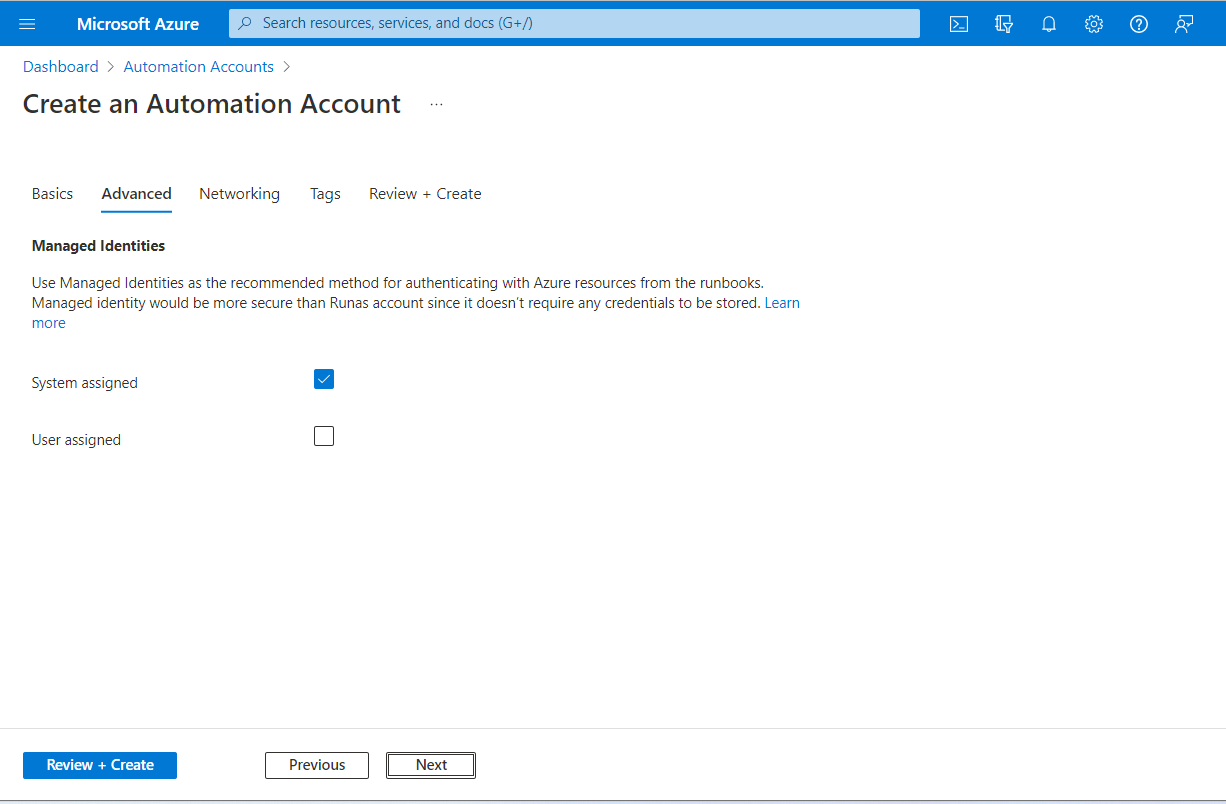
| Identity | Azure RBAC plus system-assigned and user-assigned managed identities |
|---|
What is Azure Automation used for?
Azure Automation is built for recurring or event-driven operations work. Typical uses include starting and stopping resources on schedules, applying tags or locks, creating and updating Azure resources, collecting inventory, running maintenance, responding to Azure Monitor alerts, and coordinating recovery tasks. Runbooks can call Azure Resource Manager, service APIs, and imported modules, so the service can act as an operational action layer after another system detects an event.
It is most useful when infrastructure administration needs central scheduling, Azure RBAC, managed identity, job history, and repeatable code. It is not a general application runtime. Business workflow orchestration often fits Azure Logic Apps better, event-driven application code often fits Azure Functions, and software build or release automation normally belongs in Azure DevOps or GitHub Actions.
Which runbook types and runtime versions are current in 2026?
Microsoft currently supports textual PowerShell and Python runbooks plus PowerShell Workflow, graphical, and graphical PowerShell Workflow runbooks. For new textual automation, Microsoft recommends supported PowerShell and Python runtimes instead of older versions that have reached the end of support in their parent language products.
As of September 2026, Microsoft lists PowerShell 7.6, PowerShell 7.4, and Windows PowerShell 5.1 as supported choices, and Python 3.10 as the supported Python runtime. PowerShell 7.6 became generally available across public Azure regions in July 2026. PowerShell 7.x does not support PowerShell Workflow, so teams with workflow runbooks still need the Windows PowerShell 5.1 based experience for that runbook type.
What changes on September 30, 2026?
Microsoft has announced that Azure Automation support for Python 2.7, Python 3.8, PowerShell 7.1, and PowerShell 7.2 ends after September 30, 2026. Runbooks targeting those versions may continue to execute, but Microsoft says they will no longer receive security updates, bug fixes, or official support. That makes this a production support and security deadline, not merely a recommendation to modernize syntax.
Teams should inventory runbooks by runtime, test them in a current Runtime environment, validate imported modules and credentials, and move supported workloads to PowerShell 7.6, PowerShell 7.4, or Python 3.10 as appropriate. Runtime environments separate script code from the language version and package set, which lets teams test a newer environment before repointing production runbooks.
How do Runtime environments improve dependency management?
A Runtime environment defines the scripting language, runtime version, and required packages for a runbook. One environment can be linked to multiple runbooks, while a runbook is associated with one Runtime environment at a time. This makes module and runtime changes easier to test because the execution environment can be changed independently from the runbook code.
Microsoft also supports Azure CLI commands in PowerShell 7.4 Runtime environments. Teams should still test module and package compatibility before upgrades. PowerShell 7.6 has current limitations, including no source-control integration support for 7.6 runbooks and no module activity extraction for imported modules. Buyers with strict source-controlled runbook workflows should verify these limitations before standardizing on 7.6 everywhere.
How do cloud jobs and Hybrid Runbook Workers differ?
Cloud jobs execute on Microsoft-managed Azure Automation sandbox infrastructure and are simplest when the runbook can reach every required resource from Azure. Hybrid Runbook Workers run automation on customer-managed Windows or Linux machines, which is useful for private networks, local files, on-premises systems, or resources in another cloud that are not reachable from the Azure sandbox.
Microsoft supports up to 4,000 system Hybrid Runbook Workers and 4,000 user Hybrid Runbook Workers per Automation account. A single Hybrid Runbook Worker can run up to 50 concurrent jobs. A worker belongs to one worker group and reports to one Automation account. Multiple workers in a group can provide availability and job distribution, but customers remain responsible for worker operating systems, runtime dependencies, network access, identity, and health.
What quotas and sandbox limits should teams plan for?
Azure Automation is not designed as an unlimited high-throughput task engine. Microsoft currently documents a default maximum of 50 concurrently running jobs per Automation account for Enterprise and CSP subscriptions in public regions, with lower defaults for several other subscription types. The service accepts up to 100 new job submissions per 30 seconds per Automation account. Some account and concurrency quotas can be increased through Azure support, while other limits are fixed.
Azure sandbox jobs have a three-hour maximum runtime, 1 GB of disk space, 400 MB of memory, and up to 1,000 network sockets. An Automation account supports up to 800 runbooks. Runbook job parameters are limited to 50 parameters and 512 KB in size, while webhook payloads are also limited to 512 KB. Job data is retained for 30 days, and Microsoft caps rolling 30-day job metadata storage at 10 GB. Long-running, memory-heavy, latency-sensitive, or very high-frequency workloads are usually better placed on another Azure compute service.
How is Azure Automation priced?
Pricing was checked on September 6, 2026 against Microsoft's Azure Automation pricing page. Process automation is billed by job execution minutes and watcher hours. Microsoft currently includes 500 job runtime minutes per subscription per month and 744 watcher hours per month where the included units apply. The pricing page lists watcher usage above the included amount at $0.002 per hour, while the displayed paid job-minute rate depends on the selected pricing context.
Microsoft notes that included free units are not available to every rate plan, including some plans with flat discounts or fixed monthly credits. Usage is aggregated across Automation accounts associated with the subscription. Hybrid workers can also create separate infrastructure, operating system, networking, monitoring, and management costs because the worker machines are customer-managed.
What are the main operational limitations?
Azure Automation removes the need to host a scheduler, but it does not remove ownership of the automation itself. Teams still need source control, testing, permission design, module management, error handling, monitoring, retry logic where appropriate, and recovery procedures. Runbooks can fail when an API changes, a module becomes incompatible, a runtime reaches end of support, permissions are reduced, or a Hybrid Runbook Worker becomes unavailable.
PowerShell 7.x also has compatibility differences from Windows PowerShell 5.1, and PowerShell Workflow is not supported on PowerShell 7.x. Critical runbooks should therefore be tested against the exact Runtime environment and imported package versions used in production. Organizations should also monitor the September 30, 2026 runtime retirement deadline rather than assuming older runbooks remain fully supported because they still execute.
Who should choose something else?
Choose Azure Logic Apps when the main requirement is low-code application and SaaS workflow integration with connectors and workflow state. Choose Azure Functions when you need event-driven custom application code. Choose Azure DevOps or GitHub Actions when the work is primarily build, test, release, or deployment automation. Choose Azure Update Manager when patch assessment and operating system update orchestration are the primary requirement.
Azure Automation is strongest for Azure-centric operational runbooks that benefit from managed identity, schedules, job history, RBAC, and hybrid execution. A small environment with only a few simple scripts may not need the service, while workloads that require application-scale throughput, very long execution times, large memory footprints, or consistently low latency should use a compute platform designed for those characteristics.
Reviews
No reviews yet
Nobody has reviewed Azure Automation here yet.