About Azure App Configuration
Azure App Configuration is Microsoft's managed service for storing application settings and feature flags outside application code. It gives development and operations teams a central place to organize key-values, labels, snapshots, feature flags, access controls, and regional replicas so applications can change behavior without rebuilding or redeploying every time a setting changes. It fits teams that need consistent configuration across multiple apps, environments, regions, or deployment stages, while keeping secret material in Azure Key Vault rather than mixing secrets into ordinary configuration data.
What is included
Configuration
| Data model | Centralized key-value settings with labels, content types, snapshots, and feature flags |
|---|
Feature management
| Feature flag scenarios | Switch, Rollout, and Experiment |
|---|
Tiers
| Available tiers | Free, Developer, Standard, Premium |
|---|
Capacity
| Storage by tier | 10 MB Free, 500 MB Developer, 1 GB Standard, 4 GB Premium |
|---|---|
| Standard throughput | Up to 300 read RPS and 60 write RPS |
| Premium throughput | Up to 450 read RPS and 100 write RPS |
Availability
| Geo-replication | Available on Standard and Premium |
|---|
Security
| Identity and access | Microsoft Entra ID, Azure RBAC, managed identity, and tier-dependent private networking |
|---|
Integration
| Secret handling | Designed to complement Azure Key Vault through Key Vault references |
|---|
Limits
| Key-value size | 10 KB combined limit for key, value, and associated attributes |
|---|
What is Azure App Configuration used for?
Azure App Configuration is designed for centralized application settings and feature management. Common uses include service endpoints, environment-specific values, rollout switches, percentage releases, operational toggles, and shared settings used by several application instances. Applications can load settings from the service at startup and, with supported provider libraries, refresh selected values while the application is running.
The service is especially useful when configuration has become scattered across deployment files, environment variables, container settings, and multiple repositories. Centralizing those values can make changes easier to audit and reduce the need to rebuild an application simply to update a non-secret setting.
How do keys, labels, and snapshots work?
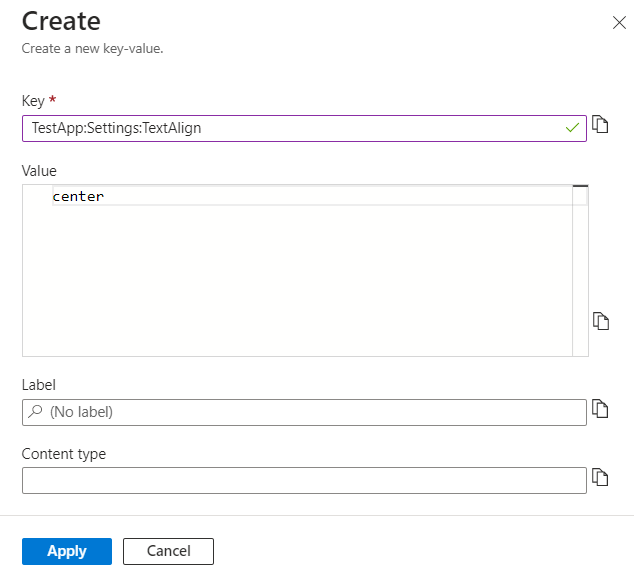
App Configuration stores data as key-value pairs. Keys can be organized hierarchically, and labels let teams maintain different values for the same key across environments, versions, tenants, or deployment rings. Microsoft documents a combined 10 KB size limit for a key-value and its associated attributes, so the service is meant for configuration data rather than large files or application content.
Snapshots provide immutable point-in-time sets of configuration. They are useful for controlled releases, rollback, and auditing because a snapshot does not change after creation. Snapshot references can let an application move from one immutable snapshot to another without changing application code, provided the application uses a supported configuration provider and refresh behavior.
How does feature management work?
Azure App Configuration includes a centralized feature manager. Microsoft currently documents three main feature flag scenarios: Switch, Rollout, and Experiment. Switch handles simple on or off behavior. Rollout supports gradual exposure, including percentages and targeted audiences. Experiment supports variant-based testing and controlled allocation.
Feature flags let teams separate feature release from code deployment. A feature can be deployed in code but remain disabled until the team chooses to activate it. That can reduce deployment risk, support canary releases, and provide a faster operational fallback than shipping another build. Feature flag evaluation still belongs in application logic, so teams should design safe defaults when the configuration service is unavailable.
How do Free, Developer, Standard, and Premium differ?
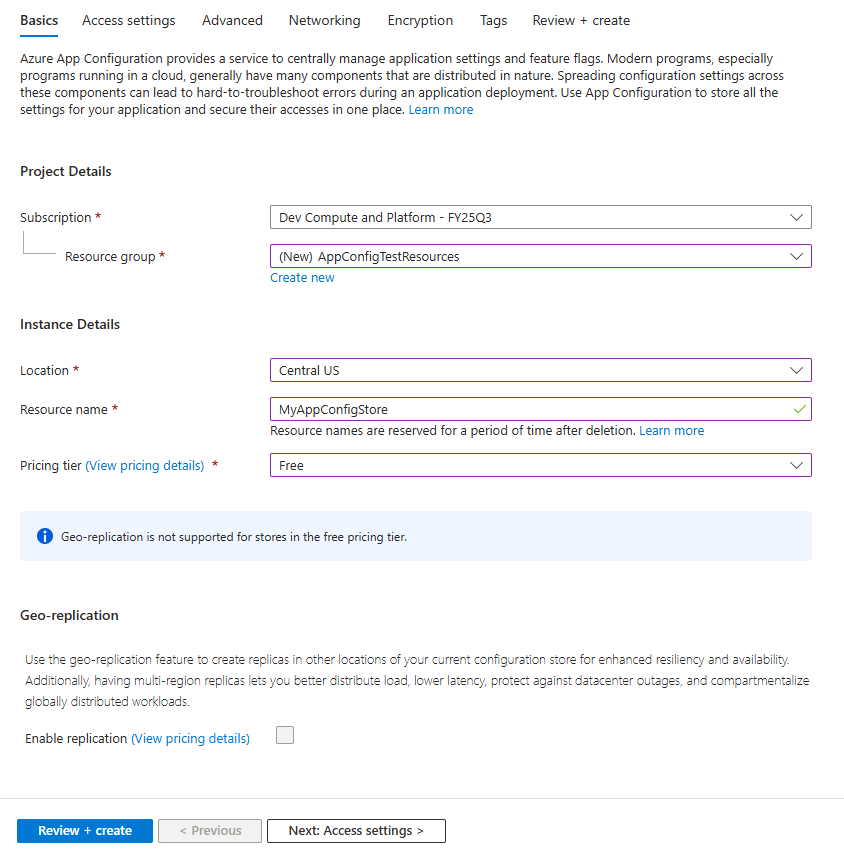
Microsoft currently offers Free, Developer, Standard, and Premium tiers. Free is intended for evaluation and trials, while Developer is aimed at low-volume development and testing. Standard is positioned for medium-volume production use, and Premium for higher-volume workloads.
Current Microsoft limits list 10 MB of storage for Free, 500 MB for Developer, 1 GB for Standard, and 4 GB for Premium. Standard currently allows up to 300 read requests per second and 60 write requests per second, while Premium allows up to 450 read requests per second and 100 write requests per second. Standard has a 30,000-request hourly quota per resource or replica. Premium has no hourly request quota limit. Microsoft also lists higher SLA and Private Endpoint limits as tiers increase.
How does pricing work?
Pricing was checked on August 27, 2026. Free has no store charge. Paid tiers use a store-per-day model with request overage charges after the included request allowance. Microsoft currently includes the first 3,000 requests in the Developer daily charge, the first 200,000 requests in the Standard daily charge, and the first 1.6 million requests in the Premium daily charge when its included replica is counted.
Standard replicas are billed separately, while Premium includes one replica and charges for additional replicas. Exact dollar amounts vary by agreement, region, and billing context, so buyers should use Microsoft's pricing calculator for a current estimate. The main cost drivers are the store tier, replica count, and request volume.
How do security, networking, and Key Vault fit together?
Azure App Configuration supports Microsoft Entra ID, Azure RBAC, managed identities, service tags, and tier-dependent private networking. Developer adds Private Link support. Standard adds capabilities such as Network Security Perimeter, customer-managed keys, soft delete, and geo-replication. Premium includes Standard capabilities and one replica in the store price.
App Configuration is not a replacement for Azure Key Vault. Microsoft positions the two services as complementary. App Configuration is optimized for ordinary application settings and feature flags, while Key Vault is designed for secrets, cryptographic keys, and certificates. Applications can use Key Vault references from App Configuration so configuration remains centralized without copying secret values into the configuration store.
What should teams know about availability and geo-replication?
Geo-replication is available for Standard and Premium, not Free or Developer. Each replica has its own request limits, which can help distribute load between application regions. Microsoft states that updates made through a replica are synchronized to the other replicas using eventual consistency.
Geo-replication can improve resilience and reduce latency when applications run in several regions, but it adds cost and does not remove the need for application-side fallback behavior. Microsoft also supports availability zones for replicas in regions where that capability is available. Teams should test how provider libraries fail over and what the application does if no configuration endpoint is reachable.
What are the main limitations and alternatives?
App Configuration is not a general database, secret vault, service discovery system, or large document store. The 10 KB combined key-value limit and tier request quotas matter for applications that generate large or highly dynamic data. Heavy runtime reads can also become an avoidable cost if applications do not cache configuration or use refresh patterns carefully.
Teams that only have a small number of stable settings may be better served by ordinary deployment configuration or environment variables. Sensitive secrets belong in Azure Key Vault. Teams needing a full experimentation analytics platform may want a dedicated feature management product with deeper experimentation and product analytics. Configuration that is tightly coupled to infrastructure may also fit infrastructure-as-code templates better than a runtime configuration service.
Who should choose something else?
Choose something else if the application has only a few settings that rarely change, if the values are primarily secrets, or if the team does not need centralized feature management. Small applications can add unnecessary operational complexity by introducing another network dependency and permissions model when local or deployment-time configuration is sufficient.
A dedicated feature experimentation platform can be a better fit when product teams need sophisticated experimentation analysis, cross-platform audience management, or non-Azure workflows as the primary requirement. Azure App Configuration is strongest when the goal is Azure-friendly centralized configuration, feature flags, controlled rollout, and reliable distribution of application settings.
Reviews
No reviews yet
Nobody has reviewed Azure App Configuration here yet.