About Azure Advisor
Azure Advisor is Microsoft's recommendation service for reviewing Azure resource configuration and usage telemetry against current Azure best practices. It is designed for teams already running workloads in Azure that want a prioritized view of opportunities across reliability, security, performance, cost, and operational excellence. Advisor does not replace architecture review, monitoring, security engineering, policy enforcement, FinOps analysis, or change control. Its value is in continuously surfacing Microsoft-generated recommendations that teams can evaluate against workload context, support requirements, business priorities, and the operational risk of each proposed change.
What is included
Recommendations
| Recommendation categories | Reliability, security, performance, cost, and operational excellence |
|---|
Optimization
| Advisor score | Overall plus category scores aligned with the five Azure Well-Architected Framework pillars |
|---|---|
| Weighted score subcategories | Used for reliability, performance, and operational excellence score calculations |
Workflow
| Recommendation states | Active, Postponed, Dismissed, and Completed |
|---|---|
| System verification | Microsoft documents automatic verification about every 24 hours, depending on recommendation type |
| Completed retention | System-verified completed recommendations remain viewable for six months |
Filtering
| Recommendation filters | Subscription, resource group, resource type, workload, tags, status, impact, recommendation type, and subcategory |
|---|
Compute optimization
| VM and VMSS right-sizing filter | Subscription owners can configure an average CPU utilization filter; changes can take up to 24 hours to appear |
|---|
Access
| Interfaces | Azure portal, REST API, CLI, PowerShell, and Azure Resource Graph |
|---|
Pricing
| Advisor service charge | No additional cost for Azure Advisor recommendations |
|---|
Service terms
| SLA | No SLA; Microsoft states Azure Advisor is a free service |
|---|
What does Azure Advisor analyze?
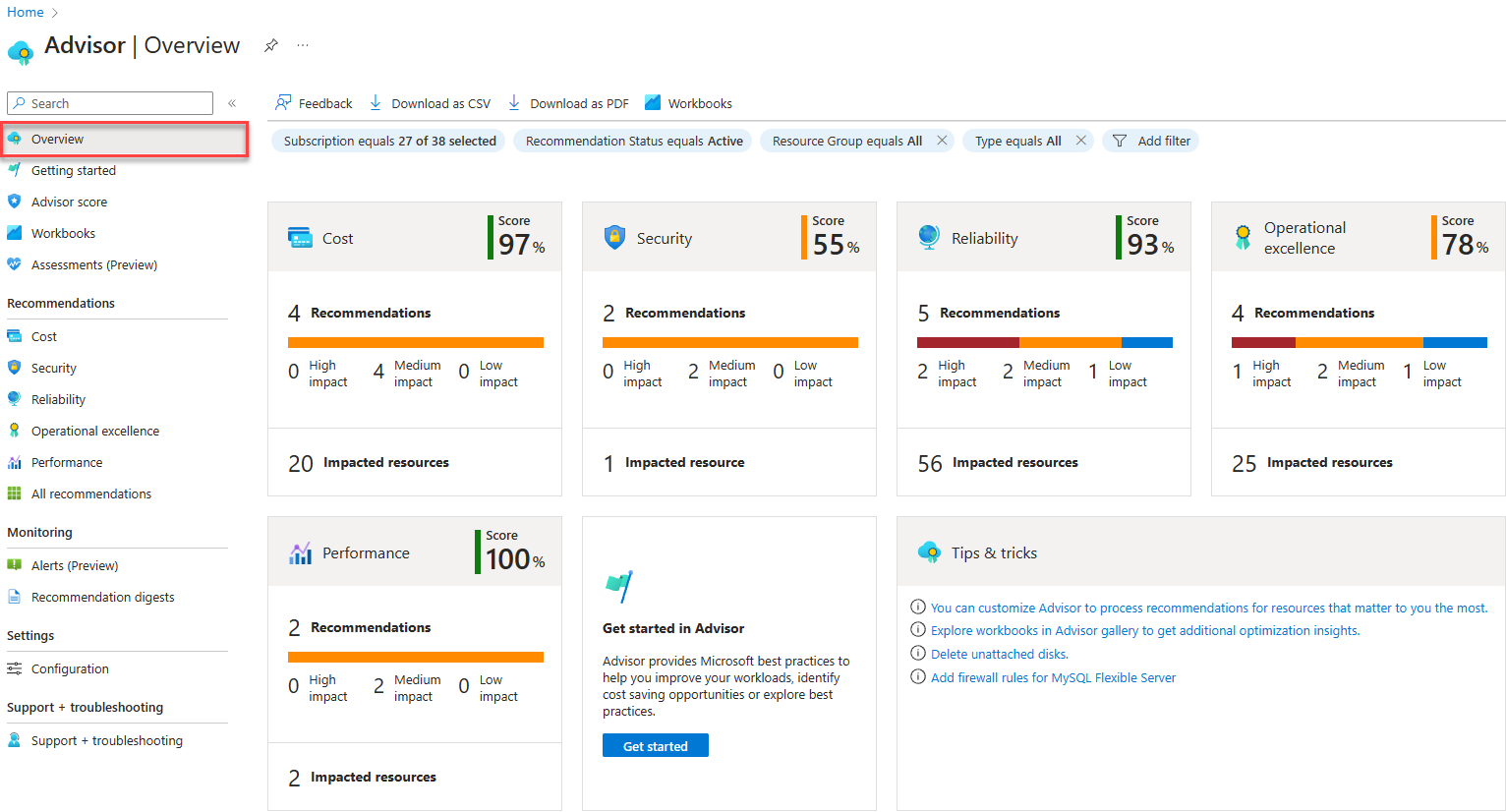
Azure Advisor reviews supported Azure resources and generates personalized recommendations from configuration and usage data. Microsoft organizes recommendations around five categories aligned with the Azure Well-Architected Framework pillars: reliability, security, performance, cost, and operational excellence. Recommendations can identify resilience gaps, underused resources, configuration changes, service retirements, scaling opportunities, or operational practices that Microsoft believes can improve the environment.
Advisor does not assess every Azure service in the same way, and the absence of a recommendation does not mean a workload has no risk. Teams should use Advisor as an optimization input rather than a complete audit of architecture, compliance, security posture, application behavior, or business continuity.
How do teams use the Advisor dashboard and filters?
The Azure portal shows recommendations by category and lets teams narrow the view by subscription, resource group, resource type, workload, tags, status, impact, recommendation type, and subcategory. Recommendations can also be grouped to make ownership and remediation planning easier across larger Azure estates.
Microsoft states that Advisor can take up to 24 hours to provide recommendations for newly created resources. That makes Advisor unsuitable as a real-time health monitor. Teams needing real-time telemetry, alerts, traces, or logs should use Azure Monitor and related observability services instead.
How does recommendation state management work?
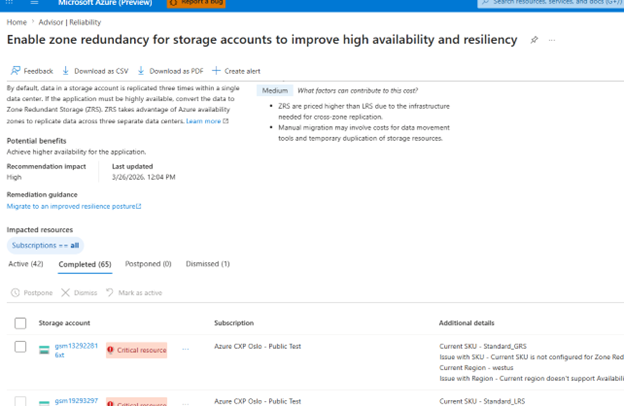
Microsoft's current recommendation state model uses Active, Postponed, Dismissed, and Completed. A postponed recommendation is hidden temporarily and can return to Active after the selected period. A dismissed recommendation stays hidden until it is manually reactivated. Completed can mean a user marked the recommendation complete or Advisor verified that the issue no longer applies.
Microsoft documents automatic verification about every 24 hours, depending on recommendation type. Once a recommendation is system verified as completed, that state is final and cannot be reactivated. System-verified completed recommendations remain available for six months before removal. Security recommendations are a special case because Microsoft Defender for Cloud remains the authoritative source for their actual security state.
How is Advisor score calculated in 2026?
Advisor score provides an overall percentage plus category scores for reliability, security, performance, cost, and operational excellence. Microsoft states that the overall score is calculated from the applicable category scores and in most cases is effectively the average of the five category scores.
The category methods differ. Security uses a secure-score model. Cost uses assessed resource retail cost and recommendation weighting. Reliability, performance, and operational excellence use weighted subcategories based on the percentage of healthy resources within the applicable scope. Resources with no Advisor recommendation do not contribute to the score.
What should teams know about score exclusions and refresh timing?
Postponed and dismissed recommendations are excluded from score calculation after the next refresh. Manually completed recommendations are treated as healthy until the platform performs system verification. Microsoft states that Advisor score refreshes at least once per day and that it can take at least 24 hours for remediation to appear in the score.
New or recently changed recommendation types can temporarily show no impact value while Microsoft evaluates how they should contribute to the score model. Advisor score is useful for trend tracking inside the scope Advisor assesses, but it is not a certification that an environment is secure, compliant, reliable, or well architected.
How do VM and VMSS right-sizing controls work?
Azure Advisor includes configuration controls for virtual machine and virtual machine scale set right-sizing recommendations. Subscription owners can configure an average CPU utilization filter for each subscription. Microsoft is explicit that this changes which machines appear in the recommendation view rather than changing the underlying recommendation-generation logic.
Changes can take up to 24 hours to appear. Teams should not treat the CPU filter as a complete sizing policy because memory, storage, network throughput, application latency, licensing, reservation commitments, and seasonal demand can all affect whether downsizing is safe.
How much does Azure Advisor cost?
Pricing was checked on September 6, 2026. Microsoft states that Azure Advisor is available at no additional cost and that its recommendations do not have a separate service charge.
The remediation itself can still create charges. A reliability recommendation might suggest backup, extra capacity, or another Azure service. A security or resilience recommendation can increase spend even when the recommendation service is free. Microsoft also states that Azure Advisor has no SLA because it is a free service, so organizations should not design time-critical operational processes that depend on Advisor alone.
What permissions and operational controls matter?
Microsoft documents Azure role-based access control for Advisor. Owners, Contributors, and Readers can access recommendations within their permitted scope. Changing subscription configuration or VM and VMSS right-sizing settings requires subscription-owner permissions.
Postponing or dismissing a recommendation requires Contributor or higher access on the affected resource. Organizations should keep least privilege in place and route recommendations through normal engineering, security, FinOps, and change-management processes. A recommendation can be technically valid but still conflict with maintenance windows, availability requirements, contractual commitments, internal architecture standards, or business risk tolerance.
How does Azure Advisor differ from Azure Monitor and Azure Policy?
Azure Advisor is primarily a recommendation and optimization service. Azure Monitor collects and analyzes operational telemetry, metrics, logs, traces, and alerts. Azure Policy evaluates resources against governance rules and can audit or enforce configuration requirements.
The services can complement one another. A team might use Azure Policy to enforce mandatory controls, Azure Monitor to observe workload behavior, and Azure Advisor to surface Microsoft-generated optimization opportunities. Advisor should not be treated as a substitute for real-time monitoring, incident detection, or policy enforcement.
What are the main limitations of Azure Advisor?
Advisor only makes recommendations where Microsoft has implemented recommendation logic and where the required resource data is available. Some recommendations can be too generic for workloads with unusual business constraints. Advisor also cannot know every dependency, maintenance window, contractual requirement, application-level performance characteristic, or organizational risk tolerance.
Recommendation and score data can take time to refresh. Security recommendation state differs because Defender for Cloud is authoritative for many findings. Teams building automation around Advisor should verify the current API, recommendation type, and state behavior rather than assuming every category behaves identically.
Who should choose something else?
Azure Advisor is useful for organizations already operating meaningful Azure estates, but it is not a replacement for specialist FinOps, cloud-security posture management, observability, architecture review, or configuration-governance platforms when deeper workflow, cross-cloud, compliance, analytics, or automation capabilities are required.
A small Azure environment may not need a dedicated optimization workflow beyond periodic Advisor review. Multicloud organizations that need one consistent recommendation, policy, cost, and governance layer across several cloud providers should compare broader third-party platforms rather than relying on Azure Advisor alone.
Reviews
No reviews yet
Nobody has reviewed Azure Advisor here yet.