About Samsung Knox Platform
Samsung Knox is the security platform built into Samsung Galaxy phones, tablets and watches rather than something an administrator installs afterwards. It begins in hardware at manufacture and reaches upward through the boot chain, the kernel and the separated work container that keeps business applications and data apart from personal ones. Most buyers meet the name on a specification sheet. IT departments meet it as a set of policy controls layered on top of Android Enterprise, licensed per device and driven from whichever endpoint management console the organisation already runs.
The name is used loosely, which is why the family is so often confused. Knox is the platform. Knox Vault is dedicated hardware inside recent Galaxy chipsets that stores secrets away from the main processor. Knox Guard is a separate paid cloud service for remotely locking devices, sold mainly to carriers and device financiers. This page covers the platform.
What Samsung Knox actually is
Knox is a stack, not a feature. At the bottom sit device-unique keys written at the factory, a verified boot chain, and protections running inside the ARM TrustZone trusted execution environment, including Real-time Kernel Protection, which watches for attempts to modify the running kernel. Above that sits the work container and the policy surface.
The commercially managed part is named Knox Platform for Enterprise. Samsung's documentation describes it as extending Android Enterprise with controls native to Samsung hardware, and names the additions: Common Criteria Mode, DualDAR for a second layer of data-at-rest encryption, Universal Credential Management, Network Platform Analytics, device audit logging, non-bypassable VPN and VPN chaining, and remote health checks meant to detect a compromised device. Those policies reach the device through the Knox Service Plugin, an OEMConfig application a management console pushes like any other managed app.
How Knox differs from Knox Vault and Knox Guard
Readers arrive expecting three competing products. They are not.
Knox, the platform, is the software and firmware layer: boot integrity, kernel protection, the work container, and the policy set an administrator configures.
Knox Vault is physical. It is a separate secure processor and secure memory inside the chipset, holding the most sensitive secrets such as screen lock credentials and cryptographic keys. It is not licensed, configured or bought separately. It is present or absent depending on which Galaxy model you buy.
Knox Guard is a paid cloud service with a different buyer entirely: it lets a carrier, retailer or lender lock a handset remotely when a customer stops paying. That is a commercial control rather than a data protection control, and an ordinary enterprise rarely needs it.
Knox and Android Enterprise: extension, not replacement
The most common misunderstanding is that Knox is an alternative to Android Enterprise. It is not. Samsung's documentation states that Knox Platform for Enterprise supports Android Enterprise deployment modes, including work profile on company-owned devices, and applies Knox policies alongside the standard Android ones.
Microsoft's Intune documentation shows the same relationship from the other side, describing Knox Mobile Enrollment as a route into Intune's Android Enterprise enrolment types, namely dedicated devices, fully managed devices and corporate-owned devices with a work profile, by supplying an Intune enrolment token as custom JSON in the Knox admin portal. That page also carries a deprecation notice for Android device administrator management on devices with Google Mobile Services.
So you still need a management console. Knox is a layer of extra controls delivered into it, not a console of its own unless you also buy Knox Manage.
What is free and what is licensed
Samsung's licensing documentation is clearer than its marketing. Knox Mobile Enrollment requires no licence key. Knox Platform for Enterprise, delivered through the Knox Service Plugin, requires a free device-based licence. DualDAR is the exception and requires a paid one.
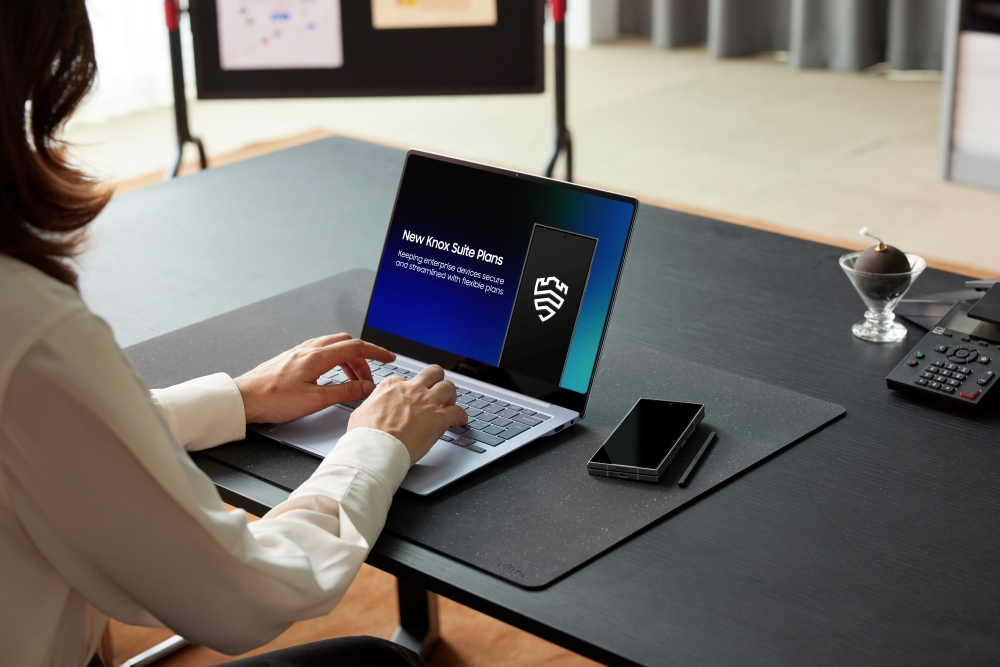
The paid cloud services are sold as Knox Suite plans: Base covers Knox Mobile Enrollment and Knox Platform for Enterprise, Essentials adds Knox Manage and Knox Remote Support, and Enterprise adds Knox E-FOTA, Knox Asset Intelligence, Knox Capture and Knox Authentication Manager. Trial licences run three months for up to thirty devices. Samsung publishes no single global price list, and none is quoted here.
Certifications, and what they do and do not prove
Samsung's certifications page cites Common Criteria evaluations through the US NIAP scheme covering Galaxy devices on Android 14, 15 and 16, FIPS 140-3 validations for its SCrypto and SKC cryptographic modules, DISA Security Technical Implementation Guides, approval of nine Galaxy models under the NSA Commercial Solutions for Classified programme, and German BSI VS-NfD approval for Knox Native Solution 3.10.
Two cautions belong beside that list. Certifications attach to named device models on named firmware versions, not to the word Knox, so check the entry for the exact model you are buying. And Knox has been broken in public: SecurityWeek reported in 2016 that researchers at Viral Security Group bypassed Real-time Kernel Protection on unpatched Galaxy S6 and Note 5 handsets, issues named KNOXout and tracked as CVE-2016-6584. That is historic, but it sets the right expectation: strong engineering that still depends on being patched.
Who Samsung Knox is for
Knox suits organisations standardised on Samsung hardware, and its value rises with fleet size and regulatory pressure. Government departments, defence suppliers, healthcare providers and financial services get the most from it, because DualDAR, Common Criteria Mode and the certification paper trail exist precisely for auditor conversations.
It also suits high-volume logistics, retail and field service work, where Knox Mobile Enrollment lets a reseller register thousands of devices so they enrol themselves out of the box. Bring-your-own-device programmes benefit less, since the Android Enterprise work profile already does most of the separation.
What to weigh it against
The honest first comparison is doing nothing extra. Android Enterprise alone, driven from Intune, Workspace ONE, SOTI, Ivanti or Google's own tooling, already provides work profile separation, application management and a large policy set on every modern Android device from any manufacturer. If your requirements are met there, Knox adds administrative work for controls you will not switch on.
The second comparison is lock-in. Knox controls apply to Samsung devices only, so a mixed Android fleet means either policy written to the lowest common denominator or separate OEMConfig configurations per manufacturer, since Zebra, Honeywell and others ship their own equivalents.
If the fleet is iPhone, the comparison is Apple Business Manager with declarative device management and the Knox question does not arise. If what you need is a console rather than device hardening, judge Knox Manage against Intune, Workspace ONE and SOTI MobiControl on its own merits.
Who should buy something else
Small organisations with a few dozen devices should usually stop at Android Enterprise and whatever management comes with their existing identity provider. The free tier of Knox Platform for Enterprise is worth enabling if the devices are Samsung anyway, but building a procurement case around Knox at that scale is effort spent on controls nobody will configure.
Organisations with genuinely mixed hardware should think hard. If Samsung is under half the fleet, the per-manufacturer policy overhead can outweigh the extra hardening, and a single cross-platform baseline is easier to defend to an auditor than two divergent ones.
Anyone shopping specifically for hardware key storage should not be buying anything: that is Knox Vault, and it arrives with the handset. Anyone shopping for the ability to lock a device that has not been paid for wants Knox Guard.
Finally, organisations whose real problem is identity, application security or data loss in cloud services should solve that first. Knox hardens the endpoint. It does not govern what happens to a file once a user has legitimately opened it, and it is no substitute for conditional access, mobile threat defence or an information protection policy.
Reviews
No reviews yet
Nobody has reviewed Samsung Knox Platform here yet.