About Notion AI
Notion AI is the AI layer built into the Notion workspace. It uses permitted workspace content and connected services to answer questions, create and edit pages or databases, summarize meetings, search company knowledge and automate recurring work. The current product family includes Notion Agent, Custom Agents, Enterprise Search, AI Meeting Notes, Research Mode and AI-assisted writing and database features. This page focuses on the AI product itself rather than repeating Notion's corporate history or the full workspace portfolio.
What can Notion AI do inside a workspace?
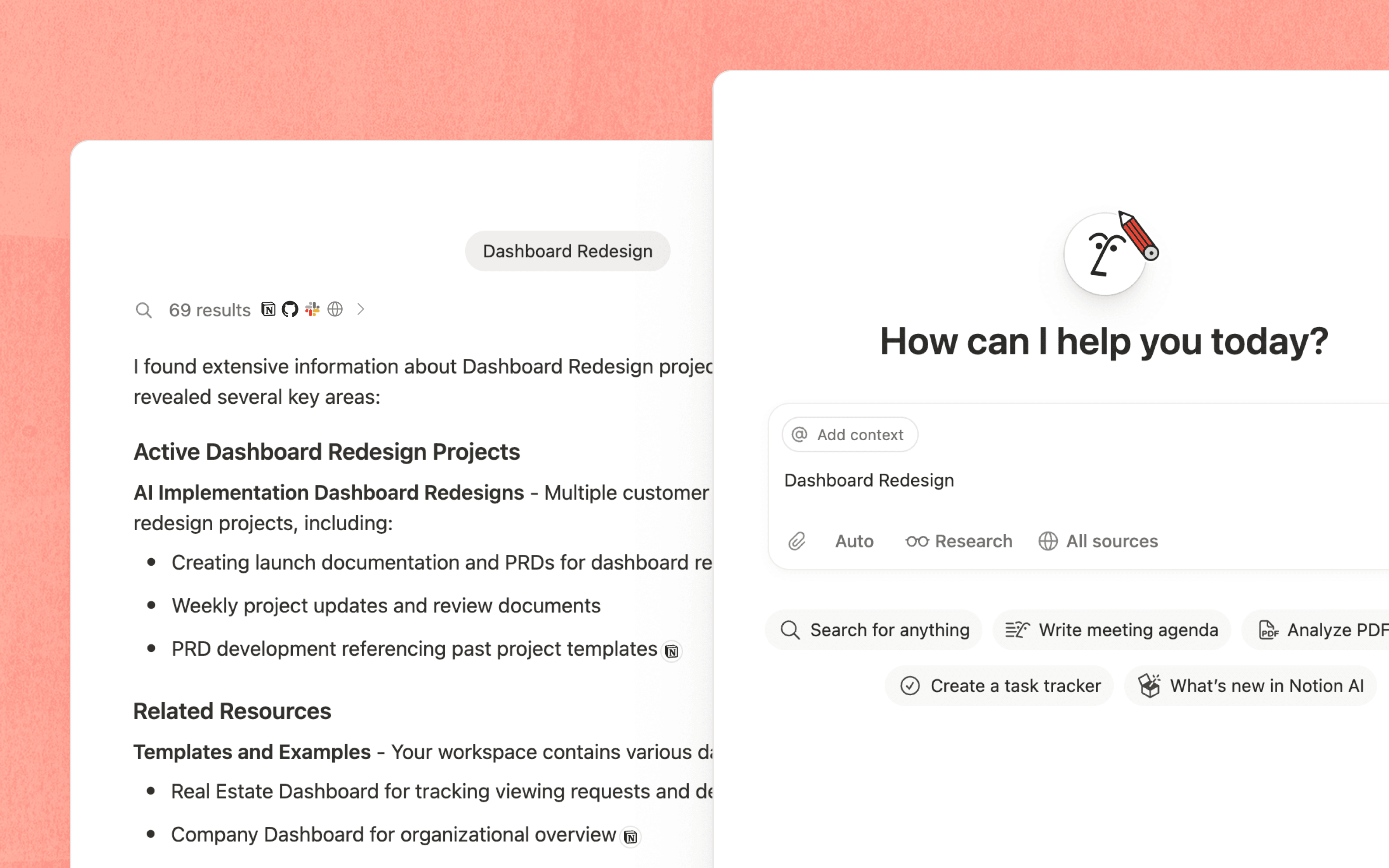
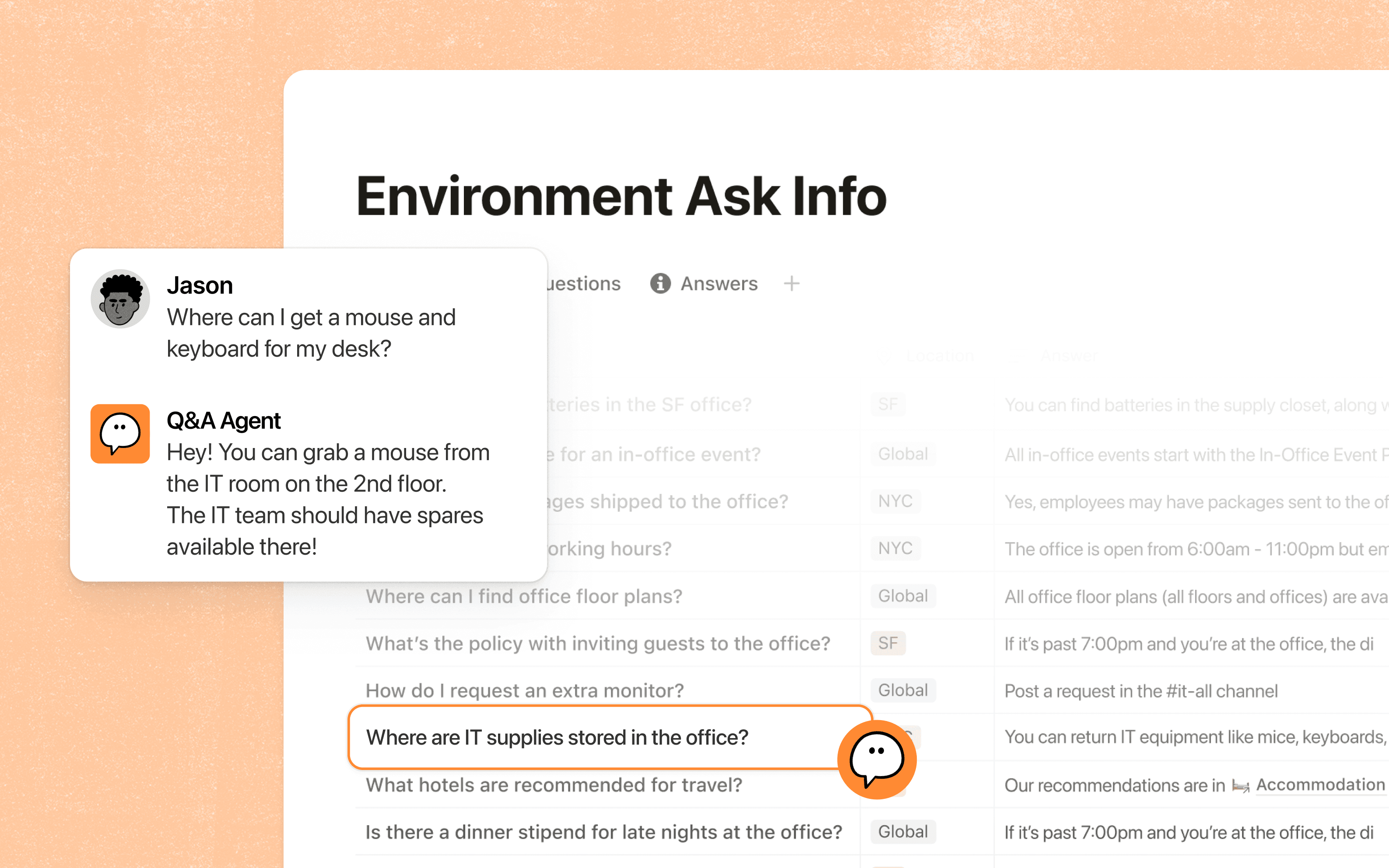
Notion AI works directly with pages, docs, tasks and databases, so users can ask questions or take action without moving content into a separate assistant. Notion Agent can create and edit pages, build databases, summarize material and use workspace context to complete multi-step tasks. Research Mode can gather information across available sources and produce a structured result, while AI blocks and Autofill can help draft, summarize or populate database properties.
The useful distinction is context. A general-purpose chatbot starts mainly from what the user supplies in the prompt. Notion AI can also use information the user is already permitted to access in Notion and, when enabled, connected applications. That can reduce manual copying, but the quality of the result still depends on the quality and permissions of the underlying information.
How do Notion Agent and Custom Agents differ?
Notion Agent is an on-demand personal assistant. It inherits the user's permissions and works when the user asks it to perform a task. Custom Agents are designed for repeatable team workflows. They can run on schedules or triggers and can be given specific page-level permissions and connections.
Custom Agents can work with services such as Slack, Mail, Calendar and supported MCP integrations. Notion states that every agent run is logged and changes are reversible. For administrators, that means agent deployment should be treated as an automation and access-control decision rather than only an AI feature toggle.
What does Enterprise Search add?
Enterprise Search extends questions beyond the current Notion workspace by searching supported connected applications. Notion currently highlights sources such as Slack, Google Drive and GitHub. The goal is to let employees ask one question and retrieve relevant material without manually searching each system.
Search coverage is not the same as universal access. Results remain dependent on connections, permissions, indexing and the sources an organization has enabled. Buyers should test the systems that contain their highest-value knowledge before assuming that Enterprise Search can replace every existing search workflow.
How do AI Meeting Notes work?
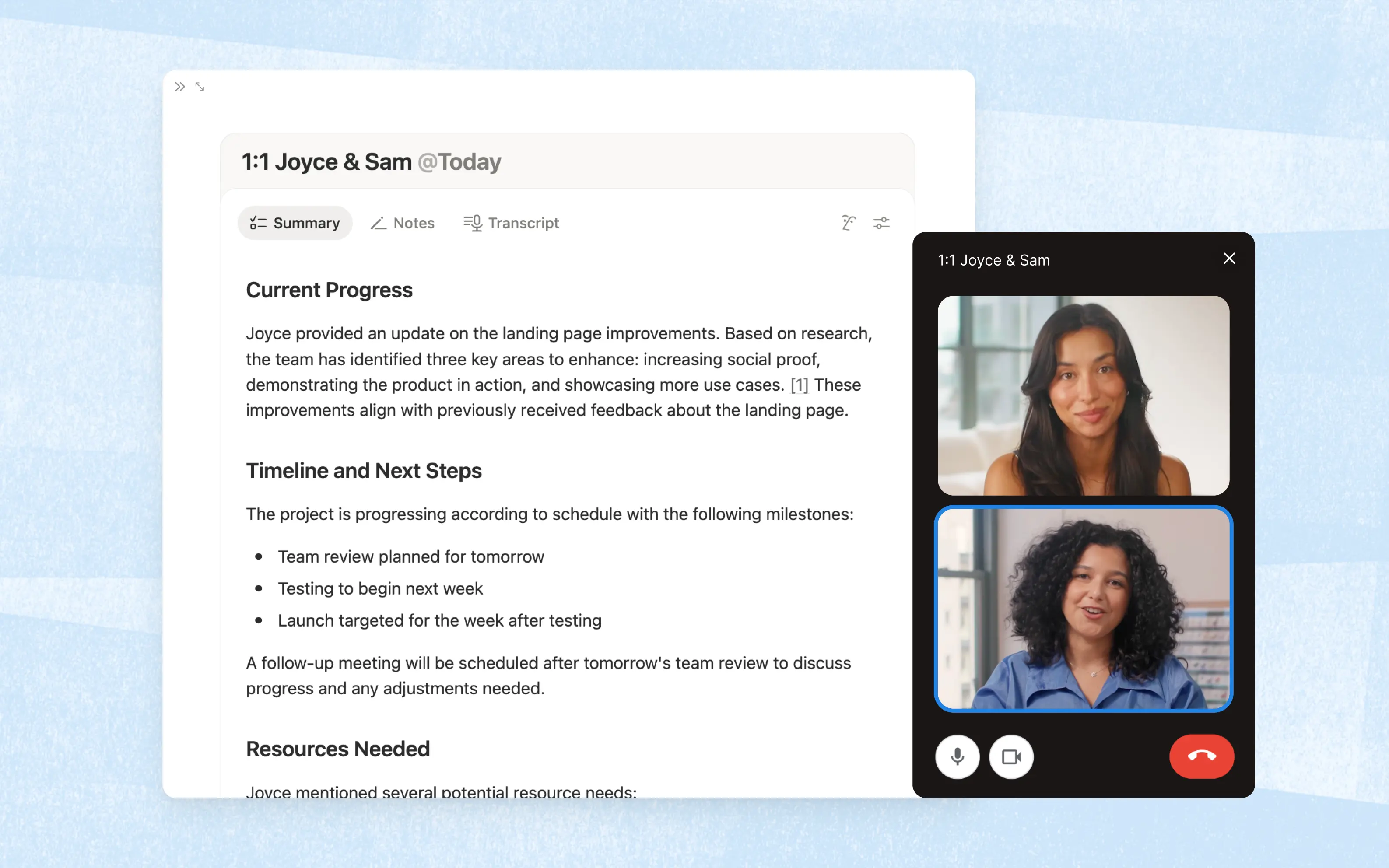
AI Meeting Notes is designed to capture meetings, create transcripts and produce summaries and action-oriented notes inside Notion. Because the notes are stored alongside other workspace content, teams can connect them to projects, decisions and follow-up work instead of leaving meeting records in a separate application.
Meeting capture can create privacy and governance obligations. Organizations should define when recording is appropriate, how participants are informed, how long transcripts are retained and which workspaces can contain sensitive conversations. Those policies matter even when the feature itself is easy to enable.
How much does Notion AI cost in August 2026?
Pricing checked on August 22, 2026 against Notion's official pricing and AI pages. Notion AI's core team capabilities are included with the Business and Enterprise plans. Notion currently lists Business at $20 per member per month when annual billing is selected, while Enterprise uses custom pricing. Free and Plus workspaces receive limited trial access to AI capabilities rather than the full Business AI package.
Custom Agents use a separate credit model. Notion states that Custom Agents are free to try and then cost $10 per 1,000 credits. Credits are available as an add-on for Business and Enterprise workspaces, and agent runs consume credits based on the work performed. Buyers should therefore separate normal workspace seat cost from recurring autonomous-agent consumption when estimating total AI spend.
How does Notion AI handle data and permissions?
Notion states that its AI subprocessors are contractually prohibited from training on customer data. Its current security documentation says Enterprise AI use includes zero data retention with LLM providers, while non-Enterprise processing can use a different retention period. Notion Agent inherits the user's permissions, and Custom Agents can be scoped with their own access controls.
Enterprise buyers should still review which connectors are enabled, what information agents can read or write, audit requirements and whether sensitive work should be excluded from AI workflows. Permission inheritance reduces one class of access risk but does not remove the need for workspace governance.
What are the main limitations of Notion AI?
Notion AI is most valuable when important work already lives in Notion or connected systems. A company whose knowledge is poorly organized, heavily duplicated or spread across unsupported tools may see less benefit. AI responses can also be incomplete or wrong, so generated work still needs human review when accuracy matters.
Cost can become harder to predict when Custom Agents run frequently because usage is credit-based. Teams should also consider change management: adding agents to an already inconsistent workspace can automate bad processes as easily as good ones. Clear page ownership, permissions and workflow design should come before broad automation.
How does Notion AI compare with alternatives?
Microsoft Copilot can be a better fit for organizations whose work and identity are centered on Microsoft 365. Google Gemini may fit teams standardized on Google Workspace. ChatGPT and Claude offer broader standalone conversational and research workflows and may be preferable when the work does not need to stay inside a Notion workspace. Atlassian Rovo is relevant for organizations whose operational context is concentrated in Jira, Confluence and related Atlassian products.
Notion AI's strongest differentiator is its proximity to Notion pages, databases and permissions. That advantage matters less when Notion is not already a meaningful system of record for the team.
Who should consider another AI product instead?
Teams should consider another product if most of their work happens outside Notion, if they need a specialist coding or data-science assistant, or if they want a standalone AI environment that is independent of their knowledge platform. Organizations with strict model-selection, hosting or procurement requirements should also verify whether Notion's available models and data-processing terms meet those needs.
Notion AI is a better fit when the goal is to use AI on top of an existing Notion workspace, connect knowledge across approved systems and automate repeatable work while preserving familiar workspace permissions.
Reviews
No reviews yet
Nobody has reviewed Notion AI here yet.