About Azure Update Manager
Azure Update Manager is Microsoft's unified patch-management service for Windows and Linux server workloads across Azure, on-premises environments, and other clouds connected through Azure Arc. It is designed for teams that need one place to assess update compliance, deploy patches immediately, schedule recurring maintenance, and apply update controls at scale without depending on the older Azure Automation Update Management architecture or a Log Analytics workspace.
What is included
Coverage
| Managed operating systems | Supported Windows and Linux server operating systems on Azure VMs and Azure Arc-enabled servers |
|---|
Assessment
| Periodic assessment | Can assess update compliance automatically every 24 hours |
|---|
Deployment
| Update modes | On-demand installation, recurring maintenance schedules, automatic VM guest patching, and supported hotpatching scenarios |
|---|
Hybrid management
| Non-Azure servers | Requires Azure Arc connectivity and the Azure Connected Machine agent |
|---|
Architecture
| Core dependencies | Does not require Azure Automation or Log Analytics for core patch operations |
|---|
Governance
| Scale controls | Azure RBAC, Azure Policy integration, maintenance configurations, and dynamic scopes |
|---|
Pricing
| Azure VMs | No additional Azure Update Manager charge according to current Microsoft pricing |
|---|---|
| Arc-enabled servers | Daily-prorated charge equivalent to up to USD 5 per server per month for ordinary Arc-enabled servers, based on current Microsoft pricing |
What does Azure Update Manager do?
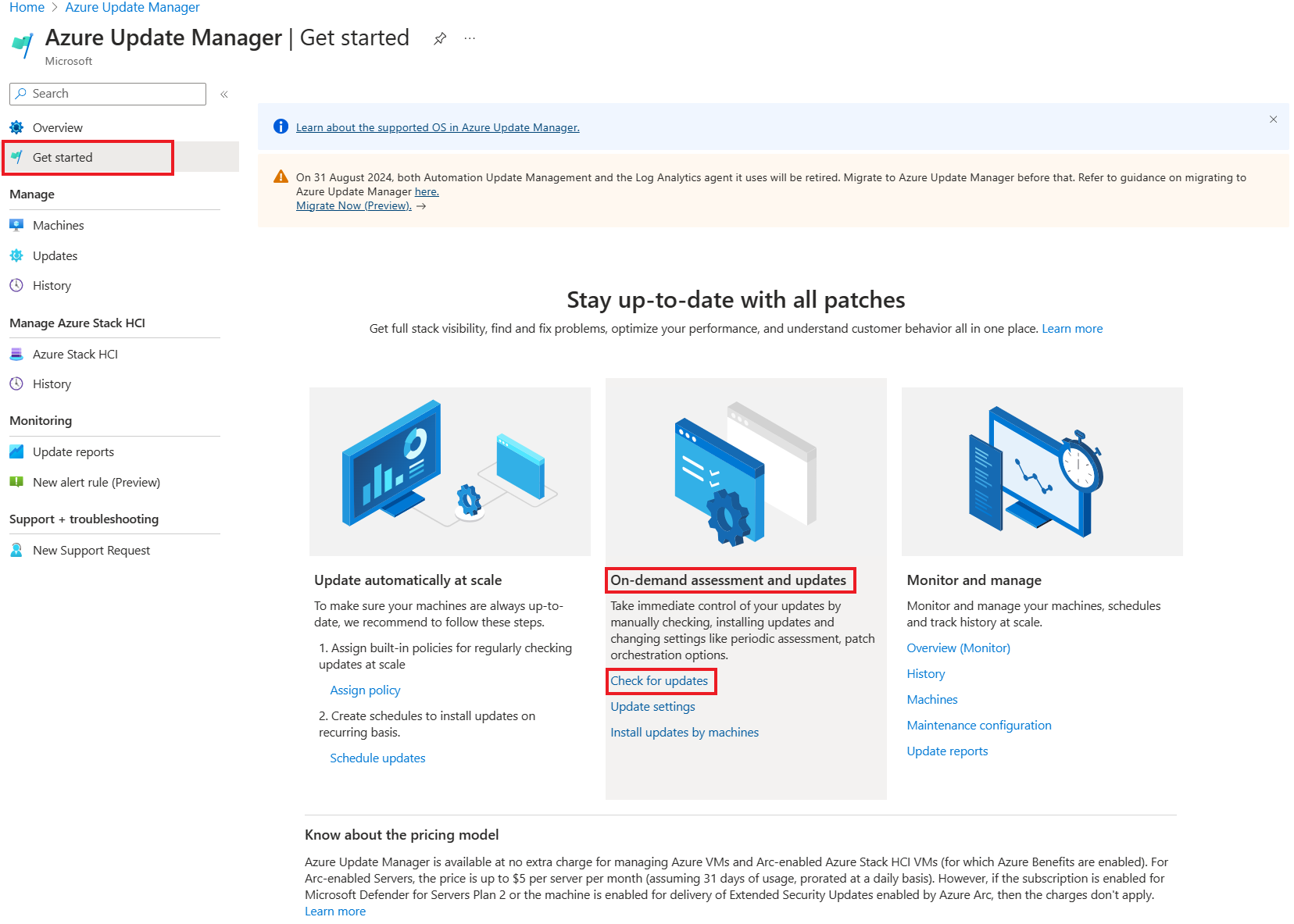
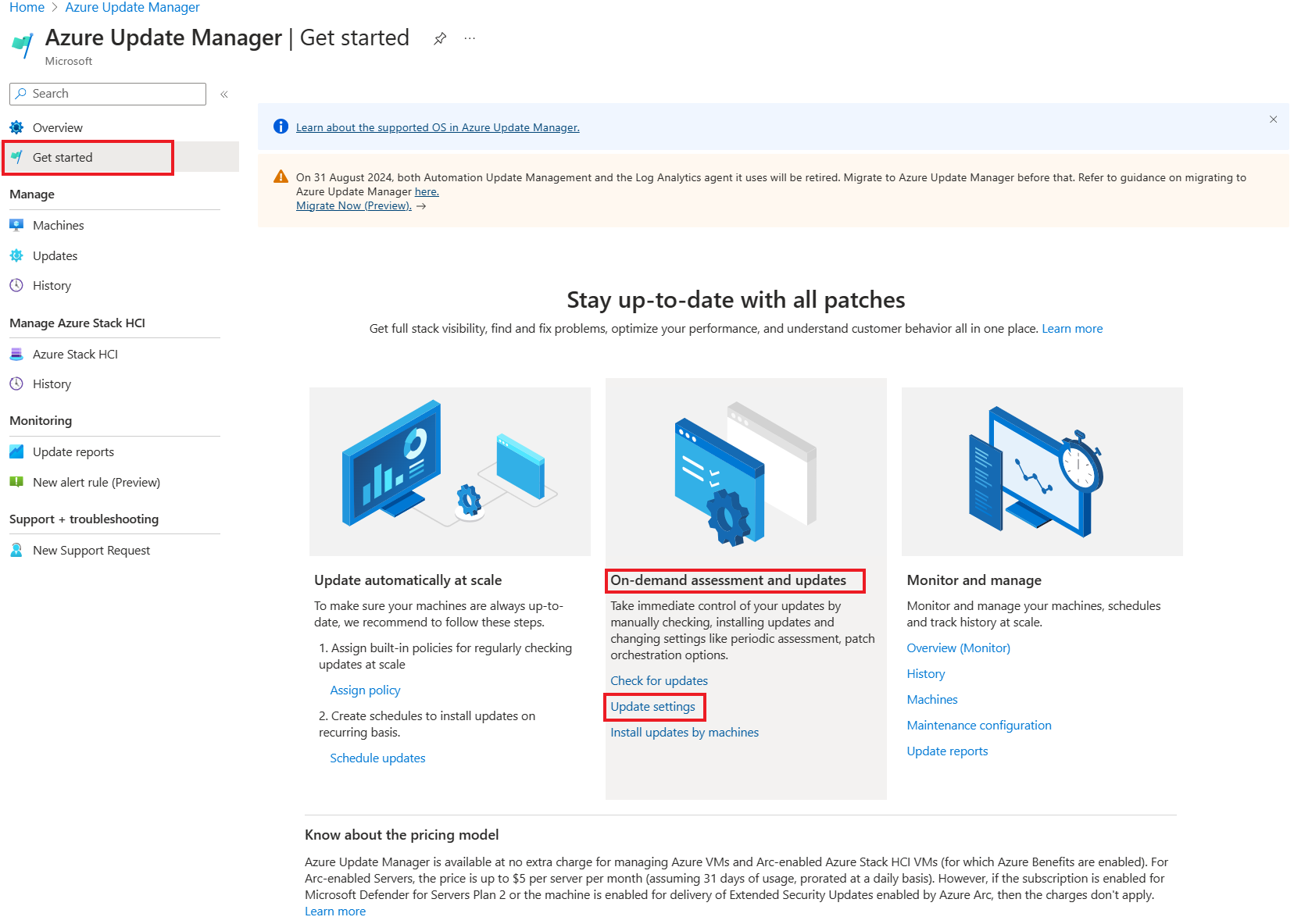
Azure Update Manager assesses operating-system updates and can install them on supported Azure virtual machines and Azure Arc-enabled servers. Microsoft supports both Windows and Linux server workloads. Teams can run an on-demand compliance scan, install selected updates immediately, enable periodic assessments, or create recurring maintenance schedules. Update Manager also works with automatic VM guest patching and hotpatching where the underlying operating system and Azure VM configuration support those options.
For Windows, update assessment uses the Windows Update client and can work with Microsoft Update or a configured Windows Server Update Services repository. For Linux, the service works with the machine's package-management and repository configuration rather than replacing the distribution's own update source.
How do scheduled patching and dynamic scopes work?
Scheduled patching is built around Azure maintenance configurations. A team defines the maintenance window and update rules, then associates eligible machines with that schedule. For larger estates, dynamic scopes can group machines at subscription or resource-group level based on Azure resource criteria so new matching machines can be brought into the schedule without maintaining a static list by hand.
Microsoft requires Customer Managed Schedules patch orchestration for machines participating in these scheduled scenarios. Dynamic scope is useful for fleets organized by subscription, resource group, location, resource type, tags, or other supported filters, but teams should test scope filters carefully because a broad rule can patch more servers than intended.
What infrastructure and agents does Update Manager require?
Update Manager is a native Azure service and does not depend on Azure Automation or Log Analytics. It does, however, rely on the VM or Arc agent that manages the target machine. For Azure VMs, the Azure Windows VM Agent or Azure Linux VM Agent is required. For machines outside Azure, Azure Arc connectivity is mandatory and the Azure Connected Machine agent provides the control path.
When an assessment, one-time update, periodic assessment, or scheduled deployment first runs, Update Manager automatically deploys the required patch extensions. Separate manual extension installation normally is not required. Network access to the operating system's configured update source is still necessary, so organizations using WSUS, private Linux repositories, proxies, or restricted outbound networking need to verify those paths.
How much does Azure Update Manager cost?
Pricing was checked on August 28, 2026 against Microsoft's current Azure Update Manager and Azure Arc pricing material. Microsoft states that Update Manager is available at no extra charge for managing Azure VMs and eligible Azure Local virtual machines managed through Azure Arc resource bridge. For other Azure Arc-enabled servers, Microsoft currently describes a daily-prorated charge equivalent to up to USD 5 per server per month based on 31 days of connected managed usage.
That price is not the whole operating cost. The target VM, Azure Arc services, monitoring, networking, maintenance automation, and any related Azure services can have separate charges. Teams should therefore budget for the managed infrastructure around patching rather than treating the Update Manager service charge as the total patch-management cost.
What are the main limitations and operational risks?
Update Manager is aimed at server operating systems. Microsoft does not support Windows 10 or Windows 11 client-device patching through Update Manager and recommends Microsoft Intune for those devices. Non-Azure servers must be Azure Arc-enabled before Update Manager can manage them. Linux machines also need supported operating-system configurations and working repository access.
Patching still carries workload risk. A technically successful update can restart a service, change dependency behavior, or expose an application incompatibility. Maintenance windows, preproduction testing, backup or rollback planning, service-owner approval, and post-patch validation remain important. Hotpatching reduces restart requirements only for supported combinations and should not be treated as a universal no-reboot patching method.
How does Update Manager differ from Azure Automation and Microsoft Intune?
Azure Update Manager is the current Azure-native server patch-management experience. Unlike the retired Azure Automation Update Management model, it does not require an Automation account and Log Analytics workspace for core patch operations. Azure Automation remains a separate service for runbooks, process automation, and Hybrid Runbook Worker scenarios.
Microsoft Intune serves a different endpoint-management audience. If the main requirement is Windows 10 or Windows 11 end-user device patching, compliance, configuration, and application management, Intune is the more appropriate Microsoft product. Update Manager fits server estates, especially where Azure VMs and Arc-enabled Windows or Linux servers need a common patch view.
Who should choose something else?
Choose another product if your environment is primarily employee laptops and desktops, because Microsoft directs Windows 10 and Windows 11 patching toward Intune. A third-party patch-management platform may also fit better when an organization needs one tool to manage a large mix of non-Azure endpoints, network appliances, unsupported operating systems, and third-party application patching beyond what the operating system repositories provide.
Teams with only a handful of simple servers may prefer native operating-system update tooling if Azure governance, cross-subscription reporting, scheduled maintenance, and Arc onboarding would add more complexity than value. Update Manager is strongest when patch governance, visibility, scheduling, and hybrid server management need to be coordinated at Azure scale.
Reviews
No reviews yet
Nobody has reviewed Azure Update Manager here yet.