About Smart CRM
HubSpot Smart CRM is the customer relationship management foundation beneath HubSpot's customer platform. It stores and connects customer records, conversations, deals, activities and other business context so marketing, sales and service teams can work from the same data. This page focuses on Smart CRM itself: its data model, AI, administration, integrations, pricing and buyer trade-offs rather than HubSpot's broader corporate story or the full product portfolio.
What does HubSpot Smart CRM manage?
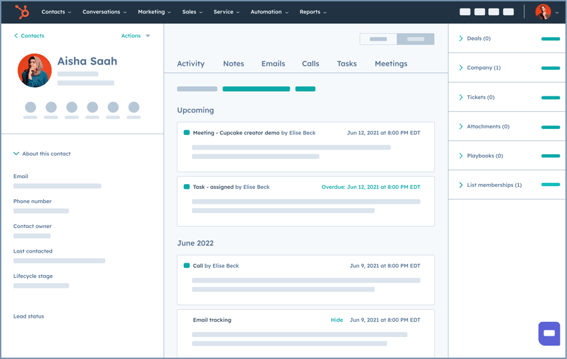
Smart CRM manages core customer and commercial records such as contacts, companies, deals, pipelines, activities and communication history. HubSpot also supports custom objects, events, scoring and calculations for organizations that need a data model beyond standard CRM records. Dashboards and reporting can bring marketing, sales and service information into a common view.
The main distinction between Smart CRM and an isolated sales database is its role across the HubSpot platform. HubSpot's marketing, sales, service, content, data and revenue products connect to the same CRM foundation. This can reduce handoff problems when several teams need to understand the same customer, but it also means CRM design decisions can affect many departments.
How does AI work in Smart CRM?
HubSpot uses AI to enrich records, surface insights and help users work with customer context. Its current Smart CRM page describes automatic enrichment for contact and company records, a Data Agent that can answer questions using CRM records and connected information, and AI Insights for highlighting relevant information and data issues. HubSpot also integrates Breeze Assistant and agents across the wider platform depending on product and edition.
AI access is not a reason to ignore data governance. Teams should confirm which features are enabled, what information an agent can read, how outputs are reviewed and whether a task consumes HubSpot Credits. AI can make a well-governed CRM easier to use, but it does not remove the need for accurate properties, permissions and ownership.
How customizable is HubSpot Smart CRM?
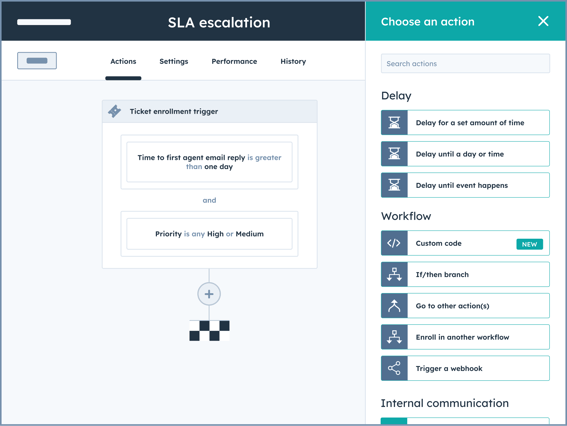
Professional and Enterprise capabilities extend Smart CRM beyond the free foundation. HubSpot highlights custom data models, workflows, custom reporting, team governance, centralized audit logs, duplicate detection, custom CRM interfaces and UI extensibility. Enterprise capabilities include features such as custom objects and single sign-on.
Customization creates a familiar CRM trade-off. More flexible objects, fields and automation can model a business more accurately, but they also create administration work. Organizations should define naming, lifecycle stages, record ownership, required fields and permission rules before adding large numbers of custom properties or workflows. A clean model is usually more valuable than a large model that nobody consistently maintains.
What integrations does Smart CRM support?
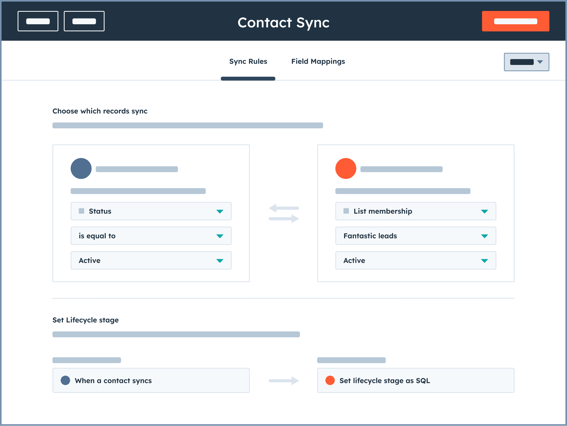
HubSpot states that Smart CRM connects with more than 2,000 apps through its Marketplace. Its current product page specifically names integrations with Salesforce, Google Workspace, Microsoft 365, Slack and Shopify, while Data Sync supports two-way synchronization with supported third-party applications. HubSpot also provides APIs and UI extensibility for custom development.
Buyers should verify the exact connector needed rather than relying on the marketplace count alone. Important questions include which records synchronize, whether the sync is one-way or two-way, how conflicts are handled, what permissions the connector receives and whether the integration requires another paid subscription or a higher HubSpot edition.
How much does HubSpot Smart CRM cost in August 2026?
Pricing checked on August 22, 2026 against HubSpot's official Smart CRM and free-tools pricing pages. HubSpot's free CRM tools cost $0 per month for up to two users and allow up to 1,000 contacts. HubSpot says this free access has no expiration date. Smart CRM Professional is currently listed from $45 per month per seat when billed annually, compared with a displayed $50 monthly rate. Smart CRM Enterprise starts at $75 per month per seat.
Those figures are not the total HubSpot platform price. Other hubs, additional seats, onboarding, marketing contacts, capacity increases and HubSpot Credits can add cost. A buyer should price the actual combination of CRM edition and adjacent HubSpot products instead of assuming that the free CRM or one Smart CRM seat represents the cost of a full deployment.
What security and governance features should buyers review?
HubSpot's Smart CRM page states that sensitive information is protected with encryption at rest and in transit and highlights field-level access controls, two-factor authentication, single sign-on and SOC 2 compliance. It also offers team governance and a centralized audit log for tracking actions by people, automation, integrations and AI.
Security requirements vary by organization, so procurement teams should verify the controls available in the exact edition they plan to buy. They should also review data residency, retention, integration permissions, sandbox requirements, audit needs and any regulatory obligations that apply to the customer data they intend to store.
What are Smart CRM's main limitations and trade-offs?
Smart CRM's biggest economic advantage is also a potential source of lock-in: it becomes more useful as more HubSpot products and teams depend on the same customer records. Moving away later can involve more than exporting contacts if workflows, custom objects, reporting, content, service history and integrations have become tightly connected to the platform.
Edition boundaries also matter. The free CRM is useful for basic contact and deal management, but advanced customization, governance and reporting can require paid editions or other HubSpot products. Organizations should identify required features before migration so they do not discover after implementation that a critical workflow sits behind a higher tier.
How does Smart CRM compare with alternatives?
Salesforce is a major alternative for enterprises that need a broad CRM ecosystem and deep customization, although implementation and administration can be substantial. Microsoft Dynamics 365 can fit organizations that want CRM closely aligned with Microsoft business applications. Zoho CRM may appeal to smaller organizations seeking a different cost and suite model. Pipedrive can be simpler for teams whose main requirement is sales pipeline management.
Smart CRM is most attractive when an organization values HubSpot's shared customer platform and wants marketing, sales and service activity around one record. A specialist CRM can be a better fit when the business needs a narrower sales system, has extensive requirements that align better with another ecosystem, or wants to minimize dependence on a broader marketing and service suite.
Who should consider another CRM instead?
A company should consider another CRM if it needs only a lightweight pipeline and does not expect to use HubSpot's connected products, if its required data model or industry workflow fits another platform better, or if the cost of the necessary HubSpot editions and adjacent products is difficult to justify. Organizations already deeply standardized on another enterprise CRM may also create unnecessary duplication by adding HubSpot as a second system of record.
Smart CRM is a stronger fit when shared customer context is the goal and multiple go-to-market teams will actively use that context. The decision should be based on the desired data model, workflows, integration architecture, governance capacity and total subscription cost rather than the appeal of a free starting tier.
Reviews
No reviews yet
Nobody has reviewed Smart CRM here yet.