About HP Z displays
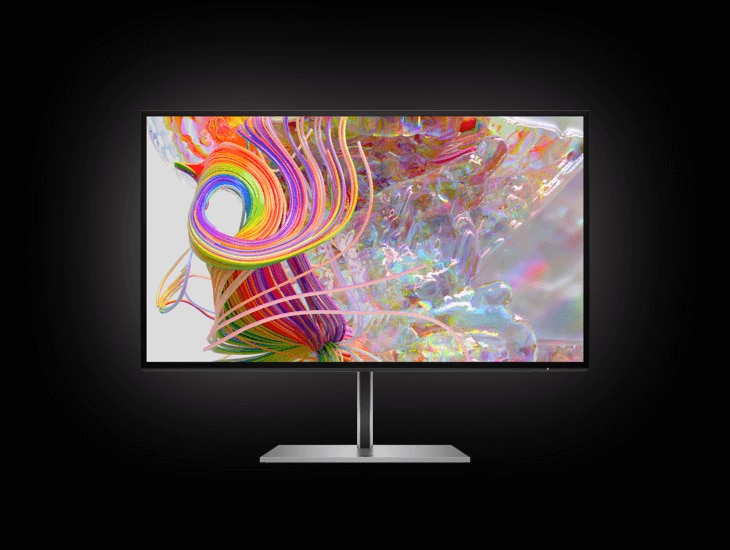
HP Z displays are the monitor side of HP's workstation business: screens meant to sit beside a Z desktop or mobile workstation and be trusted rather than admired. The line spans a 24 inch 1920 x 1200 panel up to a 40 inch 5120 x 2160 ultrawide, so it has no single size, resolution or price. What holds it together is a claim about colour. HP calibrates each unit at the factory and states the result as under 2.0 Delta E2000, checking more than three hundred separate colours afterwards, including a flesh tone set, on the reasoning that a face rendered wrong is the error a client notices first. If your work is judged somewhere other than your own desk, that is what you are paying for.
Key specifications
Colour
| Factory calibration | Calibrated at the factory to under 2.0 Delta E2000, as stated by HP for the Z monitor range |
|---|
Where the Z line sits in HP's monitor range
HP sells monitors across several tiers, and Z is the one tied to the workstation range rather than to the office refresh cycle. On HP's own monitor pages the premium creator slot is now shared: HP Series 7 Pro is presented as the factory calibrated creator panel, while Z appears as a separate premium brand aimed at people already buying Z workstations. Read that as a positioning overlap rather than a replacement. The practical difference is who the buyer is. Series 7 Pro is sold to an individual creator choosing a monitor. Z is sold to a team specifying a whole desk, which is why the line carries docking and Ethernet options that a single freelance buyer rarely asks about.
What the factory calibration actually buys
Every colour claim on this line rests on work done before the box ships. HP states calibration to under 2.0 Delta E2000 and says it tests over three hundred separate colours after calibration, with a ColorChecker flesh tone set included so that faces land correctly. Independent testing has broadly backed the approach. Tom's Hardware, reviewing the DreamColor Z27x, found the factory setup accurate enough that running HP's own calibration instrument did not improve on it, though HP still advises recalibrating about every thousand hours. Windows Central measured the DreamColor Z24x G2 at Delta E 1.491 in AdobeRGB and 1.567 in sRGB, with 100 percent sRGB and 99 percent AdobeRGB coverage. Those are older models rather than the current G3 generation, but they show the line's habit of spending the budget on the panel and the calibration rather than on the specification sheet.
Sizes, resolutions and connections across the line
HP lists the current Z range as eight G3 models: Z24u, Z25xs, Z27q, Z27k, Z27u, Z27xs, Z34c and Z40c. The sizes run 24, 25, 27, 34 and 40 inches. Resolutions run WUXGA 1920 x 1200 at 24 inches, QHD 2560 x 1440 at 25 and 27 inches, 4K 3840 x 2160 at 27 inches, WQHD 3440 x 1440 on the 34 inch ultrawide and WUHD 5120 x 2160 on the 40 inch. Colour coverage across the range is quoted from 99 percent sRGB up to 98 percent DCI-P3, so the gamut your work needs decides the model more than the diagonal does. Connections vary by model and include DisplayPort, HDMI, USB-C with up to 100 W power delivery, Thunderbolt 3 and RJ-45.
What to weigh it against
The direct comparison is Dell's UltraSharp range, which competes on the same argument, a calibrated panel bought in volume for a corporate desk, and usually on price. Above both sits Eizo's ColorEdge line, where the higher end builds a calibration sensor into the bezel so the screen re-checks itself without anyone booking a colorimeter. If you recalibrate on a schedule and cannot afford drift between checks, that self-calibration is the feature worth paying up for, and Z does not have it. Below, Asus ProArt and BenQ's photographer range undercut on price and are often the better value for one person working alone. Z earns its place when the monitor has to match other monitors in the same building.
Who should buy something else
Anyone buying for games or fast motion should look elsewhere. This line is built around colour and panel consistency, not refresh rate, and you would be paying for calibration you never use. General office work is the same story: HP's own cheaper business monitors do the job for less, and Windows Central said plainly of the DreamColor line that it is not for the average user. If your output is a web page or a slide deck that nobody grades, the accuracy is invisible. And if you need reference grade HDR mastering, check the specific model's brightness and local dimming before you commit, because that is a different class of display and not every Z panel is built for it.
What to check before ordering
Because this is a line rather than a single product, three things decide whether you get what you wanted. First, the generation suffix. An older DreamColor Z27 and a current G3 are different products behind the same shorthand name. Second, the port list on that specific model, since USB-C power delivery, Thunderbolt and Ethernet are not on every panel and a one cable desk falls apart without them. Third, ask whether the unit ships with its individual calibration report. On the professional models that document is the evidence behind the colour claim, and it is the thing a client or an auditor will ask to see.
Reviews
No reviews yet
Nobody has reviewed HP Z displays here yet.