About Google Search Console
Google Search Console is Google's free software for website owners, publishers, developers and SEO teams to understand how a verified site appears in Google Search. It combines search-performance reporting with indexing, URL inspection, sitemap, experience, security and enhancement data. Search Console does not buy rankings and it is not a substitute for analytics software; its main value is showing what Google Search knows about a site and where search visibility or indexing problems need investigation.
What can you measure in Google Search Console?
The Search results Performance report shows clicks, impressions, average click-through rate and average position for a verified property. Data can be grouped or filtered by query, page, country, device, date and search appearance, and can be viewed across web, image, video and news search types where data is available.
The standard report is useful for questions such as which pages attract search clicks, which queries surface a site, whether mobile and desktop performance differ, and whether traffic changed after a release or search update. The newest 24-hour view can include preliminary hourly data, which is useful for recent changes but should not be treated as final until processing is complete.
How does Search Console handle AI Overviews and AI Mode visibility?
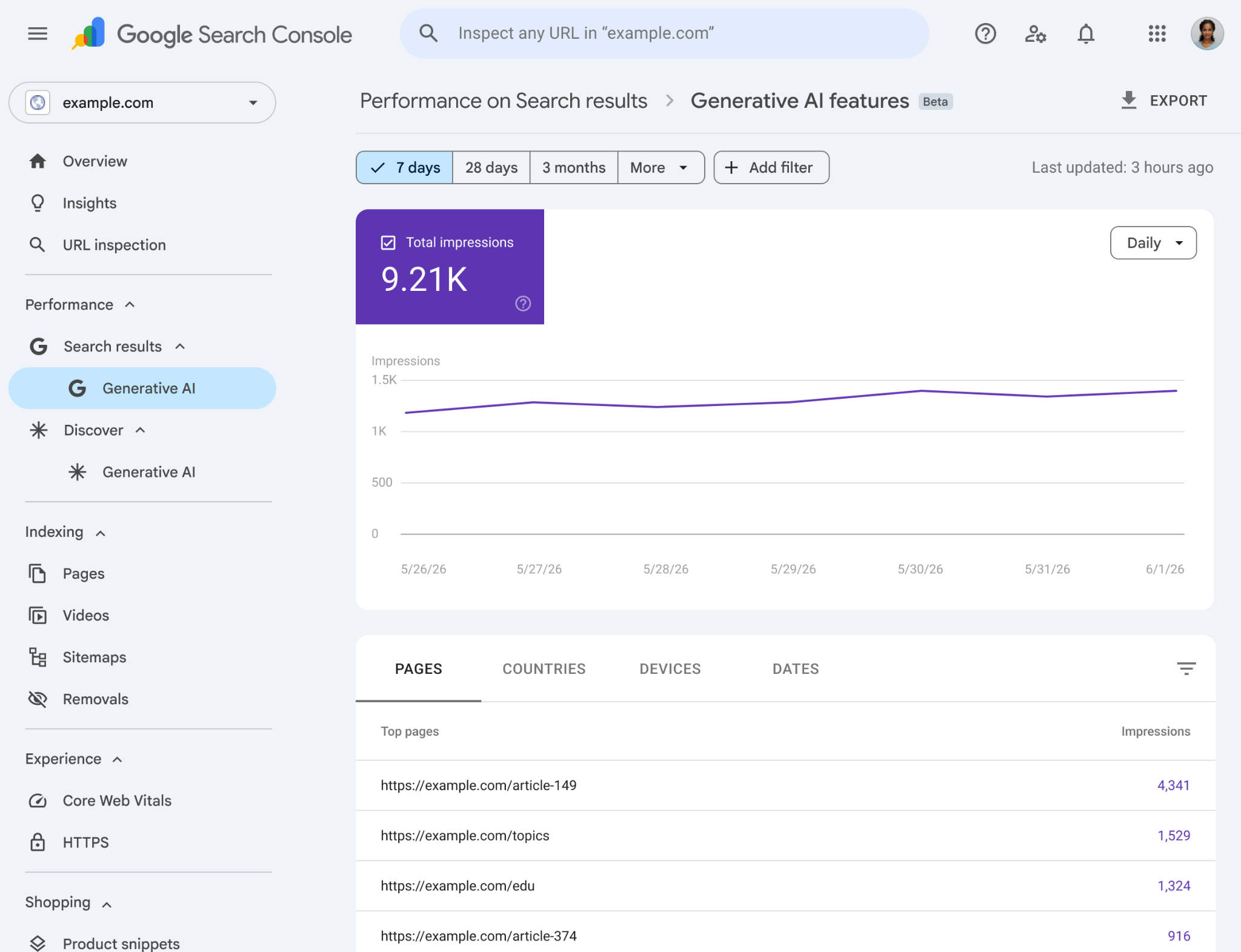
Google introduced dedicated Search Generative AI performance reports on June 3, 2026. For eligible sites, the separate view shows impressions for URLs that appear in generative AI features in Search, including AI Overviews and AI Mode, with breakdowns by pages, countries, devices and dates. Google is rolling the report out to a subset of websites while testing it.
The data is also included in broader Search performance reporting. The dedicated report is therefore an additional visibility view, not a separate ranking system. It can help publishers see whether their pages are being surfaced in generative AI experiences without assuming that an AI impression is equivalent to a normal blue-link click.
What does URL Inspection tell you?
URL Inspection shows Google's indexed information for a specific URL and can test the live page for many indexability conditions. It can report whether Google has indexed the URL, the canonical Google selected, crawl details, structured-data findings, video information and some reasons a page may not be indexed.
The live test can show whether a page is currently accessible and potentially indexable, but a passing test does not guarantee indexing or ranking. Search Console also allows an owner to request indexing for an inspected URL. Google applies daily limits, and for many new or changed URLs Google recommends using a sitemap rather than submitting pages one at a time.
How do sitemaps and indexing reports work?
The Sitemaps report lets property owners submit sitemap locations, view submission history and see parsing errors. A sitemap helps Google discover URLs, especially on larger or newer sites, but submission does not guarantee indexing. Page Indexing reports then help show which known URLs are indexed and why some are excluded.
This distinction matters during troubleshooting. A URL can be present in a sitemap yet remain unindexed because of duplication, canonicalization, access, quality or other indexing conditions. Search Console should be used to diagnose the reason rather than treating sitemap submission as a ranking or indexing shortcut.
What newer analysis features are available?
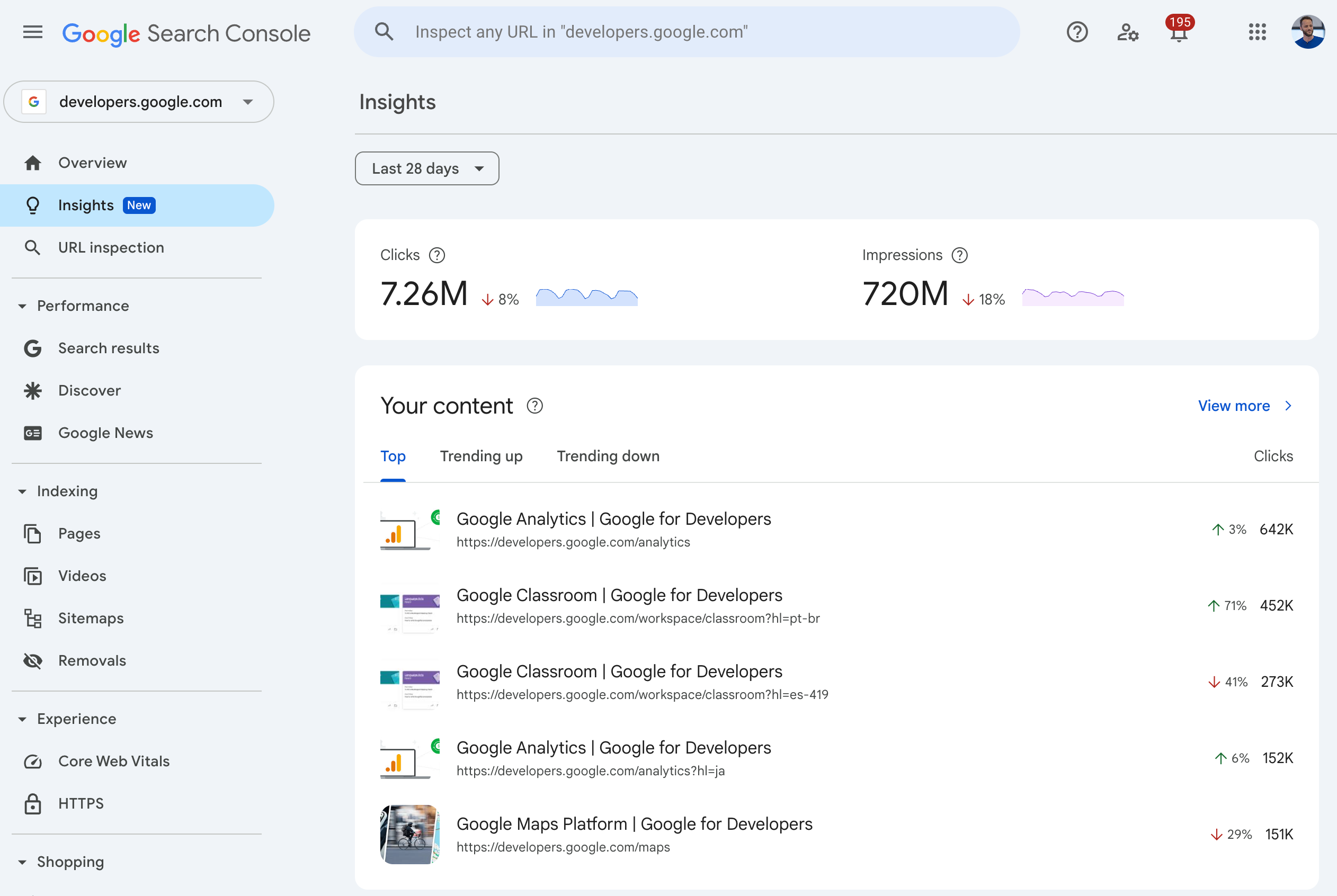
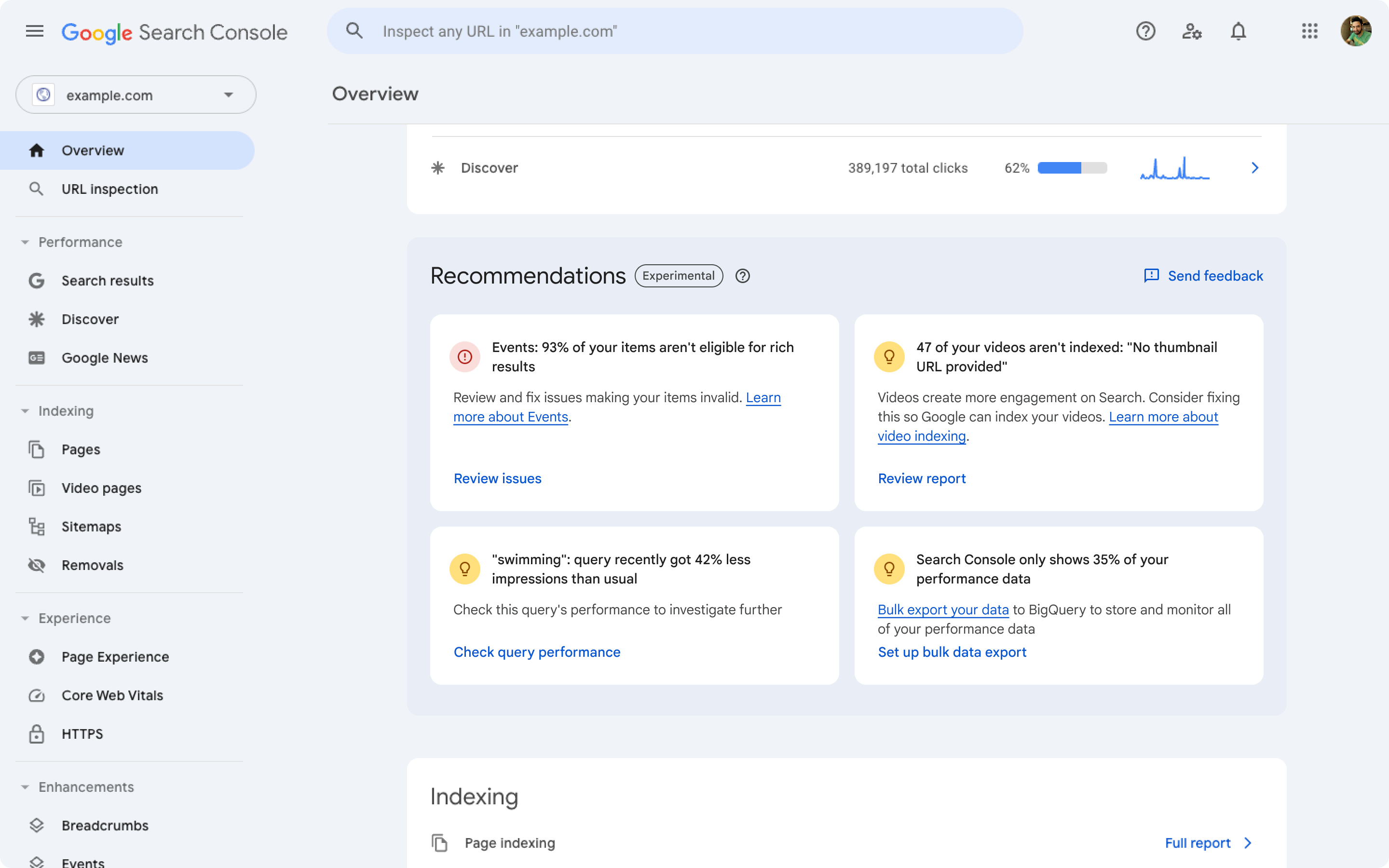
Search Console has added several analysis aids beyond the original performance table. The integrated Insights report highlights traffic trends, top and changing pages, top queries and other simplified performance information. Recommendations can surface selected opportunities based on Search system data such as indexing, crawling, structured data or trending queries when Google has a relevant recommendation for the property.
Google also introduced AI-powered configuration for the Performance report. Where available, users can describe an analysis in natural language and Search Console converts the request into filters, comparisons and metric selections. In March 2026 the branded-query filter also became available to eligible sites, helping separate branded and non-branded query performance.
Is Google Search Console free?
Google Search Console itself is free. Google does not charge a subscription fee for property verification, Performance reports, URL Inspection, sitemap submission, indexing reports or the normal Search Console interface. The Search Console API is also free to use within its documented quotas.
Costs can arise around the workflow rather than the product. Large sites may export Search Console data into BigQuery, connect it to business-intelligence tools, use third-party SEO platforms, or pay staff and consultants to analyze and act on the data. Those expenses are separate from Search Console.
What are Search Console's data limitations?
Search Console is not a complete log of every query and every URL interaction. Google omits some anonymized queries for privacy, tables can be truncated, some reports use representative samples, and data can lag or remain preliminary for recent periods. Position is also an average calculated from how results appeared, not a fixed rank that every user saw.
Search results vary by location, device, language, time and user context, so manually repeating a query may not reproduce the position shown in a report. Teams should use Search Console for trends and diagnosis rather than treating one average-position number as a universal ranking.
How does Search Console differ from Google Analytics and third-party SEO tools?
Search Console focuses on Google's organic search relationship with a verified site: visibility, queries, pages, indexing, crawl-related information and Search-specific issues. Google Analytics focuses on what users do after arriving on a site or app. The two tools answer different questions and are often more useful together.
Third-party SEO suites can add rank tracking, competitor research, backlink databases, keyword discovery, site crawling and workflow features that Search Console does not provide. Search Console remains the primary first-party source for how Google reports a verified property's own search performance and indexing state.
Who should use another tool instead of Search Console?
Search Console is not enough when a team needs competitor visibility, market-wide keyword databases, full technical crawling, attribution across paid and organic channels, or user behavior after a visit. Those needs call for analytics, crawling, rank-tracking or broader SEO platforms.
It is also the wrong tool for paid Google Ads performance. Search Console reports organic search visibility, while Google Ads has its own campaign, cost and conversion reporting. Using each tool for the job it actually measures prevents misleading comparisons between organic impressions, ad impressions and on-site sessions.
Reviews
No reviews yet
Nobody has reviewed Google Search Console here yet.