About Android OS
Android is Google's mobile operating-system platform for compatible phones and tablets. It provides the software foundation for apps, notifications, permissions, multitasking, device security, file sharing and other everyday phone functions, while manufacturers add their own hardware and interface choices. Android 17 is the current major release documented by Google in 2026. This page focuses on the Android OS itself rather than the wider Android brand ecosystem.
What it does
Platform
| Current major release | Android 17 is the current major release documented by Google in 2026 |
|---|
Privacy
| Permissions | User controls for app access to sensitive information such as location, camera and microphone |
|---|
Security
| Device protection | Google security services on supported devices, including Google Play Protect and Find Hub features |
|---|
Sharing
| Quick Share | Nearby file sharing across supported Android devices, Chromebooks and Windows PCs, with select iPhone support on compatible devices |
|---|
Devices
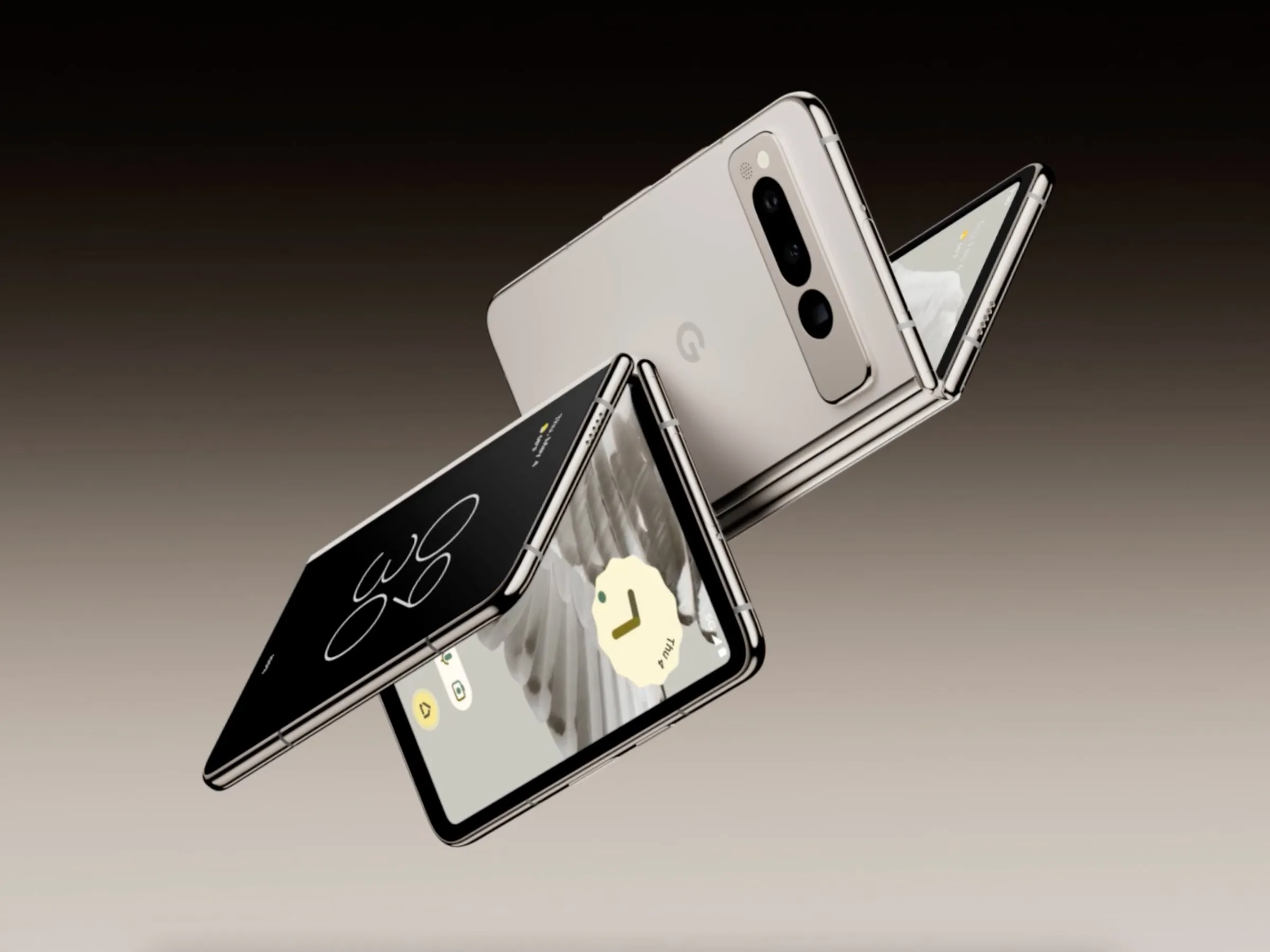
| Form factors | Supports phones, tablets and adaptable large-screen or foldable device experiences |
|---|
Apps
| Application ecosystem | Google Play is available on compatible devices that include Google Mobile Services |
|---|
What does Android OS provide?
Android provides the core software environment that turns compatible phone and tablet hardware into a usable smart device. The platform handles app installation and execution, notifications, permissions, system settings, connectivity, media, security and the interfaces that manufacturers build on.
Useful platform and Google-connected features include:
- App permissions and privacy controls. - Multitasking and notification tools. - Google Play on compatible devices with Google Mobile Services. - Quick Share for nearby file transfers. - Find Hub and device-protection features on supported devices. - Support for different screen sizes, including foldables and tablets.
The exact experience depends on the device maker, Android version, hardware and region.
What is new in Android 17?
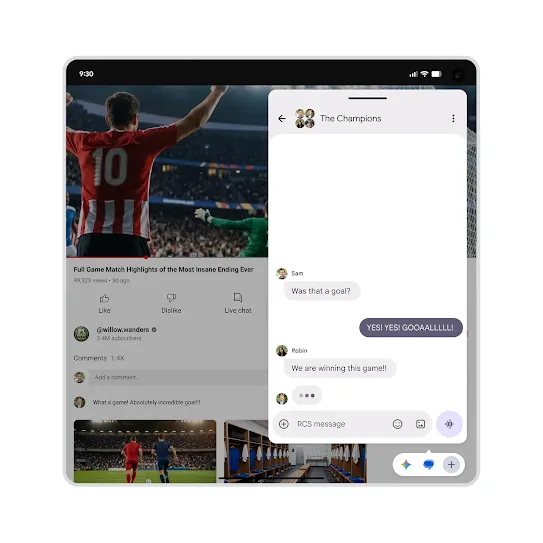
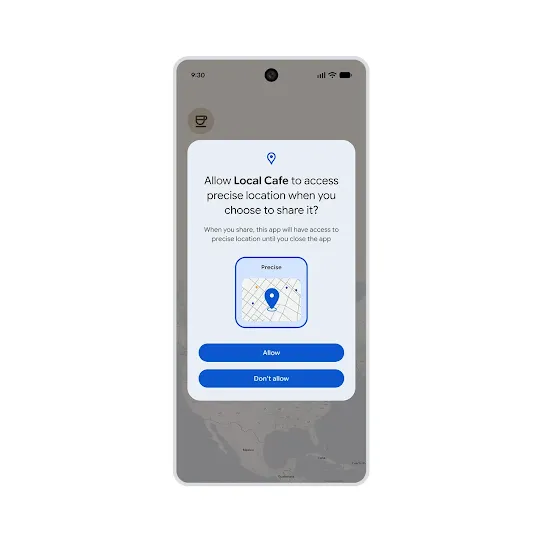
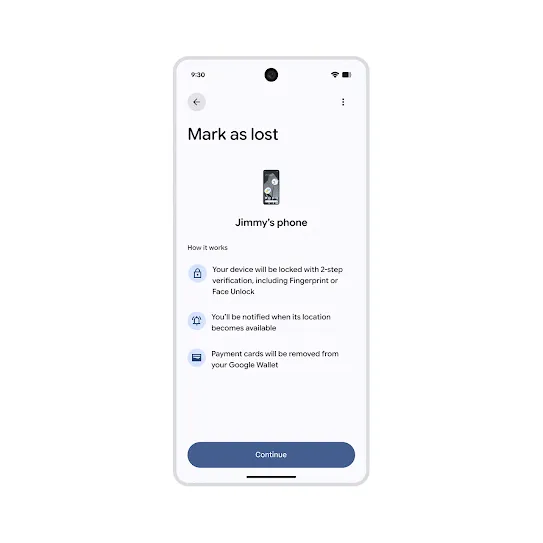
Google describes Android 17 as a platform update focused on intelligence, adaptive experiences, privacy, security, media, camera and performance. Consumer-facing changes highlighted in Google's current Android materials include expanded Bubbles multitasking, new location controls, gamepad remapping on supported devices and stronger Mark as Lost protection.
Bubbles can now support more than chat conversations and are designed to make switching between multiple apps easier, including on foldable devices. The new location control gives users a clearer way to decide when an app can use precise location. Mark as Lost can lock a missing device and protect sensitive information where the feature is supported.
How does Android handle privacy and security?
Android gives users controls over when apps can access sensitive information. Google's privacy materials highlight permission controls and a Privacy Dashboard that shows access to data such as location, camera and microphone.
Security also depends on both Google and the device manufacturer. Google provides platform security features and Google Play Protect on supported devices, while manufacturers are responsible for delivering operating-system and security updates to their models. Buyers should check the update commitment for the exact phone they plan to keep, especially when long-term support matters.
How does Quick Share work on Android?
Quick Share is built into supported Android devices and is designed for nearby transfer of photos, videos, documents and other files. Google's current documentation says it can work across Android devices, Chromebooks and supported Windows PCs. Current Android feature pages also describe file sharing between select Android phones and iPhones where compatibility requirements are met.
This can make Android a useful choice for people who use a Windows PC or Chromebook alongside their phone. Compatibility and setup requirements still apply, so users should confirm their device and operating-system versions before depending on a specific cross-device workflow.
How much does Android OS cost?
Android OS is not sold to consumers as a separate subscription with one monthly or annual price. A person normally receives Android as part of the phone or tablet they buy. Device prices therefore range from lower-cost models to premium flagships and foldables depending on manufacturer and hardware.
Separate costs can include the device itself, carrier service, paid Google Play apps, in-app purchases and optional subscriptions. Buyers should not treat the price of a Pixel, Samsung Galaxy or another Android device as the price of Android itself.
Why can Android be better than iOS for some users?
Android can be the better fit when hardware choice is a priority. Users can choose among multiple manufacturers, price levels, screen sizes and form factors rather than buying from one phone maker. This makes it easier to select around needs such as foldable screens, stylus support, battery priorities, camera systems or budget.
Android can also work well for people who use Google services, Chromebooks or Windows PCs and value cross-device file sharing. These advantages are about fit, not a universal ranking. A user who wants a tightly controlled hardware and software stack and already owns several Apple devices may prefer iOS.
What are Android's main limitations and trade-offs?
The same hardware variety that makes Android flexible can create inconsistency. Manufacturers may use different interfaces, preinstall different apps and release major Android updates on different schedules. Some Google features are limited by device, region, carrier or Android version.
This means a buyer should not judge an Android phone only by the operating-system name. The manufacturer's update policy, hardware quality, support network and software customizations can have as much impact on the ownership experience as Android itself.
What should businesses check before standardizing on Android?
Organizations should evaluate the specific devices they plan to support, not only Android as a platform. Useful checks include update lifecycles, identity and device-management compatibility, app deployment, work-profile support, security patch schedules, biometric requirements, data policies and repair or replacement processes.
A smaller approved-device list can make support easier while preserving more hardware choice than a single-manufacturer policy. Businesses should also test critical applications and integrations on the exact models their employees will use.
Who should consider another mobile operating system?
A user who is already heavily invested in Apple's hardware and services may get a simpler cross-device experience from iOS. Organizations that want a very narrow device list and highly uniform hardware-software combinations may also prefer that model.
Android is a stronger fit when device variety, different price points, manufacturer choice and integration with Google or Windows workflows are more important. The final choice should be based on the full device, support policy and ecosystem rather than one headline OS feature.
What should buyers verify before purchasing an Android phone?
Before buying, check the phone maker's promised Android-version and security-update period, the current Android version on the device, storage and memory, carrier compatibility, repair options and whether the features you need are available in your region.
Google explicitly notes that Android product availability, features and specifications can vary by region, carrier and device. A feature shown on Google's latest Android page should therefore be treated as a supported-platform capability, not a promise that every Android phone includes it.
Reviews
No reviews yet
Nobody has reviewed Android OS here yet.