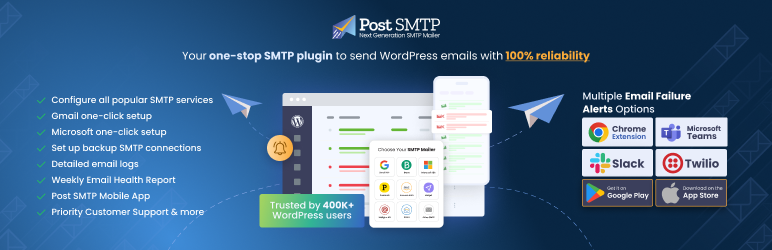
About Post SMTP
Post SMTP is a WordPress plugin, maintained by WPExperts, that replaces WordPress's default PHP mail function with a proper SMTP or API connection to a mail provider. The aim is simple: the emails your site sends, such as password resets, order receipts and form notifications, actually arrive. It has more than 300,000 active installations on WordPress.org.
Why do WordPress emails go missing?
Out of the box, WordPress hands email to the server's PHP mail function. On a lot of hosting, mail sent that way is poorly authenticated, so it lands in spam or never arrives at all. The site owner often only finds out when a customer complains about a missing receipt.
Post SMTP fixes that by sending through a real mail service instead. It also includes tools to check SPF, DKIM and DMARC, the DNS records that tell inbox providers your domain is allowed to send that mail.
Which sites need it most?
Any site where an email is part of the job. WooCommerce stores send order confirmations and shipping updates. Membership and learning sites send password resets and login links. Sites built around contact or quote forms rely on the notification reaching someone's inbox.
On all of these, a silent email failure looks like a broken site to the person waiting for the message, even though every page loads fine.
Which mail services does it support?
More than 20 mailers are supported, including Gmail, Google Workspace, Microsoft 365 and Outlook, Amazon SES, Brevo, SendGrid, Mailgun, Postmark, Zoho Mail, Elastic Email, Mailjet, SparkPost, Mandrill, SMTP.com, Cloudflare Email, Mailtrap, Resend and MailerSend, plus plain SMTP.
In practice, most sites should pick the transactional provider they already pay for, or the email service tied to their domain.
Logs, alerts and a backup connection
Every email is logged, with open tracking, so you can see what was sent and whether it went through. If sending fails, Post SMTP can alert you by email, Slack, SMS, webhook or Microsoft Teams. There is also a free Chrome extension for alerts, a mobile app for monitoring, and a weekly email health report.
The backup connection is the feature that saves the most trouble. If the main mailer fails, Post SMTP switches to a second SMTP connection so messages keep going out.
Free versus Pro
The plugin is free on WordPress.org. Post SMTP Pro adds one-click setup for Gmail and Microsoft 365, advanced email quotas, automatic resending of failed messages, email batching and priority support. The product site is postmansmtp.com.
Ratings and requirements
As of October 2026, Post SMTP has a 4.7 out of 5 rating from 527 reviews on WordPress.org, and version 4.0.2 was released in September 2026. It needs WordPress 5.6 or later, with 6.2 or later recommended, and PHP 7.1 or later.
Who should choose something else?
Post SMTP is for the email your site sends automatically. It is not a newsletter tool, so if you are sending marketing campaigns to a list, use an email marketing platform built for that.
Some managed WordPress hosts already route site mail through an authenticated service. If yours does and delivery is fine, you may not need another plugin.
And a site that only needs a basic SMTP connection, with no interest in logs or alerts, may prefer a lighter plugin. Post SMTP is the better pick when you want to know the moment email stops working.
Reviews
No reviews yet
Nobody has reviewed Post SMTP here yet.