About monday AI work platform
monday AI work platform is monday.com's general-purpose work-management product for planning projects, coordinating recurring processes and managing cross-functional execution. It uses boards, views, dashboards, automations, integrations and AI features to organize work in one shared system. This page focuses on the product itself. monday.com's corporate profile and its broader software portfolio are covered separately.
What can teams manage with monday AI work platform?
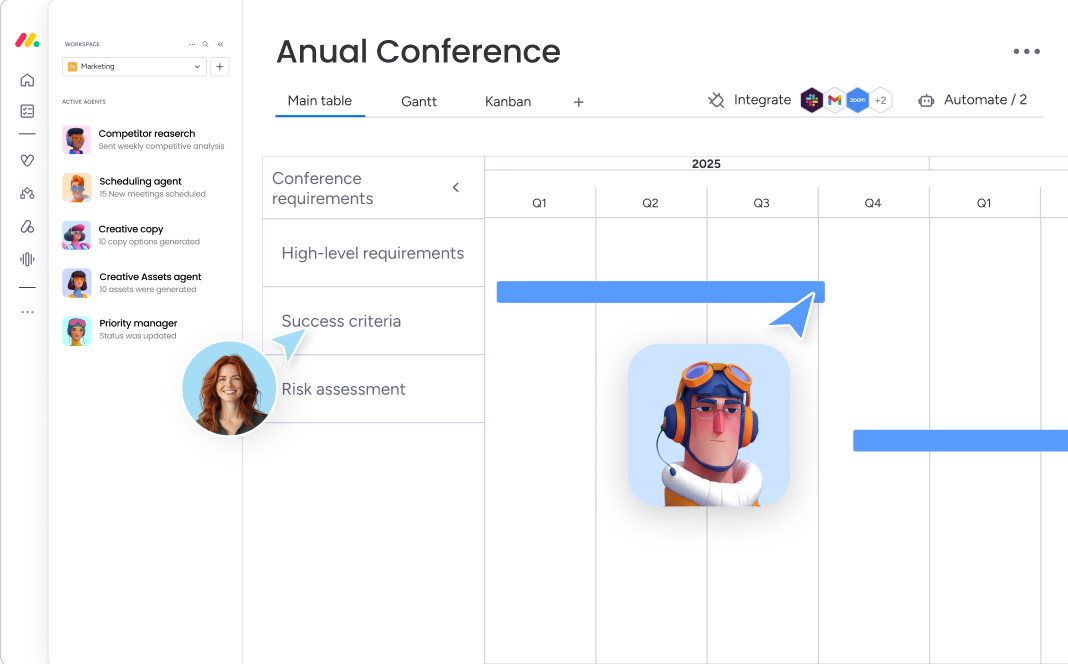
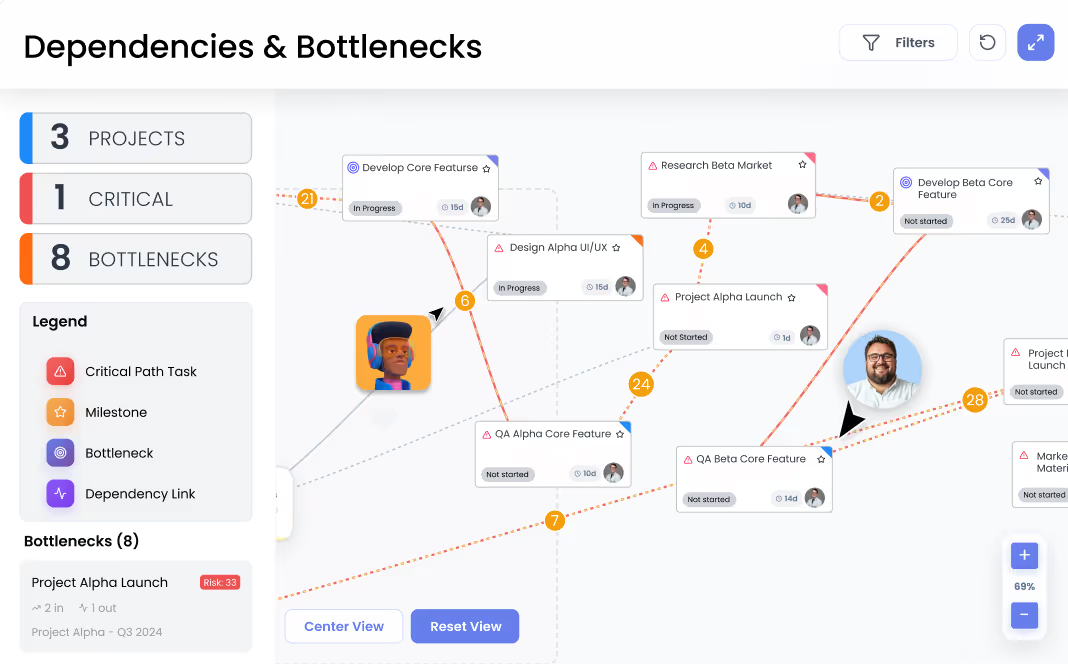
Teams can use the platform to plan projects, assign work, track dependencies, manage recurring processes and report on progress. Work is usually organized in boards with configurable columns for owners, status, dates, priorities, numbers and other fields. The same underlying data can then be viewed through lists, Kanban-style boards, timelines, calendars, Gantt charts and dashboards depending on the plan and use case.
The product is broader than traditional project management. monday.com also markets it for operational workflows, marketing, HR, PMO and other cross-functional processes. That flexibility is useful when teams need one system for both projects and ongoing work, but it also means administrators need to define clear structures instead of allowing every team to build unrelated conventions.
How does AI work inside monday AI work platform?
monday.com repositioned the product in 2026 around people and AI agents working in the same platform. Native agents can perform tasks such as building plans, identifying risks, preparing status reports and carrying out repetitive workflow actions. monday sidekick provides contextual assistance inside the workspace, while AI workflows and AI blocks can add analysis, generation and routing steps to automations.
AI is not simply a separate chatbot. monday.com's current model allows agents to work from live board and workflow context under the same permission and governance structure used by human users. Buyers should still review which AI capabilities are included in their chosen plan, how AI credits are consumed and what additional usage may cost because consumption-based AI pricing can make total spend different from normal seat pricing.
What project-management capabilities are included?
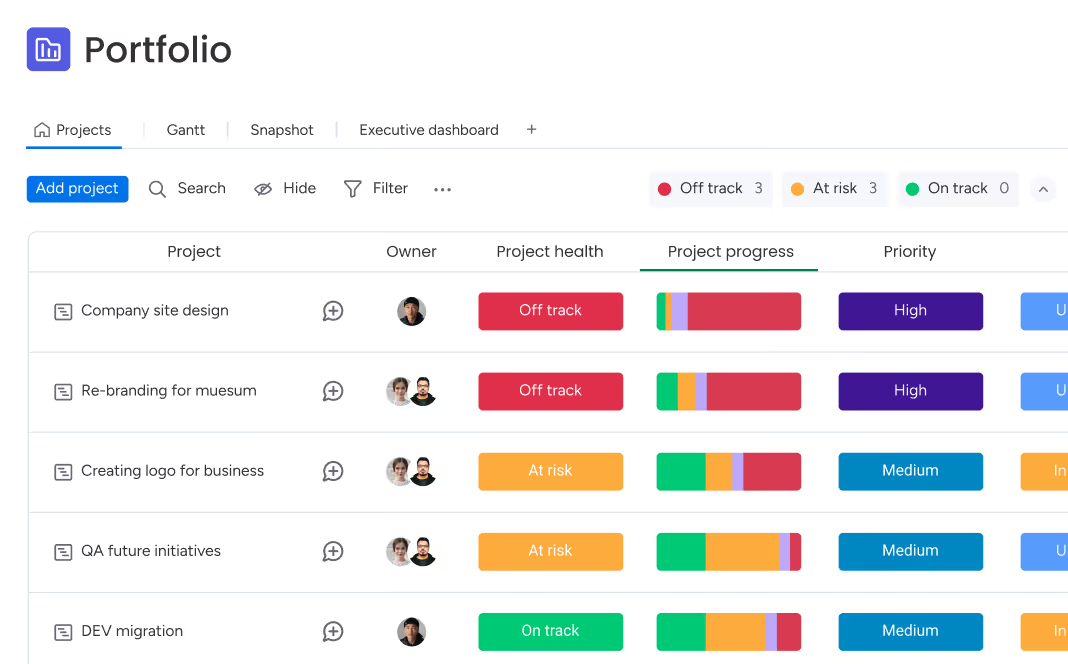
The platform supports project planning, task ownership, dependencies, timelines, dashboards and portfolio-level reporting. Current project boards can include predefined fields for planned effort, spent effort, budget, duration and completion dates. Pro and Enterprise plans add more advanced project capabilities, while Enterprise supports portfolio connections, cross-project dependencies and broader resource-management features.
Dashboards can combine information from several boards to show progress, workload, budgets and other metrics. Enterprise portfolio tools can roll up multiple projects into a shared overview. These capabilities make the product relevant to PMO and large cross-functional programs, although smaller teams may not need the higher-tier portfolio features.
How much does monday AI work platform cost in August 2026?
Pricing checked on August 22, 2026 against monday.com's official pricing page. The Free plan is $0 for up to two seats and includes up to three boards, up to three Docs, more than 200 templates and mobile apps. The Basic plan is currently listed from $9 per seat per month when billed annually. monday.com also offers Standard, Pro and Enterprise tiers, with higher plans adding more automation, integrations, dashboards, permissions, portfolio capabilities and enterprise governance.
monday.com's pricing varies by team size, billing country and billing cycle, and paid subscriptions generally start from three users. Annual billing receives a discount compared with monthly billing. AI features can also use credits, so organizations planning significant agent or AI usage should estimate both seat licensing and expected consumption rather than treating the advertised Basic price as their final cost.
What integrations and automation options are available?
monday.com combines built-in automation with integrations so teams can trigger actions, move data and coordinate work without manually updating every board. Current official material highlights integrations with common workplace and developer tools, and monday.com also offers APIs, an app-development framework and MCP connectivity for AI systems.
Automation and integration action limits vary by plan. A connector may also differ in depth depending on whether it is built by monday.com or another provider. Buyers should confirm that critical integrations support the exact data flow and permissions they need, especially when workflows involve CRM systems, developer tools or business-critical reporting.
What are the main limitations and trade-offs?
The same flexibility that makes monday.com adaptable can create complexity. Organizations can end up with too many boards, inconsistent columns, duplicated automations and different team conventions if governance is weak. Reporting quality depends on how consistently teams structure and maintain their data.
Pricing can also become harder to evaluate as seat counts, plan tiers, automation volumes, integrations and AI credits increase. Advanced project and portfolio features sit on higher tiers, so teams should check which functions are essential before standardizing on the platform. A simple team that only needs basic tasks may not gain enough from the platform's configurability to justify the administrative overhead.
How does monday AI work platform compare with alternatives?
Asana is a close alternative for teams that want structured cross-functional project and task management with a somewhat more opinionated model. ClickUp competes on breadth and combines tasks, docs and other work-management features in one environment. Jira can be a stronger fit where software-development workflows, issue tracking and engineering governance are central. Microsoft Planner and related Microsoft 365 tools can be attractive to organizations already standardized on Microsoft's ecosystem.
monday.com's strongest fit is usually where teams want a configurable visual work system that can span several departments and where automation and shared reporting matter. A narrower product may be preferable when the workflow is simple or when deep specialist functionality matters more than cross-functional flexibility.
Who should consider another product instead?
Teams should consider another option if they need only a lightweight personal task list, if they do not have anyone willing to maintain shared workflow standards, or if their main requirement is a specialist function better served by dedicated software. Engineering-heavy teams may prefer Jira or Linear, while organizations centered on Microsoft may reduce duplication by using tools already included in that environment.
The platform is most useful when its configurable boards, dashboards, automations and AI capabilities solve a real coordination problem across multiple people or teams. Buying it only because it can model almost any workflow can lead to unnecessary setup and governance work.
Reviews
No reviews yet
Nobody has reviewed monday AI work platform here yet.