About Make AI Agents
Make AI Agents is Make's agent-building capability for creating reusable AI agents directly inside the same visual canvas used for ordinary automation scenarios. The current generation, announced in February 2026, is designed to combine adaptive AI reasoning with deterministic workflow steps, connected applications, knowledge and visible execution traces. This page focuses on the agent product itself, including how it works, how credits are consumed and when a conventional Make scenario or another agent platform may be a better fit.
What can Make AI Agents do?
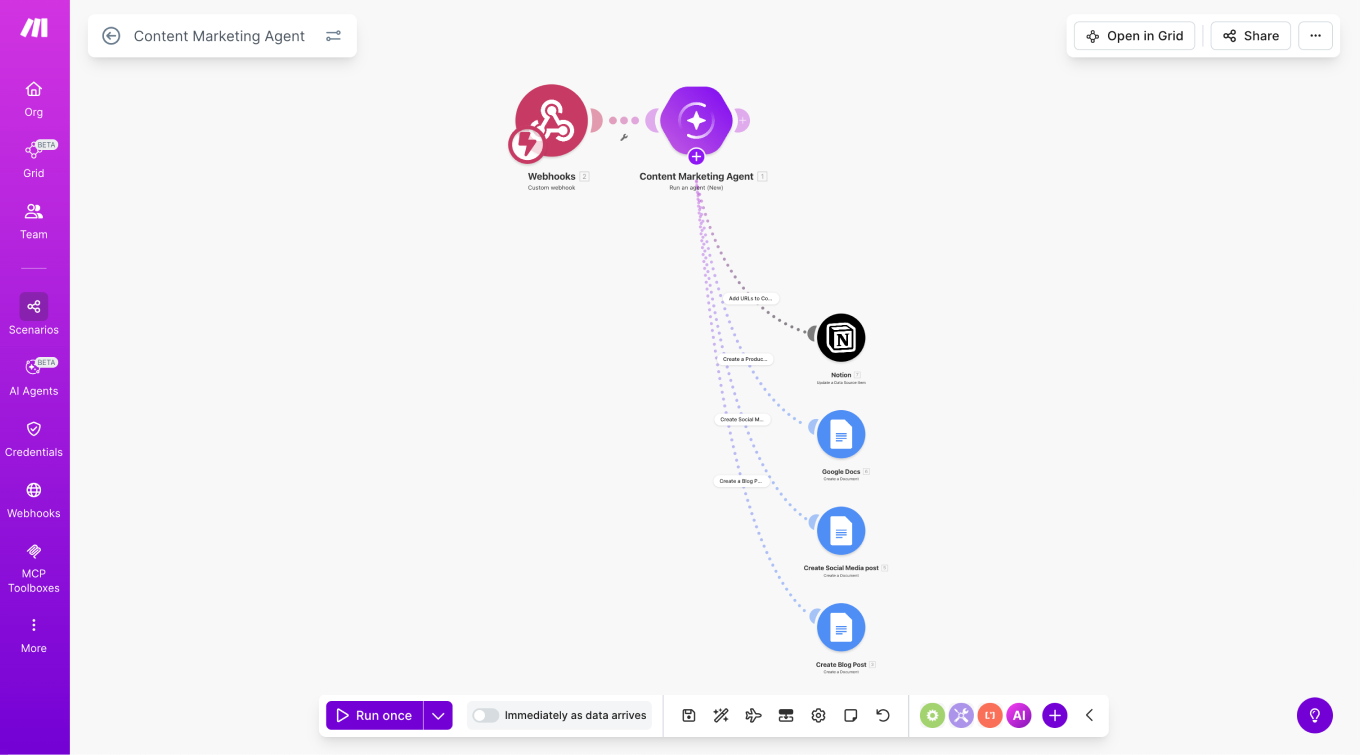
Make AI Agents can receive instructions, use knowledge, select tools and perform actions across connected systems. The current product is built into Make's Scenario Builder, so an agent can work alongside webhooks, routers, filters, API calls and standard app modules rather than existing as a separate chat interface.
Make describes common agent patterns such as conversational agents, synthesizers, routers, qualifiers and orchestrators. In practice, that means an agent can classify an incoming request, decide which approved tool to call, retrieve supporting information and pass the result into a normal automation. This is useful for workflows where inputs are unstructured or the correct next action cannot be represented cleanly with fixed rules alone.
How is the 2026 version different from the earlier Make AI Agents experience?
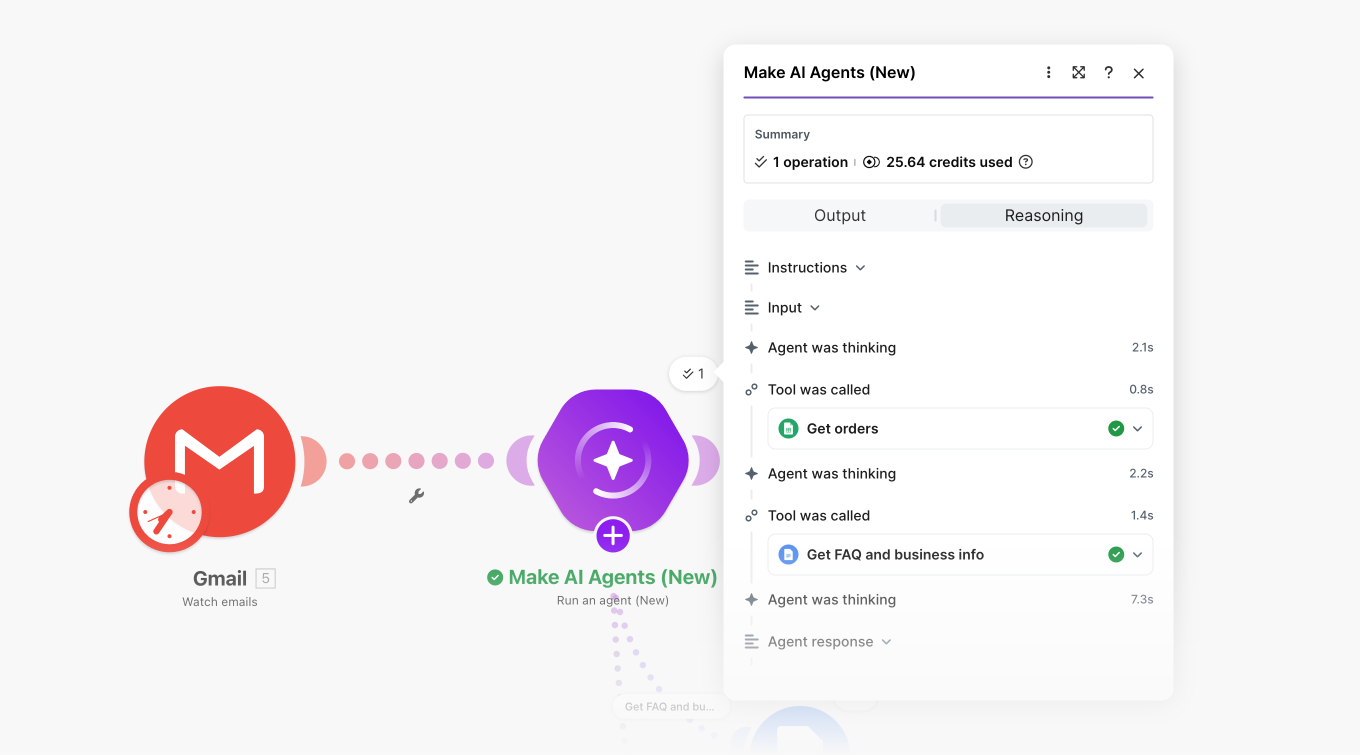
Make rebuilt the product so agents are created, run and debugged in the same canvas as scenarios. The February 11, 2026 release added a more integrated agent-building model, reusable agents, a Library of Agents and clearer visual reasoning and execution information.
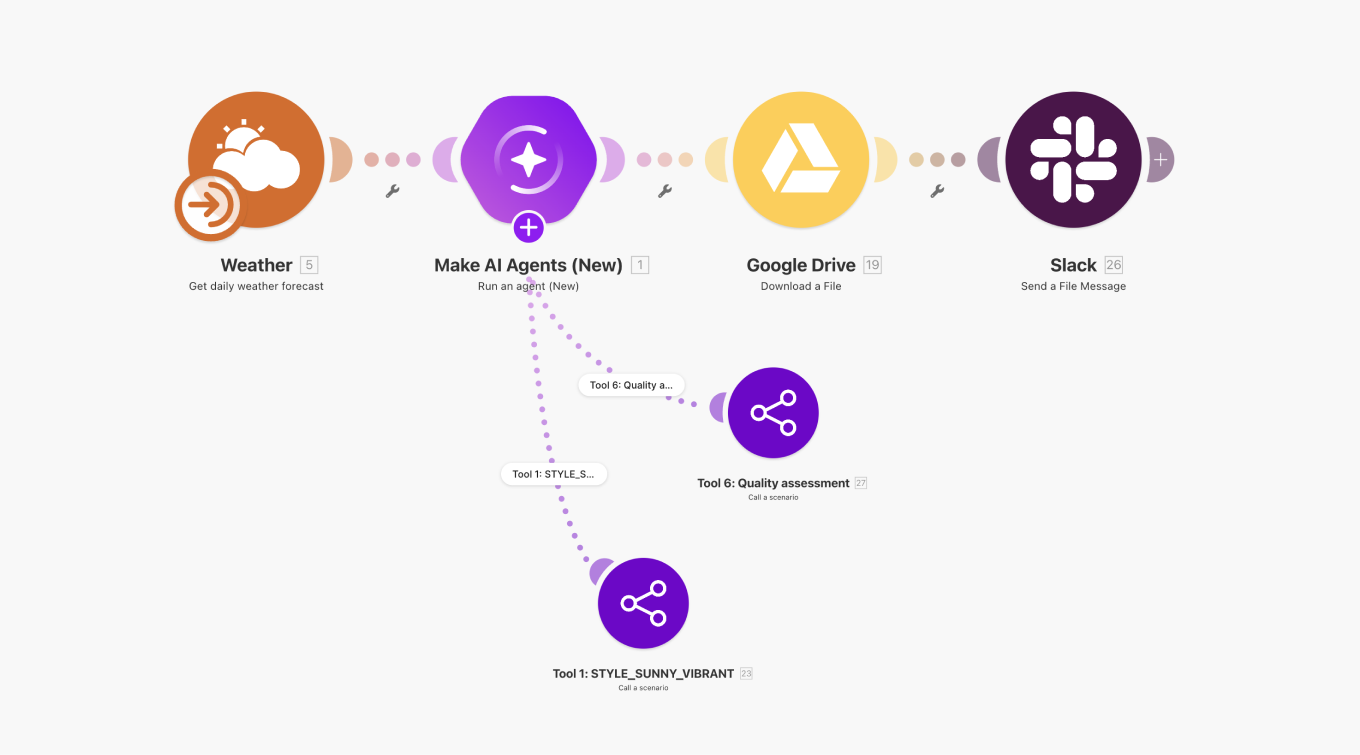
The key architectural change is that agentic and deterministic logic can now be combined in one visible workflow. Make's own guidance recommends this hybrid approach: fixed rules should remain deterministic, while agents should be used for judgment-heavy steps. This reduces the risk of using a probabilistic model for tasks that can be handled more cheaply and predictably with ordinary automation logic.
How do tools, knowledge and connected apps work?
An agent can use tools created from Make scenarios and can work with knowledge supplied to the agent. Make also supports file-based knowledge and agent context. Tools can call business systems through Make's large integration catalogue, which currently contains more than 3,000 pre-built apps, as well as HTTP and API modules for custom services.
MCP expands this model. Make's MCP Server can expose approved scenarios as callable tools to external AI clients, while MCP Client allows Make scenarios and agents to call tools hosted on external MCP servers. The practical security advantage is that a team can expose a narrow workflow with defined inputs and outputs instead of giving an external model unrestricted access to an application's entire API surface.
How much do Make AI Agents cost?
Pricing checked on August 23, 2026. Make AI Agents does not have a separate flat subscription price. It is available through the main Make plans and consumes Make credits according to how the agent is run and which AI-provider connection is used.
Current Make plan pricing at the 10,000-credit monthly tier lists Free at $0 with up to 1,000 credits per month, Core at $12 per month, Pro at $21 per month and Teams at $38 per month on the monthly-billing view. Enterprise uses custom pricing. Annual billing can reduce the effective subscription price.
For AI Agents, Make's own AI Provider uses one credit per operation plus dynamic credits based on AI-token usage. With a custom AI-provider connection on a paid plan, Make generally charges one credit per operation while the external provider bills model-token usage separately. Knowledge ingestion and embeddings can add further credit consumption.
How can teams monitor AI Agent cost and execution?
Make provides organization-level credit tracking and run-level execution information. The Credit Usage area shows credits consumed by scenarios and AI agents, while execution details can reveal operations, token consumption and tool calls. This matters because the cost of an agent is not determined only by how many times it starts; multi-step reasoning, called tools, file processing and model choice can all affect consumption.
Teams should monitor representative workloads before scaling an agent to production. A short classification agent with one tool call can have very different economics from a research or orchestration agent that reads large documents and invokes several downstream workflows.
What are the main advantages of Make AI Agents?
The main advantage is integration with an established visual automation environment. Teams can keep fixed control flow visible, insert agentic reasoning where needed and inspect how the agent interacts with tools. Reusable agents can also reduce duplication when several scenarios need the same judgment or knowledge capability.
The broad integration catalogue is another advantage for operational use cases. An agent can potentially work across CRM, email, support, document, database and collaboration systems without a developer building each connector from scratch. For organizations already using Make, this can reduce the need to introduce a separate orchestration platform just for agents.
What are the limitations and risks?
Agent output remains probabilistic. Clear prompts, constrained tools, good source data and human review are still important for workflows where an incorrect action could create financial, legal or customer impact. Giving an agent write access to CRM, billing or production systems also raises permission and audit concerns.
Cost can be less predictable than ordinary fixed-step automation because Make's built-in AI usage can vary with tokens and model selection. Complex workflows may also become difficult to understand if teams use agents for logic that could have stayed deterministic. The visual reasoning interface improves observability, but it does not remove the need for testing, approval controls and ownership.
How does Make AI Agents compare with alternatives?
Zapier Agents can be attractive for teams already standardized on Zapier and wanting agent actions across its automation ecosystem. n8n is a stronger fit for teams that value self-hosting and deeper technical control. Microsoft Copilot Studio may fit organizations centered on Microsoft 365, Power Platform and Azure governance. Developer teams may prefer building directly with model APIs, agent SDKs or cloud-native orchestration when code-level control is more important than visual configuration.
Make is most compelling when a team already needs visual cross-app automation and wants AI reasoning to become one component of that same operational system rather than a separate stack.
Who should choose something else?
Teams should consider another approach when every step can be expressed with reliable rules, because an ordinary Make scenario will usually be simpler and more predictable. Developers who need complete control over runtime behavior, source control, automated testing and deployment pipelines may also prefer a code-first framework.
Organizations should also look elsewhere if they require an agent platform with a deployment model or data-processing boundary Make does not support. The right choice depends on whether visual orchestration, connector breadth and shared workflow governance outweigh the benefits of a more specialized agent platform.
Reviews
No reviews yet
Nobody has reviewed Make AI Agents here yet.