About GitHub Copilot
GitHub Copilot is GitHub's AI development product for writing, understanding, reviewing, and changing software across the developer workflow. It is available in editors and GitHub surfaces, and now also through a dedicated desktop app built for agent-driven development. This page focuses on current Copilot capabilities, 2026 plan pricing and AI-credit billing, administration, limitations, and when another coding assistant or development workflow may be a better fit.
What does GitHub Copilot do in 2026?
Copilot has moved well beyond autocomplete. Paid plans include unlimited code completions in supported editors, while AI interactions cover Copilot Chat, coding and cloud agents, Copilot CLI, Copilot Spaces, the desktop Copilot app, and other model-driven workflows. Developers can ask questions about code, generate or revise code, explain unfamiliar repositories, work from issues and pull requests, and delegate larger tasks to agents.
The exact experience depends on the surface and plan. Some features run inside IDEs, some are available on github.com, and agent sessions can also run in the standalone Copilot app. Organization administrators can control access to selected features and models through policy settings.
What is the GitHub Copilot app?
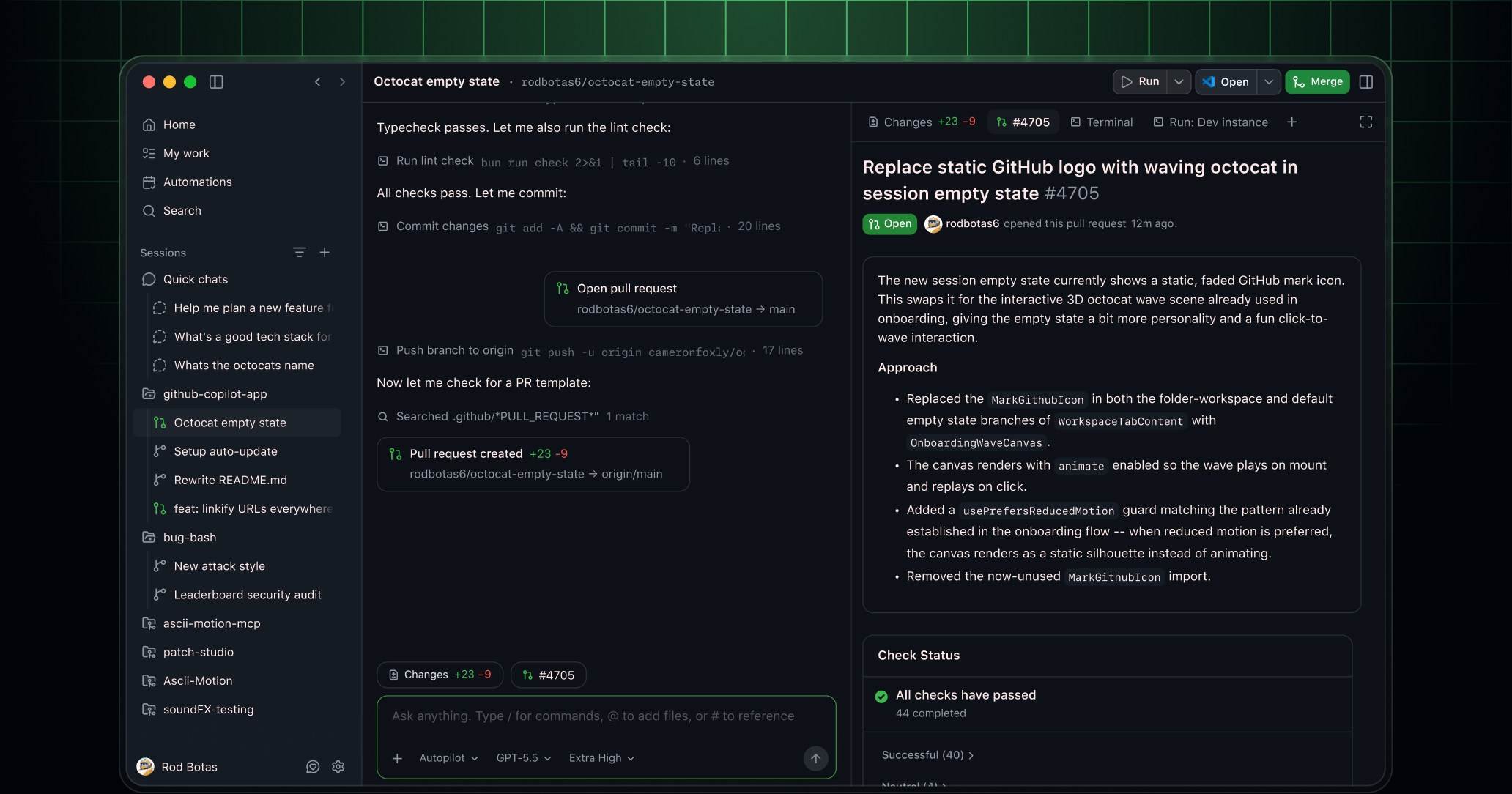
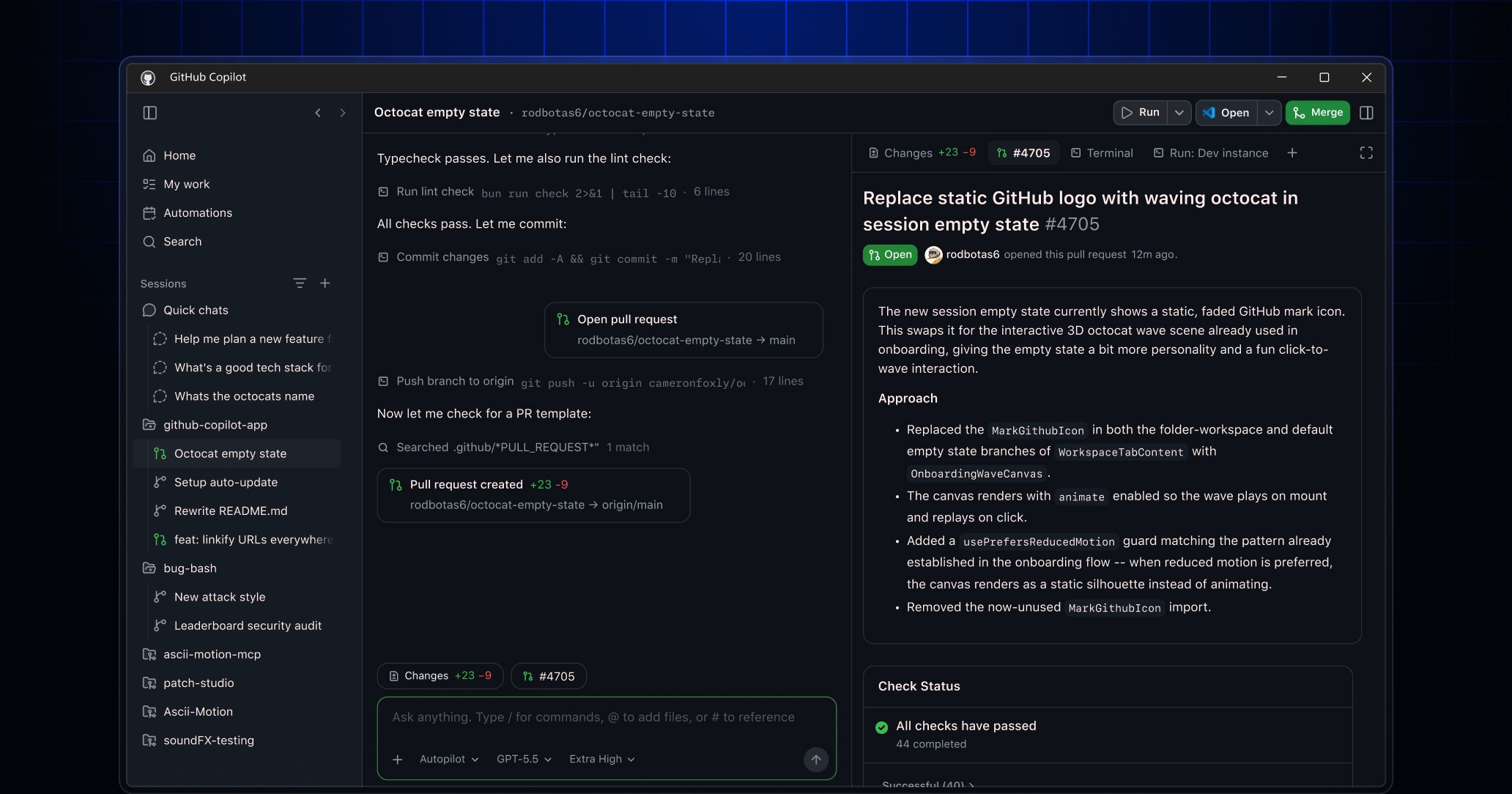
The GitHub Copilot app reached general availability on June 17, 2026 and is available on macOS, Windows, and Linux. It is designed around agent-driven development rather than a single chat panel. A session can start from an issue, pull request, prompt, or previous session, then work in its own branch and worktree while the developer reviews the plan, diff, terminal output, and browser behavior before opening a pull request.
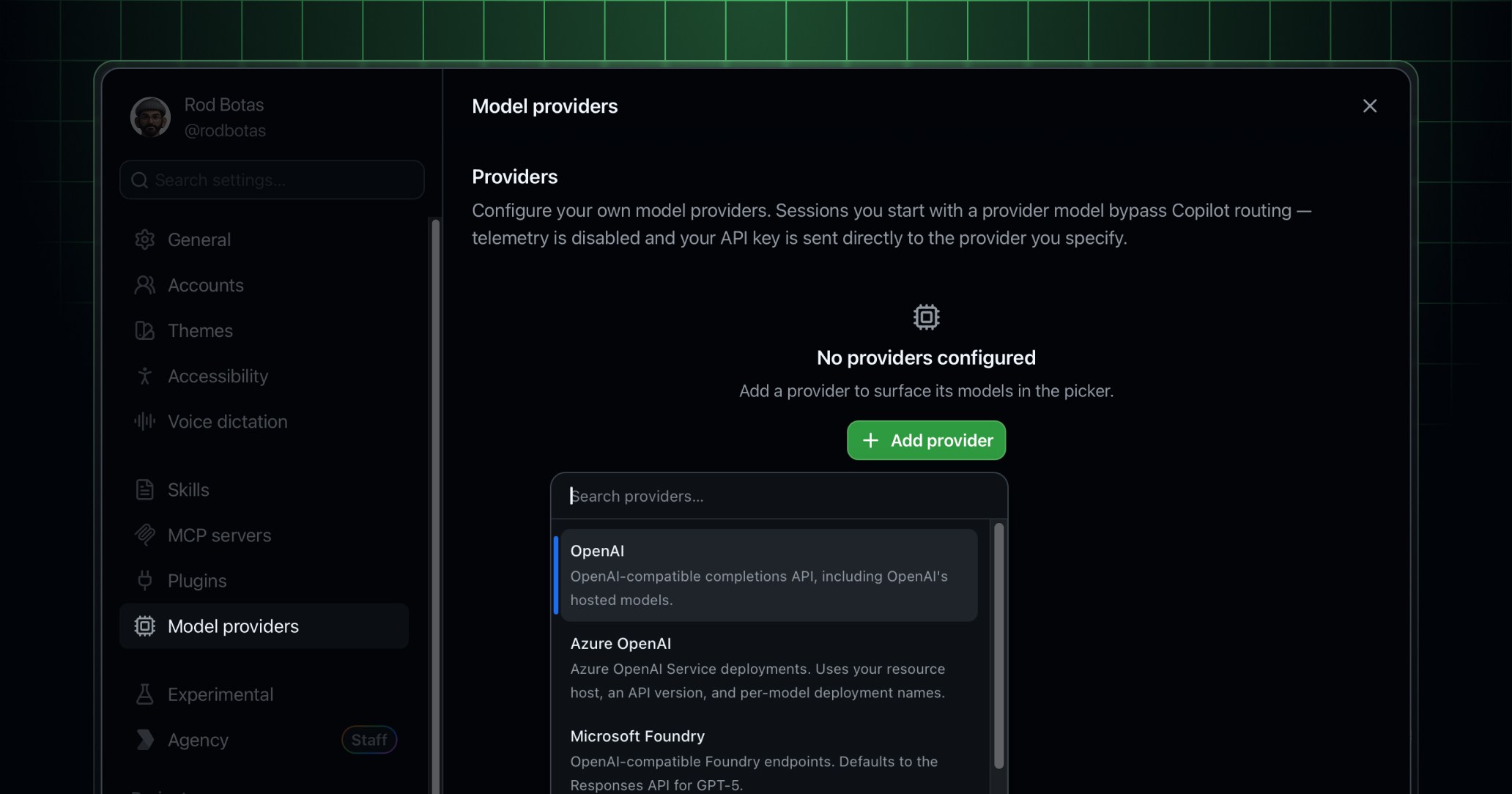
GitHub added Canvases for shared planning and review, cloud automations for scheduled agent work, MCP support for external tools, and bring-your-own-model options. On July 7, 2026 GitHub made the app available across every Copilot plan. Users can also run sessions with their own model provider key even without a Copilot subscription, subject to the app's current provider support and the external provider's own billing.
How much does GitHub Copilot cost?
Pricing checked on August 22, 2026 against current GitHub documentation. Copilot Free costs $0 and provides limited completions plus limited chat and agent usage. Copilot Pro is $10 per month and includes unlimited code completions plus 1,500 monthly GitHub AI Credits. Copilot Pro+ is $39 per month with 7,000 monthly AI Credits. Copilot Max is $100 per month with 20,000 monthly AI Credits.
For organizations, Copilot Business is $19 per user per month and normally includes 1,900 AI Credits per user. Copilot Enterprise is $39 per user per month and normally includes 3,900 AI Credits per user. Existing Business and Enterprise customers receive temporary higher included amounts during the June 1 to September 1, 2026 promotional period. Buyers should not treat those promotional allowances as the permanent entitlement.
What changed with Copilot billing in June 2026?
GitHub replaced its premium-request billing model with usage-based billing for new monthly plans on June 1, 2026. AI interactions are now measured in GitHub AI Credits, where one credit equals $0.01 USD. The number of credits consumed depends on the model and the amount of tokens processed, so a short chat with a lightweight model can cost much less than a long multi-file coding-agent session using a frontier model.
Code completions and next-edit suggestions remain unlimited on paid plans and are not charged against AI Credits. Chat, Copilot CLI, cloud agents, Copilot Spaces, third-party coding agents, and other model-driven interactions can consume credits. Organizations can configure budgets so usage above the included pool is allowed, limited, or blocked.
Which AI models can Copilot use?
GitHub Copilot provides access to a changing catalog of models rather than one permanent underlying model. Current documentation includes models from several providers, and GitHub frequently adds and retires model options. In August 2026, GitHub was continuing to add newer models such as Gemini 3.7 Flash and Grok 4.6 while deprecating older options such as MAI-Code-1-Flash.
That turnover means buyers should avoid selecting Copilot solely for one named model. The more durable question is whether the organization values GitHub's routing, policy, repository context, agent surfaces, and multi-model access. Teams with strict model-governance requirements should verify which models administrators can enable and how model-specific AI-credit rates affect cost.
How does bring your own key work in the Copilot app?
The Copilot app supports bring your own key for providers including OpenAI, Azure OpenAI, Microsoft Foundry, Anthropic, LM Studio, Ollama, and OpenAI-compatible endpoints. A team can therefore route selected desktop agent sessions through its own model account instead of GitHub-hosted inference.
This can be useful where an organization already has negotiated model pricing, wants traffic to remain within a particular tenant or gateway, or needs local models for selected tasks. BYOK does not automatically remove governance work: the organization still needs to manage keys, provider terms, data handling, budgets, and the difference between GitHub policy controls and controls enforced by the external model provider.
What should enterprises evaluate before rolling out Copilot?
Enterprise adoption requires more than buying seats. Administrators should decide who receives licenses, which models and agent features are allowed, how repository permissions constrain AI access, whether CLI and desktop-agent features are permitted, and what budgets apply when included AI Credits are exhausted. Copilot Business and Enterprise provide centralized management and policy capabilities that the personal Free plan does not provide.
Teams should also consider code review requirements, secrets handling, third-party MCP tools, audit expectations, indemnification terms, and whether autonomous agents are allowed to create branches or pull requests in sensitive repositories. AI can accelerate changes, but existing branch protection, tests, security checks, and human review remain important controls.
What are GitHub Copilot's main limitations?
Copilot can generate incorrect, incomplete, insecure, or inappropriate code, and agent workflows can make broader changes than a simple completion. The product also introduces a variable usage-cost dimension now that many AI interactions consume credits. High-volume teams may need active FinOps controls instead of treating the subscription fee as the total cost.
Model availability can change quickly, and not every Copilot capability is available in every editor, plan, enterprise configuration, or deployment model. Copilot is not currently available for GitHub Enterprise Server in the same way it is for GitHub Enterprise Cloud, so organizations with self-hosted requirements should verify their exact support path before purchase.
How does GitHub Copilot compare with alternatives?
GitHub Copilot is especially compelling when repositories, issues, pull requests, reviews, Actions, and enterprise policy already live in GitHub. Its advantage is workflow context and integration across the development lifecycle, not simply access to one language model.
Cursor and other AI-first editors can be attractive to developers who want the editor itself to be the center of the AI workflow. Claude Code or OpenAI Codex can appeal to teams that prefer a model-provider-native coding agent. JetBrains AI can fit organizations standardized on JetBrains IDEs. Microsoft environments may also combine Copilot with Visual Studio and Azure tooling. The right choice depends on repository platform, IDE preferences, governance, model flexibility, agent workflow, and cost.
Who should choose something else instead of GitHub Copilot?
A developer who only needs occasional code completion may be satisfied with Copilot Free or an editor's built-in assistance rather than a paid Copilot plan. Teams that do not use GitHub for source control may get less value from GitHub-specific issue, pull-request, and repository context. Organizations that require a fully self-hosted AI stack may prefer local-model tooling or another product designed around private inference.
Copilot is a stronger fit when GitHub is already the system of record for development work and the organization wants AI to operate inside that governed workflow. Buyers should choose the plan based on actual AI usage and administration needs, not simply the number of developers who have GitHub accounts.
Reviews
No reviews yet
Nobody has reviewed GitHub Copilot here yet.